
1. Important Safety Information
Please read these instructions carefully before installation and use. Retain this manual for future reference.
- Electrical Safety: Always turn off the power at the circuit breaker before installing, servicing, or cleaning the fixture. Consult a qualified electrician if you are unsure about electrical wiring.
- Grounding: Ensure the fixture is properly grounded to avoid potential electrical shock.
- Bulb Type: Use only E26 base bulbs. Do not exceed the maximum recommended wattage (60 watts). Bulb is not included.
- Installation Location: Install the fixture in a location suitable for outdoor use, away from flammable materials.
- Handling: Handle the light fixture with care to prevent damage.
2. Package Contents
Verify that all components are present before beginning installation.
- Gooseneck Barn Light Fixture (x2)
- Mounting Bracket (x1 per fixture)
- Outlet Box Screws (x4 per fixture)
- Wire Connectors (x3 per fixture)

Figure 2.1: Included accessories for the Yolsunes outdoor barn light.
3. Product Overview
The Yolsunes 12-inch Motion Sensor Outdoor Gooseneck Barn Light is designed for exterior wall mounting, featuring a classic farmhouse aesthetic combined with modern functionality. It includes an integrated PIR motion sensor and offers three distinct lighting modes for enhanced security and energy efficiency.
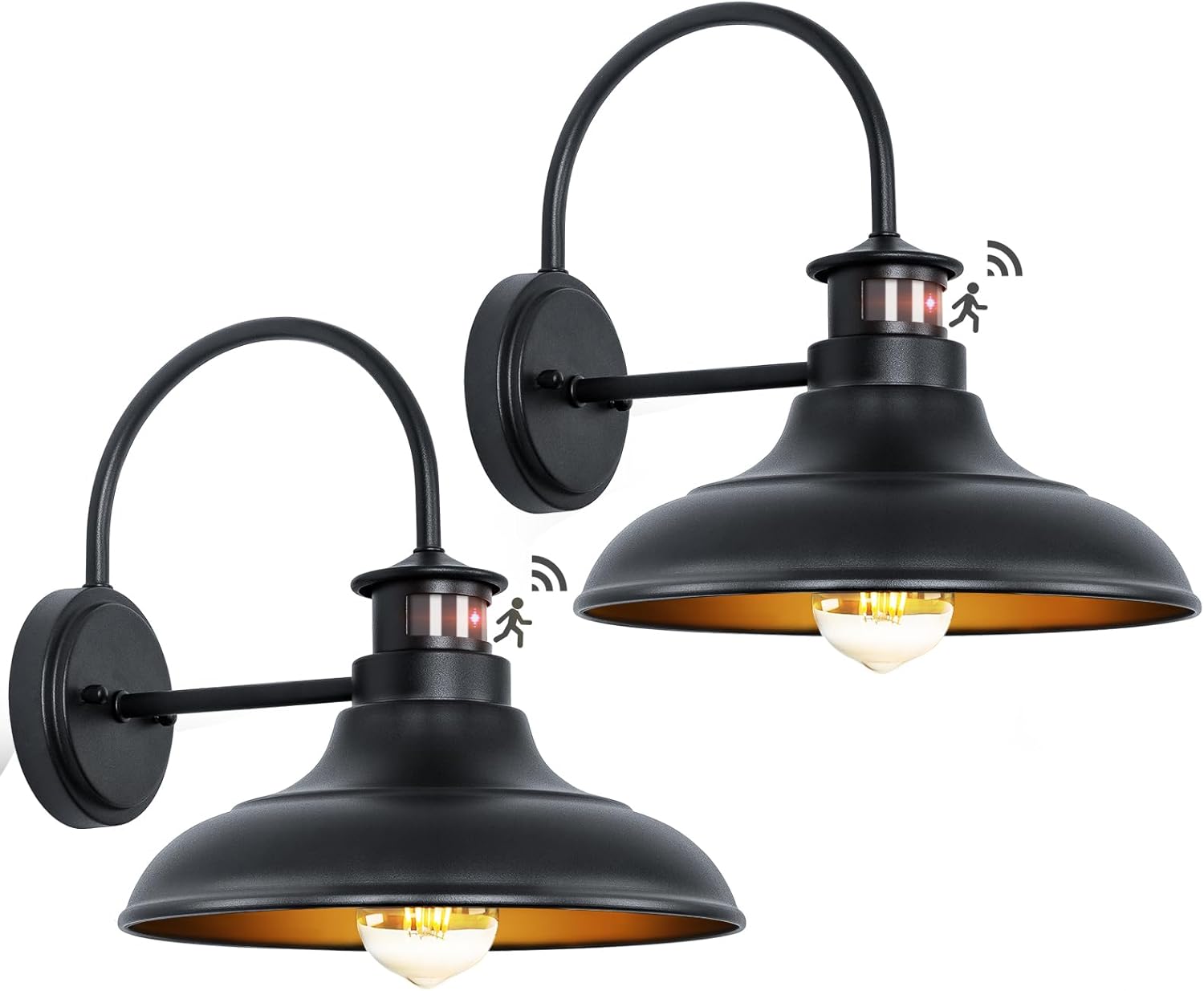
Figure 3.1: Yolsunes 12-inch Motion Sensor Outdoor Gooseneck Barn Light.

Figure 3.2: Product features and dimensions of the barn light.
4. Installation Instructions
Follow these steps to properly install your outdoor barn light. It is recommended to have a second person assist during installation.
- Prepare for Installation: Turn off power at the main circuit breaker. Ensure the mounting surface is clean, dry, and structurally sound.
- Mount the Bracket: Attach the mounting bracket to your electrical junction box using the provided outlet box screws. Ensure the bracket is securely fastened.
- Connect Wiring: Carefully connect the electrical wires from the fixture to your household wiring. Connect the ground wire (usually bare copper or green) from the fixture to the ground wire from the junction box. Connect the neutral wire (usually white) from the fixture to the neutral wire from the junction box. Connect the live/hot wire (usually black) from the fixture to the live/hot wire from the junction box. Secure all connections with the provided wire connectors.
- Attach Fixture: Align the fixture with the mounting bracket and secure it using the provided screws or nuts. Ensure the fixture is flush against the wall and stable.
- Install Bulb: Screw an E26 base bulb (not included) into the socket. Do not overtighten.
- Restore Power: Turn the power back on at the circuit breaker.
For detailed visual guidance, refer to the installation manual PDF available on the product page or consult a professional electrician.
5. Operating Instructions
Your Yolsunes outdoor barn light features an advanced PIR motion sensor and three selectable lighting modes. The modes are controlled via your existing wall switch.
Motion Sensor Functionality
The built-in smart motion sensor detects movement from people, cars, or animals within a range of up to 40 feet and a detection angle of up to 220 degrees. The sensor is designed to ignore natural environmental factors like wind and rain to prevent false triggers.

Figure 5.1: Motion sensor detection range and angle.
Lighting Modes
The fixture offers three lighting modes, which can be cycled by quickly toggling your wall switch OFF and ON. The light will reset to Auto Mode after 8 hours at dawn.
- Mode 1: Auto Mode (30%-100%-30%)
At night, the light stays at 30% brightness. When motion is detected, it brightens to 100% for 2 minutes, then returns to 30% brightness. - Mode 2: Auto+ Mode (0-100%-0)
At night, the light remains off. When motion is detected, it turns on to 100% brightness for 2 minutes, then turns off. - Mode 3: Manual Override Mode (100% for 8 hours)
The light stays on at 100% brightness for approximately 8 hours, regardless of motion detection. This mode is useful when continuous illumination is desired.

Figure 5.2: Explanation of the three lighting modes.
Switching Modes
To switch between the three modes, simply toggle your wall switch OFF and then ON again quickly. Each quick toggle will advance to the next mode in sequence (Auto -> Auto+ -> Manual Override -> Auto...).
Video 5.1: Demonstration of the Dusk to Dawn Motion Sensor Outdoor Barn Lights, showcasing the different operating modes.
6. Maintenance
Regular maintenance ensures optimal performance and extends the lifespan of your Yolsunes outdoor barn light.
- Cleaning: Periodically clean the fixture with a soft, damp cloth. Avoid abrasive cleaners or solvents that could damage the finish or sensor lens.
- Sensor Lens: Ensure the motion sensor lens is kept clean and free from dust, dirt, spiderwebs, or obstructions. A dirty lens can impair detection capabilities.
- Weather Resistance: The fixture is designed to be weather-resistant and anti-rust. However, inspect it periodically for any signs of damage or wear, especially after severe weather conditions.
- Bulb Replacement: Turn off power at the circuit breaker before replacing the bulb. Allow the bulb to cool completely before handling.

Figure 6.1: The barn light's weather-resistant and durable construction.
7. Troubleshooting
If you encounter issues with your Yolsunes outdoor barn light, refer to the following common problems and solutions:
| Problem | Possible Cause | Solution |
|---|---|---|
| Light does not turn on at night. | No power; Bulb faulty; Sensor obstructed; Incorrect mode. | Check circuit breaker. Replace bulb. Clean sensor lens. Toggle wall switch to cycle modes. |
| Motion sensor not triggering. | Sensor lens dirty/obstructed; Object too far or outside detection angle. | Clean sensor lens. Ensure motion occurs within 40ft and 220° angle. |
| Light flickers. | Loose wiring; Incompatible bulb; Electrical interference. | Turn off power and check all wire connections. Try a different E26 bulb type (LED, incandescent). Consult an electrician if flickering persists. |
| Light stays on continuously in Auto/Auto+ mode. | Stuck in Manual Override Mode; Constant motion detected. | Toggle wall switch to cycle modes. Ensure no continuous motion is within sensor range. |
8. Specifications
| Feature | Detail |
|---|---|
| Brand | Yolsunes |
| Model Number | 49 |
| Color | Black |
| Material | Metal |
| Dimensions (L x W x H) | 14.5" x 12.25" x 12.75" |
| Item Weight | 6.1 pounds (per 2-pack) |
| Power Source | Cord Electric |
| Voltage | 120 volts |
| Max Wattage | 60 watts |
| Bulb Base | E26 (Bulb not included) |
| Light Source Compatibility | Fluorescent, Incandescent, LED |
| Motion Sensor Detection Range | Up to 40 feet |
| Motion Sensor Detection Angle | Up to 220 degrees |
| Lighting Modes | Auto (30%-100%-30%), Auto+ (0-100%-0), Manual Override (100% for 8 hours) |
| Water Resistance Level | Waterproof |
| Mounting Type | Wall Mount |
9. Warranty Information
Yolsunes provides a 2-year manufacturer's warranty for this product. This warranty covers defects in materials and workmanship under normal use. Please retain your proof of purchase for warranty claims. For specific terms and conditions, refer to the warranty documentation included with your product or contact customer support.
10. Customer Support
For further assistance, technical support, or inquiries regarding your Yolsunes product, please visit the official Yolsunes store or contact their customer service department.
Yolsunes Official Store: Visit Yolsunes Store on Amazon
