
1. Important Safety Information
Please read this manual carefully before installation and use. Keep it for future reference. Incorrect installation or use can lead to electric shock, fire, or other hazards.
- Always disconnect power before installation, maintenance, or bulb replacement.
- Ensure the power supply voltage matches the product's requirements.
- This product is designed for indoor use only.
- Do not exceed the maximum wattage specified for the GU10 bulb.
- Consult a qualified electrician if you are unsure about the installation process.
- Keep away from water and damp environments.
2. Product Overview
The Philips Meranti GU10 Surface Spotlight is a modern, adjustable lighting fixture designed for various indoor spaces such as living rooms, bedrooms, and hallways. It features a durable metal construction and a white finish, providing optimal light effect with its rotatable spot design.
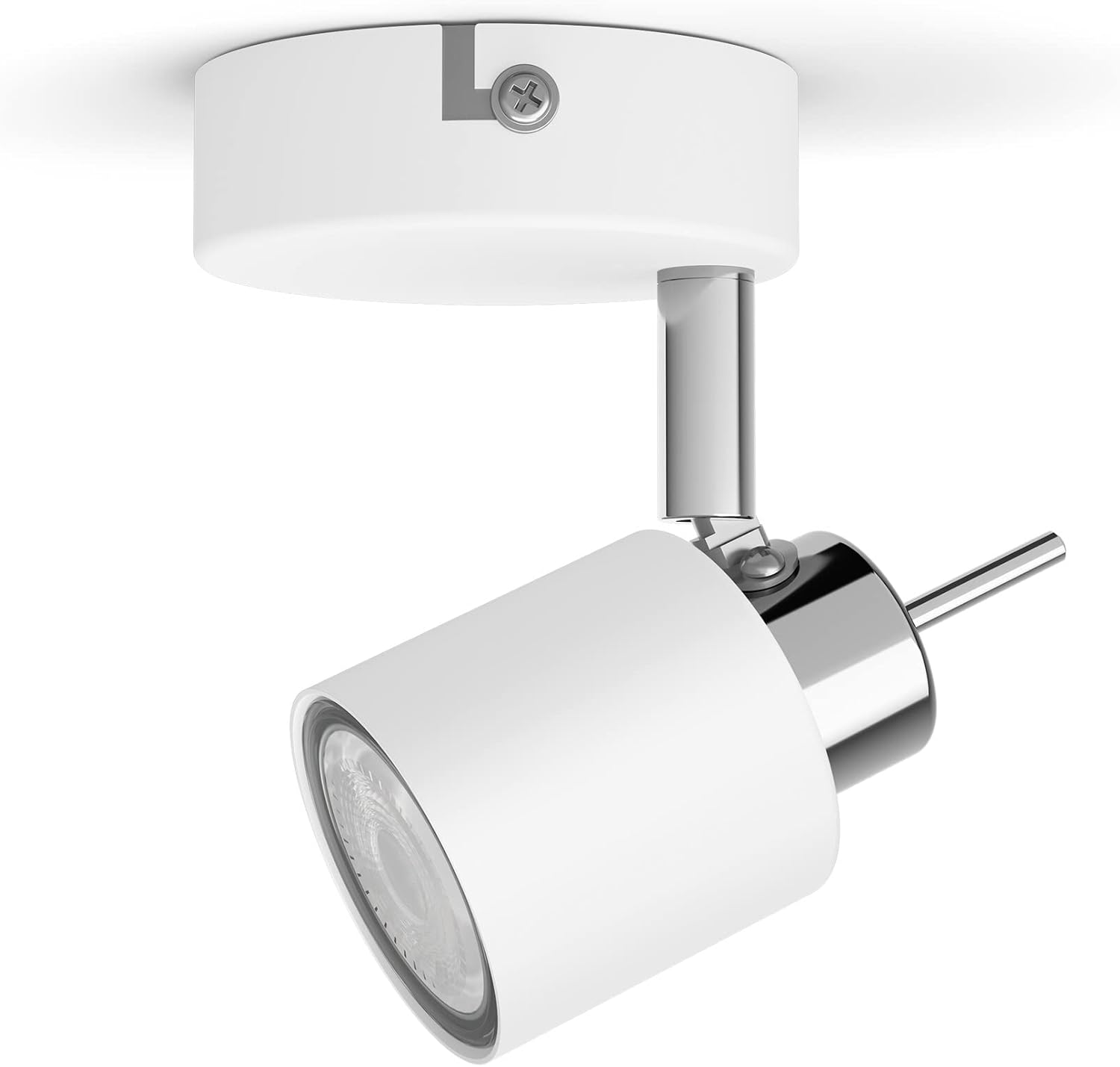
Image 2.1: Front view of the Philips Meranti GU10 Surface Spotlight.
3. Package Contents
Verify that all components are present before beginning installation:
- 1x Philips Meranti GU10 Surface Spotlight fixture
- Mounting hardware (screws, wall plugs)
- Instruction Manual
- Note: GU10 bulb is not included and must be purchased separately.
4. Setup and Installation
Follow these steps for safe and proper installation:
- Turn off Power: Before starting, ensure the main power supply to the installation area is switched off at the circuit breaker.
- Mark Drilling Points: Position the spotlight base on the ceiling or wall where you intend to install it. Use a pencil to mark the drilling points for the mounting screws.
- Drill Holes: Drill holes at the marked points. Use an appropriate drill bit size for the provided wall plugs (if applicable).
- Insert Wall Plugs: Insert the wall plugs into the drilled holes until they are flush with the surface.
- Connect Wiring: Connect the household electrical wires to the spotlight's terminal block. Ensure correct polarity (Live to Live, Neutral to Neutral, Earth to Earth). Secure all connections firmly.
- Mount the Fixture: Align the spotlight base with the drilled holes and secure it to the ceiling/wall using the provided screws.
- Install GU10 Bulb: Insert a GU10 bulb into the spotlight socket. Push the bulb in and twist clockwise to secure it.
- Restore Power: Once installation is complete and all connections are secure, restore power at the circuit breaker.
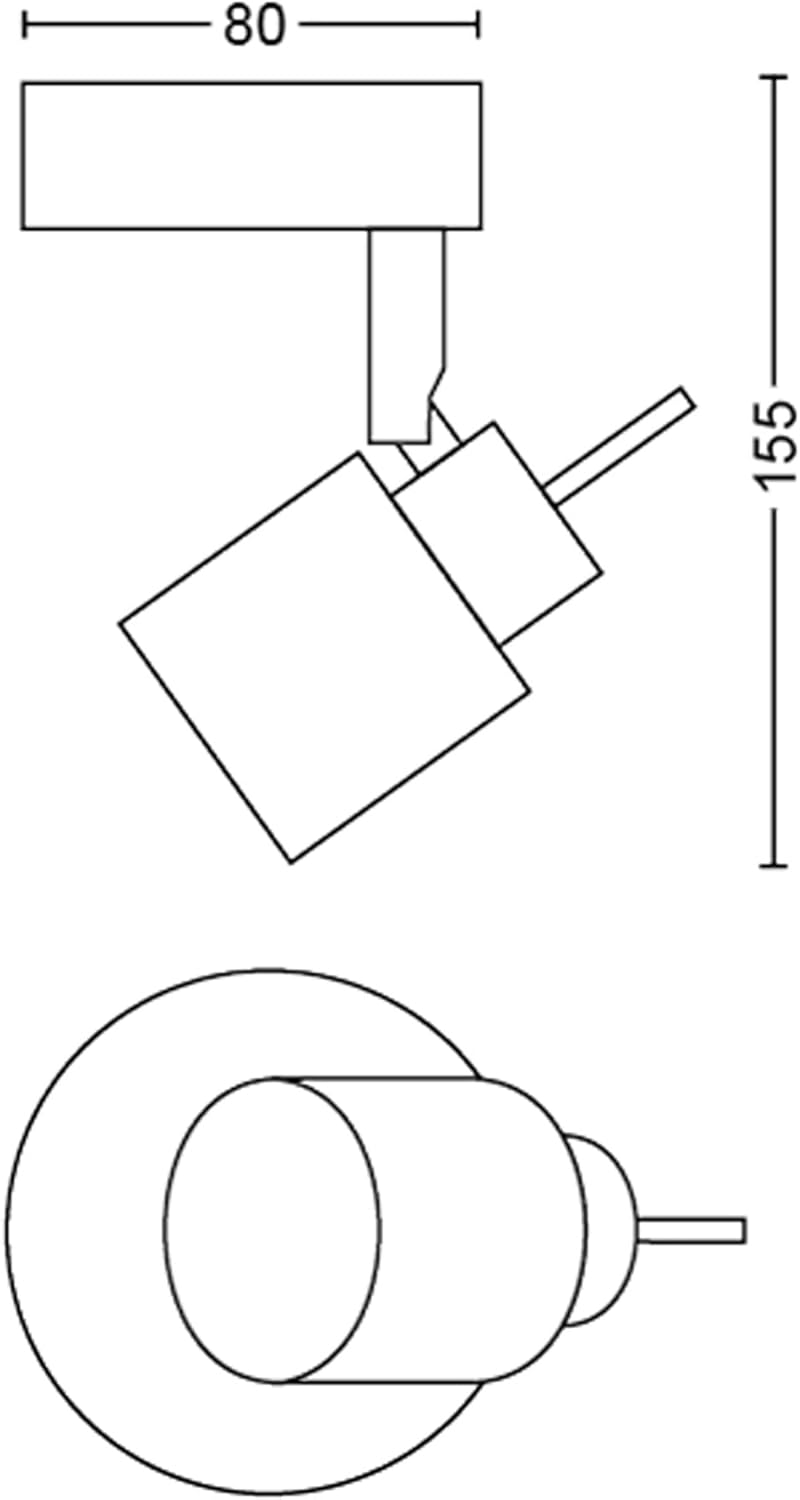
Image 4.1: Dimensional diagram for installation reference. Dimensions are in millimeters.
5. Operating Instructions
After successful installation and power restoration, the spotlight is ready for use.
- Switching On/Off: Use your standard wall switch to turn the spotlight on or off.
- Adjusting Light Direction: The spotlight head is rotatable and tiltable. Gently adjust the spotlight head to direct the light beam to your desired area.

Image 5.1: The Philips Meranti spotlight providing illumination.
6. Maintenance
To ensure the longevity and optimal performance of your spotlight, follow these maintenance guidelines:
- Cleaning: Disconnect power before cleaning. Wipe the fixture with a soft, dry cloth. Do not use abrasive cleaners or solvents, as they may damage the finish.
- Bulb Replacement:
- Turn off and disconnect power to the fixture.
- Allow the bulb to cool completely if it has been recently in use.
- Gently push the GU10 bulb into its socket and twist counter-clockwise to remove it.
- Insert a new GU10 bulb (ensure it meets the specified wattage and type) by pushing it in and twisting clockwise until secure.
- Restore power.
7. Troubleshooting
| Problem | Possible Cause | Solution |
|---|---|---|
| Light does not turn on. |
|
|
| Light flickers. |
|
|
8. Specifications
| Brand | Philips |
| Model Number | 929003253501 |
| ASIN | B0B97L9ZSH |
| Color | White |
| Material | Metal |
| Style | Modern |
| Fixture Shape | Ceiling |
| Room Type | Bedroom, Living Room, Hallway |
| Product Dimensions | 15.5 cm (L) x 8 cm (W) x 8 cm (H) |
| Specific Uses | Home |
| Indoor/Outdoor Use | Indoor |
| Power Source | Corded Electric |
| Bulb Type | GU10 (not included) |
9. Warranty and Support
This Philips product comes with a standard manufacturer's warranty. For detailed warranty information, terms, and conditions, please refer to the warranty card included with your product or visit the official Philips website.
For technical support, troubleshooting assistance, or to inquire about replacement parts, please contact Philips customer service. You can find contact information on the Philips website or through the retailer where you purchased the product.
Online Support: www.philips.com/support

