
1. Introduction
The EF ECOFLOW RIVER 2 Max is a portable power station designed to provide reliable power for various applications, including outdoor camping, RV use, and home backup. Featuring a 512Wh LiFePO4 battery, it offers fast charging capabilities and a robust output of up to 1000W with X-Boost technology, making it suitable for powering a wide range of essential appliances.

Figure 1: Front view of the EF ECOFLOW RIVER 2 Max Portable Power Station.
2. What's Included
Upon unboxing your RIVER 2 Max, please verify that all the following components are present:
- RIVER 2 Max Portable Power Station
- AC Charging Cable
- Car Charging Cable
- User Manual (this document)
3. Product Overview
The RIVER 2 Max is equipped with multiple ports and an intuitive display to manage your power needs. Familiarize yourself with the layout for optimal use.

Figure 2: Overview of the RIVER 2 Max ports and display, demonstrating its ability to power up to 11 devices simultaneously.
Key Components:
- AC Outlets: Two 300W AC outlets (up to 1000W with X-Boost).
- USB-C Port: One 100W USB-C port for charging and input.
- USB-A Ports: Three USB-A ports for various devices.
- DC (5521) Outlets: Two DC outlets.
- Car Outlet: One 12V car power outlet.
- LCD Display: Shows battery level, input/output wattage, and remaining runtime.
- Power Button: For turning the unit on/off.
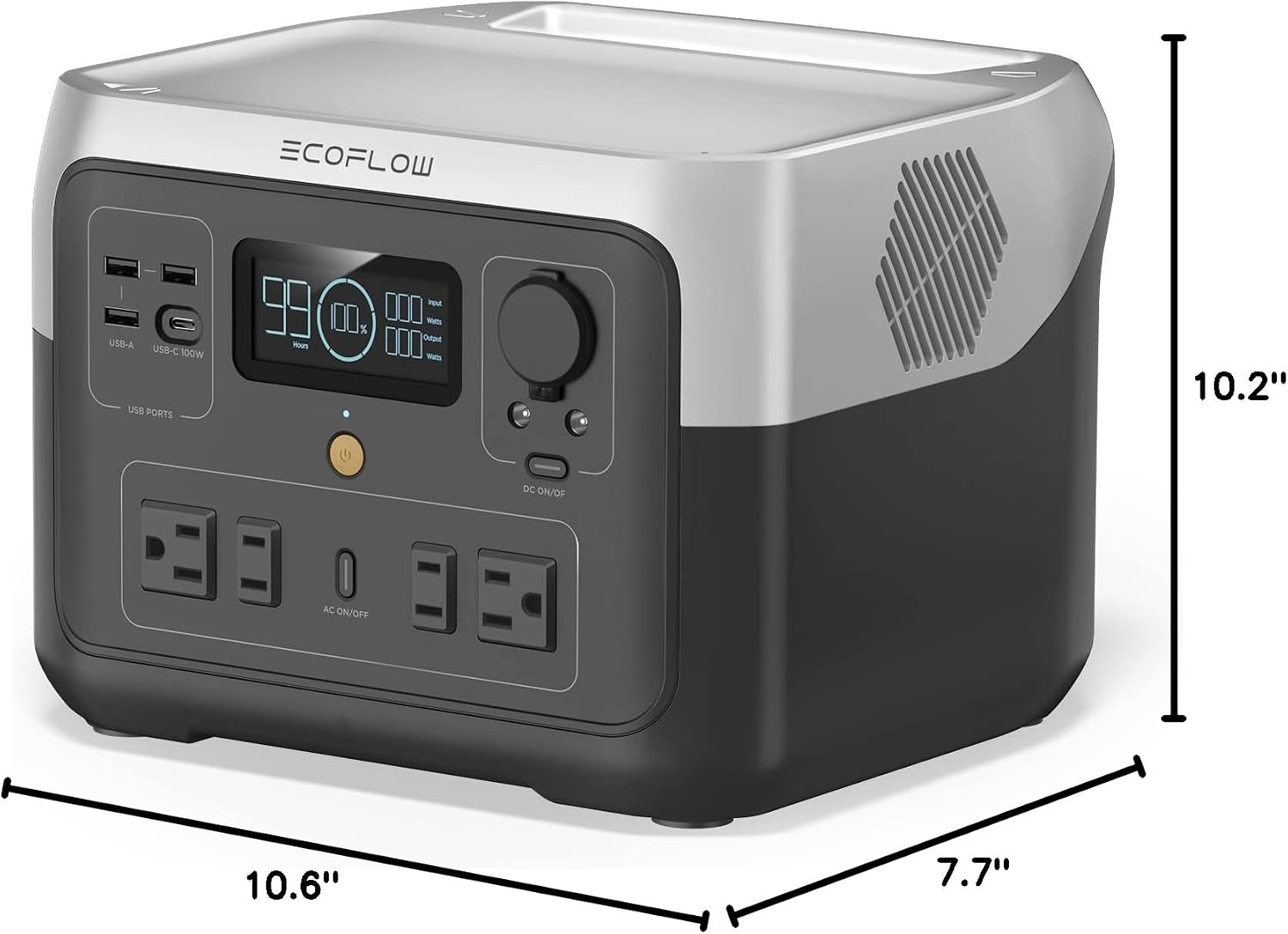
Figure 3: Dimensions of the EF ECOFLOW RIVER 2 Max, measuring 10.6 x 10.2 x 7.7 inches.
4. Setup
Before first use, it is recommended to fully charge your RIVER 2 Max. This ensures the battery is calibrated and ready for optimal performance.
- Unpack: Carefully remove the power station and all accessories from the packaging.
- Initial Charge: Connect the AC charging cable to the unit and a standard wall outlet. Allow the unit to charge until the display indicates 100%.
- Firmware Update (Optional): For the best experience, download the EcoFlow app and check for any available firmware updates.
5. Charging the RIVER 2 Max
The RIVER 2 Max offers multiple convenient charging methods to ensure you always have power when you need it.

Figure 4: The RIVER 2 Max can be charged using solar panels or a car charger.
- AC Wall Outlet (X-Stream Fast Charging): Fully recharge the unit in approximately 1 hour using a standard AC wall outlet. This is the fastest charging method.
- Solar Charging: Connect compatible solar panels (up to 220W input) to recharge the RIVER 2 Max in as fast as 2.3 hours under optimal sunlight conditions.
- Car Charging: Use the included car charging cable to recharge the unit from your vehicle's 12V cigarette lighter port.
- USB-C Charging: The 100W USB-C port also supports input charging, providing a convenient option when other methods are unavailable.

Figure 5: The RIVER 2 Max recharges from 0-100% in just 1 hour via AC input.

Figure 6: Convenient USB-C charging for the RIVER 2 Max.
6. Operating the RIVER 2 Max
The RIVER 2 Max is designed for ease of use, allowing you to power various devices efficiently.
- Turning On/Off: Press and hold the main power button to turn the unit on or off.
- Connecting Devices: Plug your appliances into the appropriate AC, USB, or DC ports. Ensure the total wattage of connected devices does not exceed the unit's output capacity.
- X-Boost Feature: The X-Boost mode allows the RIVER 2 Max to power high-wattage appliances (up to 1000W) that typically exceed its rated output. This is achieved by lowering the voltage and current, which may result in reduced performance for some devices.
- EPS Auto-Switch: The Emergency Power Supply (EPS) function allows the RIVER 2 Max to act as an uninterruptible power supply. When connected to an AC outlet, it passes power through to connected devices. If grid power fails, it automatically switches to battery power within 30ms, ensuring continuous operation for critical appliances like CPAP machines, fish tanks, or routers.

Figure 7: The RIVER 2 Max providing power for various situations, demonstrating its 1000W X-Boost output.
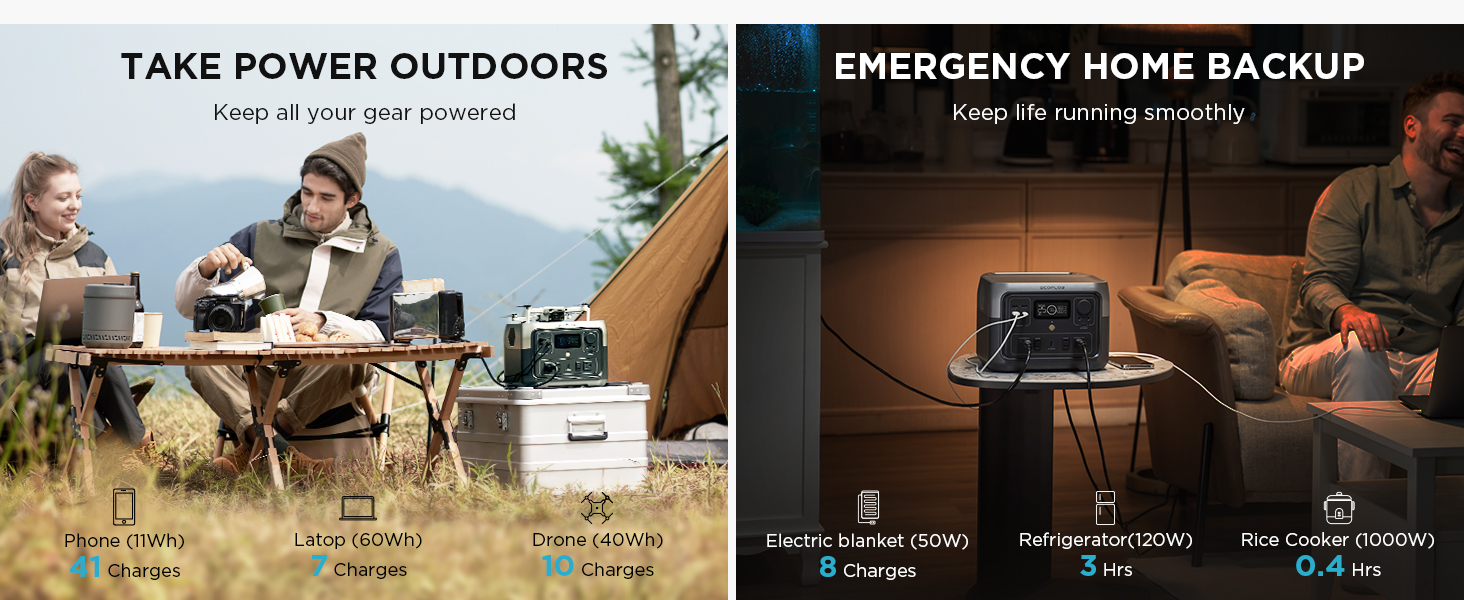
Figure 8: The RIVER 2 Max's EPS auto-switch function ensures power continuity during outages.
7. Battery Technology and Lifespan
The RIVER 2 Max utilizes advanced LiFePO4 battery cells, known for their durability and long cycle life.
- Extended Lifespan: The LiFePO4 battery can be used and recharged over 3000 times before its capacity drops to 80%, equating to approximately 10 years of regular use.
- Advanced BMS Protection: The integrated Battery Management System (BMS) continuously monitors voltage, current, and temperature, providing 7 protective features to extend the battery's life and ensure safe operation.

Figure 9: The RIVER 2 Max is built to last with its durable LiFePO4 battery, offering 3000+ cycles and a 5-year service.
8. EcoFlow App Control
Enhance your experience by connecting your RIVER 2 Max to the EcoFlow mobile application. The app allows you to control and monitor your power station remotely.
- Remote Monitoring: View real-time charging levels, input/output wattage, and remaining runtime from your smartphone.
- Custom Settings: Adjust various settings, including charging speed and X-Boost mode, directly from the app.

Figure 10: Control and monitor your RIVER 2 Max using the EcoFlow App.
9. Portability and Use Cases
Weighing only 13.3 lbs, the RIVER 2 Max is highly portable, making it an ideal power solution for various scenarios.

Figure 11: The lightweight design of the RIVER 2 Max makes it easy to transport.
- Outdoor Adventures: Perfect for camping, RV trips, tailgating, and other off-grid activities. Power lights, mini-fridges, drones, and electronic devices.
- Emergency Home Backup: Provides essential power during outages for critical appliances like refrigerators, lights, and communication devices.

Figure 12: The RIVER 2 Max is versatile for both outdoor power and emergency home backup.
10. Specifications
Detailed technical specifications for the EF ECOFLOW RIVER 2 Max Portable Power Station:
| Feature | Specification |
|---|---|
| Product Dimensions | 10.6 x 10.2 x 7.7 inches |
| Item Weight | 13.42 pounds |
| Model Number | EFR610 |
| Battery Type | LiFePO4 (Lithium Iron Phosphate) |
| Battery Capacity | 512Wh |
| AC Output | 500W (Pure Sine Wave, 1000W X-Boost) |
| AC Input (Charging) | 660W Max (X-Stream Fast Charging) |
| Solar Input | 220W Max |
| USB-C Output/Input | 100W Max |
| DC Output | 12.6V, 3A (DC5521 x2) |
| Car Power Output | 12.6V, 10A |
| Color | Black |
| Voltage | 120 Volts (AC) |
11. Troubleshooting
If you encounter issues with your RIVER 2 Max, refer to the following common troubleshooting steps:
- Unit Not Turning On: Ensure the battery is charged. If completely depleted, connect to AC power for a few minutes before attempting to power on.
- No Output from Ports: Check if the specific output ports (AC, DC, USB) are enabled. Some models require activation via a button or the app. Verify that the connected device is within the power station's output limits.
- "OVERLOAD" Message: This indicates that the connected device is drawing more power than the unit can safely provide, even with X-Boost. Disconnect the device immediately. Try a lower-wattage device or ensure X-Boost is enabled if applicable.
- Slow Charging: Ensure you are using the correct charging cable and power source. For AC charging, verify the wall outlet is functioning correctly. For solar charging, ensure panels are clean, unobstructed, and optimally angled towards the sun.
- App Connectivity Issues: Ensure Bluetooth and/or Wi-Fi are enabled on your phone. Try restarting the app and the power station. If issues persist, refer to the app's help section or EcoFlow support.
12. Maintenance
Proper maintenance will extend the lifespan and ensure the continued performance of your RIVER 2 Max.
- Storage: Store the unit in a cool, dry place, away from direct sunlight and extreme temperatures. For long-term storage, maintain the battery charge between 30% and 80% and recharge every 3-6 months.
- Cleaning: Use a dry, soft cloth to clean the exterior of the unit. Do not use harsh chemicals or abrasive materials. Keep ventilation openings clear of dust and debris.
- Battery Health: Avoid fully discharging the battery frequently. While LiFePO4 batteries are robust, maintaining a charge above 0% is beneficial for long-term health.
- Avoid Extreme Conditions: Do not expose the unit to water, high humidity, or corrosive environments. Operate within the recommended temperature range.
13. Warranty and Support
The EF ECOFLOW RIVER 2 Max comes with a comprehensive warranty and dedicated customer support.
- Warranty: The product includes a 5-year service warranty, covering manufacturing defects and ensuring long-term reliability.
- User Manual (PDF): For a downloadable version of the user manual, please visit the official EcoFlow website or refer to the link provided with your purchase: User Manual (PDF).
- Customer Support: For further assistance, technical support, or warranty claims, please visit the official EF ECOFLOW Store or contact their customer service directly. You can find more information at the EF ECOFLOW Store on Amazon.
