
Introduction
This manual provides detailed instructions for the proper use and maintenance of your Tadeto SL720 Digital Sound Level Meter. This device is designed for accurate measurement of sound levels in various environments, offering a measurement range of 30 dB to 130 dB. Please read this manual thoroughly before operating the device to ensure optimal performance and safety.
Product Overview
Components
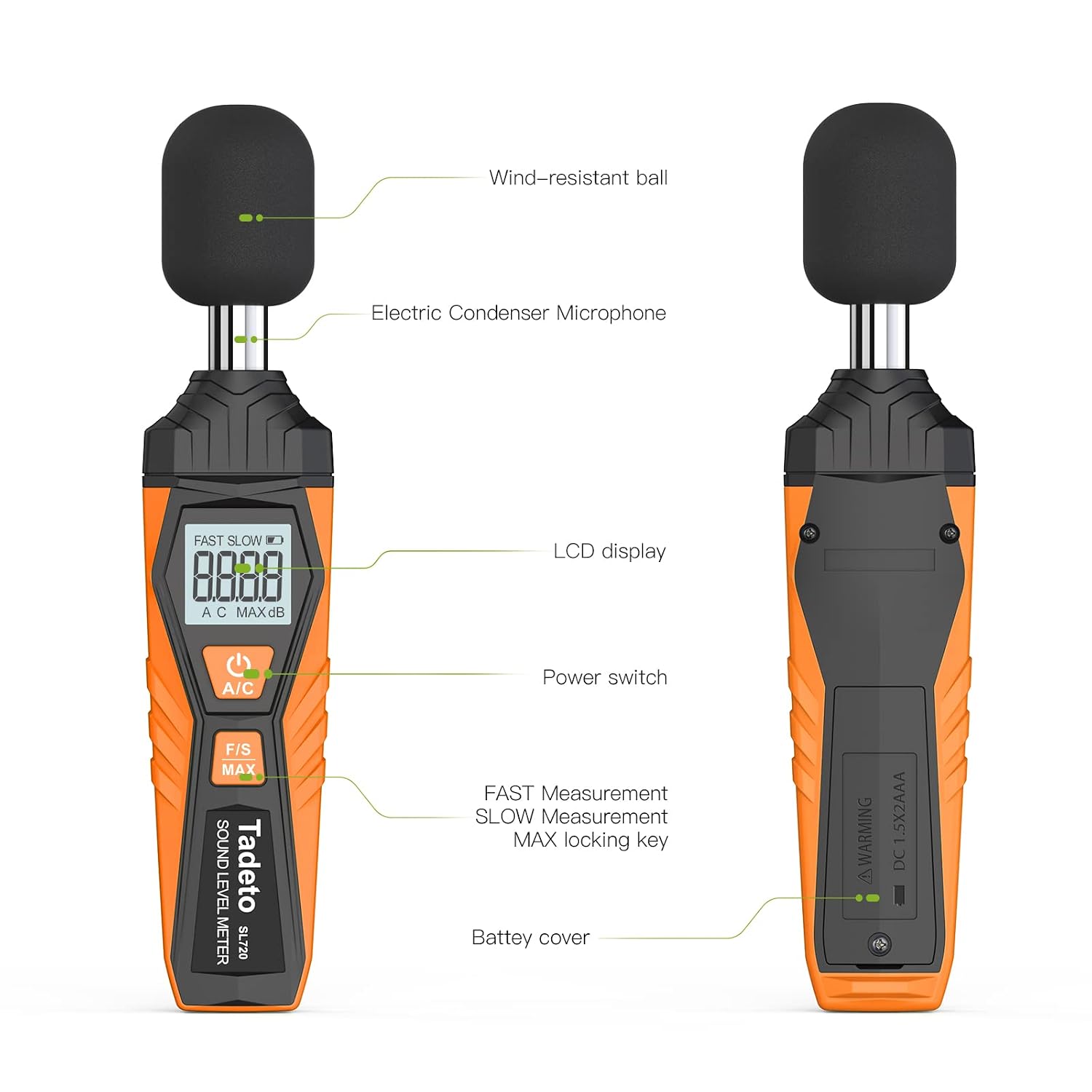
The Tadeto SL720 Digital Sound Level Meter consists of the following main components:
- Wind-resistant ball (Foam Ball): Protects the microphone from wind noise and minor impacts.
- Electric Condenser Microphone: Captures sound waves for measurement.
- LCD Display: Digital screen showing measurement values, modes, and battery status.
- Power Switch: Button to turn the device on or off.
- A/C Weighting Button: Selects between A-weighted and C-weighted measurement modes.
- F/S MAX Button: Toggles between Fast and Slow response times and activates MAX value hold.
- Battery Cover: Located on the back, provides access to the battery compartment.
Features
- Precise Measurement: Measurement range from 30 dB to 130 dB with an accuracy of ±2.0 dB.
- A/C Weighting:
- A-weighting: Simulates human ear frequency characteristics for low-intensity noise, suitable for ambient noise detection.
- C-weighting: Simulates human ear frequency characteristics for high-intensity sounds, suitable for analyzing sound pressure from engines and machinery.
- Fast/Slow Response:
- Fast Response (0.125s): More sensitive, ideal for general environmental measurements.
- Slow Response (1s): More stable, used for environments with significant sound level changes.
- Digital LCD Display: 4-digit backlit LCD with 0.1 dB resolution for clear readings, even in low light. Includes a low battery indicator.
- MAX Value Hold: Function to retain the maximum recorded noise level.
- Portable Design: Lightweight and easy to carry for various applications.


Setup
Battery Installation
- Locate the battery cover on the back of the device.
- Use a small screwdriver (one is included in the package) to open the battery compartment.
- Insert two AAA batteries, ensuring correct polarity (+/-).
- Close the battery cover and secure it with the screw.
Note: The device requires 2 AAA batteries. A low voltage icon will appear on the LCD when batteries need replacement.

Operating Instructions
Power On/Off
- To turn on the device, press the Power Switch button (marked with a power symbol).
- To turn off the device, press and hold the Power Switch button for a few seconds.
Basic Measurement
- Turn on the device. The LCD will display the current sound level.
- Point the microphone towards the sound source you wish to measure.
- Read the decibel (dB) value displayed on the LCD screen.
A/C Weighting Selection
- Press the A/C button to toggle between A-weighted and C-weighted measurement modes.
- The selected mode (A or C) will be indicated on the LCD.
Fast/Slow Response and MAX Hold
- Press the F/S MAX button to cycle through Fast response, Slow response, and MAX hold functions.
- The current response time (FAST or SLOW) will be displayed.
- When MAX hold is active, the display will show "MAX" and hold the highest decibel reading until reset or a higher value is detected.
Applications
The Tadeto SL720 Digital Sound Level Meter is versatile and can be used in a variety of settings for noise detection and sound quality control:
- Industrial Environments: Monitoring noise levels in factories and construction sites.
- Residential Areas: Assessing sound quality in homes and baby rooms.
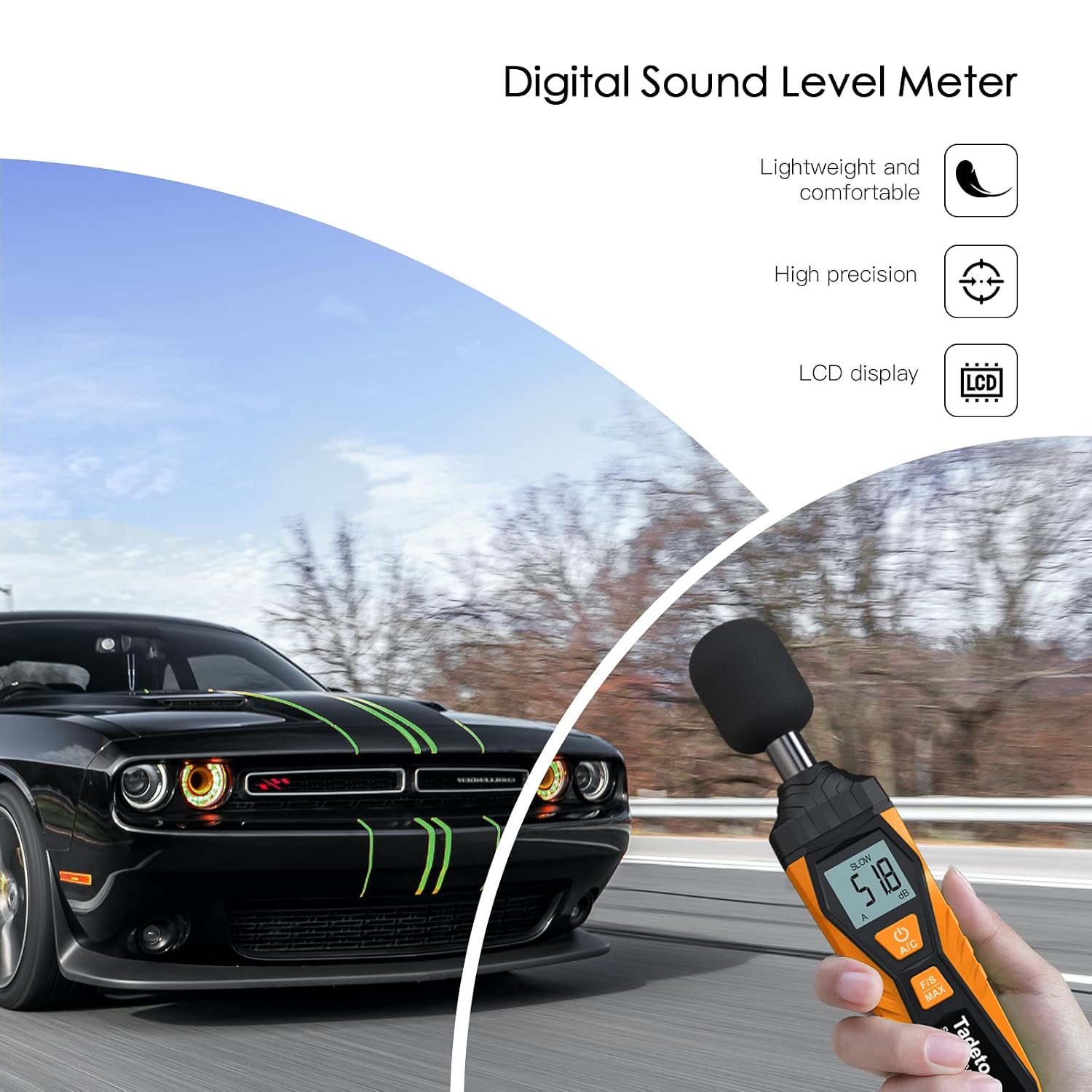
- Transportation: Measuring noise in vehicles or around transport hubs.
- Workplaces: Evaluating sound levels in offices and audio system environments.
- Educational Institutions: Monitoring noise in schools.


Maintenance
General Care
- Keep the device clean and dry. Wipe the exterior with a soft, damp cloth. Do not use abrasive cleaners or solvents.
- Avoid exposing the device to extreme temperatures, high humidity, or direct sunlight.
- Protect the microphone from dust and debris. Always use the wind-resistant foam ball during operation and storage.
- Store the device in its protective bag when not in use.
Battery Replacement
When the low battery icon appears on the LCD, replace the two AAA batteries promptly to ensure accurate measurements and continuous operation. Refer to the "Battery Installation" section for detailed steps.
Troubleshooting
| Problem | Possible Cause | Solution |
|---|---|---|
| Device does not power on. |
|
|
| Inaccurate readings. |
|
|
| LCD display is dim or blank. |
|
|
Specifications
| Parameter | Value |
|---|---|
| Model Number | SL720 |
| Measurement Range | 30 dB to 130 dB |
| Accuracy | ±2.0 dB |
| Frequency Weighting | A and C |
| Time Weighting | Fast (0.125s) / Slow (1s) |
| Display | 4-digit LCD, 0.1 dB resolution, Backlit |
| Power Source | 2 x AAA Batteries (included) |
| Product Dimensions (L x W x H) | 18 x 2.8 x 2 cm (7.09 x 1.1 x 0.79 inches) |
| Weight | 249 grams (approx. 0.55 lbs) |
| Included Components | Sound Level Meter, User Manual, Storage Bag, Screwdriver, 2 x AAA Batteries |
| Certifications | CE, IP 67 |
| UPC | 708858639976 |
Warranty and Support
For information regarding warranty coverage, technical support, or service, please refer to the documentation included with your purchase or contact Tadeto customer service directly. Contact details can typically be found on the manufacturer's official website or on the product packaging.

