
Introduction
Thank you for choosing the LEHMANN LHOIM-1222 Automatic Ice Maker. This manual provides essential information for the safe and efficient operation, maintenance, and troubleshooting of your new appliance. Please read it thoroughly before first use and keep it for future reference.

Image: The LEHMANN LHOIM-1222 ice maker in black, shown with an ice scoop and a refreshing iced beverage, highlighting its compact design and immediate utility.
Important Safety Instructions
- Read all instructions before using the appliance.
- Ensure the voltage matches the rating label on the appliance.
- Do not immerse the power cord, plug, or any part of the appliance in water or other liquids.
- Unplug from the outlet when not in use and before cleaning.
- Do not operate any appliance with a damaged cord or plug, or after the appliance malfunctions or has been damaged in any manner.
- Keep the appliance away from heat sources and direct sunlight.
- Use only potable water in the water reservoir.
- This appliance is for household use only.
- Children should be supervised to ensure they do not play with the appliance.
Product Overview
Familiarize yourself with the components of your LEHMANN LHOIM-1222 ice maker:
- Control Panel: Features buttons for ON/OFF, Timer, Clean, and Ice Size Selection.
- Ice Basket: Removable basket for collecting produced ice cubes.
- Water Reservoir: Holds up to 2 liters of water for ice production.
- Ice Scoop: Included for hygienic ice retrieval.
- Transparent Lid: Allows monitoring of the ice production process.
- Air Vent: Located on the side, ensures proper ventilation for the compressor.
- Drain Plug: Located at the bottom for draining water.

Image: A detailed diagram illustrating the key components of the LEHMANN LHOIM-1222 ice maker, such as the control panel, cooling fan, water circulation system, and ice collection basket.
Setup
- Unpacking: Carefully remove the ice maker from its packaging. Remove all packing materials and ensure no parts are missing.
- Placement: Place the ice maker on a flat, stable surface, away from direct sunlight and heat sources. Ensure there is at least 10 cm of space around the unit for proper ventilation. The compact size (21.2 x 29.5 x 32.6 cm) allows for versatile placement.
- Initial Cleaning: Before first use, clean the interior of the ice maker as described in the "Maintenance and Cleaning" section.
- Power Connection: Plug the power cord into a grounded electrical outlet.
- Fill Water Reservoir: Open the lid and fill the water reservoir with potable water up to the MAX fill line. Do not overfill. The 2-liter capacity ensures extended operation.

Image: The LEHMANN LHOIM-1222 ice maker positioned on a clean kitchen countertop, demonstrating its suitability for various kitchen environments.
Operating Instructions
- Power On: Press the "ON/OFF" button on the control panel to start the ice maker.
- Select Ice Size: Press the "SELECT" button to choose between two ice cube sizes:
- Small: Ideal for quickly cooling beverages like water or juices.
- Large: Suitable for elegant drinks and longer cooling duration.
- Ice Production: The ice maker will begin producing ice. The first batch of 9 ice cubes will be ready in approximately 6-12 minutes, depending on the selected size and ambient temperature.
- Monitoring: The transparent lid allows you to observe the ice production. The indicator lights on the control panel will show the current status (e.g., "Ice Full," "Add Water").
- Ice Collection: Once the ice basket is full, the "Ice Full" indicator will illuminate, and the machine will pause production. Use the provided ice scoop to remove ice. Production will resume automatically once ice is removed.
- Add Water: If the "Add Water" indicator illuminates, the water reservoir is low. Add more potable water and press the "ON/OFF" button to restart if necessary.
- Power Off: Press the "ON/OFF" button to turn off the ice maker when not in use.
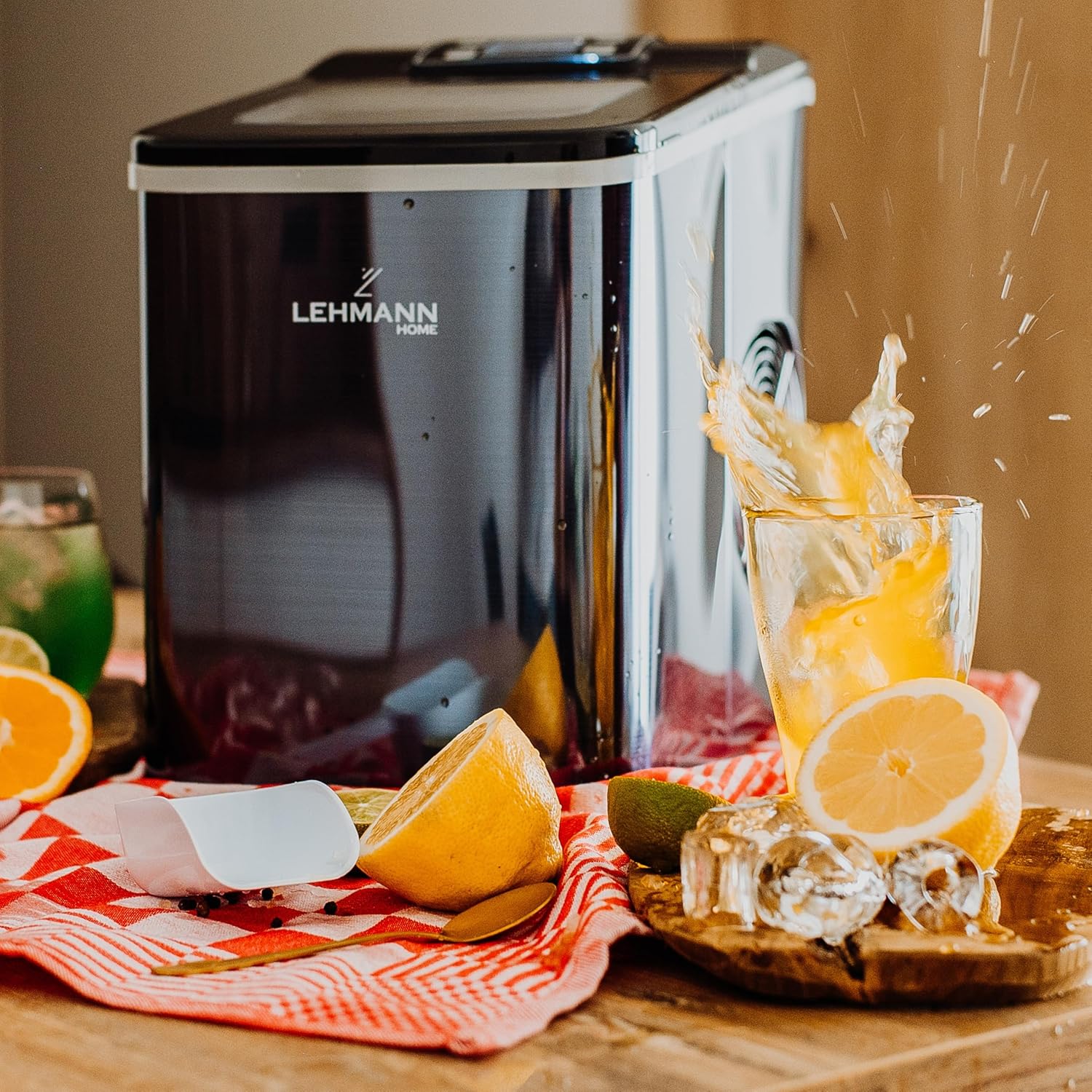
Image: The LEHMANN LHOIM-1222 ice maker actively producing ice, with freshly made ice cubes and a refreshing drink nearby, illustrating its quick ice-making capability.
Maintenance and Cleaning
Regular cleaning ensures optimal performance and hygiene of your ice maker.
- Automatic Cleaning Function:
- Ensure the water reservoir is filled with clean water.
- Press the "CLEAN" button on the control panel. The machine will initiate an automatic cleaning cycle, circulating water through its internal system.
- Once the cycle is complete, drain the water from the reservoir using the drain plug at the bottom of the unit.

Image: A hand activating the automatic cleaning function on the LEHMANN LHOIM-1222 ice maker, showing water circulating within the unit for thorough cleaning.
- Manual Cleaning:
- Unplug the appliance before cleaning.
- Remove the ice basket.
- Drain all water from the reservoir via the drain plug.
- Clean the interior with a soft cloth dampened with a mild detergent solution. Rinse thoroughly with clean water.
- Wipe the exterior with a soft, damp cloth. Do not use abrasive cleaners or solvents.
- Ensure all parts are dry before reassembling and storing or using again.
- Descaling: If hard water is used, mineral deposits may accumulate. Periodically descale the unit using a solution of water and vinegar or a commercial descaling agent suitable for ice makers. Follow the descaling product's instructions carefully.
Troubleshooting
| Problem | Possible Cause | Solution |
|---|---|---|
| Ice maker does not turn on. | No power supply. | Check if the power cord is securely plugged into a working outlet. |
| "Add Water" indicator is on. | Water reservoir is empty or low. | Fill the water reservoir with potable water up to the MAX line. |
| "Ice Full" indicator is on. | Ice basket is full. | Remove ice from the basket. Production will resume automatically. |
| Ice cubes are small or not forming properly. | Ambient temperature is too high; water temperature is too high; insufficient ventilation. | Ensure the unit is in a cool, well-ventilated area. Use cold water. Clean air vents. |
| Unusual noise during operation. | Normal compressor operation; unit not level. | Ensure the unit is on a flat, stable surface. If noise is excessive or unusual, contact support. |
Specifications
| Feature | Detail |
|---|---|
| Brand | LEHMANN |
| Model Name | Syowa |
| Product Dimensions (D x W x H) | 31.3 cm x 32 cm x 22.2 cm |
| Capacity | 2 Liters (Water Reservoir) |
| Power | 120 Watts |
| Voltage | 230 Volts |
| Refrigerant | R600a |
| Ice Production per Day | 12 Kilograms |
| Material | Stainless Steel, Plastic |
| Ice Cube Sizes | 2 (Small, Large) |
| First Ice Batch Time | 6-12 Minutes (for 9 cubes) |
| Cleaning Function | Automatic |
Warranty and Support
LEHMANN products are manufactured to high-quality standards. For warranty information, technical support, or service inquiries, please refer to the warranty card included with your product or visit the official LEHMANN website. Please have your model number (LHOIM-1222) and purchase details ready when contacting support.
For further assistance, you may contact LEHMANN customer service through their official channels.