
Introduction
This manual provides essential information for the proper installation, operation, and maintenance of your Speaka Professional HDMI Connection Cable (Model SP-10133292). Please read this manual thoroughly before using the product to ensure optimal performance and safety.
The Speaka Professional HDMI cable is designed for high-quality audio and video transmission between HDMI-enabled devices. It supports a data transfer rate of 18 Gigabits Per Second, making it suitable for various applications including home theater systems, gaming consoles, and professional AV setups.
Safety Information
- Do not expose the cable to extreme temperatures, direct sunlight, or excessive moisture.
- Avoid bending or kinking the cable sharply, as this can damage internal wires.
- Keep the cable away from sources of strong electromagnetic interference.
- Ensure connectors are clean and free from debris before connecting.
- Disconnect the cable by gripping the connector housing, not the cable itself.
Setup
Follow these steps to connect your Speaka Professional HDMI cable:
- Identify HDMI Ports: Locate the HDMI output port on your source device (e.g., laptop, Blu-ray player, gaming console) and the HDMI input port on your display device (e.g., TV, monitor, projector).
- Connect Source: Gently insert one end of the HDMI cable into the HDMI output port of your source device. Ensure it is fully seated.
- Connect Display: Insert the other end of the HDMI cable into the HDMI input port of your display device. Ensure it is fully seated.
- Power On Devices: Turn on both your source device and your display device.
- Select Input: On your display device, use the remote control or on-screen menu to select the correct HDMI input source that corresponds to the port you used.
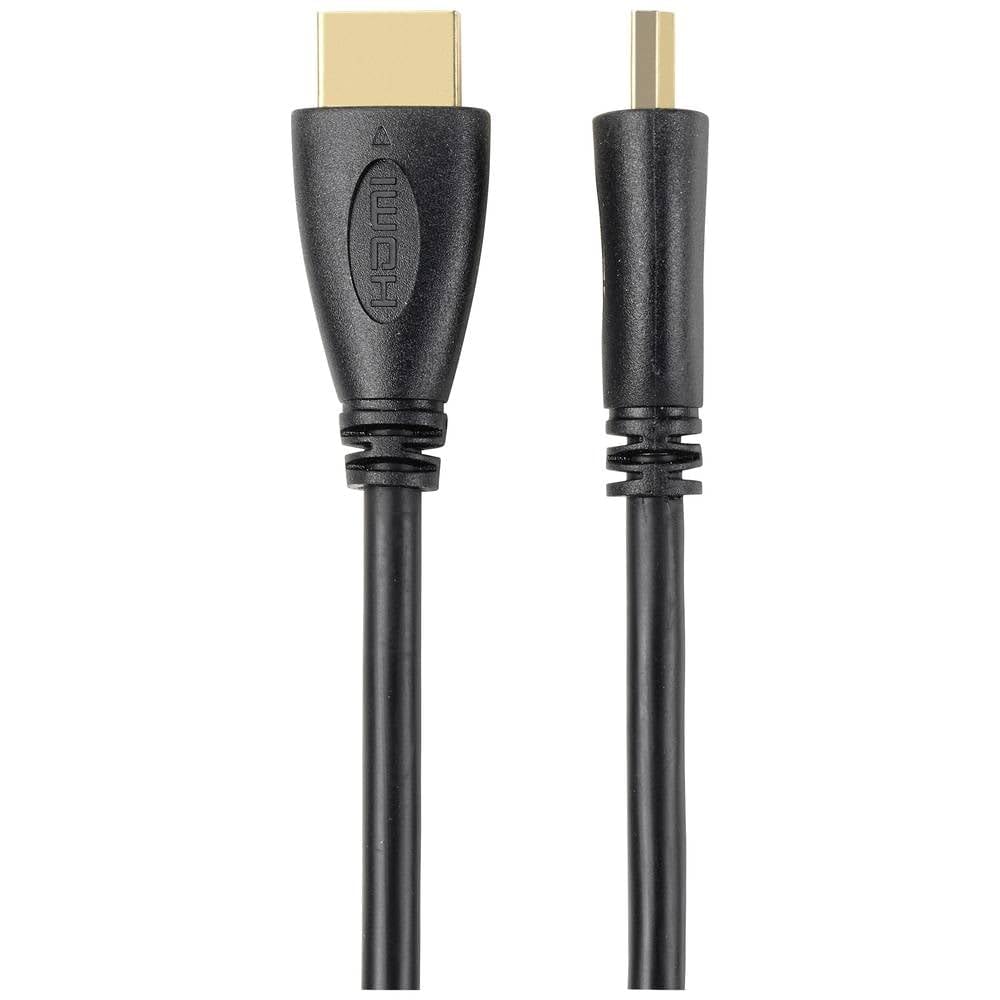
Image: A close-up view of the HDMI-A male connector, highlighting its gold-plated pins and durable housing.

Image: The Speaka Professional HDMI cable, showing both male-to-male connectors and the cable length.

Image: A laptop connected to a large television screen via an HDMI cable, demonstrating a typical setup for video output.
Once connected, your display device should show the output from your source device.
Operating
The Speaka Professional HDMI cable functions as a passive conduit for audio and video signals. No specific operational steps are required for the cable itself beyond proper connection.
- Ensure both connected devices are powered on.
- Select the correct HDMI input on your display device.
- Adjust audio and video settings on your source device or display as needed.
- The cable supports various HDMI features, including high-resolution video and multi-channel audio, depending on the capabilities of your connected devices.
Maintenance
To ensure the longevity and optimal performance of your HDMI cable, follow these maintenance guidelines:
- Cleaning: Use a soft, dry cloth to wipe the cable and connectors. Avoid using liquid cleaners or solvents.
- Storage: When not in use, coil the cable loosely. Do not wrap it tightly or kink it. Store in a cool, dry place away from direct sunlight.
- Handling: Always grasp the connector housing when plugging or unplugging the cable. Avoid pulling on the cable itself.
- Inspection: Periodically inspect the cable and connectors for any signs of damage, such as frayed insulation or bent pins. If damage is found, discontinue use.
Troubleshooting
If you encounter issues with your HDMI connection, try the following troubleshooting steps:
- No Signal / Black Screen:
- Ensure both devices are powered on.
- Verify that the HDMI cable is securely connected to both the source and display devices.
- Confirm that the correct HDMI input is selected on your display device.
- Try connecting the cable to a different HDMI port on your display device.
- Test the cable with another HDMI-enabled device to rule out issues with the source or display.
- Flickering or Intermittent Signal:
- Check for loose connections and re-seat the cable firmly.
- Ensure the cable is not bent or kinked sharply.
- Reduce the distance between devices if possible, or ensure the cable length is appropriate for the signal strength required.
- Try a different HDMI port or a different cable if available.
- No Audio:
- Verify that the audio output settings on your source device are configured correctly for HDMI.
- Check the volume levels on both your source and display devices.
- Ensure the display device's audio output is not muted or set to an external speaker system if you intend to use the display's internal speakers.
Specifications
| Feature | Detail |
|---|---|
| Brand | Speaka |
| Model Name | SP-10133292 |
| Connector Type | HDMI |
| Cable Type | HDMI |
| Connector Gender | Male-to-Male |
| Color | Black |
| Data Transfer Rate | 18 Gigabits Per Second |
| Indoor/Outdoor Usage | Indoor, Outdoor |
| Item Weight | 0.26 Kilograms |
| Length | 5.00 m |
Warranty and Support
For warranty information and technical support, please refer to the documentation provided with your purchase or visit the official Speaka Professional website. Keep your proof of purchase for warranty claims.
If you require further assistance, please contact Speaka Professional customer service.