Introduction
The Philips H8507 Over-Ear Wireless Headphones are designed to provide an immersive audio experience with advanced features such as Active Noise Canceling Pro (ANC) and a detachable boom microphone for clear communication. This manual provides detailed instructions on setting up, operating, maintaining, and troubleshooting your headphones to ensure optimal performance.

The Philips H8507 headphones, shown in black with the attachable boom microphone connected, ready for use.
What's in the Box
Carefully unpack your Philips H8507 headphones and ensure all components are present:
- Philips H8507 Over-Ear Wireless Headphones
- USB-C charging cable
- 2.5-3.5 mm stereo audio cable
- Airplane adapter
- Bluetooth dongle
- Hard carrying case
- Attachable boom microphone
- User Manual (this document)

A complete view of all items included with the Philips H8507 headphones: the headphones, USB-C cable, audio cable, airplane adapter, Bluetooth dongle, hard case, and boom microphone.
Setup
Charging the Headphones
Before first use, fully charge your headphones. Connect the supplied USB-C cable to the charging port on the headphones and the other end to a USB power source (e.g., computer USB port or wall adapter). The LED indicator will show charging status and turn off when fully charged. A full charge provides up to 55 hours of playtime (45 hours with ANC enabled).
Attaching the Boom Microphone
For enhanced call clarity, attach the boom microphone. Locate the 2.5mm audio jack on the left earcup of the headphones. Align the boom microphone's connector with the jack and gently push it in until it clicks into place. To detach, pull the microphone straight out.
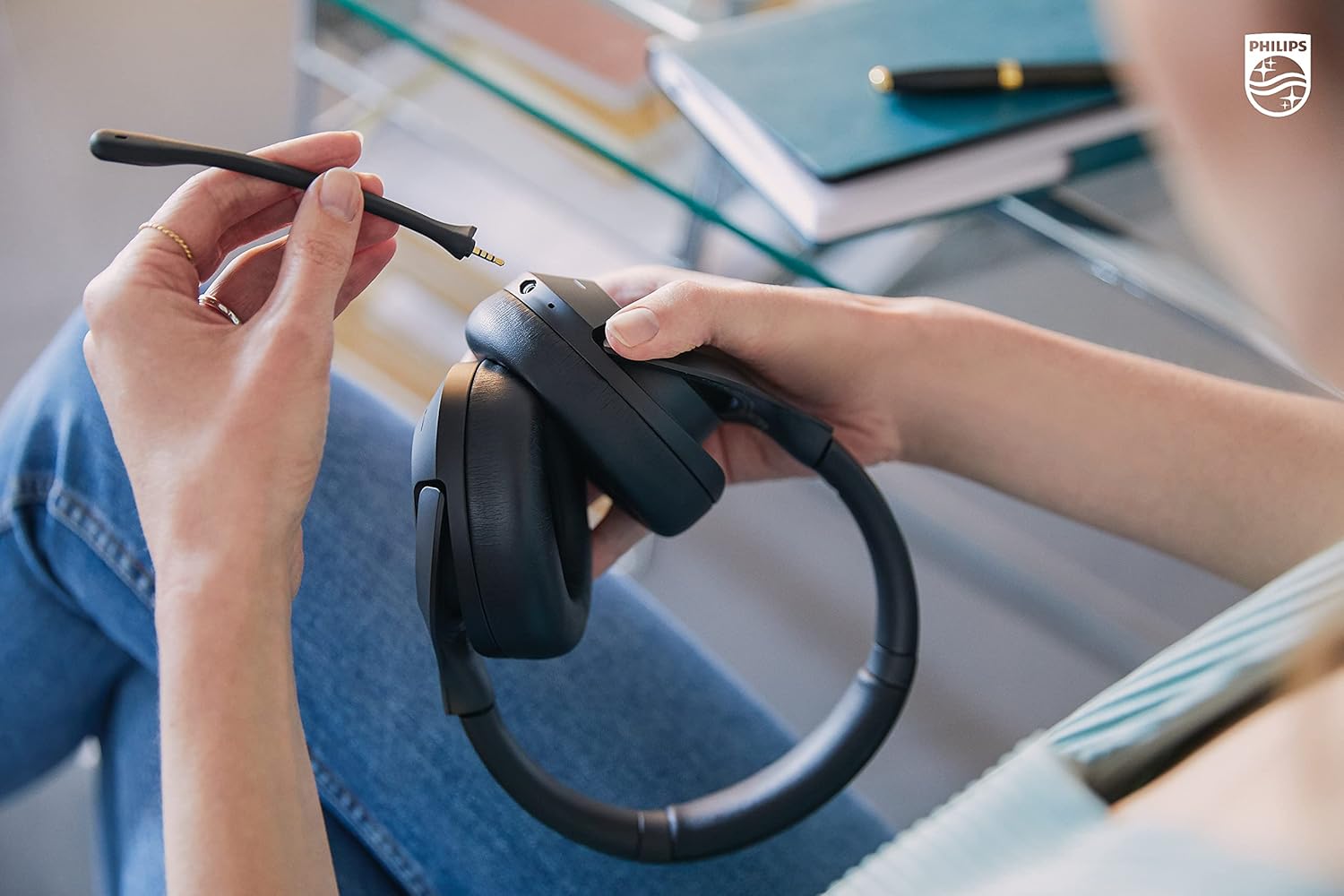
A close-up view of hands connecting the detachable boom microphone to the headphone's audio jack.
Connecting via Bluetooth
To pair your headphones with a Bluetooth device:
- Ensure the headphones are charged and powered off.
- Press and hold the power button until the LED indicator flashes blue and red, indicating pairing mode.
- On your device, enable Bluetooth and search for
Related Documents - TAH8507BK/00

Philips Audio Moving Sound: 80s Retro Portable Audio Returns with Modern Tech
Philips Audio announces the return of its iconic Moving Sound range, blending 80s retro design with modern features like Bluetooth 5.5, Auracast, and Spatial Audio. Featuring new models: The Tube, The Roller, The Buds, and The Bingo.
Philips Retro Range: Celebrating 100 Years of Philips Sound
Discover the new Philips Audio Retro Range, a collection of five products including turntables, a portable radio, and headphones, launched to commemorate a century of Philips Sound innovation. Featuring modern technology with classic design, the range includes models like the Tina, Stevie, Janet, Freddie, and Ringo.
JLab Studio ANC Headphones: User Guide and Setup
Comprehensive guide to setting up, using, and caring for your JLab Studio ANC On-Ear Wireless Headphones, including Bluetooth pairing, button functions, charging instructions, and important cautions.
Creative Zen Hybrid Pro Wireless Over-Ear Headphones - Quick Start Guide and Specifications
Comprehensive guide to the Creative Zen Hybrid Pro wireless over-ear headphones, covering setup, controls, Bluetooth LE Audio features, technical specifications, warranty, and safety information.
Qaekie Q20 Wireless Active Noise Cancelling Headphones User Manual
User manual for the Qaekie Q20 Wireless Active Noise Cancelling Headphones, featuring V5.3 Bluetooth, 100H playtime, deep bass, and HiFi audio. Includes setup, controls, charging, and warranty information.
Philips TAH8000EBK Over-Ear Headphones: Superior Sound, Adaptive ANC, 70-Hour Battery
Discover the Philips TAH8000EBK over-ear headphones featuring superior sound quality, adaptive noise cancellation, a replaceable battery for long-lasting use, and up to 70 hours of playback. Explore features like Auracast™ connectivity, Hi-Res Audio support, and comfortable design.