
1. Product Overview
The COLSUR 3-in-1 Wireless Charging Station is a versatile device designed to simplify your charging needs while offering additional functionalities like an alarm clock and a night light. It supports simultaneous wireless charging for compatible smartphones, smartwatches, and wireless earbuds. The integrated alarm clock features adjustable brightness, and the night light offers multiple color modes and dimmable settings for personalized ambiance.

Image: The COLSUR 3-in-1 Wireless Charging Station, showcasing its ability to charge a smartphone, smartwatch, and earbuds simultaneously, with an integrated alarm clock and night light.
2. Setup Guide
2.1 Package Contents
- COLSUR 3-in-1 Wireless Charging Station
- QC3.0 (9V/2A) Adapter
- User Manual
2.2 Initial Power Connection
Connect the provided QC3.0 adapter to the charging station's power input port. Plug the adapter into a standard wall outlet. The alarm clock display will illuminate, indicating the device is powered on.

Image: The charging station connected to its power adapter, ready for use.
2.3 Installing Watch and Earbud Chargers
The charging station includes a portable cable storage box for your smartwatch and earbud charging cables. This box is designed to neatly house the respective charging cables (not included) and connect to the main base. Ensure the cables are properly routed and secured within the box for optimal charging and a tidy setup.

Image: A detailed view of the independent input interface for earbud and watch chargers, highlighting the cable management feature.
2.4 Desktop Organization
The compact design of the COLSUR charging station helps to declutter your desk or nightstand by consolidating multiple charging needs into one device.
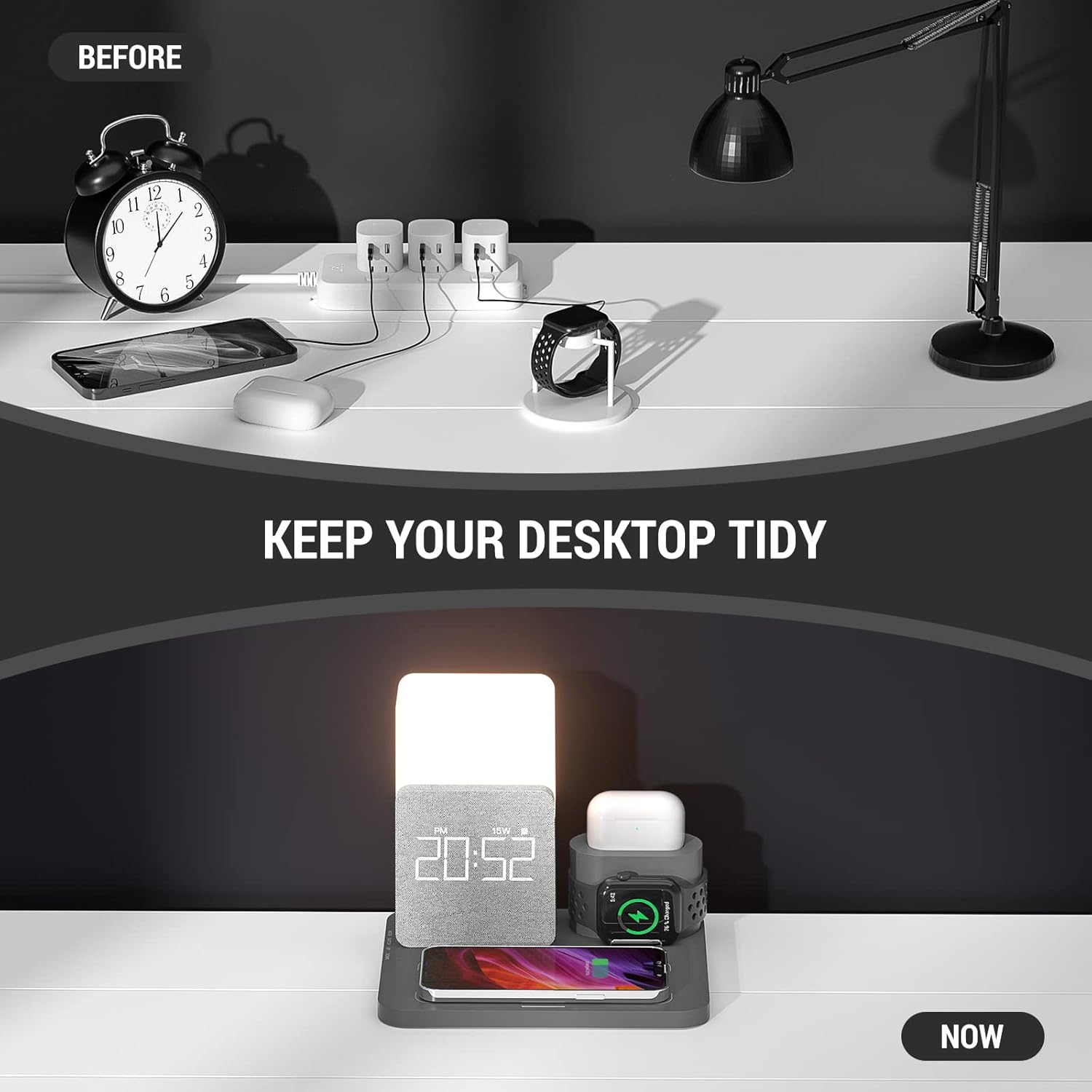
Image: A visual comparison demonstrating how the charging station helps organize your desktop by reducing cable clutter.
3. Operating Instructions
3.1 Wireless Charging
Place your Qi-enabled smartphone, smartwatch, or wireless earbuds on their respective charging areas. The device will automatically begin charging. The station supports fast 15W wireless charging for compatible devices.
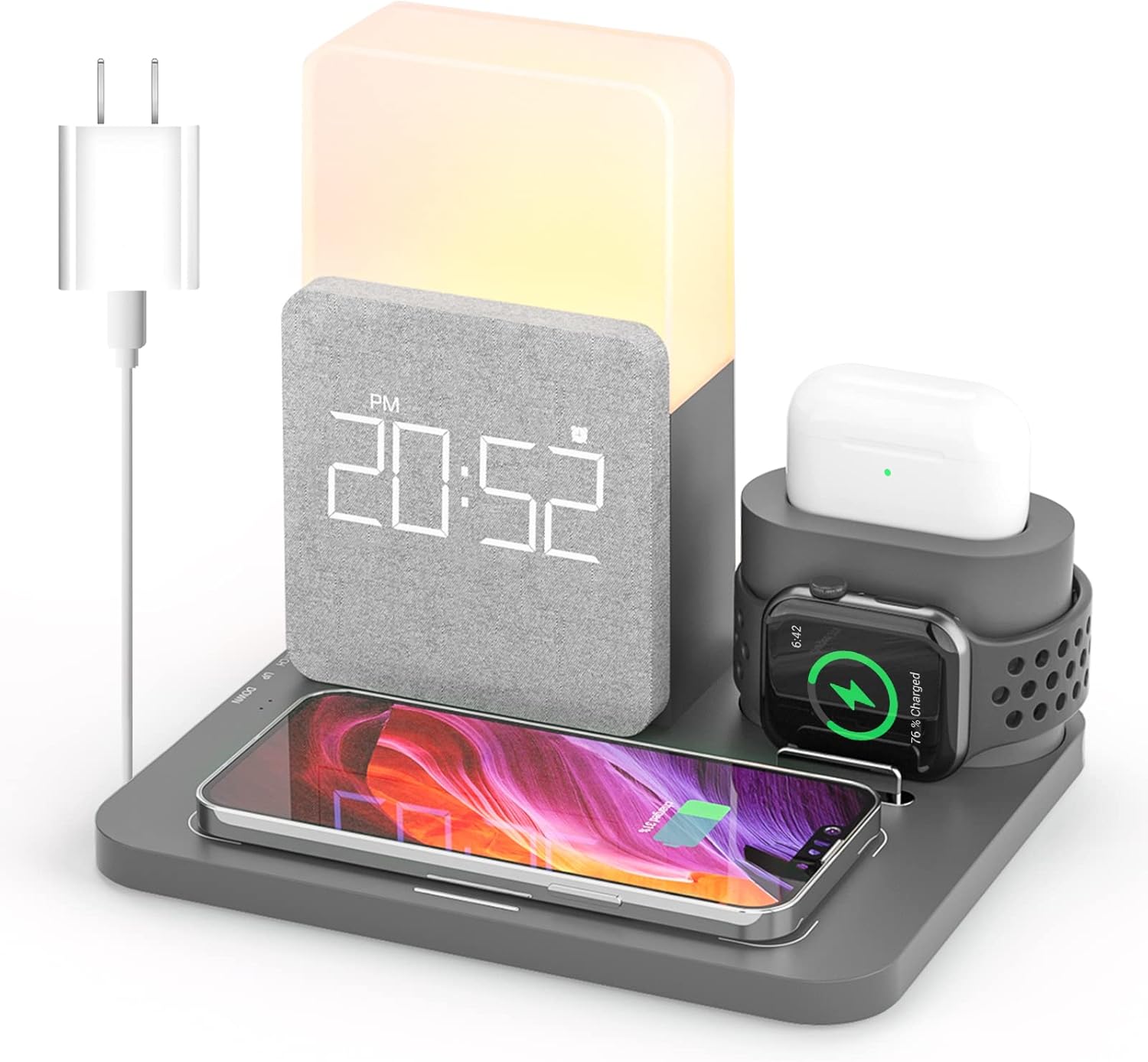
Image: The charging station with a smartphone, smartwatch, and earbuds placed on their designated charging pads, indicating active charging.

Image: A diagram highlighting the 15W fast wireless charging capability, compatible with Qi-enabled phones and cases up to 5mm thick.
3.2 Alarm Clock Functions
The alarm clock features a smart chip and built-in battery for memory function. The display has 3 adjustable brightness levels and can be turned off to avoid disturbing sleep. Refer to the side buttons for setting the time and alarm.

Image: The alarm clock feature, designed to be effective for heavy sleepers, with a snooze function for additional rest.
3.3 Night Light Operation
The night light offers three color modes (white, warm white, warm) and adjustable brightness from 10% to 100%. The soft, flicker-free light is designed to protect your eyes. Use the touch control area to cycle through colors and adjust brightness.

Image: The night light's touch control interface, demonstrating its 3500K color temperature and three brightness levels.
3.4 Additional USB Port
An additional USB port is available for charging other devices that require a wired connection.

Image: An annotated diagram illustrating the various functional areas of the charging station, including the USB output interface.
4. Maintenance
4.1 Cleaning
To clean the charging station, disconnect it from the power source. Use a soft, dry cloth to wipe down the surfaces. Avoid using abrasive cleaners, solvents, or harsh chemicals, as these may damage the finish or internal components.
4.2 Storage
When not in use for extended periods, store the device in a cool, dry place away from direct sunlight and extreme temperatures.
5. Troubleshooting
5.1 Device Not Charging Wirelessly
- Ensure your device is Qi-enabled and properly aligned on the charging pad.
- Check if the device's case thickness exceeds 5mm, as this may interfere with charging.
- Verify that the charging station is securely connected to the QC3.0 adapter and power outlet.
- Remove any metal objects or foreign materials between the device and the charging pad.
5.2 Alarm Clock Not Functioning
- Ensure the alarm is set correctly and activated.
- Check the volume settings for the alarm.
- Verify the time is set accurately.
5.3 Night Light Not Responding
- Ensure the device is powered on.
- Gently tap the touch control area to activate or change settings.
6. Specifications
| Feature | Detail |
|---|---|
| Brand | COLSUR |
| Connectivity Technology | Wireless, Interface |
| Connector Type | USB Type C |
| Compatible Devices | Cellular Phones |
| Compatible Phone Models | iPhone 12 series, iPhone 13 series, Samsung Galaxy S20 and newer |
| Included Components | QC3.0 adapter |
| Special Feature | Alarm |
| Input Voltage | 9 Volts |
| Mounting Type | Tabletop Mount |
| Amperage | 2 Amps |
7. Warranty & Support
COLSUR provides a one-year warranty for this product, covering manufacturing defects and malfunctions under normal use. We also offer permanent after-service support to ensure your satisfaction.
7.1 Contact Support
For technical assistance, warranty claims, or any inquiries, please contact COLSUR customer service through the retailer's platform or visit the official COLSUR store page on Amazon for contact details.
Amazon Store Link: Visit the COLSUR Store
