
Introduction
Thank you for choosing the ODK L-Shaped Gaming Desk. This manual provides essential information for the safe assembly, operation, and maintenance of your new desk. Designed for both gaming and office use, this desk offers a spacious work surface and an integrated monitor stand to enhance your ergonomic experience. Please read these instructions carefully before assembly and retain them for future reference.

Image: A complete gaming setup featuring two ODK L-shaped desks, each with multiple monitors, gaming chairs, and accessories, highlighting the desk's spacious design.
Safety Information
- Always assemble the desk on a soft, clean surface to prevent scratches.
- Ensure all screws and fasteners are securely tightened before use. Periodically check and re-tighten as necessary.
- Do not overload the desk or monitor stand. Refer to specifications for weight limits.
- Keep small parts away from children during assembly to avoid choking hazards.
- Avoid placing hot items directly on the desk surface without protection.
- Do not stand or sit on the desk.
Package Contents
Before beginning assembly, please verify that all components listed below are present and undamaged. If any parts are missing or damaged, please contact customer support.
- Desk Panels (L-shaped main panels, corner panel, monitor stand panel)
- Metal Frame Components (Legs, support bars, X-shaped frame elements)
- Hardware Kit (Screws, bolts, Allen wrench, adjustable foot pads)
- Storage Bag
- Headphone Hook
- Instruction Manual
Setup and Assembly
The ODK L-Shaped Gaming Desk is designed for straightforward assembly. All necessary tools and hardware are included. Follow the numbered steps in the provided assembly diagram for best results.
- Unpack and Identify Parts: Carefully remove all components from the packaging. Lay them out on a soft, clean surface. Refer to the parts list to identify each piece.
- Assemble the Frame: Begin by attaching the metal frame components. Ensure the X-shaped frame elements are correctly oriented for stability.
- Attach Desk Panels: Secure the main L-shaped desk panels to the assembled frame using the provided screws. Ensure the corner piece aligns properly.
- Install Monitor Stand: Attach the monitor stand to the designated area on the desk.
- Attach Accessories: Install the storage bag and headphone hook to your preferred locations on the desk.
- Adjust Leveling Feet: Once assembled, place the desk in its desired location. Adjust the leveling foot pads at the bottom of the legs to ensure the desk is stable and level on uneven floors.

Image: A detailed diagram illustrating the overall dimensions of the L-shaped desk, including the monitor stand, to aid in planning your space.
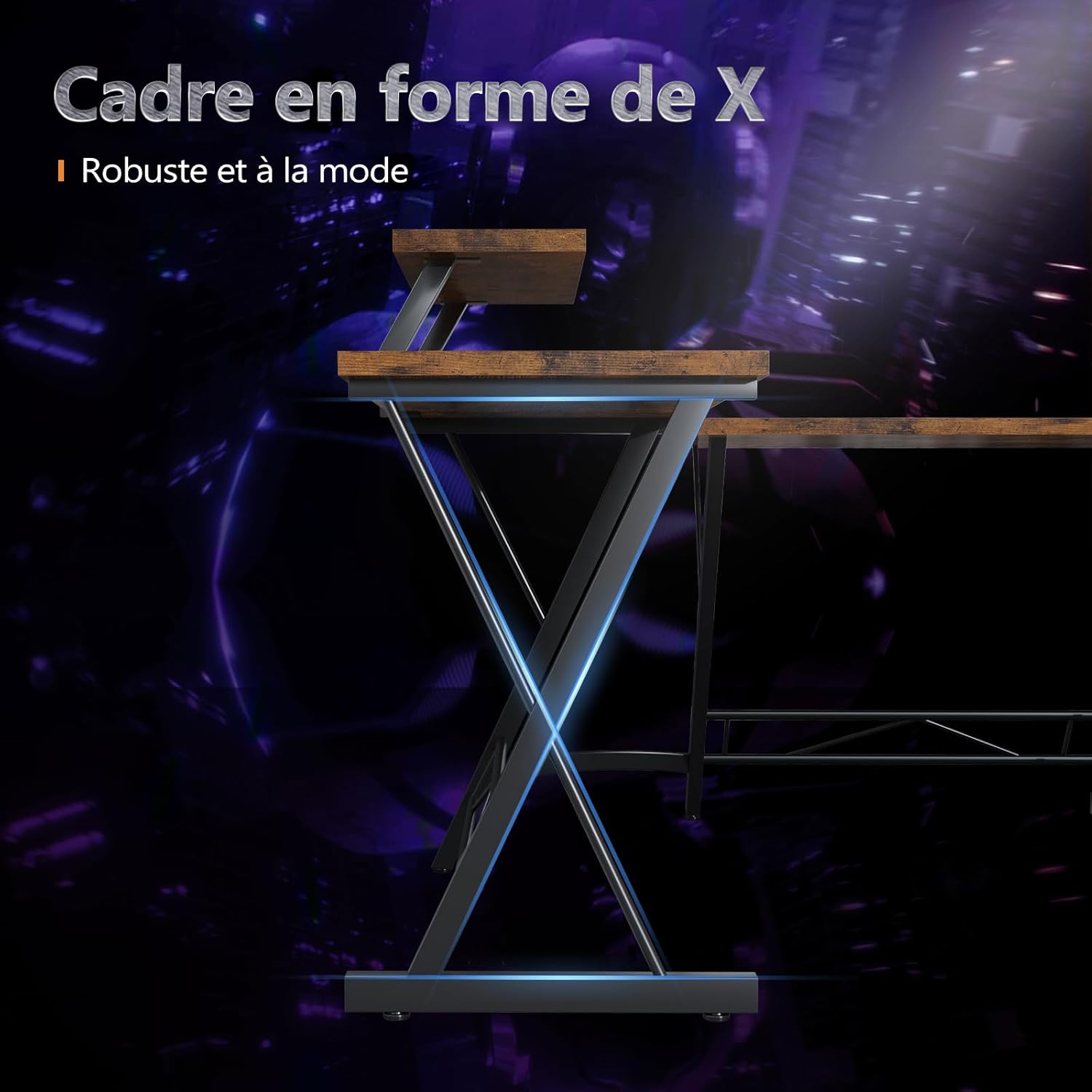
Image: A close-up view of the X-shaped metal frame, demonstrating the sturdy and modern design that supports the desk.
Operating Instructions
Your ODK L-Shaped Gaming Desk is designed for versatile use, providing ample space and convenient features for your computing and gaming needs.
- Spacious Work Surface: Utilize the large L-shaped surface for multiple monitors, keyboards, mice, and other peripherals. The design allows for efficient organization and comfortable workflow.
- Monitor Stand: Place your monitor(s) on the integrated stand to elevate them to an ergonomic viewing height, reducing strain on your neck and eyes.
- Storage Bag: Use the attachable storage bag to keep documents, small accessories, or personal items organized and within easy reach.
- Headphone Hook: Hang your headphones or headset on the dedicated hook to keep them off the desk surface and prevent clutter.

Image: A close-up of the convenient storage bag, demonstrating its capacity to hold various office supplies and personal belongings.

Image: A detailed view of the integrated headphone hook and the monitor stand, highlighting their functional design for organization and ergonomics.
Maintenance
To ensure the longevity and appearance of your ODK L-Shaped Gaming Desk, follow these simple maintenance guidelines:
- Cleaning: Wipe the desk surface with a soft, damp cloth. Avoid harsh chemicals or abrasive cleaners, which can damage the finish.
- Spills: Clean up spills immediately to prevent staining or damage to the wood surface.
- Hardware Check: Periodically check all screws and bolts to ensure they remain tight. Re-tighten if necessary to maintain stability.
- Avoid Direct Sunlight: Prolonged exposure to direct sunlight can cause fading or warping of the desk surface.
Troubleshooting
If you encounter any issues with your ODK L-Shaped Gaming Desk, refer to the following common problems and solutions:
- Desk is Wobbly:
- Ensure all screws and bolts are securely tightened.
- Adjust the leveling foot pads on each leg to compensate for uneven floor surfaces.
- Parts Missing or Damaged:
- Double-check the package contents against the parts list.
- Contact ODK customer support for replacement parts.
- Difficulty During Assembly:
- Review the assembly instructions carefully, paying attention to diagrams.
- Ensure components are oriented correctly before tightening.
Specifications
| Brand | ODK |
| Model Number | ZJZ-JJYJZ |
| Color | Vintage Brown |
| Overall Dimensions (L x W) | Approximately 167 cm x 120 cm (L-shape) |
| Desk Height | 77.2 cm (30.4 inches) |
| Monitor Stand Height | 18.3 cm (7.2 inches) above desk surface |
| Item Weight | 15.5 Kilograms (34.17 lbs) |
| Material | Metal frame, Engineered Wood top |
| Special Feature | Integrated Monitor Stand, Headphone Hook, Storage Bag |
| Desk Design | L-Shaped Writing Desk, Computer Desk |
Warranty and Support
ODK stands behind the quality of its products. For warranty information, technical support, or to inquire about replacement parts, please contact ODK customer service through the retailer where the product was purchased or visit the official ODK website. Please have your model number (ZJZ-JJYJZ) and purchase date ready when contacting support.


