
1. Introduction
This manual provides essential information for the proper installation, operation, and maintenance of your DOLUNTO Nema17 Stepper Motor (Model 17HS4401S). Please read this guide thoroughly before using the product to ensure optimal performance and longevity. This motor is designed for applications requiring precise motion control, such as 3D printers, CNC engravers, and other automated systems.
2. Product Overview
The DOLUNTO Nema17 Stepper Motor 17HS4401S is a high-quality, 4-lead stepper motor engineered for reliable and precise motion control. Key features include:
- Uniform Rotation Speed: Designed to maintain a consistent rotation speed without losing steps, ensuring high internal control accuracy.
- Stable Structure: Features a reinforced PCB board and a rotor coated with imported epoxy resin, cured at high temperature, to prevent jamming and ensure long-term stability.
- Low Noise Operation: Engineered for high overall stability, resulting in uniform rotation and reduced operational noise.

Figure 2.1: DOLUNTO Nema17 Stepper Motor 17HS4401S with its connecting cable.

Figure 2.2: Close-up of the motor shaft, emphasizing its high torque and low noise design.
3. Specifications
The following table details the technical specifications for the DOLUNTO Nema17 Stepper Motor 17HS4401S:
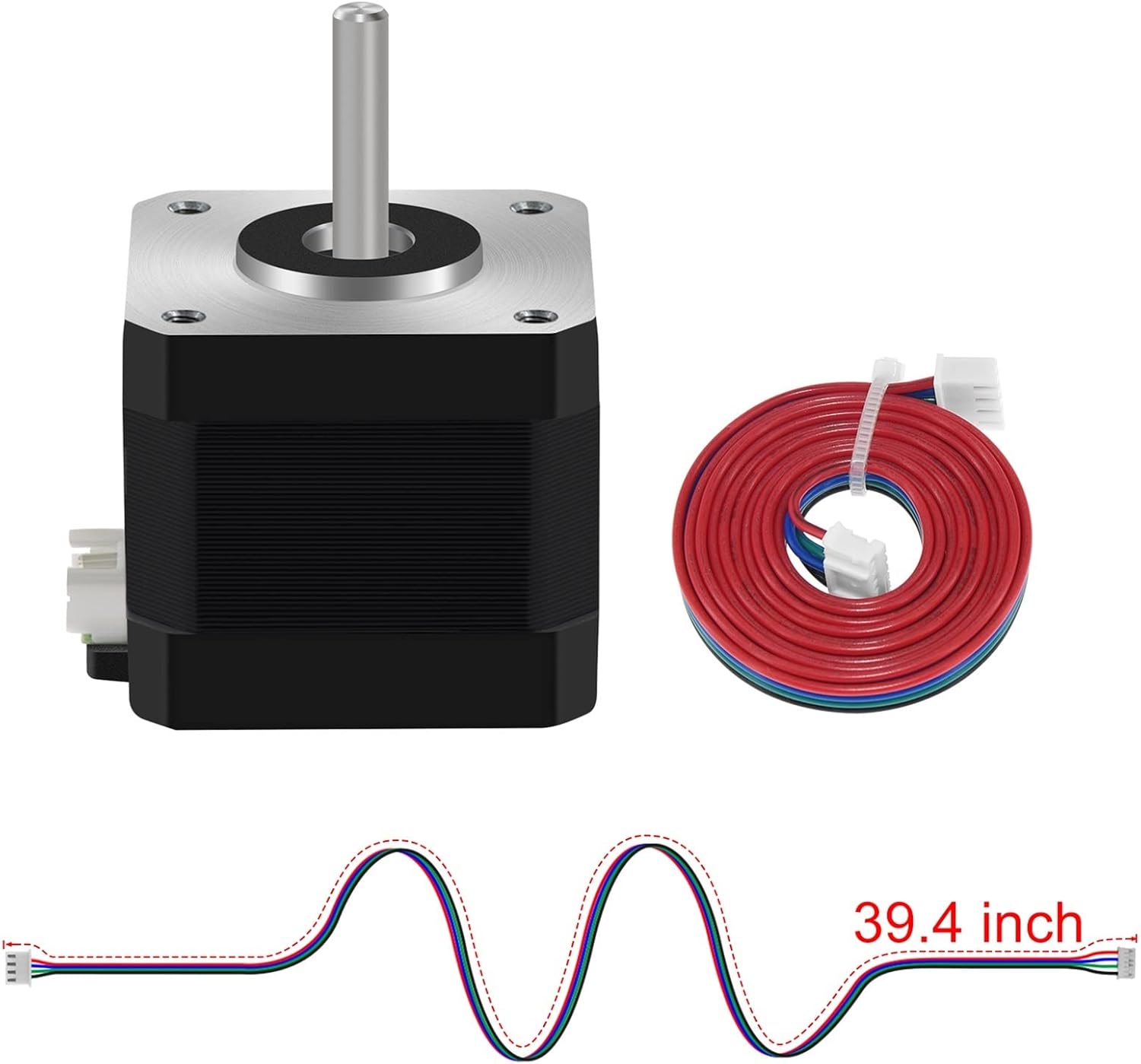
Figure 3.1: Detailed technical specifications for the 17HS4401S motor.
| Parameter | Value |
|---|---|
| Model | 17HS4401S |
| Step Angle | 1.8° ± 0.09° |
| Rated Voltage | DC 3.6 V |
| Rated Current | 1.5 A / Phase |
| Holding Torque | ≥ 420mN.M |
| Maximum No-Load Starting Frequency | ≥ 1900 PPS |
| Weight | 255 g |
| Number of Leads | 4 |
4. Setup and Installation
Proper setup is crucial for the optimal performance of your stepper motor. Follow these guidelines for installation:
4.1 Physical Mounting
- Mounting Surface: Ensure the mounting surface is flat and rigid to prevent vibrations and misalignment.
- Secure Fastening: Use M3 screws to securely fasten the motor to your equipment. Refer to the dimension diagram for precise mounting hole locations.
- Shaft Alignment: When coupling the motor shaft to a load, ensure proper alignment to avoid excessive radial or axial loads, which can damage the motor bearings.

Figure 4.1: Motor dimensions and electrical schematic for wiring.
4.2 Electrical Connection
The 17HS4401S motor features a 4-lead configuration, typically connected via an XH2.54 connector. Connect the motor to a compatible stepper motor driver according to the wiring diagram provided by your driver manufacturer and the motor's schematic.
- Wire Identification: Refer to the electrical schematic (Figure 4.1) for coil A and B connections. Common color codes are Red/Blue for one coil and Green/Black for the other, but always verify with the schematic.
- Power Supply: Ensure your power supply meets the motor's rated voltage (DC 3.6V) and current (1.5A per phase) requirements, with sufficient overhead for the driver.
- Cable Length: The motor typically comes with a 39.4-inch (approximately 1 meter) connecting cable. Ensure connections are secure and free from shorts.

Figure 4.2: Motor with its 39.4-inch connecting cable.
5. Operating Instructions
The DOLUNTO 17HS4401S stepper motor requires a compatible stepper motor driver to function. The driver translates control signals (e.g., step and direction pulses) from a microcontroller or CNC controller into the appropriate current sequences for the motor coils.
- Driver Configuration: Configure your stepper motor driver settings (e.g., microstepping, current limits) according to the motor's specifications and your application's requirements. Setting the current limit correctly is vital to prevent motor overheating.
- Control Signals: Provide step and direction signals from your control system to the stepper motor driver. The motor will rotate one step (1.8°) per step pulse, with the direction determined by the direction signal.
- Speed and Acceleration: Gradually increase the motor speed and acceleration parameters in your control software to find the optimal settings for your application. Rapid acceleration or deceleration can lead to lost steps.
- Monitoring: During initial operation, monitor the motor's temperature. While designed for stability, prolonged operation at high currents or speeds without adequate cooling can cause overheating.
The motor's design ensures stable and accurate speed without losing steps, even during continuous operation, and maintains low noise levels.
6. Maintenance
The DOLUNTO 17HS4401S stepper motor is designed for durability and requires minimal maintenance. Adhering to these simple practices will help ensure its long-term performance:
- Keep Clean: Periodically clean the motor's exterior to prevent dust and debris buildup, especially around the shaft and mounting areas. Use a soft, dry cloth. Avoid using solvents or harsh chemicals.
- Inspect Connections: Regularly check all electrical connections (motor to driver, driver to power supply) to ensure they are secure and free from corrosion or damage. Loose connections can lead to intermittent operation or motor failure.
- Monitor Temperature: While operating, ensure the motor does not consistently run at excessively high temperatures. If overheating occurs, check the driver current settings, power supply, and mechanical load.
- Environmental Conditions: Operate the motor within its specified environmental conditions (temperature, humidity) to prevent premature wear or damage.
- Shaft and Bearings: The motor's bearings are typically sealed and do not require lubrication. Avoid applying excessive force to the motor shaft.
7. Troubleshooting
If you encounter issues with your DOLUNTO 17HS4401S stepper motor, refer to the following common problems and solutions:
| Problem | Possible Cause | Solution |
|---|---|---|
| Motor Not Moving / No Response |
|
|
| Motor Stalls / Loses Steps |
|
|
| Erratic Movement / Vibration |
|
|
| Motor Overheating |
|
|
8. Warranty and Support
For specific warranty details and technical support regarding your DOLUNTO Nema17 Stepper Motor 17HS4401S, please refer to the documentation provided at the time of purchase or contact your retailer or the manufacturer directly. Keep your purchase receipt as proof of purchase.
For further assistance, you may also visit the official DOLUNTO website or contact their customer service department.