
1. Introduction
The JDIAG EL-50448 TPMS Relearn Tool is an essential device designed to activate and relearn Tire Pressure Monitoring System (TPMS) sensors in compatible vehicles. This tool is crucial when replacing tire pressure sensors, performing tire rotations, or addressing tire pressure alarm issues. Its updated 2025 version offers enhanced energy efficiency, speed, and sensitivity for a more reliable user experience.
2. Product Overview
The EL-50448 is a compact and user-friendly tool engineered to simplify the TPMS relearning process. It features a robust design with a rubberized edge for durability and protection.
2.1 Key Features
- 2025 Updated Version: Improved energy efficiency, faster operation, and enhanced sensitivity.
- Easy to Use: Simple three-step process for quick tire sensor resetting.
- Cost-Effective: Activates individual TPMS sensors within 1-2 minutes, saving time and money compared to dealership visits.
2.2 What's in the Box
The standard package includes the JDIAG EL-50448 TPMS Relearn Tool and a user manual. Please note that a 9V battery is not included and must be purchased separately.
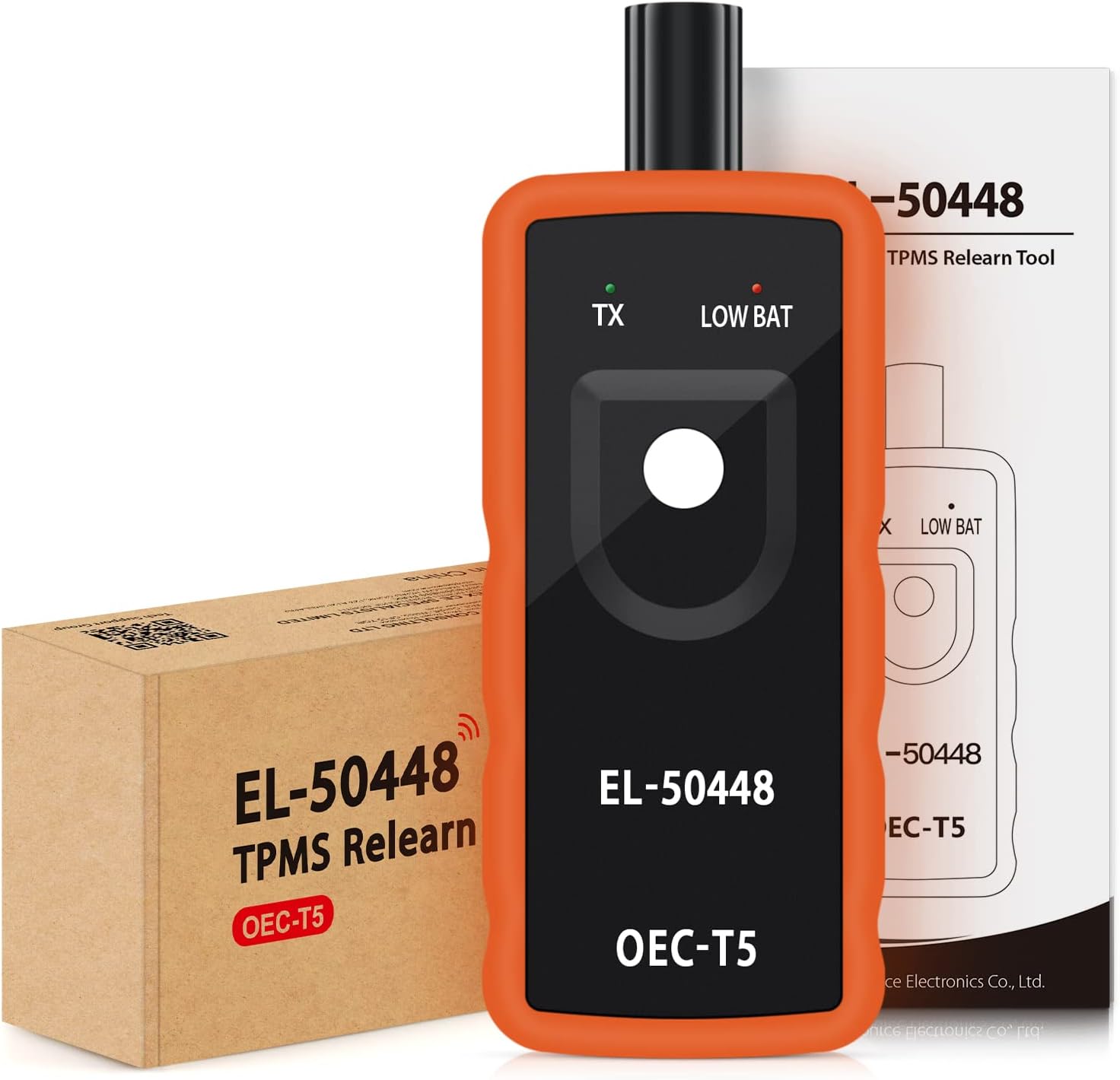
Figure 2.2.1: The EL-50448 tool, its packaging, and the included user manual.
3. Setup
3.1 Battery Installation
The JDIAG EL-50448 requires one 9V battery for operation. Ensure the battery is in good condition for optimal performance.
- Locate the battery compartment cover on the back of the tool.
- Slide the cover open to reveal the battery slot.
- Insert a new 9V battery, ensuring correct polarity (+/-).
- Slide the battery compartment cover back into place until it clicks securely.

Figure 3.1.1: The EL-50448 with its battery compartment open, ready for a 9V battery.
Video 3.1.1: This video demonstrates the unboxing and battery installation process for the JDIAG EL-50448 TPMS Relearn Tool.
4. Operating Instructions
Follow these steps to successfully relearn your vehicle's TPMS sensors using the EL-50448 tool.
- Step 1: Enter TPMS Learn Mode
Ensure that your vehicle is in the TPMS Learn Mode. This process varies by vehicle model; refer to your vehicle's owner's manual for specific instructions. Typically, the car will honk twice to confirm it has entered the learn mode. - Step 2: Activate Sensors (Front Left)
Starting with the front left tire, point the antenna of the EL-50448 tool against the sidewall of the tire, near the valve stem. Depress the tool's power button. Hold the tool in place until the car honks once, indicating successful activation of that sensor. - Step 3: Activate Remaining Sensors
Follow the same procedure for the remaining tires in the following order: Front Right, Rear Right, and then Rear Left. Ensure the car honks once after each successful sensor activation. - Step 4: Complete Relearn Process
After all four sensors have been successfully activated, the car will honk twice to indicate that the TPMS relearning process is complete. The tire pressure warning light on your dashboard should turn off, and the system will display correct tire pressure readings.

Figure 4.1.1: Visual guide to the 4-step TPMS relearning process.
Video 4.1.2: A detailed demonstration on how to use the EL-50448 TPMS relearn tool, including setting the learning mode and activating sensors.
Video 4.1.3: This video provides a quick guide on using the JDIAG EL-50448 TPMS Relearn Tool specifically for GM Series Vehicles.
5. Compatibility
The JDIAG EL-50448 TPMS Relearn Tool is compatible with most vehicles from Chevy, Buick, Opel, and Cadillac manufactured between 2006 and 2022. This includes various car, SUV, and pickup models equipped with 315 or 433 MHz Tire Pressure Monitor System (TPMS) sensors.

Figure 5.1.1: The EL-50448 is an essential tool for various vehicle types when changing new sensors or performing tire rotations.

Figure 5.1.2: A comprehensive list of factory-tested and customer-verified vehicle models compatible with the EL-50448 tool.
6. Maintenance
To ensure the longevity and optimal performance of your JDIAG EL-50448 TPMS Relearn Tool, follow these maintenance guidelines:
- Battery Care: Always use a fresh 9V battery. If the 'LOW BAT' indicator light illuminates, replace the battery promptly to ensure consistent signal strength. Remove the battery if the tool will not be used for an extended period to prevent leakage.
- Storage: Store the tool in a cool, dry place away from direct sunlight and extreme temperatures.
- Cleaning: Wipe the tool with a soft, dry cloth. Avoid using harsh chemicals or abrasive cleaners.
- Antenna Position: When using the tool, ensure the antenna is positioned correctly and parallel to the valve stem for effective signal transmission.

Figure 6.1.1: Overview of the EL-50448's components and indicators.
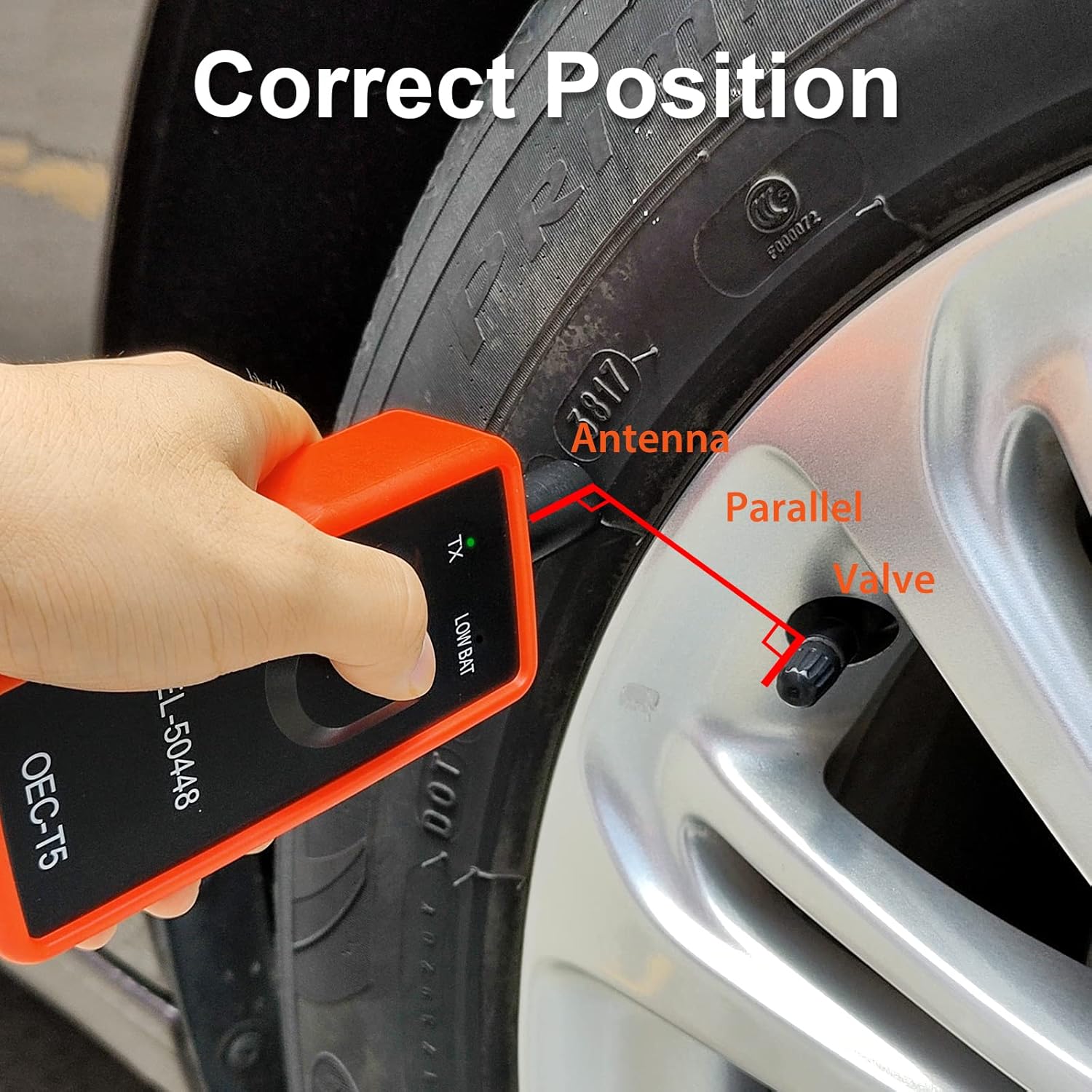
Figure 6.1.2: Demonstrates the correct positioning of the tool's antenna near the tire valve for optimal signal.
7. Troubleshooting
If you encounter issues while using the JDIAG EL-50448, consider the following common solutions:
- Tool Not Activating Sensor:
• Ensure the vehicle is correctly in TPMS Learn Mode. Refer to your vehicle's manual.
• Check the battery level. If the 'LOW BAT' light is on, replace the 9V battery.
• Adjust the tool's position. Hold the antenna firmly against the tire's sidewall, close to the valve stem. Some users have found better success by placing the antenna directly on the rubber of the tire rather than near the alloy rim, as the rim can sometimes block the signal. - Inconsistent Relearn Times:
• For different vehicle models, the EL-50448 may require varying amounts of time to reset all tire sensors after rotation. Be patient and ensure each sensor is activated with a single honk before moving to the next. - No Honk After Activation:
• If the car does not honk after depressing the button, the sensor may not have activated. Reposition the tool and try again. Ensure you are following the correct tire activation sequence (Front Left, Front Right, Rear Right, Rear Left).
8. Specifications
| Feature | Specification |
|---|---|
| Brand | JDIAG |
| Model Number | EL-50448 |
| Style | Modern |
| Maximum Supply Voltage | 9 Volts |
| Measuring Range | 15 - 150 PSI |
| Mounting Type | Tire Mount |
| Output Type | Analog |
| Item Weight | 5.3 ounces |
| Package Dimensions | 6.54 x 2.6 x 1.61 inches |
| UPC | 789513420559 |
9. Warranty & Support
Specific warranty information for the JDIAG EL-50448 TPMS Relearn Tool is not provided in the product details. For warranty claims, technical support, or further inquiries, please contact JDIAG customer service directly through their official channels or the retailer from whom the product was purchased.

