
Introduction
Welcome to the user manual for your USHINING G190 Senior Mobile Phone. This device is designed with ease of use in mind, featuring large buttons, a clear display, and essential functions for reliable communication. Please read this manual carefully to ensure proper operation and to get the most out of your new phone.
1. Setup
1.1 Package Contents
Before you begin, please check that all items are present in the package:
- 1 x USHINING G190 Senior Mobile Phone
- 1 x Micro-USB Charger
- 1 x Charging Dock
- 1 x 1800 mAh Battery
- 1 x SIM Card Adapter
- 1 x User Manual
1.2 Battery Installation
- Carefully remove the back cover of the phone.
- Insert the 1800 mAh battery into the battery compartment, ensuring the gold contacts align with the phone's terminals.
- Replace the back cover until it clicks securely into place.

Image: The USHINING G190 phone with its 1800 mAh battery and charging dock, illustrating how the battery fits into the device.
1.3 SIM Card Installation
The USHINING G190 supports Dual SIM cards (GSM bands 850/900/1800/1900 MHz).
- With the back cover and battery removed, locate the SIM card slots.
- Insert your SIM card(s) into the designated slot(s) with the gold contacts facing down.
- If necessary, use the provided SIM card adapter.
- Reinstall the battery and back cover.
1.4 Charging the Phone
Before first use, fully charge the phone for approximately 7 hours.
- Using the Charging Dock: Place the phone into the charging dock. Ensure the charging contacts on the phone align with those on the dock. Connect the Micro-USB charger to the dock and then to a power outlet.
- Direct Charging: Connect the Micro-USB charger directly to the charging port on the phone and then to a power outlet.
The battery indicator on the screen will show the charging status.
2. Operating Instructions
2.1 Power On/Off
- To power on, press and hold the Power/End Call button (red button) until the screen lights up.
- To power off, press and hold the Power/End Call button until the "Power off" option appears, then confirm.
2.2 Making and Receiving Calls
- Making a Call: Dial the number using the large keypad buttons and press the Call button (green button).
- Receiving a Call: When the phone rings, press the Call button (green button) to answer.
- Ending a Call: Press the Power/End Call button (red button) to end a call.

Image: A close-up of the USHINING G190 phone, highlighting its large buttons and clear display designed for ease of use.
2.3 SOS Emergency Function
The phone features a dedicated SOS emergency button for quick assistance.
- Setting SOS Numbers: Access the SOS settings in the phone's menu to program up to 5 emergency contact numbers.
- Activating SOS: In an emergency, press and hold the SOS button on the back of the phone. The phone will automatically dial the programmed numbers sequentially until one is answered.

Image: The back of the USHINING G190 phone, clearly showing the red SOS emergency button and illustrative icons for emergency contacts.
2.4 Quick Dial
Assign frequently called numbers to specific keys (2-9) for quick dialing. Refer to the phone's menu for quick dial setup.
2.5 Messaging (SMS)
Compose and read SMS messages using the large keypad and clear fonts. Navigate to the "Messages" menu option.
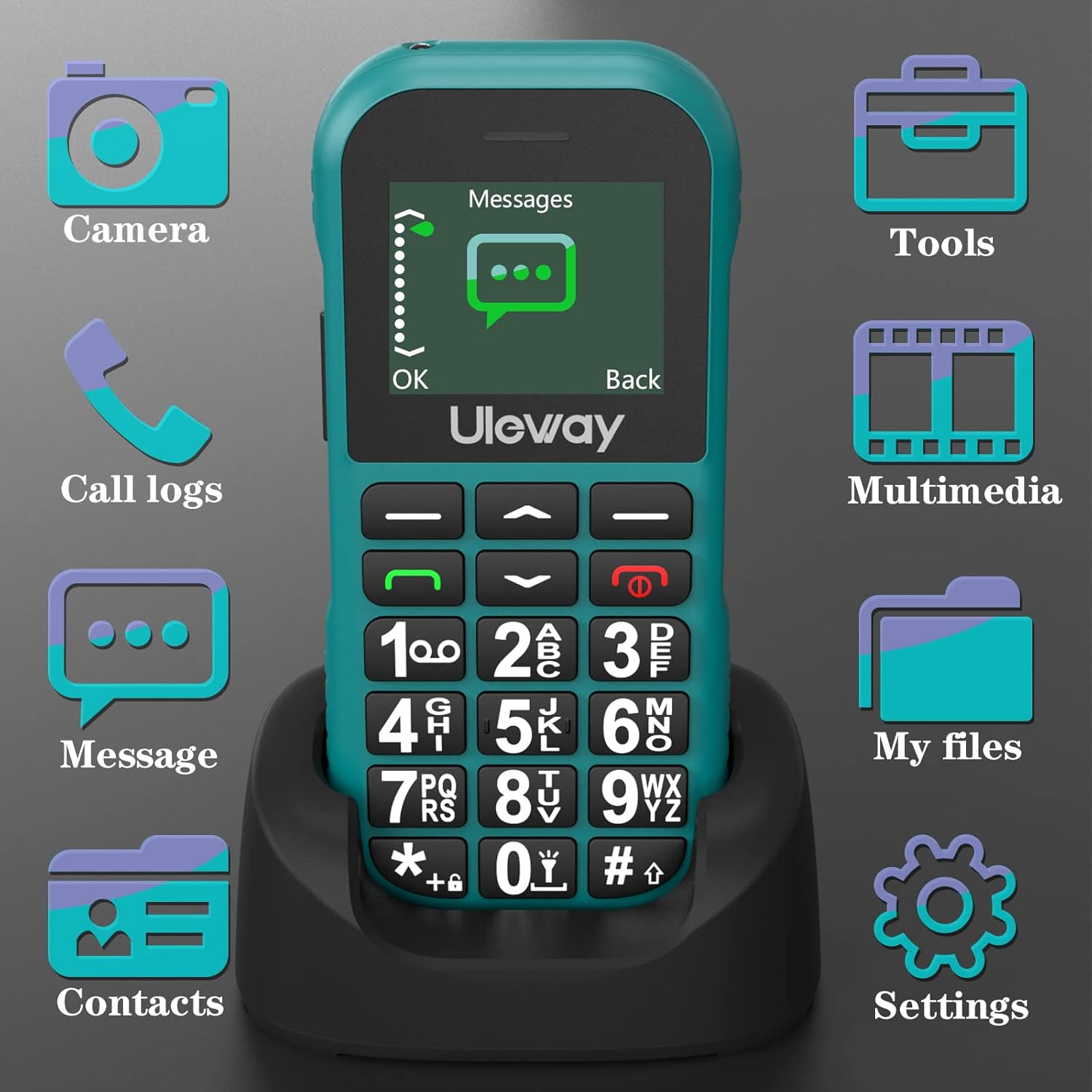
Image: The USHINING G190 phone's screen displaying the "Messages" menu icon, indicating access to text messaging features.
2.6 Flashlight
Activate the built-in flashlight for convenience in low-light conditions. Typically, this function is assigned to a dedicated button or a long press of a specific key (refer to your phone's specific key assignments).
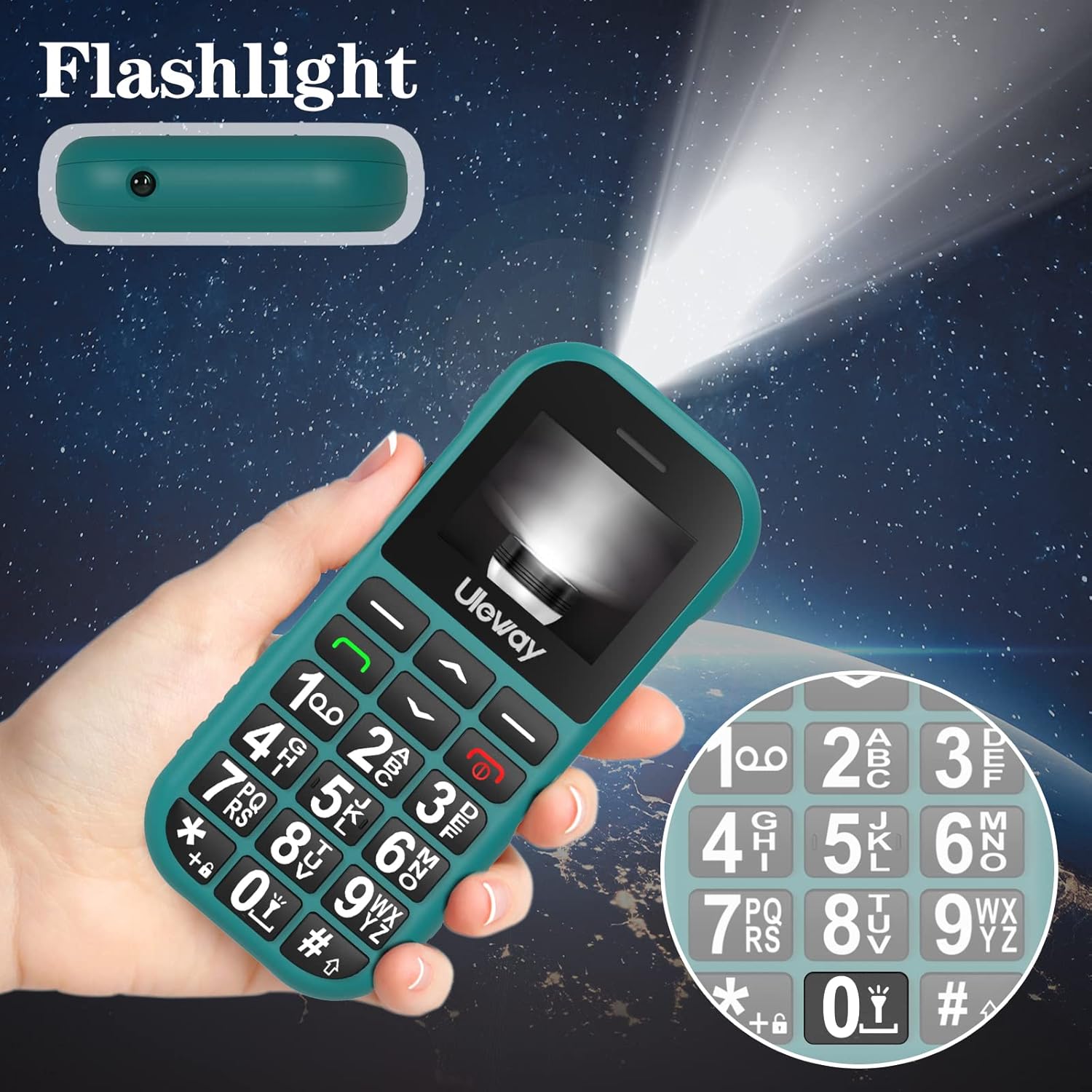
Image: The USHINING G190 phone held in a hand, with its flashlight beam illuminating a dark environment, demonstrating its utility.
2.7 Other Features
The USHINING G190 includes several useful features:
- FM Radio: Listen to your favorite radio stations.
- Bluetooth: Connect to compatible Bluetooth devices such as headsets.
- Alarm Clock: Set alarms for reminders.
- Calendar: Keep track of dates and appointments.
- Calculator: Perform basic calculations.
- Phonebook: Store up to 500 contacts.
- Languages: Supports Spanish, English, French, Italian, and German.
3. Maintenance
3.1 Battery Care
- To maximize battery life, avoid exposing the phone to extreme temperatures.
- Charge the phone regularly, but avoid overcharging for extended periods.
- The 1800 mAh battery provides 7-9 hours of talk time or 240-320 hours (10-12 days) of standby time.
3.2 Cleaning
Use a soft, dry cloth to clean the phone's screen and body. Avoid using liquid cleaners or abrasive materials.
3.3 General Care
The phone features a durable design with an anti-slip side to protect against bumps, drops, scratches, and other damage. Handle the phone with care to ensure its longevity.
4. Troubleshooting
- Phone does not turn on: Ensure the battery is correctly installed and fully charged.
- Cannot make/receive calls: Check if the SIM card is properly inserted and activated. Verify network signal strength.
- Charging issues: Ensure the charger and charging dock are correctly connected and the power outlet is functional. Check for any debris in the charging port.
- SOS button not working: Verify that emergency numbers are correctly programmed in the SOS settings.
- Poor audio quality: Check the volume settings. Ensure the speaker is not obstructed.
For further assistance, please refer to the warranty and support section.
5. Specifications
| Feature | Detail |
|---|---|
| Brand | USHINING |
| Model | G190 |
| Manufacturer | Wemat |
| Display Size | 1.77 inches |
| SIM Support | Dual SIM |
| GSM Bands | 850/900/1800/1900 MHz |
| Battery Capacity | 1800 mAh Lithium-ion |
| Talk Time | 7-9 hours |
| Standby Time | 240-320 hours (10-12 days) |
| Charging Time | Approx. 7 hours (full charge) |
| Memory Storage Capacity | 32 GB (expandable) |
| Operating System | iOS |
| Special Features | Large Buttons, SOS Emergency Button, Flashlight, FM Radio, Bluetooth, Alarm Clock, Calendar, Calculator, Quick Dial, Durable Body, Anti-slip design |
| Product Dimensions | 12 x 5 x 2 cm; 260 g |
| Input Device | Buttons |
| Connector Type | USB (Micro-USB) |
| Supported Languages | Spanish, English, French, Italian, German |
6. Warranty and Support
USHINING provides two years of technical service and customer support for this mobile phone. This warranty covers manufacturing defects. Please note that artificial damage is not included under this warranty. For support, please contact your retailer or the manufacturer directly.