
1. Introduction
Welcome to the WEELMOTION 8-Inch Off-road Pirate Hoverboard user manual. This guide provides essential information for the safe operation, setup, maintenance, and troubleshooting of your new self-balancing scooter. Please read this manual thoroughly before your first ride to ensure a safe and enjoyable experience. Keep this manual for future reference.
2. Safety Information
WARNING: Riding a hoverboard can be dangerous. Always wear appropriate safety gear, including a helmet, knee pads, and elbow pads. Children should always be supervised by an adult.
- UL 2272 Certification: This hoverboard is UL 2272 certified, indicating compliance with electrical safety standards.
- Weight Limits: Do not exceed the maximum weight limit of 99.79 kg (220 lbs). The minimum recommended weight is typically 20 kg to ensure proper sensor function.
- Age Recommendation: This product is recommended for adults. Younger riders should be supervised and meet the minimum weight requirement.
- Riding Environment: Ride on smooth, dry surfaces away from traffic. Avoid riding on steep inclines, uneven terrain, or wet surfaces.
- Battery Safety: Use only the provided charger. Do not overcharge the battery. Discontinue use if the battery shows signs of damage or overheating. The hoverboard features overheat protection.
- No Stunts: Avoid performing stunts, sudden turns, or rapid acceleration/deceleration, as this can lead to loss of control and injury.

Image: The hoverboard features a 72Wh battery, UL 2272 certification for electrical safety, and integrated overheat protection for enhanced user safety and product longevity.
3. Package Contents
Please check the box for the following items:
- WEELMOTION 8-Inch Off-road Pirate Hoverboard
- Power Charger
- User Manual (this document)
- Hoverboard Carrying Bag
4. Product Overview
The WEELMOTION 8-Inch Off-road Pirate Hoverboard is designed for versatile riding with its robust features. It includes 8-inch all-terrain wheels, integrated LED lights for visibility and style, and a wireless Bluetooth speaker for entertainment during your ride.

Image: A top-down view of the WEELMOTION 8-Inch Off-road Pirate Hoverboard, showcasing its distinctive graphic design, illuminated LED wheels, and the presence of musical notes indicating its wireless speaker functionality.
5. Setup
- Unpacking: Carefully remove all components from the packaging. Retain packaging for potential future transport or returns.
- Initial Charge: Before first use, fully charge the hoverboard. Connect the charger to the charging port on the hoverboard, then plug it into a power outlet. The indicator light on the charger will typically turn green when fully charged.
- Power On/Off: Press the power button located on the hoverboard to turn it on or off.
- Calibration (Optional): If the hoverboard does not balance correctly, it may need calibration. With the hoverboard off, place it on a flat, level surface. Press and hold the power button for approximately 5-10 seconds until the lights flash, then release. Power off and then power on again to complete calibration.
6. Operating Instructions
6.1 Riding the Hoverboard
- Mounting: Place one foot on a footpad. Once the hoverboard stabilizes, quickly step on with your other foot. Maintain a relaxed posture and keep your body centered.
- Self-Balance Mode: The hoverboard features a self-balance mode and 'No-Fall Tech' with smart sensors to assist beginners in maintaining stability.
- Movement: Lean slightly forward to move forward, and lean backward to slow down or move in reverse. To turn, apply more pressure with one foot than the other.
- Dismounting: Step off the hoverboard one foot at a time, preferably backward.

Image: Illustration of the hoverboard's self-balance mode, designed for beginner-friendly use, and its compatibility with an optional hover-kart accessory for an alternative riding experience.
6.2 Wireless Speaker Operation
Your hoverboard is equipped with a wireless Bluetooth speaker:
- Power On: Ensure the hoverboard is powered on.
- Pairing: On your mobile device, enable Bluetooth and search for available devices. Select the device named 'WEELMOTION' or similar.
- Play Music: Once paired, you can play audio from your device through the hoverboard's speaker.
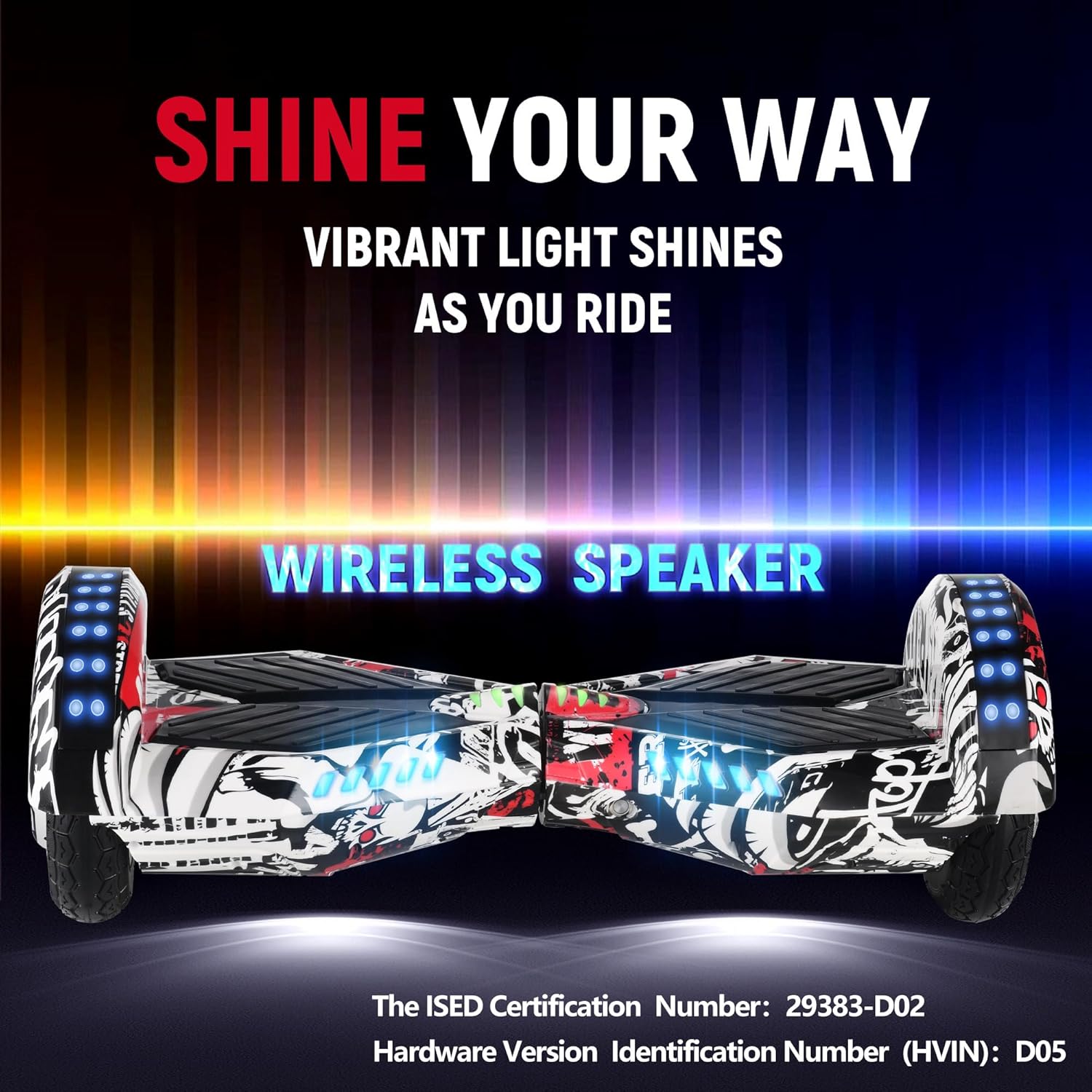
Image: The hoverboard illuminated with vibrant LED lights, highlighting its 'Shine Your Way' feature and integrated wireless speaker for audio playback.
7. Maintenance
- Cleaning: Use a soft, damp cloth to wipe down the hoverboard. Do not use harsh chemicals or abrasive cleaners. Avoid getting water into electronic components.
- Battery Care: Charge the battery regularly, even if not in use, to maintain its lifespan. Store the hoverboard in a cool, dry place. Do not expose the battery to extreme temperatures.
- Storage: When storing for extended periods, ensure the hoverboard is charged to about 50-70% and stored in a dry, temperate environment.
- Inspection: Periodically check the wheels and body for any signs of damage or loose components.
8. Troubleshooting
- Hoverboard Not Turning On: Ensure the battery is charged. If fully charged and still not turning on, contact customer support.
- Not Balancing Correctly: Perform a calibration as described in Section 5. If the issue persists, ensure you are within the recommended weight limits.
- Lights Not Working: Check for any physical damage. If the hoverboard functions otherwise, this may indicate an electrical issue requiring professional service.
- Bluetooth Speaker Not Connecting: Ensure Bluetooth is enabled on your device and the hoverboard is powered on. Try restarting both devices.
- Reduced Performance/Range: This could indicate a low battery charge or an aging battery. Ensure the hoverboard is fully charged before each use.
9. Specifications
| Feature | Specification |
|---|---|
| Brand | WEELMOTION |
| Model Number | B0B8W898XV |
| Wheel Size | 8 Inches |
| Motor Power | Dual 300W (Total 600W) |
| Maximum Speed | Up to 10 km/h |
| Maximum Climb Angle | 15 Degrees |
| Maximum Load | 99.79 kg (220 lbs) |
| Battery Type | 72Wh Lithium Ion |
| Range per Charge | Up to 10 km |
| Product Weight | 9.5 kg |
| Product Dimensions | 64.5 x 27.6 x 24.5 cm |
| Certification | UL 2272 |

Image: An exploded view diagram illustrating the internal components of the WEELMOTION hoverboard, highlighting its 600W dual motor system, maximum 15-degree climb capability, 220 lbs maximum load capacity, and a top speed of 10 km/h.
10. Warranty and Support
For warranty information, please refer to the documentation provided at the time of purchase or contact your retailer. If you encounter any issues not covered in this manual or require further assistance, please contact WEELMOTION customer support through their official website or the contact information provided with your product.