
1. Introduction
This user manual provides detailed instructions for the safe and efficient operation of your Jesverty SPS-3010N DC Power Supply. This adjustable switching regulated DC bench power supply features a high-precision 4-digit LED display, a 5V/2A USB port, and coarse and fine adjustments for voltage and current. Please read this manual thoroughly before use to ensure optimal performance and safety.
2. Product Overview

Figure 2.1.1: Jesverty SPS-3010N DC Power Supply
2.1. Key Features
- 4-Digit LED Display: Shows real-time measured values of Voltage (V), Amperage (A), and Wattage (W) with high precision (up to 0.01V, 0.001A, and 0.1W resolution).
- Auto C.V. and C.C. Mode: Automatically switches between Constant Voltage (C.V.) and Constant Current (C.C.) modes based on load changes.
- Compact & Lightweight Design: Measuring approximately 7.1(D)x3.35(W)x6.1(H) inches and weighing about 2.5lbs, it saves workbench space and is easily portable.
- Reliability & Safety: Built with high-quality materials and includes multiple protection functions such as short-circuit protection, over-load protection, and a temperature-regulated fan.
- 5V/2A USB Port: Conveniently located USB port for charging external devices.
2.2. Component Names

Figure 2.2.1: Front and Rear View with Labeled Components
- 1. Voltage Display: Shows output voltage.
- 2. Current Display: Shows output current.
- 3. Power Display: Shows output power in watts.
- 4. C.V. Mode Indicator: Illuminates when in Constant Voltage mode.
- 5. C.C. Mode Indicator: Illuminates when in Constant Current mode.
- 6. Voltage Knob (Coarse): For large adjustments of voltage.
- 7. Current Knob (Coarse): For large adjustments of current.
- 8. Voltage Knob (Fine): For precise adjustments of voltage.
- 9. Current Knob (Fine): For precise adjustments of current.
- 10. USB Charging Port (5V/2A): For charging compatible USB devices.
- 11. Output Terminal + (Red): Positive output terminal.
- 12. Grounding Terminal (Green): Ground connection.
- 13. Output Terminal - (Black): Negative output terminal.
- 14. Power Switch: Turns the unit on/off.
- 15. Cooling Fan: Activates automatically to dissipate heat.
- 16. AC Power Inlet: Connects to the main power supply.
- 17. Fuse Box: Contains the main fuse (spare fuse inside).
3. Setup
- Unpacking: Carefully remove the power supply and all accessories from the packaging. Inspect for any signs of damage.
- Placement: Place the unit on a stable, level surface with adequate ventilation. Ensure the cooling fan at the rear is not obstructed.
- Power Connection: Connect the provided power cord to the AC Power Inlet (16) on the rear of the unit and then to a suitable AC power outlet. Ensure the voltage selector switch (if present on your model) is set correctly for your region (e.g., 115V or 230V).
- Output Connections: Connect your load using the provided test leads or other appropriate cables to the Output Terminal + (Red, 11) and Output Terminal - (Black, 13). For safety, always connect the Grounding Terminal (Green, 12) to the ground of your circuit or workbench if available.
4. Operating Instructions
4.1. Powering On/Off
Press the Power Switch (14) to turn the unit ON. The LED display will illuminate. To turn OFF, press the Power Switch again.
4.2. Setting Voltage and Current
The Jesverty SPS-3010N allows for continuous adjustment of voltage and current using potentiometer coarse and fine knobs.
- Voltage Adjustment: Use the V-Coarse (6) knob for large voltage changes and the V-Fine (8) knob for precise adjustments.
- Current Adjustment: Use the A-Coarse (7) knob for large current changes and the A-Fine (9) knob for precise adjustments.
- Output Control: The unit features an output ON/OFF button (OUT). Press it to enable or disable the power output to your load. This allows you to set voltage and current values safely before applying power to your circuit.

Figure 4.2.1: Voltage and Current Setting Method
4.3. Constant Voltage (C.V.) and Constant Current (C.C.) Modes
The SPS series automatically switches between C.V. and C.C. modes depending on the load. The C.V. (4) or C.C. (5) indicator will light up to show the active mode.
- C.V. Mode: The output voltage remains constant at the set value, while the output current varies according to the load.
- C.C. Mode: The output current remains constant at the set value, while the output voltage varies according to the load. This mode is active when the load resistance is too low, causing the current to reach its set limit.

Figure 4.3.1: Automatic C.V. and C.C. Mode Switching
4.4. USB Charging Function
The unit includes a 5V/2A USB charging port (10) for convenient charging of compatible devices. Simply plug your USB device into the port.

Figure 4.4.1: Support 5V/2A USB Charging Function
5. Safety Features
The Jesverty SPS-3010N is designed with multiple safety features to protect both the user and connected devices:
- Short-Circuit Protection: Automatically cuts off output in case of a short circuit.
- Over-Load Protection: Prevents damage from excessive current draw.
- Grounding Terminal: Provides a safe ground connection.
- Temperature-Regulated Fan: The Cooling Fan (15) automatically adjusts its speed based on internal temperature to prevent overheating.
- Spare Fuse: A spare fuse is located within the Fuse Box (17) for easy replacement if the main fuse blows.

Figure 5.1: Upgraded Power Protection
6. Applications
The Jesverty SPS-3010N DC Power Supply is versatile and suitable for a wide range of applications, including but not limited to:
- Electronic Experiments and Circuit Testing
- Electronic Product Repair and Maintenance
- DIY Electronics Projects
- Educational and School Laboratory Use
- Auto Wire Testing
- Motor Testing
- Electrolysis Experiments
- Electric Soldering Iron Powering
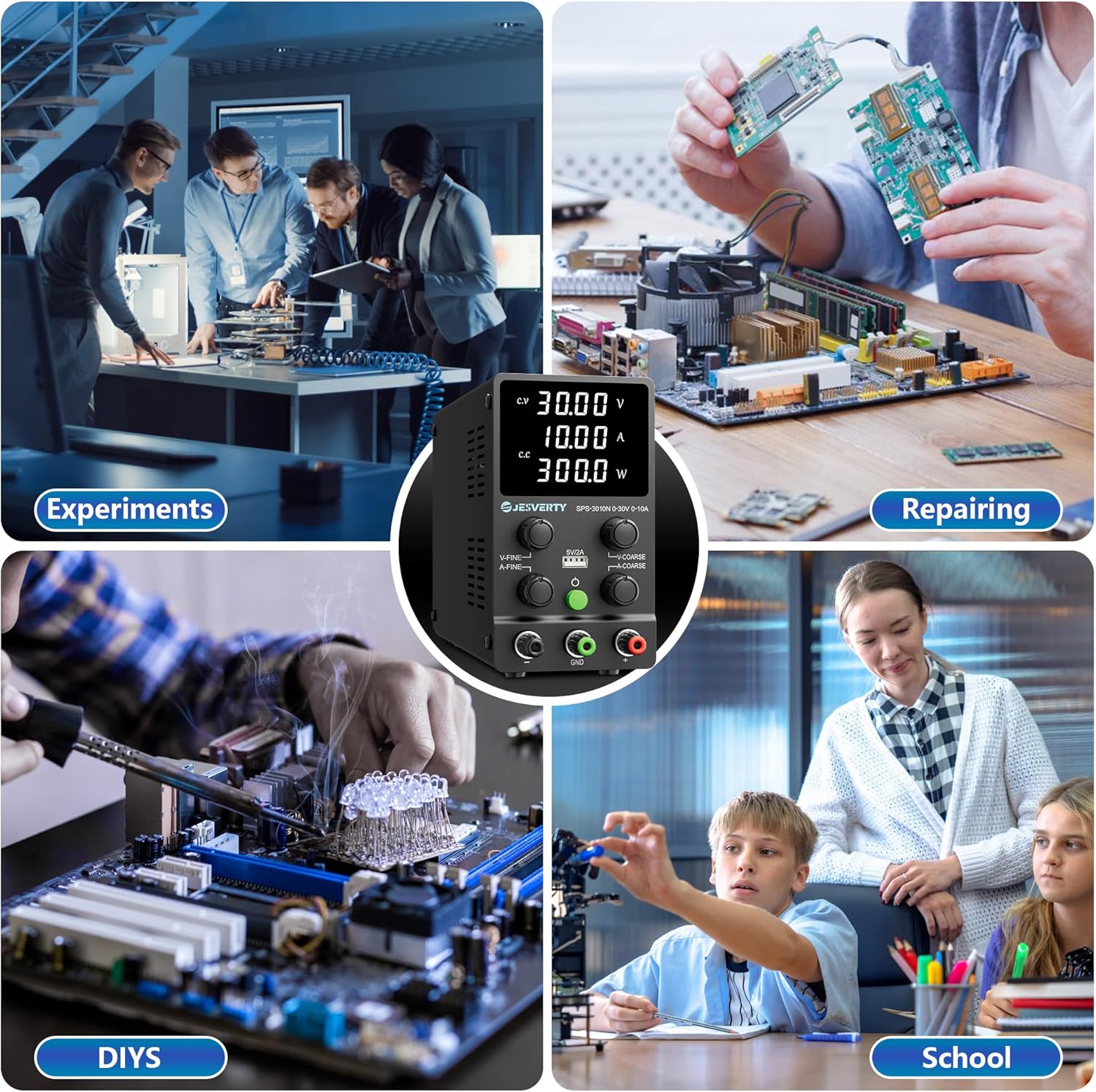
Figure 6.1: Diverse Applications of the Jesverty SPS-3010N
7. Specifications
| Parameter | Value |
|---|---|
| Model Number | SPS-3010N |
| Output Voltage | 0-30V DC (Adjustable) |
| Output Current | 0-10A (Adjustable) |
| Display Resolution (Voltage) | 0.01V |
| Display Resolution (Current) | 0.001A |
| Display Resolution (Power) | 0.1W |
| USB Port Output | 5V/2A |
| Product Dimensions | 3.35 x 5.91 x 8.66 inches |
| Item Weight | 3.08 pounds (1.4 Kilograms) |
| Color | SPS (White LED) |
| Manufacturer | Jesverty |
8. What's in the Box
Your Jesverty SPS-3010N package includes:
- 1 x Jesverty SPS-3010N Power Supply Unit
- 1 x Output Power Line (Test Leads)
- 1 x Input Power Line (AC Power Cord)
- 1 x User Manual
Note: The test leads provided are basic. For long-term high-current projects, consider preparing test leads with sufficient current capacity. Power cords and AC input settings may vary based on region.
9. Maintenance
- Cleaning: Regularly clean the exterior of the unit with a soft, dry cloth. Do not use abrasive cleaners or solvents.
- Ventilation: Ensure the cooling fan and ventilation slots are free from dust and obstructions to maintain proper airflow.
- Fuse Replacement: If the unit does not power on, check the fuse located in the Fuse Box (17) at the rear. Replace it with a fuse of the same type and rating (a spare fuse is usually provided inside the fuse box).
- Storage: When not in use for extended periods, store the power supply in a cool, dry place away from direct sunlight and extreme temperatures.
10. Troubleshooting
| Problem | Possible Cause | Solution |
|---|---|---|
| Unit does not power on. | No power from outlet; Blown fuse; Power switch off. | Check power cord connection and outlet; Replace fuse; Ensure power switch is ON. |
| No output voltage/current. | Output button (OUT) is off; Overload protection activated; Short circuit in load. | Press the OUT button to enable output; Reduce load or check for short circuit. |
| Output voltage/current unstable. | Poor connection; Load fluctuations. | Check all cable connections; Ensure load is stable. |
11. Warranty and Support
Jesverty provides professional technical support for its products. For any problems or questions regarding your unit, please contact Jesverty Customer Service via Amazon or email (contact information typically included in the physical instruction manual).
12. Official Product Videos
SPS 3010N DC Power Supply Overview
Jesverty DC Power Supply Demonstration
Related documentsSPS-3010N


Ask a question about this manual
Ask about setup, troubleshooting, compatibility, parts, safety, or missing instructions. Manuals+ will review the question and use this page’s manual context to help answer it.