1. Introduction
This manual provides essential instructions for the safe and efficient operation of your LogiLink UA0393 Bluetooth Cassette Player. Please read this manual thoroughly before using the device and retain it for future reference. The LogiLink UA0393 allows you to enjoy your cassette tape collection through modern Bluetooth headphones or speakers, or via traditional wired headphones using its 3.5mm audio jack.
2. Safety Information
- Do not expose the device to moisture, rain, or extreme temperatures.
- Avoid dropping or subjecting the device to strong impacts.
- Do not attempt to disassemble or repair the device yourself. Refer all servicing to qualified personnel.
- Use only specified power sources (2x AA batteries or DC 3V via USB).
- Remove batteries if the device will not be used for an extended period.
- Keep out of reach of children.
3. Package Contents
Please check the package for the following items:
- 1 x LogiLink UA0393 Bluetooth Cassette Player
Note: AA batteries, USB power cable, and headphones are not included and must be purchased separately.
4. Product Overview
Familiarize yourself with the components and controls of your LogiLink UA0393.

Figure 4.1: Front view of the LogiLink UA0393 Bluetooth Cassette Player. This image shows the main body of the player with the LogiLink logo and the cassette window.

Figure 4.2: Right side view of the LogiLink UA0393. This side features the volume control wheel and the 3.5mm AUX audio output jack.
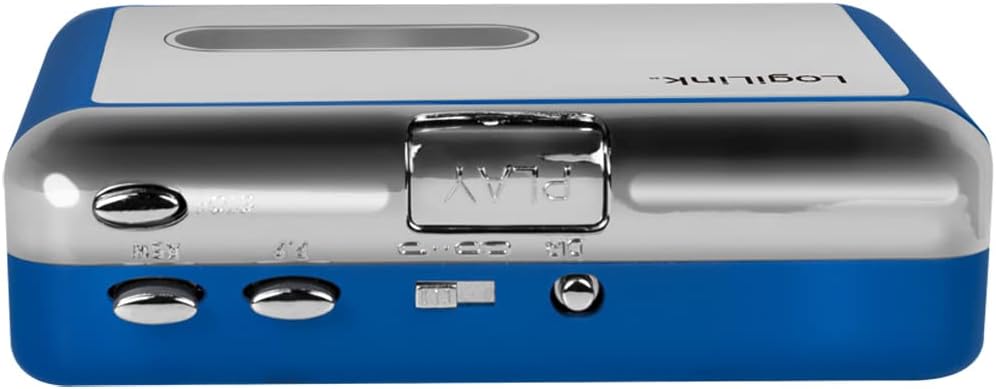
Figure 4.3: Top view of the LogiLink UA0393. This image highlights the playback control buttons including Play, Fast Forward, Rewind, Stop, and the Auto Reverse switch.
Controls and Ports:
- Cassette Door: Opens to insert cassette tapes.
- Play Button: Starts tape playback.
- Stop Button: Stops tape playback.
- Fast Forward (FF) Button: Advances the tape quickly.
- Rewind (REW) Button: Rewinds the tape quickly.
- Auto Reverse Switch: Toggles automatic tape direction change.
- Volume Control Wheel: Adjusts audio output level.
- 3.5mm AUX Output: For connecting wired headphones or external speakers.
- DC 3V Input: For external power supply via USB cable (not included).
- Battery Compartment: Holds 2x AA batteries (not included).
5. Setup
5.1 Power Supply
The LogiLink UA0393 can be powered by two AA batteries or an external DC 3V power source via a USB cable.
Battery Installation:
- Open the cassette door.
- Locate the battery compartment inside the player.
- Insert two AA batteries, ensuring correct polarity (+/-).
- Close the cassette door.

Figure 5.1: Inside view of the LogiLink UA0393 with the cassette door open, showing the battery compartment and tape mechanism.
USB Power:
Connect a compatible USB power cable (DC 3V, not included) to the DC 3V input port on the side of the player and to a USB power adapter or computer USB port.

Figure 5.2: Example of a USB power cable with a DC barrel connector suitable for powering the device.
5.2 Inserting a Cassette
- Press the 'OPEN' button or slide the latch to open the cassette door.
- Insert a cassette tape with the exposed tape facing upwards and the side you wish to play facing the playback head.
- Gently close the cassette door until it clicks shut.
6. Operating Instructions
6.1 Playing Cassettes
- Ensure a cassette tape is properly inserted.
- Press the PLAY button to begin playback.
- Adjust the volume using the volume control wheel on the side of the player.
- To fast forward, press the FF button. To rewind, press the REW button. Press STOP to resume playback after FF/REW.
- To stop playback, press the STOP button.
- Use the Auto Reverse switch to enable or disable automatic tape direction change at the end of a tape side.
6.2 Bluetooth Connection
The LogiLink UA0393 features Bluetooth 5.0 for wireless audio streaming to compatible devices.
- Ensure the cassette player is powered on.
- Press the PLAY button to start playing a cassette. The player will automatically enter Bluetooth pairing mode, indicated by a flashing LED (if present, refer to device for specific indicator).
- On your Bluetooth headphones or speaker, activate pairing mode (refer to your audio device's manual for instructions).
- The cassette player will automatically search for and attempt to pair with nearby Bluetooth audio devices.
- Once successfully paired, the LED indicator on the cassette player will typically show a solid light, and audio from the cassette will be streamed to your Bluetooth device.
- The effective Bluetooth range is up to 10 meters (33 feet) in an open environment.
6.3 Wired Headphone Use
If you prefer wired listening or your Bluetooth device is not available, you can use the 3.5mm AUX output.
- Connect your wired headphones (not included) to the 3.5mm AUX output jack on the side of the player.
- Press the PLAY button to start cassette playback.
- Adjust the volume using the volume control wheel.

Figure 6.1: The LogiLink UA0393 with wired headphones connected to the 3.5mm audio jack.
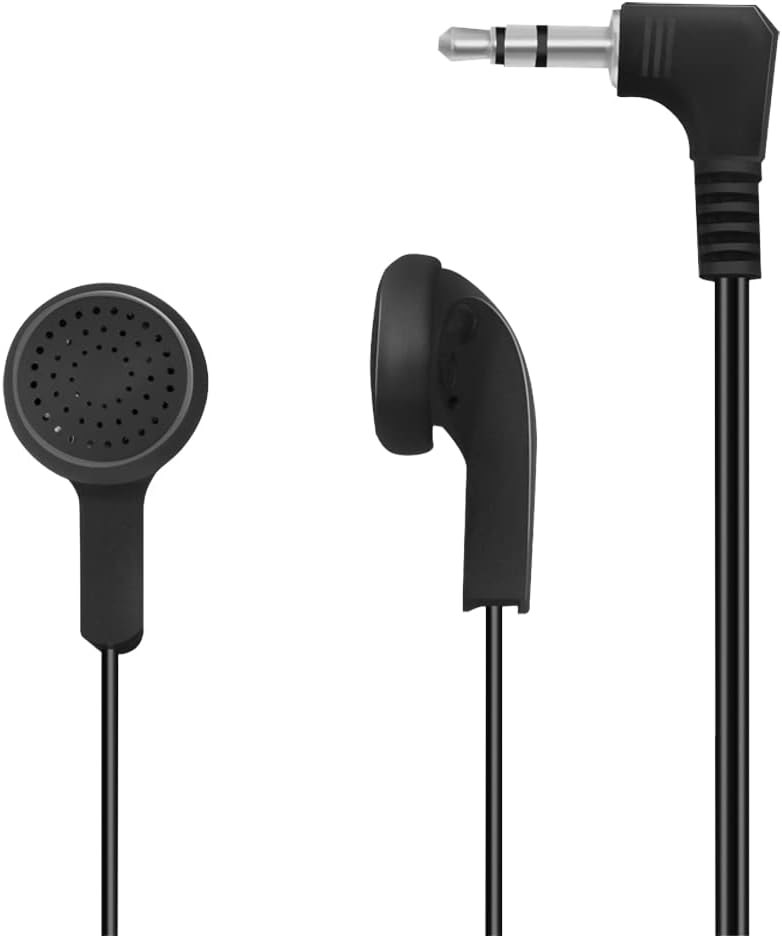
Figure 6.2: Example of wired earbuds that can be used with the 3.5mm AUX output.
7. Maintenance
7.1 Cleaning
- Regularly clean the playback head, pinch roller, and capstan with a cotton swab lightly dampened with isopropyl alcohol to ensure optimal sound quality and tape longevity.
- Wipe the exterior of the player with a soft, dry cloth. Do not use abrasive cleaners or solvents.
7.2 Battery Care
- Remove batteries if the device is not used for extended periods to prevent leakage.
- Dispose of used batteries responsibly according to local regulations.
8. Troubleshooting
| Problem | Possible Cause | Solution |
|---|---|---|
| No power | Dead batteries; Incorrect battery polarity; USB cable not connected. | Replace batteries; Check battery orientation; Connect USB power source. |
| No sound (wired) | Headphones not connected properly; Volume too low; Faulty headphones. | Ensure headphones are fully plugged in; Increase volume; Test with different headphones. |
| No sound (Bluetooth) | Not paired; Bluetooth device out of range; Bluetooth device volume too low. | Ensure player is in pairing mode; Move Bluetooth device closer; Increase volume on Bluetooth device. |
| Poor sound quality | Dirty playback head; Worn-out tape; Low battery power. | Clean playback head; Try a different tape; Replace batteries or use USB power. |
9. Specifications
| Feature | Detail |
|---|---|
| Brand | Logilink |
| Model | UA0393 |
| Bluetooth Version | 5.0 |
| Bluetooth Range | Up to 10 m |
| Audio Output | 3.5mm Jack, Bluetooth |
| Power Source | 2 x AA Batteries (not included) or DC 3V via USB |
| Supported Audio Format | MP3 (for playback from tape, output is analog) |
| Dimensions | 11.2 x 7.7 x 3 cm |
| Weight | 177 g |
10. Warranty and Support
For warranty information or technical support, please refer to the warranty card included with your product or visit the official LogiLink website. Contact details for customer service can typically be found on the manufacturer's website or product packaging.


