
Product Overview
The BoxWave ClearTouch Crystal Screen Protector is designed to provide superior protection for your Apeman C370 dash cam screen. This high-quality film skin shields your device from scratches, dust, and minor impacts, ensuring the longevity and clarity of your screen. It offers up to 99% visual clarity, maintaining the vibrant display of your device.
Each package includes two ClearTouch Crystal screen protectors, along with essential tools for a smooth, residue-free application.

Image: Packaging for the BoxWave ClearTouch Crystal Screen Protector, showing the product name and "2 Pack" indication.
What's Included
- Two (2) ClearTouch Crystal Screen Protectors
- One (1) Applicator Card
- One (1) Microfiber Cleaning Cloth
- One (1) Dust Removing Sticker
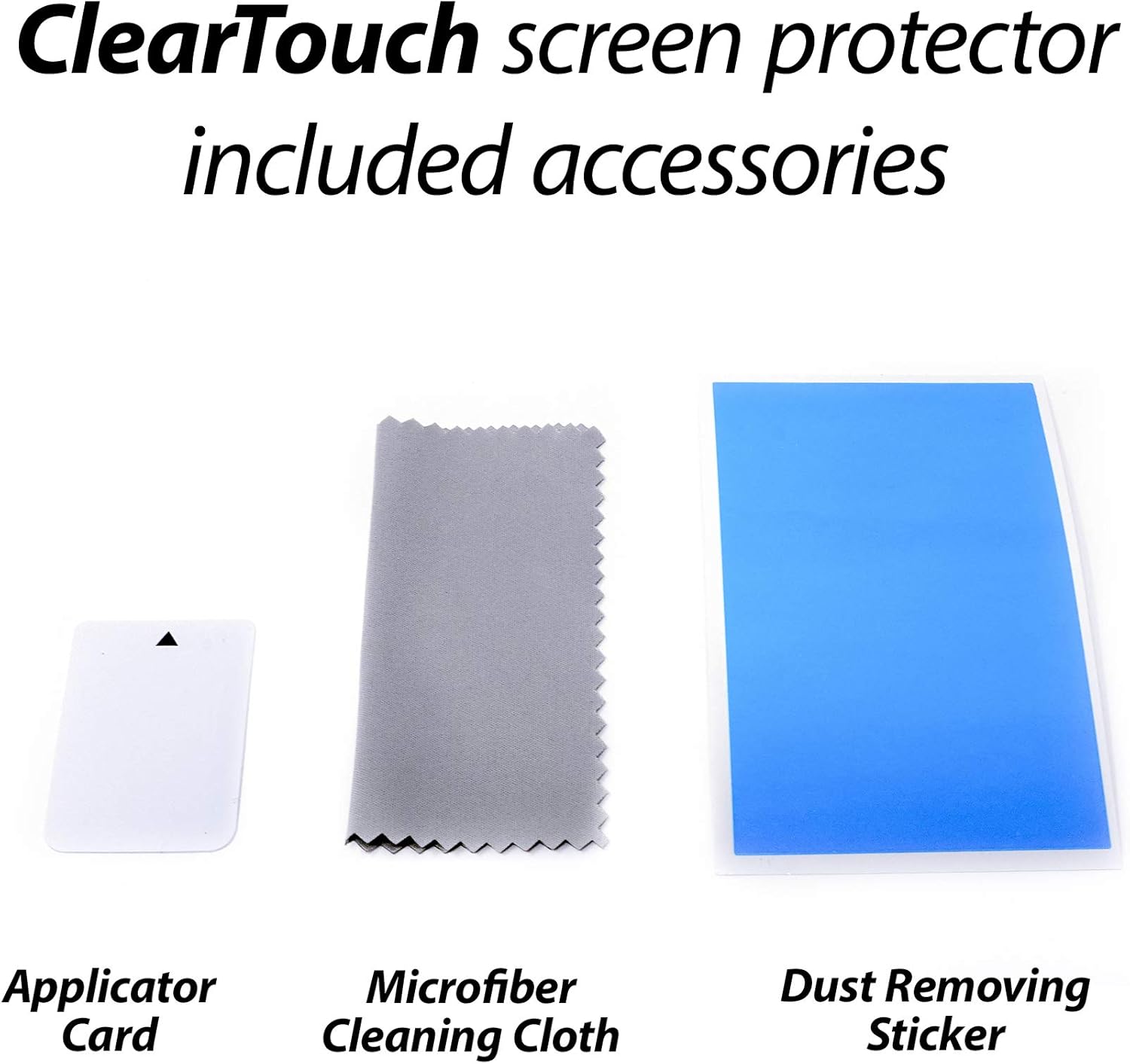
Image: The contents of the screen protector kit, including the applicator card, microfiber cleaning cloth, and a dust removing sticker.
Setup and Application Instructions
Follow these steps carefully for optimal application and to minimize air bubbles.
- Clean the Screen: Use the provided microfiber cleaning cloth to thoroughly wipe down the Apeman C370 dash cam screen. Ensure all dust, fingerprints, and smudges are removed. For stubborn spots, a small amount of screen cleaner (not included) can be used, followed by drying with the cloth.
- Remove Dust: Use the dust removing sticker to lift any remaining dust particles from the screen. Gently dab the sticker across the entire screen surface.
- Align the Protector: Carefully peel back a small portion of the protective film from the screen protector (usually marked "Step 1" or similar). Align the exposed edge of the screen protector with one edge of your device's screen. Take your time to ensure precise alignment, paying attention to cutouts for cameras or sensors if present.
- Apply Gradually: Once aligned, slowly peel back the rest of the protective film while simultaneously applying the screen protector to the device's screen. Use the applicator card to gently smooth out any air bubbles as you go, pushing them towards the edges.
- Remove Top Film: After the screen protector is fully adhered, carefully peel off the top protective layer (usually marked "Step 2" or similar).
- Final Smoothing: Use the microfiber cloth to gently wipe the newly applied screen protector, removing any remaining small bubbles or smudges.
Note: The low-tack adhesive may take up to 48 hours to fully settle along the edges. Any initial small air bubbles typically clear with regular use as the adhesive cures.

Image: A caliper measuring a blueprint, illustrating the precision design of the screen protector to fit your device perfectly.
Operating and Benefits
Once applied, the ClearTouch Crystal screen protector operates seamlessly with your Apeman C370 dash cam. It is designed to maintain full touch sensitivity and display clarity.
- High Transparency: Provides up to 99% visual clarity, ensuring a clear and vibrant viewing experience without distortion or loss of color.
- Smooth Surface: The glass-like surface ensures smooth touch interactions and easy navigation on your device.
- Durable Protection: Made from high-quality thermoplastics, it effectively protects your screen from daily scratches, scuffs, and minor impacts.

Image: A visual representation of the screen protector's high definition clarity, showcasing how it preserves vibrant colors and optical clarity.
Maintenance
To keep your ClearTouch Crystal screen protector in optimal condition:
- Cleaning: Regularly wipe the screen protector with the provided microfiber cleaning cloth to remove fingerprints and dust. Avoid using harsh chemicals or abrasive materials, as these can damage the film.
- Avoid Sharp Objects: While the protector offers scratch resistance, extreme pressure or sharp objects can still cause damage.
- Reusability: The glueless adhesive allows for clean removal without residue. If necessary, the screen protector can be carefully removed, cleaned, and reapplied.
Troubleshooting
| Issue | Possible Cause | Solution |
|---|---|---|
| Air Bubbles After Application | Trapped air during application; adhesive not fully settled. | Use the applicator card to push bubbles towards the nearest edge. Small bubbles may disappear within 24-48 hours as the adhesive cures. |
| Dust Particles Under Protector | Screen not thoroughly cleaned before application. | Carefully lift the nearest corner of the protector, use the dust removing sticker to lift the particle, then reapply. |
| Edges Not Sticking | Improper alignment; dust on edges; adhesive not fully settled. | Ensure proper alignment. Clean edges if dust is present. Allow up to 48 hours for adhesive to fully bond. Gently press down on edges. |
| Reduced Touch Sensitivity | Rare, but could be due to improper application or a faulty protector. | Ensure the protector is fully adhered without large air gaps. If issues persist, consider reapplying or using the second protector provided. |
Specifications
- Material: Polyethylene Terephthalate (PET)
- Clarity: Up to 99% visual clarity
- Special Feature: Scratch Resistant
- Screen Surface Description: Glossy
- Number of Items: 2 (screen protectors per pack)
- Item Weight: 0.7 ounces (total package)
- Manufacturer: BoxWave
- Country of Origin: China
Warranty and Support
BoxWave products are designed for quality and performance. While specific warranty details are not provided in this manual, standard return policies typically apply for manufacturing defects or issues with the product upon receipt.
For support, questions, or concerns regarding your BoxWave ClearTouch Crystal Screen Protector, please contact BoxWave Corporation directly through their official support channels or the retailer where the product was purchased. Refer to your purchase documentation for specific return and support information.
Seller Information: BoxWave Corporation (Seller ID: A30XRGG45X0IFD)
Return Policy: Typically 30 days for refund/replacement (as per product listing information).