
Introduction
Thank you for choosing the SHW Mission 48x48 L-Shape Home Office Computer Desk. This manual provides essential information for the proper assembly, operation, and maintenance of your new desk. Designed to maximize your workspace, this L-shaped desk is ideal for home offices, study areas, or creative projects, offering ample surface area for multiple monitors and accessories.
Please read this manual thoroughly before assembly and retain it for future reference.
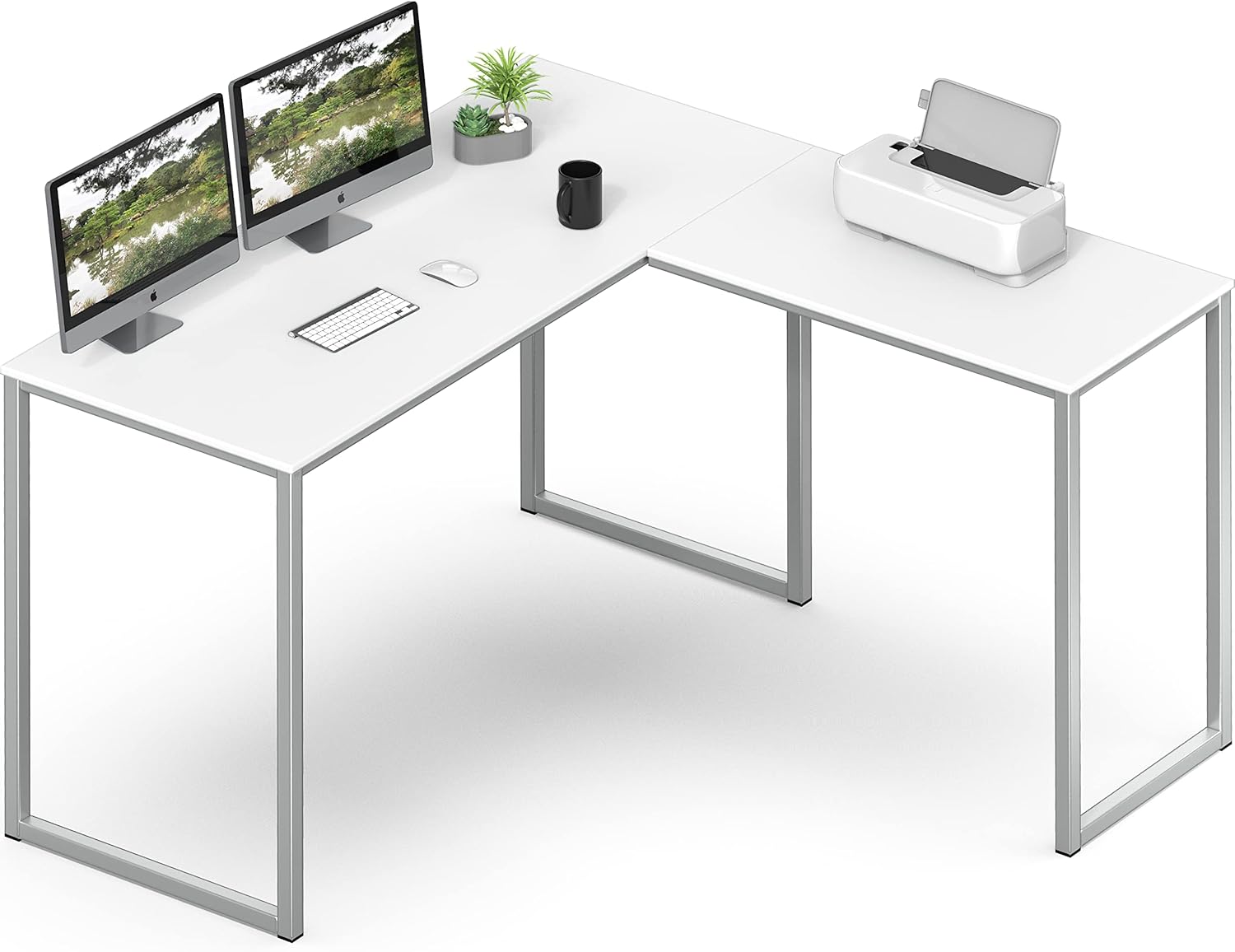
Image: The SHW Mission L-Shape Desk in white, showcasing its spacious design with two computer monitors and a printer setup.
Safety Information
To ensure safe use and prevent damage, please observe the following:
- Maximum Weight Recommendation: The desk has a maximum weight capacity of 100 kg (approximately 220 lbs). Do not exceed this limit.
- Proper Assembly: Ensure all parts are correctly assembled according to the instructions. Improper assembly can lead to instability and potential injury.
- Stable Surface: Always place the desk on a stable, level surface to prevent tipping.
- Anchoring: For added stability, especially in households with children or pets, anchoring the desk to a wall may be required. Wall anchoring hardware is not included.
- Avoid Liquids: While the surface is durable, avoid prolonged exposure to liquids to prevent damage. Clean spills immediately.
- Sharp Objects: Do not use sharp objects directly on the desk surface to avoid scratches.
Package Contents
Before beginning assembly, verify that all components listed below are present and undamaged. If any parts are missing or damaged, please contact customer support.
| Part | Description | Quantity |
|---|---|---|
| Desk Top Panels | Engineered wood L-shaped surface | 2 |
| Leg Frames | Powder-coated alloy steel frames | 3 |
| Connecting Brackets | Metal brackets for joining panels | (Quantity varies by design) |
| Hardware Pack | Screws, bolts, Allen wrench, etc. | 1 set |
| Instruction Manual | This document | 1 |
Note: Specific hardware quantities and types are detailed in the included assembly diagram.
Setup & Assembly
Assembly of the SHW Mission L-Shape Desk is designed to be straightforward. It is recommended to have a second person for easier assembly, though it can be completed by one individual. Please follow the step-by-step instructions provided in the separate assembly diagram included with your package.
- Unpack and Identify Parts: Carefully remove all components from the packaging. Lay them out on a clean, soft surface (like a carpet or blanket) to prevent scratches. Identify each part using the provided parts list and assembly diagram.
- Attach Leg Frames to Desk Panels: Secure the metal leg frames to the underside of the desk panels using the provided screws and Allen wrench. Ensure all screws are tightened firmly but do not overtighten.
- Connect L-Shape Sections: Join the two desk panels using the connecting brackets. The L-shape can typically be configured for either a left or right-hand orientation during this step, depending on your preference and space requirements.
- Final Tightening: Once the desk is fully assembled and in its desired orientation, double-check all screws and connections to ensure they are secure.
- Positioning: Carefully move the assembled desk to its final desired location. Ensure it is placed on a flat, stable surface.

Image: Detailed dimensions of the SHW Mission L-Shape Desk, showing the 48-inch lengths for both sides and the 28-inch height.
Note: The desk is designed for easy assembly. If you encounter any difficulties, refer to the detailed assembly instructions or contact customer support.
Operating Instructions
The SHW Mission L-Shape Desk is designed for versatile use in various settings, including home offices, dormitories, and general office environments. Its L-shaped design maximizes corner space and provides an expansive work surface.
- Workspace Utilization: The generous surface area can comfortably accommodate multiple monitors, laptops, keyboards, and other office accessories, making it suitable for multitasking and efficient workflow.
- Weight Distribution: Distribute weight evenly across the desk surface to maintain stability and prevent stress on any single point.
- Cable Management: While not explicitly designed with integrated cable management, the open frame allows for easy routing of cables using external cable ties or clips (not included) to maintain a tidy workspace.

Image: The L-shaped desk positioned in a corner of a room, set up as a functional home office with a computer, chair, and various office supplies.

Image: An overhead view of the SHW Mission L-Shape Desk, demonstrating its capacity to hold two large monitors, a laptop, and other peripherals, highlighting its spacious design.
Maintenance
Regular maintenance will help preserve the appearance and longevity of your SHW Mission L-Shape Desk.
- Cleaning: Wipe the desk surface with a soft, damp cloth. For stubborn marks, a mild soap solution can be used, followed by drying with a clean cloth. Avoid abrasive cleaners or harsh chemicals.
- Dusting: Regularly dust the desk with a dry, soft cloth to prevent buildup.
- Hardware Check: Periodically check all screws and connections to ensure they remain tight. Retighten if necessary to maintain stability.
- Avoid Direct Sunlight: Prolonged exposure to direct sunlight may cause fading or discoloration of the desk surface.
- Heat Protection: Use coasters or protective pads under hot items to prevent heat damage to the surface.
Troubleshooting
If you encounter any issues with your desk, refer to the common problems and solutions below:
| Problem | Possible Cause | Solution |
|---|---|---|
| Desk wobbles or is unstable. | Loose screws or uneven floor. | Ensure all screws are tightened. Adjust the desk's position on a level floor or use shims under the legs if necessary. |
| Parts do not align during assembly. | Incorrect orientation of parts or misaligned holes. | Review the assembly diagram carefully. Ensure parts are oriented correctly before tightening screws. Loosen screws slightly, adjust alignment, then retighten. |
| Surface scratches or marks. | Sharp objects or abrasive cleaning. | Use protective mats for sharp objects. Clean with a soft cloth and mild cleaner. Minor scratches may be reduced with furniture polish (test in an inconspicuous area first). |
If the problem persists or is not listed here, please contact SHW customer support for assistance.
Specifications
| Attribute | Detail |
|---|---|
| Brand | SHW |
| Model Number | OD-12L-W |
| Model Name | Mission 48-Inch L-Shaped |
| Product Dimensions | 48"D x 48"W x 28"H |
| Color | White |
| Style | Mission |
| Base Material | Alloy Steel |
| Finish Type | Powder Coated |
| Top Material Type | Engineered Wood |
| Maximum Weight Recommendation | 100 Kilograms (approx. 220 lbs) |
| Required Assembly | Yes |
| UPC | 811244038960 |
Warranty & Support
The SHW Mission 48x48 L-Shape Home Office Computer Desk is covered by a 5-Year Limited Warranty. This warranty covers defects in materials and workmanship under normal use.
For warranty claims, technical support, or any questions regarding your product, please contact SHW customer service. You can find contact information on the SHW official website or through your purchase platform.
For more information, visit the official SHW Store: SHW Store on Amazon