
1. Introduction
This manual provides essential information for the safe and efficient operation, installation, and maintenance of your Panasonic 8 Kg Wi-Fi Fully-Automatic Top Load Washing Machine, Model NA-F80V10SRB. Please read these instructions thoroughly before using the appliance and retain them for future reference.
Your washing machine features smart connectivity, an 8 kg capacity suitable for medium-sized families, and a built-in heater for enhanced cleaning. It operates with a fully automatic system and offers 15 wash programs.

Image 1.1: Front view of the Panasonic NA-F80V10SRB washing machine.
2. Safety Information
Always follow basic safety precautions when using electrical appliances to reduce the risk of fire, electric shock, or injury to persons.
- Ensure the power supply matches the rating label on the appliance.
- Do not operate the machine with a damaged power cord or plug.
- Keep children and pets away from the appliance during operation.
- Do not wash items that are soiled with flammable substances.
- Always unplug the machine before cleaning or performing any maintenance.
3. Installation and Setup
3.1 Unpacking
Carefully remove all packaging materials. Inspect the machine for any damage. Keep packaging materials away from children.
3.2 Location
Place the washing machine on a firm, level surface. Ensure there is adequate space around the machine for ventilation and access. Avoid direct sunlight or extreme temperatures.
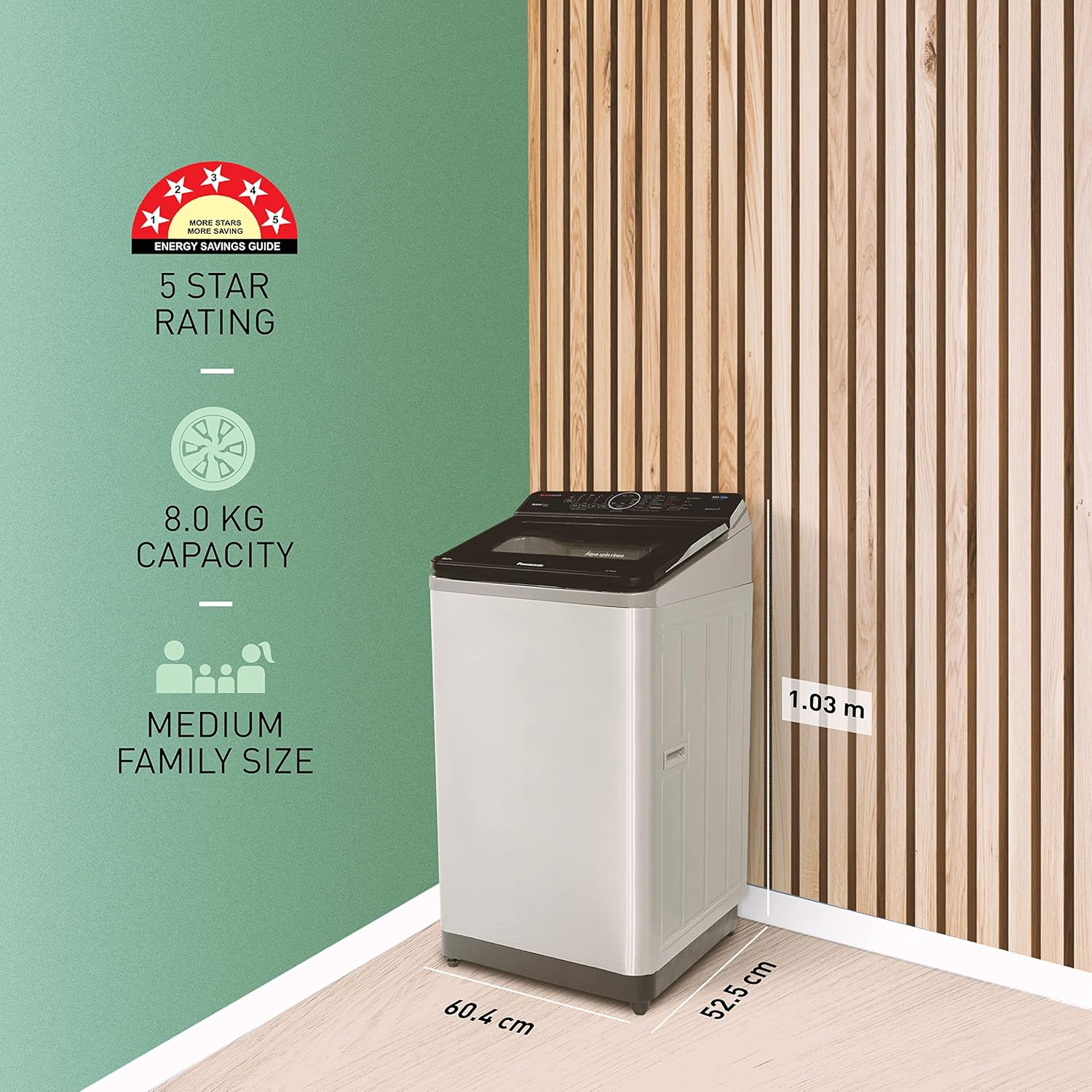
Image 3.1: Dimensions of the Panasonic NA-F80V10SRB washing machine (52.5D x 60.4W x 103H Centimeters).
3.3 Water Connection
Connect the inlet hose to a cold water tap with a 3/4-inch thread. Ensure all connections are tight to prevent leaks. The drain hose should be securely placed into a standpipe or laundry tub, ensuring it is not kinked.
3.4 Power Connection
Plug the power cord into a grounded electrical outlet. The machine operates on 230 Volts.
3.5 Wi-Fi Setup
Download the Panasonic MirAie app on your smartphone. Follow the in-app instructions to connect your washing machine to your home Wi-Fi network. This enables smart features and remote control.
4. Operating Instructions
Your washing machine is designed for ease of use with a touch control panel and LED display.
4.1 Loading Laundry
Open the top lid and load clothes into the drum. Do not overload the machine. For optimal results, ensure clothes are evenly distributed.
4.2 Adding Detergent and Softener
Add the appropriate amount of detergent and fabric softener to their respective dispensers. Refer to detergent packaging for dosage recommendations.
4.3 Selecting a Wash Program
The machine offers 15 programs. Use the touch controls to select the desired wash cycle. Common cycles include:
- Gentle: For delicate fabrics.
- Daily Wash: For everyday laundry.
- Heavy Duty: For heavily soiled items.
- Quick Wash: For lightly soiled items needing a fast cycle.
The Wash Wizard feature in the MirAie app can help you choose the most suitable wash cycle from over 600 programs based on your clothes and soil level.

Image 4.1: The MirAie app's Wash Wizard feature guiding cycle selection.
4.4 Smart Features (MirAie App)
Leverage the MirAie app for enhanced control and convenience:
- Remote Control: Start, pause, or end wash cycles from anywhere.
- Stain Genius: Get pre-treatment guides and recommendations for over 50 types of stains.
- Smart Scheduling: Schedule wash cycles to run at your convenience.
- Energy & Water Tracking: Monitor your machine's real-time consumption.
- Weather Alerts: Receive recommendations to plan your laundry based on weather forecasts.
- Voice Commands: Control your washing machine using voice commands (compatible with Alexa).

Image 4.2: Overview of smart features available through the MirAie app.
4.5 Built-in Heater and EcoNavi Sensors
The built-in heater assists in better stain dissolution, providing a cleaner and more hygienic wash. EcoNavi sensors intelligently detect the load and water temperature, optimizing water and energy usage.

Image 4.3: Illustration of the built-in heater for enhanced cleaning.

Image 4.4: Visual representation of EcoNavi sensors at work.
5. Maintenance
Regular maintenance ensures the longevity and optimal performance of your washing machine.
5.1 Cleaning the Lint Filter
The machine is equipped with a big lint filter. Regularly clean the lint filter to prevent lint buildup and ensure efficient drainage. Refer to the diagram below for location and removal instructions.

Image 5.1: The large lint filter designed for effective lint removal.
5.2 Cleaning the Exterior
Wipe the exterior of the machine with a soft, damp cloth. Do not use abrasive cleaners or solvents.
5.3 Drum Cleaning
Periodically run a drum clean cycle (if available) or a hot wash with a washing machine cleaner to remove detergent residue and odors.
5.4 Maintenance Alerts
The MirAie app provides timely maintenance alerts and allows you to schedule service visits with ease.
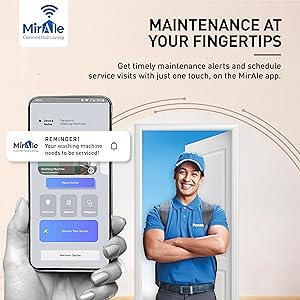
Image 5.2: MirAie app interface showing maintenance alerts and service scheduling.
6. Troubleshooting
Before contacting customer service, refer to the following common issues and solutions:
| Problem | Possible Cause | Solution |
|---|---|---|
| Machine does not start | Power cord unplugged; Lid not closed properly; Power outage. | Check power connection; Ensure lid is fully closed; Check household power. |
| No water filling | Water tap closed; Water inlet hose kinked; Water supply issue. | Open water tap; Straighten hose; Check household water supply. |
| Excessive vibration/noise | Machine not level; Load unbalanced; Shipping bolts not removed. | Adjust leveling feet; Redistribute laundry; Ensure all shipping bolts are removed. |
| Poor wash results | Overloading; Incorrect detergent dosage; Wrong wash program. | Reduce load size; Use correct detergent amount; Select appropriate program. |
If the problem persists after attempting these solutions, please contact Panasonic customer support.
7. Specifications
| Feature | Specification |
|---|---|
| Model Name | NA-F80V10SRB |
| Brand | Panasonic |
| Capacity | 8 kg |
| Operation Mode | Fully Automatic |
| Access Location | Top Load |
| Product Dimensions (D x W x H) | 52.5D x 60.4W x 103H Centimeters |
| Item Weight | 32 Kilograms |
| Material Type | Stainless Steel (Drum) |
| Special Feature | Smart Connectivity, Built-in Heater |
| Controls Type | Touch, Buttons |
| Number of Programs | 15 |
| Max Rotational Speed | 702 RPM |
| Voltage | 230 Volts |
| Display | LED |
8. Warranty and Support
8.1 Warranty Information
Your Panasonic washing machine comes with a 2-year warranty on the product and a 12-year warranty on the motor from the date of purchase. Please refer to the warranty card included with your product for detailed terms and conditions.
8.2 Included Components
The product package includes the Washing Machine and a Warranty Card.
8.3 Customer Support
For any service requests, technical assistance, or warranty claims, please contact Panasonic customer support. Contact information can be found on your warranty card or the official Panasonic website.


