
1. Introduction
Welcome to the world of astronomical observation with your new BRESSER Space Explorer MC 90/1250 Automatic Telescope. This Maksutov-Cassegrain telescope is designed to provide an accessible and enjoyable experience for exploring the night sky, from the planets in our solar system to distant nebulae and galaxies. Its integrated GoTo mount and automatic tracking capabilities simplify object location and observation, allowing you to focus on the wonders above.
This manual provides essential information for setting up, operating, and maintaining your telescope to ensure optimal performance and longevity.

Figure 1: The BRESSER Space Explorer MC 90/1250 Automatic Telescope, fully assembled.
2. Components Overview
Before assembly, familiarize yourself with the main components of your telescope:
- Optical Tube Assembly (OTA): The main telescope body, a Maksutov-Cassegrain design with a 90mm aperture and 1250mm focal length.
- Altazimuth Mount: The motorized base that holds the OTA and allows for movement in altitude (up/down) and azimuth (left/right).
- Tripod: The adjustable legs providing a stable platform for the mount and OTA.
- Hand Controller: The device used to navigate menus, select celestial objects, and control the telescope's movement.
- Eyepieces: Includes 25mm and 12.5mm eyepieces for different magnifications (50x and 100x respectively).
- Reflex Finder: A non-magnifying sight for initial aiming.
- Accessory Tray: Attaches to the tripod for holding eyepieces and other small items.

Figure 2: Side view of the telescope, highlighting the mount and control interface.
3. Setup Guide
Follow these steps to assemble your telescope:
- Unpack Components: Carefully remove all parts from the packaging and check against the components list.
- Set Up Tripod: Extend the tripod legs to a stable height. Ensure the tripod is level. Attach the accessory tray to the center brace of the tripod.
- Attach Mount: Secure the altazimuth mount to the top of the tripod using the provided screw. Ensure it is firmly tightened.
- Install Optical Tube: Attach the OTA to the mount. There will be a dovetail bar on the OTA that slides into a clamp on the mount. Tighten the clamp securely.
- Insert Eyepiece: Loosen the thumbscrew on the eyepiece holder (diagonal or directly into the focuser) and insert the desired eyepiece (e.g., 25mm for initial setup). Tighten the thumbscrew.
- Attach Hand Controller: Connect the hand controller cable to the designated port on the mount.
- Power Source: The telescope is powered by batteries. Insert the required batteries (refer to the hand controller or mount for battery type and orientation) into the battery compartment.
- Attach Reflex Finder: Mount the reflex finder to its designated bracket on the OTA.
4. Operating Instructions
Operating your BRESSER Space Explorer telescope involves powering on, aligning, and selecting objects.
4.1 Powering On and Initial Setup
- Power On: Turn on the power switch on the mount. The hand controller display should illuminate.
- Enter Location and Time: The hand controller will prompt you to enter your current location (latitude/longitude or nearest city) and the correct date and time. This information is crucial for accurate GoTo functionality.
4.2 Alignment Procedure
The GoTo system requires alignment with celestial objects to accurately track and locate targets. You can choose between 1, 2, or 3-star alignment:
- 1-Star Alignment: Simplest, but less accurate. The telescope will prompt you to center a bright star.
- 2-Star Alignment: Recommended for good accuracy. The telescope will prompt you to center two bright, well-separated stars.
- 3-Star Alignment: Provides the highest accuracy. The telescope will prompt you to center three bright stars.
Use the reflex finder for initial coarse alignment, then look through the eyepiece and use the hand controller's arrow keys to precisely center the star in the field of view before confirming.
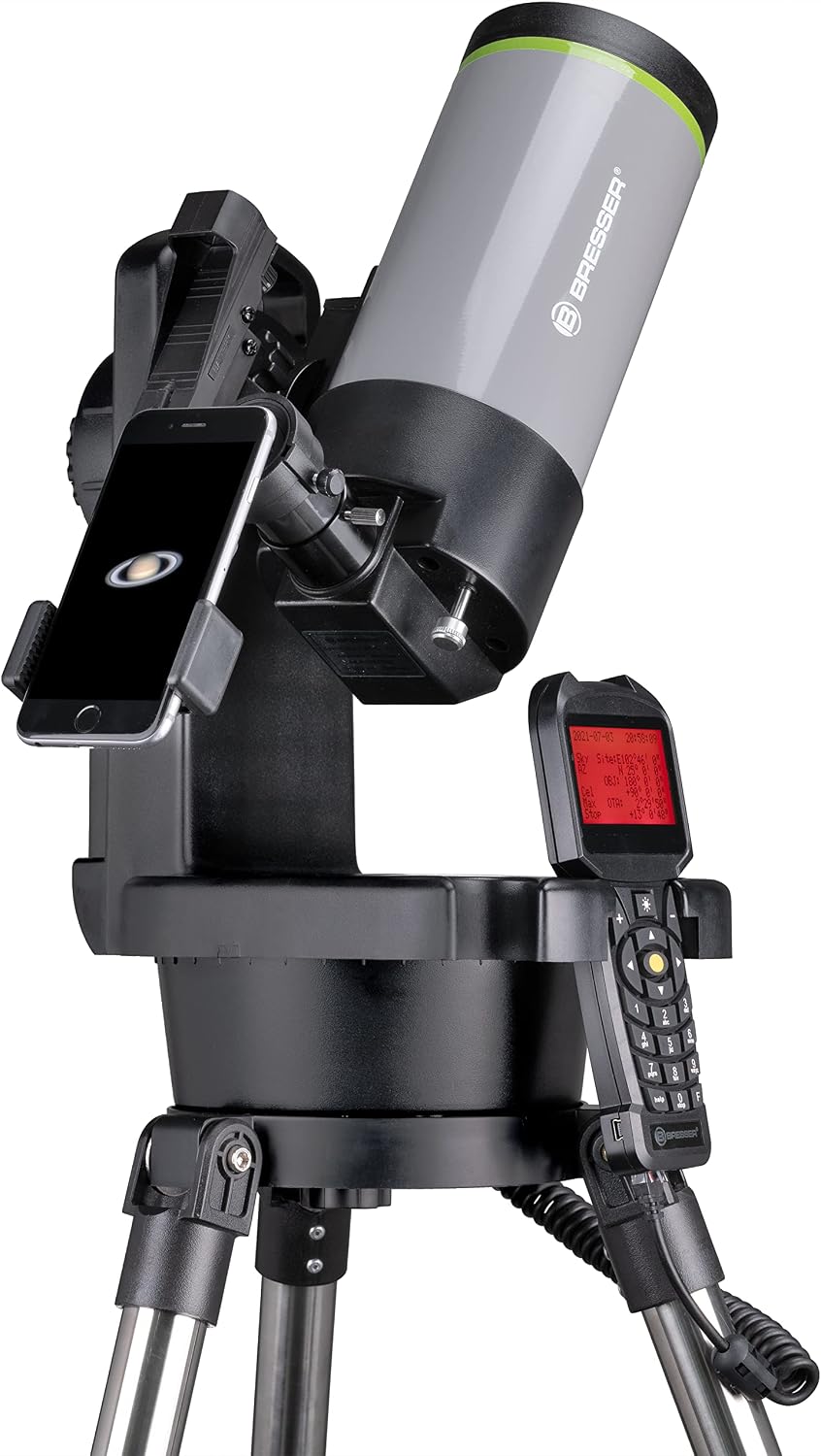
Figure 3: The hand controller, used for navigation and object selection.
4.3 Object Selection and Tracking
- Browse Catalog: Once aligned, use the hand controller to navigate through the extensive database of 270,000 celestial objects (planets, stars, nebulae, galaxies, etc.).
- Select Object: Choose your desired object from the menu.
- GoTo: Press the


