
Mobvoi T4000
Mobvoi Home Treadmill Pro User Manual
Model: T4000
1. Introduction
Welcome to the Mobvoi Home Treadmill Pro user manual. This guide provides essential information for the safe and effective operation, maintenance, and troubleshooting of your new treadmill. Please read this manual thoroughly before initial use and keep it for future reference.
The Mobvoi Home Treadmill Pro is a versatile and compact fitness device designed for home use. It features dual operating modes (walking and running), compatibility with smartwatches for real-time data tracking, and a foldable design for convenient storage. Enjoy a personalized and immersive workout experience with virtual training routes and integrated connectivity.
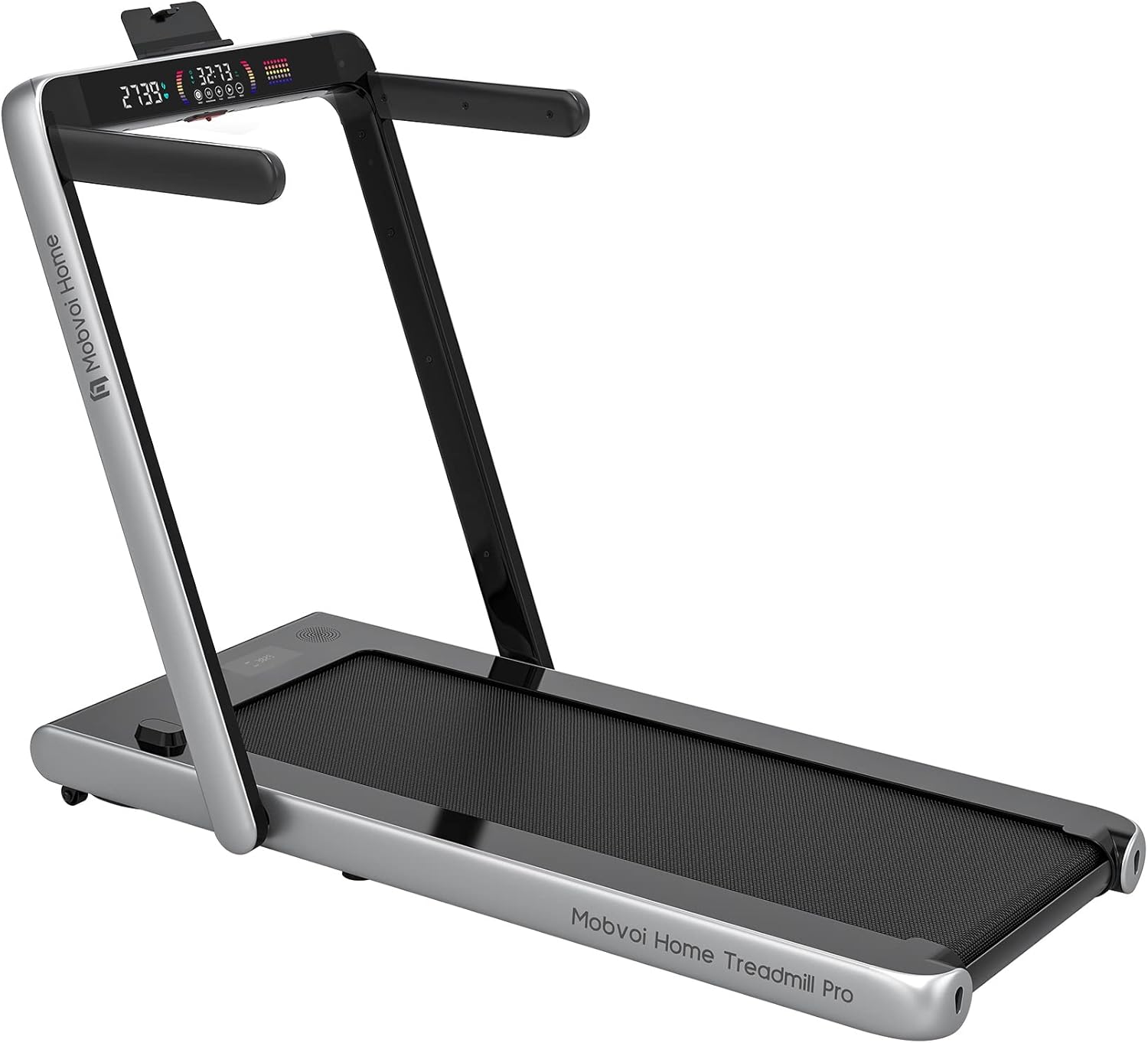
Figure 1.1: Mobvoi Home Treadmill Pro in its fully assembled, upright position, showcasing its sleek silver and black design. The control panel with digital display is visible at the top, and the running belt is clearly laid out.
2. Safety Information
Before operating the treadmill, please observe the following safety precautions to prevent injury or damage to the equipment:
- Ensure the treadmill is placed on a flat, stable surface with adequate clearance around it.
- Keep children and pets away from the treadmill during operation.
- Always attach the safety key clip to your clothing before starting a workout. The treadmill will stop immediately if the safety key is dislodged.
- Do not exceed the maximum user weight capacity of 120 kg (265 lbs).
- Wear appropriate athletic footwear and clothing.
- Consult a physician before starting any new exercise program.

Figure 2.1: This composite image highlights four important features: a built-in Bluetooth speaker for audio playback, an interactive illuminated display showing workout data, the magnetic safety key mechanism for emergency stops, and a powerful yet quiet 2.25HP motor.
3. Setup and Assembly
The Mobvoi Home Treadmill Pro comes largely pre-assembled. Follow these steps for quick setup:
- Unpacking: Carefully remove the treadmill from its packaging. Retain packaging materials for future storage or transport.
- Placement: Place the treadmill on a firm, level surface. Ensure there is at least 2 meters (6.5 feet) of clear space behind the treadmill and 0.6 meters (2 feet) on each side.
- Unfolding: Gently lift the handlebar assembly until it locks into the upright position. Ensure it is securely latched.
- Handlebar Installation (Optional): If desired, attach the side handlebars using the provided screws and tools. Note that these may need to be removed for compact folding.
- Power Connection: Plug the power cord into a grounded electrical outlet.
4. Operating Instructions
Your Mobvoi Home Treadmill Pro offers versatile workout options:
4.1 Powering On/Off
- To power on, connect the safety key to the designated slot on the console. The display will illuminate.
- To power off, remove the safety key or press and hold the stop button on the console/remote. The treadmill will automatically shut off after 10 minutes of inactivity.
4.2 Dual Operating Modes

Figure 4.1: This image illustrates the two primary modes of operation: a man walking on the flat treadmill in walking mode (max 4km/h) and a woman running on the treadmill with the handles raised in running mode (max 12km/h). This highlights the versatility of the treadmill for different exercise intensities.
- Walking Mode (Max 4 km/h): For walking, the handlebar can be folded down. This mode is ideal for light exercise or use with a standing desk.
- Running Mode (Max 12 km/h): For running, ensure the handlebar is in the upright and locked position. This provides stability and access to higher speeds.
4.3 Using the Control Panel and Remote
The treadmill can be controlled via the integrated display panel or the included remote control. Use the remote for convenient speed adjustments during your workout.
4.4 Smartwatch and App Connectivity

Figure 4.2: This image shows a close-up of a smartwatch displaying exercise metrics like duration, pace, and speed, with an inset showing the treadmill connected to the watch. This demonstrates the seamless integration of the treadmill with wearable technology for real-time data tracking.
Connect your compatible smartwatch (e.g., TicWatch, Wear OS devices) to the treadmill via Bluetooth to track real-time exercise metrics such as heart rate, steps, speed, distance, duration, and calories burned. Download the Mobvoi Treadmill App from the Google Play Store for enhanced tracking and virtual training routes (Zwift, Kinomap compatibility).
4.5 Built-in Bluetooth Speaker
Pair your smartphone or other Bluetooth-enabled device with the treadmill to play music or podcasts through the integrated speaker, enhancing your workout experience.

Figure 4.3: A person is shown exercising on the treadmill, implying the use of the built-in Bluetooth speaker to enjoy music or other audio content during their workout, contributing to a positive exercise mood.
5. Maintenance
Regular maintenance ensures the longevity and optimal performance of your treadmill.
5.1 Cleaning
- Wipe down the treadmill surfaces with a damp cloth after each use to remove sweat and dust.
- Do not use abrasive cleaners or solvents.
5.2 Lubrication
The running belt requires periodic lubrication to reduce friction and extend its lifespan. Use the provided silicone lubricant every 3-6 months, or after approximately 100 hours of use. Refer to the detailed lubrication instructions in the separate maintenance guide for proper application.
5.3 Belt Adjustment
If the running belt becomes misaligned or slips, it may require adjustment. Use the included Allen wrench to adjust the tension bolts at the rear of the treadmill. Adjust in small increments until the belt is centered and taut. Consult the maintenance guide for detailed instructions.
5.4 Storage
The treadmill's foldable design allows for easy storage. Fold the handlebar down and utilize the integrated wheels to move the treadmill under a bed, sofa, or into a closet. Ensure it is stored in a dry, cool place.

Figure 5.1: A person is shown effortlessly moving the folded treadmill, demonstrating its portability and ease of storage. The compact design allows it to be stored under furniture or in small spaces.

Figure 5.2: This diagram illustrates the five-layer design of the treadmill belt, emphasizing its durability and shock-absorbing properties. The layers include a water-resistant surface, sound insulation, high-resistance support, shock-absorbing, and compression layers, designed for comfort and joint protection.
6. Troubleshooting
If you encounter issues with your Mobvoi Home Treadmill Pro, refer to the table below for common problems and solutions:
| Problem | Possible Cause | Solution |
|---|---|---|
| Treadmill does not power on. | Power cord not plugged in; Safety key not inserted; Power switch off. | Check power connection; Insert safety key; Ensure power switch is on. |
| Running belt slips or hesitates. | Belt too loose; Belt needs lubrication. | Adjust belt tension (refer to maintenance); Lubricate belt. |
| Unusual noise during operation. | Loose parts; Belt friction; Motor issue. | Check for loose screws and tighten; Lubricate belt; Contact customer support if noise persists. |
| Display not working correctly. | Loose cable connection; Software glitch. | Ensure all cables are securely connected; Restart the treadmill; Contact customer support. |
If the problem persists after attempting these solutions, please contact Mobvoi customer support for assistance.
7. Specifications
| Feature | Specification |
|---|---|
| Brand | Mobvoi |
| Model Number | T4000 |
| Color | Silver |
| Material | Alloy Steel |
| Motor Horsepower | 2.25 HP |
| Speed Range | 1.0 - 12.0 km/h |
| Maximum User Weight | 120 kg (265 lbs) |
| Product Dimensions (L x W x H) | 135 x 69 x 110 cm |
| Folded Dimensions (L x W x H) | 138 x 75.5 x 15.5 cm |
| Item Weight | 38 Kilograms |
| Display Type | LCD |
| Special Features | Foldable, Bluetooth Speaker, Smartwatch Compatible |
8. Warranty and Support
Your Mobvoi Home Treadmill Pro is covered by a manufacturer's warranty. Please refer to the warranty card included with your product for specific terms and conditions. For technical support, troubleshooting assistance, or warranty claims, please contact Mobvoi customer service through their official website or the contact information provided in your product packaging.
For more information and updates, visit the official Mobvoi website: www.mobvoi.com
Related documentsT4000


Ask a question about this manual
Ask about setup, troubleshooting, compatibility, parts, safety, or missing instructions. Manuals+ will review the question and use this page’s manual context to help answer it.