
Introduction
This manual provides essential instructions for the safe and efficient operation of your Tefal OptiGrill GC705816 Contact Grill. Please read all instructions carefully before first use and retain this manual for future reference. The OptiGrill GC705816 is an intelligent contact grill designed to deliver perfect grilling results by automatically adjusting temperature and cooking cycles based on food thickness and type. It features a doneness indicator, 6 preset programs, a manual mode, and a defrost function.
Important Safety Instructions
When using electrical appliances, basic safety precautions should always be followed to reduce the risk of fire, electric shock, and/or injury to persons, including the following:
- Read all instructions before operating the appliance.
- Do not touch hot surfaces. Use handles or knobs.
- To protect against electrical shock, do not immerse cord, plugs, or appliance in water or other liquid.
- Close supervision is necessary when any appliance is used by or near children.
- Unplug from outlet when not in use and before cleaning. Allow to cool before putting on or taking off parts.
- Do not operate any appliance with a damaged cord or plug or after the appliance malfunctions or has been damaged in any manner. Contact customer service for examination, repair, or adjustment.
- The use of accessory attachments not recommended by the appliance manufacturer may cause injuries.
- Do not use outdoors.
- Do not let cord hang over edge of table or counter, or touch hot surfaces.
- Do not place on or near a hot gas or electric burner, or in a heated oven.
- Extreme caution must be used when moving an appliance containing hot oil or other hot liquids.
- Always attach plug to appliance first, then plug cord into the wall outlet. To disconnect, turn any control to "off", then remove plug from wall outlet.
- Do not use appliance for other than intended use.
Product Overview
The Tefal OptiGrill GC705816 is designed for versatile indoor grilling. Key features include:
- Automatic Sensor Cooking: Measures food thickness and adapts temperature and cooking time.
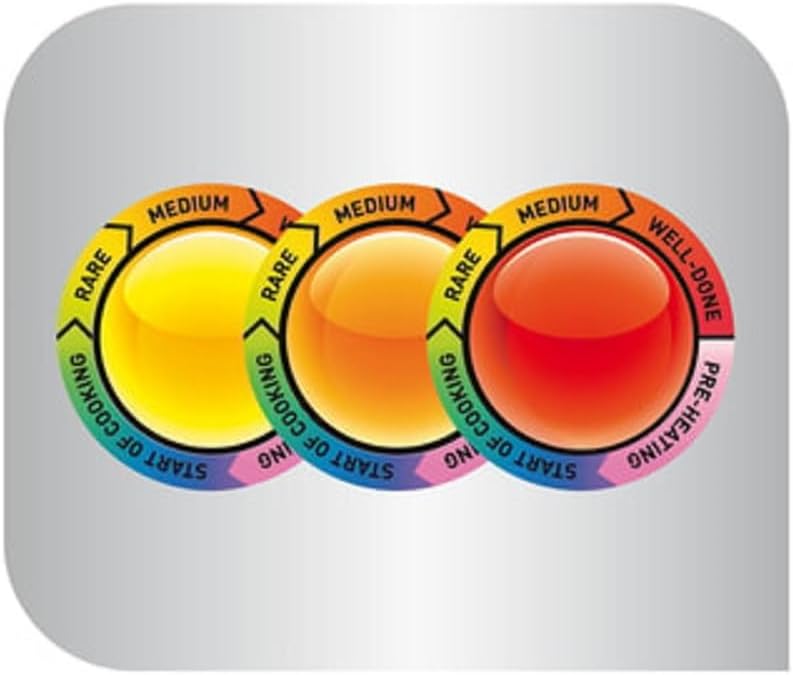
- Doneness Indicator: A light indicator and acoustic signals guide you through cooking stages from rare to well-done.
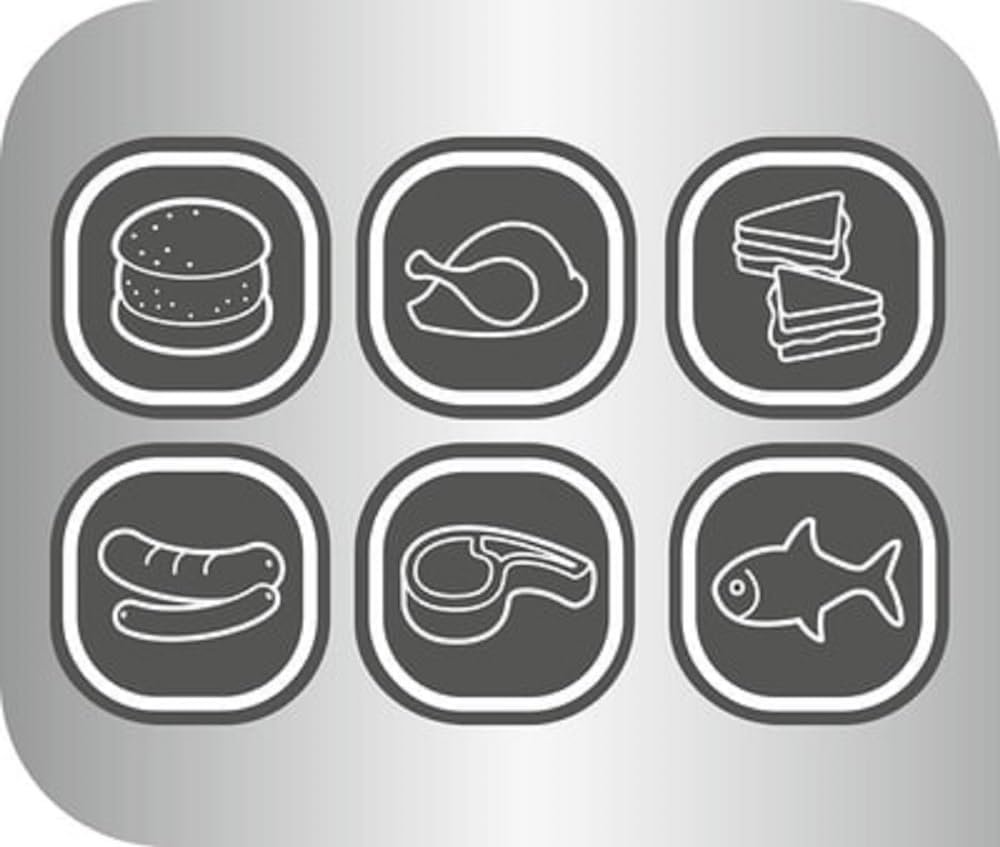
- 6 Preset Programs: Dedicated settings for Hamburger, Poultry, Steak, Sausage, Sandwich/Panini, and Fish.
- Manual Mode: For grilling vegetables or personal preferences without a specific program.
- Defrost Function: Allows direct grilling of frozen ingredients.
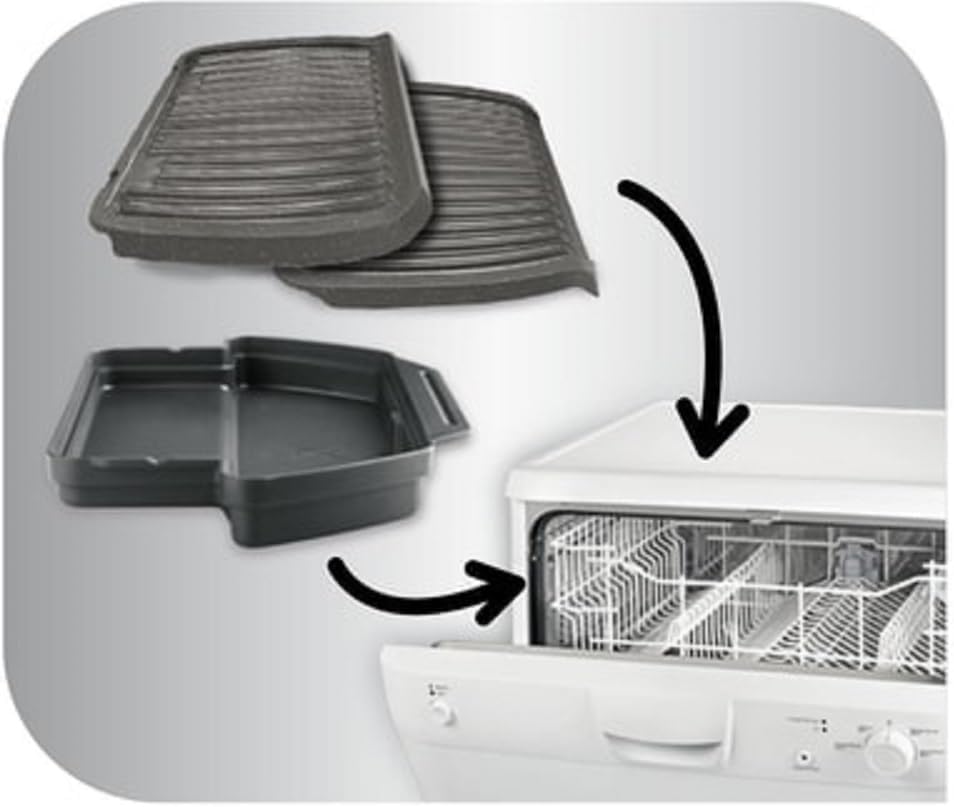
- Removable Non-Stick Plates: Easy to clean and dishwasher-safe.
- Large Drip Tray: Collects excess fat for healthier cooking and easier cleanup.

Setup
- Unpack the Grill: Carefully remove all packaging materials, stickers, and accessories from the grill.
- Clean Before First Use: Wipe the grill plates and drip tray with a damp cloth or sponge. Ensure they are completely dry before assembly. The non-stick grill plates are removable for thorough cleaning.
- Insert Grill Plates: Ensure the grill plates are correctly inserted and locked into place.
- Position Drip Tray: Place the drip tray at the front of the grill, underneath the grill plates, to collect any juices or fat during cooking.


Operating Instructions
1. Preheating and Doneness Indicator
- Plug the grill into a power outlet. The indicator light will turn purple, indicating preheating.
- Once preheating is complete, the indicator light will turn blue, then green, and an acoustic signal will sound. The grill is now ready for use.
- Place your food on the grill plates and close the lid. The grill will automatically detect the food's thickness and type.
- The indicator light will change color as cooking progresses:
- Yellow: Rare
- Orange: Medium
- Red: Well-done
2. Automatic Cooking Programs
The OptiGrill GC705816 features 6 preset programs for common food types. Select the appropriate program before preheating for optimal results.
- Hamburger
- Poultry
- Steak
- Sausage
- Sandwich/Panini
- Fish
3. Manual Mode
For ingredients not covered by the preset programs, or if you prefer to control the cooking process manually, use the manual mode. In this mode, the grill will maintain a constant temperature, and you can monitor the cooking progress visually.
4. Defrost Function
The defrost function allows you to grill frozen ingredients directly without prior thawing. Select this function before starting the preheating cycle for frozen items.

Cleaning and Maintenance
Proper cleaning and maintenance ensure the longevity and optimal performance of your OptiGrill.
- Unplug and Cool: Always unplug the grill from the power outlet and allow it to cool completely before cleaning.
- Remove Drip Tray: Carefully slide out the drip tray and empty its contents.
- Remove Grill Plates: Press the release buttons to detach the grill plates.
- Clean Plates and Tray: The non-stick grill plates and the drip tray are dishwasher-safe. Alternatively, they can be washed by hand with warm, soapy water and a non-abrasive sponge. Rinse thoroughly and dry completely.
- Clean Grill Body: Wipe the exterior of the grill body with a damp cloth. Do not immerse the main unit in water or any other liquid.
- Storage: Once clean and dry, reassemble the grill and store it in a dry place.
Troubleshooting
If you encounter issues with your OptiGrill, refer to the following common solutions:
| Problem | Possible Cause | Solution |
|---|---|---|
| Grill does not turn on. | Not plugged in; power outlet issue. | Ensure the power cord is securely plugged into a working outlet. Check the circuit breaker. |
| Grill not heating up. | Preheating cycle not started or completed. | Ensure the grill has completed its preheating cycle (indicator light turns green). |
| Food not cooking evenly. | Food thickness variation; grill plates not clean. | Ensure food is of relatively uniform thickness. Clean grill plates thoroughly to remove residue. |
| Indicator light not changing. | Sensor obstruction; grill malfunction. | Ensure no food or debris is obstructing the sensors. If the problem persists, contact customer support. |
If these solutions do not resolve the issue, please contact Tefal customer support for further assistance.
Specifications
| Feature | Specification |
|---|---|
| Brand | Tefal |
| Model Number | GC7058 |
| Color | Black |
| Product Dimensions (L x W x H) | 36.5 x 38 x 16 cm |
| Weight | 4.5 kg |
| Power/Wattage | 2000 watts |
| Voltage | 230 Volts |
| Material | Stainless Steel |
| Special Features | Non-stick surface, Temperature control |
| Included Components | OptiGrill GC7058 |
| Assembly Required | No |
Warranty and Support
Your Tefal OptiGrill GC705816 comes with a manufacturer's warranty. Please refer to the warranty card included with your product for specific terms and conditions. For additional support, recipe ideas, or to register your product, you can visit the official Tefal website or download the free Tefal app.
For customer service inquiries, please contact your local Tefal service center. You can find contact information on the official Tefal website: Tefal Store