
Nitecore HLB1300
Nitecore HLB1500 USB-C Rechargeable Battery Pack User Manual
Model: HLB1500
Introduction
This manual provides essential information for the safe and effective use of your Nitecore HLB1500 USB-C Rechargeable Battery Pack. Please read this manual thoroughly before operation and retain it for future reference.
Product Overview
The Nitecore HLB1500 is a high-capacity rechargeable Li-ion battery pack designed to power compatible Nitecore devices, offering extended runtime and convenient USB-C charging.
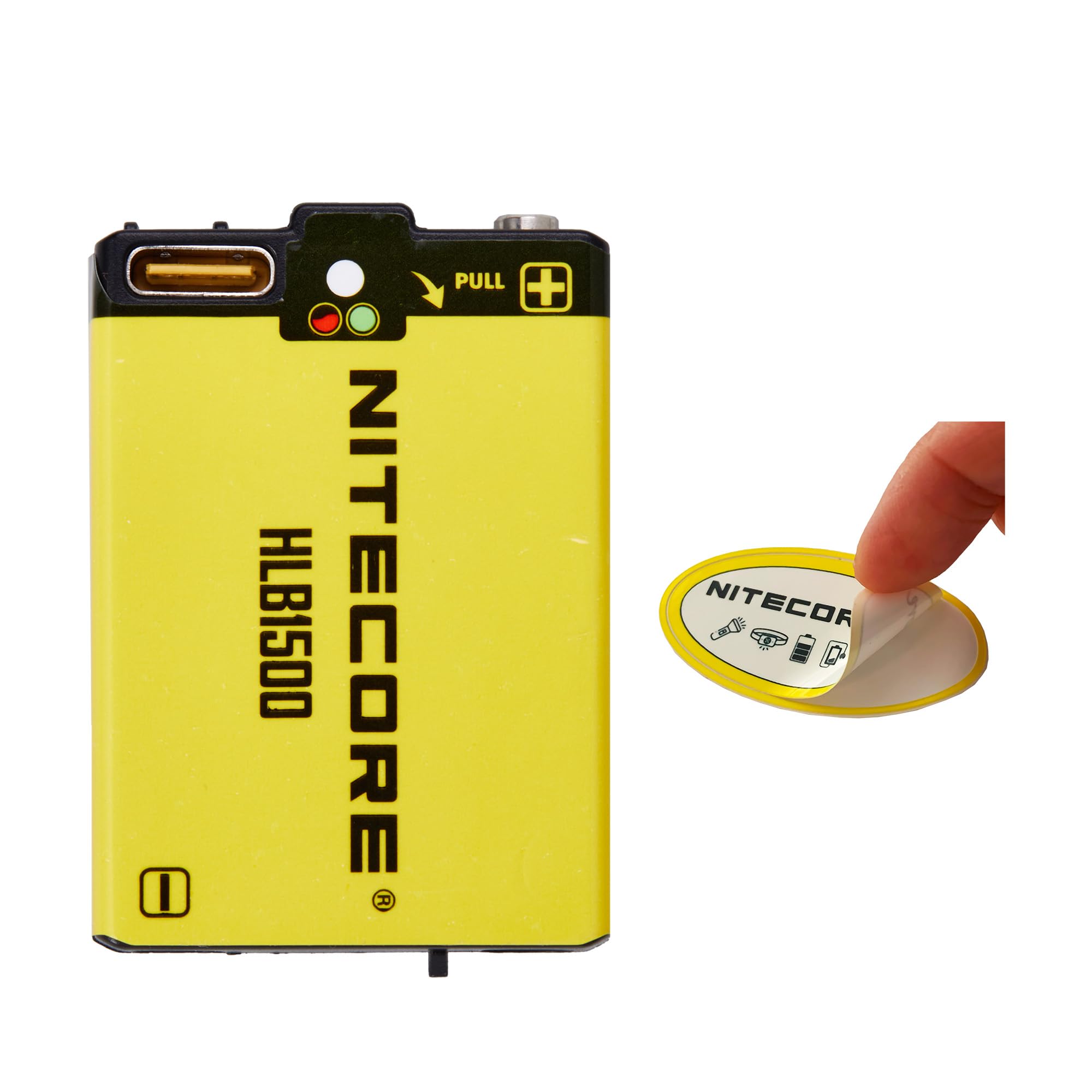
Image: The Nitecore HLB1500 USB-C Rechargeable Battery Pack, showing its USB-C port and indicator lights.
Key Features:
- Powerful Capacity: 1500mAh rechargeable battery providing extended use.
- Long Runtime: Delivers up to 14.5 hours of power, ideal for extended adventures.
- USB-C Rechargeable: Fully recharges in just 1.5 hours via USB-C.
- Charging Indicators: Built-in red and green indicator lights show real-time charge status.
- Compatibility: Specifically designed for Nitecore UT27, HA13, HA23 UHE headlamps, and the Bubble Lantern.
Specifications
| Attribute | Value |
|---|---|
| Battery Type | Li-ion Battery Pack |
| Capacity | 1500mAh (5.78Wh) |
| Voltage | 3.85V |
| Charging Port | USB-C |
| Charging Time | Approx. 1 hour 30 minutes |
| Dimensions | 3.15 x 0.79 x 0.79 inches |
| Weight | 0.704 ounces |
| Compatible Devices | Nitecore UT27, HA13, HA23 UHE headlamps, Bubble Lantern |
Setup
Initial Charge:
Before first use, fully charge the HLB1500 battery pack. Connect a USB-C cable to the battery's USB-C port and a compatible USB power source. The indicator lights will show the charging status.
Installation:
Insert the HLB1500 battery pack into compatible Nitecore devices such as the UT27, HA13, HA23 UHE headlamps, or the Bubble Lantern. Ensure correct polarity and a secure fit according to the device's specific instructions.

Image: A person wearing a Nitecore headlamp, demonstrating a typical use case for the HLB1500 battery.
Operating Instructions
Charging the Battery:
- Connect one end of a USB-C cable to the HLB1500 battery's USB-C port.
- Connect the other end of the USB-C cable to a USB power adapter (e.g., wall charger, computer USB port, power bank).
- The red indicator light will illuminate to indicate that charging is in progress.
- Once the battery is fully charged, the green indicator light will illuminate. Disconnect the battery from the power source.
Battery Indicators:
The HLB1500 features built-in indicator lights to provide real-time charging status:
- Red Light: Battery is currently charging.
- Green Light: Battery is fully charged.
Usage with Devices:
Once installed in a compatible device, the device will draw power from the HLB1500 battery pack. Refer to the specific user manual of your Nitecore headlamp (UT27, HA13, HA23 UHE) or Bubble Lantern for detailed operating instructions of the device itself.
Maintenance
Storage:
Store the HLB1500 battery pack in a cool, dry place away from direct sunlight and extreme temperatures. For long-term storage, it is recommended to charge the battery to approximately 50% every three months to maintain optimal performance and extend its lifespan.
Cleaning:
Wipe the surface of the battery with a soft, dry cloth. Do not use abrasive cleaners, solvents, or immerse the battery in water or any other liquids.
Disposal:
Do not dispose of the battery with household waste. Please dispose of the battery responsibly at designated recycling points or according to local regulations for lithium-ion batteries.
Troubleshooting
-
Battery not charging:
Ensure the USB-C cable is securely connected to both the battery and the power source. Verify that the power source is active and providing sufficient power. Try using a different USB-C cable or power adapter to rule out faulty accessories.
-
Device not powering on with battery:
Ensure the HLB1500 battery is fully charged and correctly installed in the compatible device. Check the device's own power switch and connections. If the issue persists, consult the device's user manual or Nitecore support.
-
Shortened runtime:
This may indicate that the battery is not fully charged or is nearing the end of its operational lifespan. Ensure proper charging cycles are followed. If performance significantly degrades over time, consider replacing the battery.
Warranty and Support
Nitecore products are backed by a warranty. For detailed warranty information, terms, and conditions, please refer to the official Nitecore website or the warranty card included with your purchase. Keep your purchase receipt as proof of purchase for any warranty claims.
For technical support, product inquiries, or service, please contact Nitecore customer service directly or visit their official brand store:
Related documentsHLB1300


Ask a question about this manual
Ask about setup, troubleshooting, compatibility, parts, safety, or missing instructions. Manuals+ will review the question and use this page’s manual context to help answer it.