
Introduction
Thank you for choosing the Digitek DWM-001 Wireless Microphone and Receiver. This device is designed to provide high-quality audio recording for various applications, including vlogging, live streaming, video recording, and online meetings. This manual will guide you through the setup, operation, and maintenance of your new wireless microphone system. Please read these instructions carefully before use.
Product Overview
Included Components
- 1 x Wireless Microphone (Transmitter)
- 1 x Type-C Receiver
- 1 x Type-C Charging Cable
- 1 x User Manual (this document)
Key Features
- Wireless Connectivity: Seamless audio transmission with a Type-C connector for modern devices.
- Stable Radio Frequency: Operates on 2402-2480 MHz for consistent and uninterrupted audio.
- Extended Battery Life: Built-in 50mAh Li-poly battery provides up to 4 hours of continuous operation on a single charge.
- Wide Operation Range: Enjoy freedom of movement with a wireless range of up to 10 meters.
- Lavalier Clip-on Design: Conveniently attach the microphone to clothing for hands-free recording.
- Noise Cancellation: Integrated technology filters out background noise for clear voice capture.
- Type-C Charging: Fast and easy charging via the universal Type-C port.
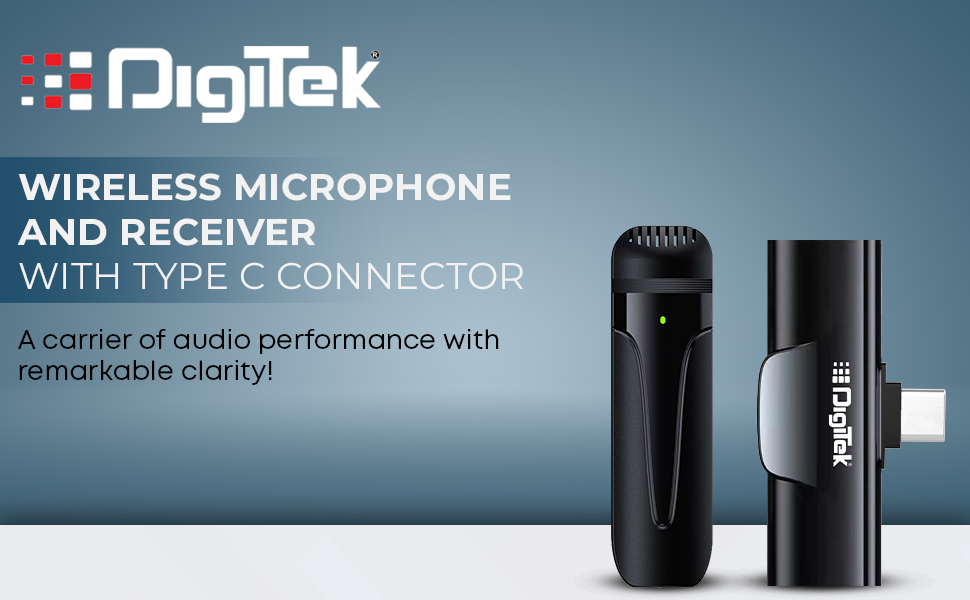
Image: Digitek DWM-001 Wireless Microphone and Receiver components.
Setup
- Charge the Microphone: Before first use, ensure the microphone is fully charged using the provided Type-C cable. The charging port is located on the microphone unit.
- Connect the Receiver: Insert the Type-C receiver directly into the Type-C port of your smartphone or compatible device.
- Power On the Microphone: Long-press the power button on the microphone unit to turn it on. A green indicator light will illuminate.
- Pairing: The microphone and receiver are pre-paired from the factory. Once both are powered on and connected, the receiver indicator lights (red and blue) will guide you through the pairing process, indicating a successful connection when stable.
- Initial Test: Perform a quick audio test to ensure proper functionality. Record a short clip and play it back.

Image: Digitek DWM-001 Microphone and Receiver connected to a smartphone.
Operation
Power On/Off
- To Power On: Long-press the power button on the microphone until the indicator light turns green.
- To Power Off: Long-press the power button again until the indicator light turns off.
Mute/Unmute Functionality
- To Mute: Short-press the power button during operation. The indicator light may change color or blink to indicate mute status.
- To Unmute: Short-press the power button again to resume audio capture.
Optimal Usage
Clip the microphone securely to your clothing, ensuring it is positioned close to your mouth for the best audio pickup. The lavalier design allows for hands-free operation, making it ideal for dynamic recording environments.
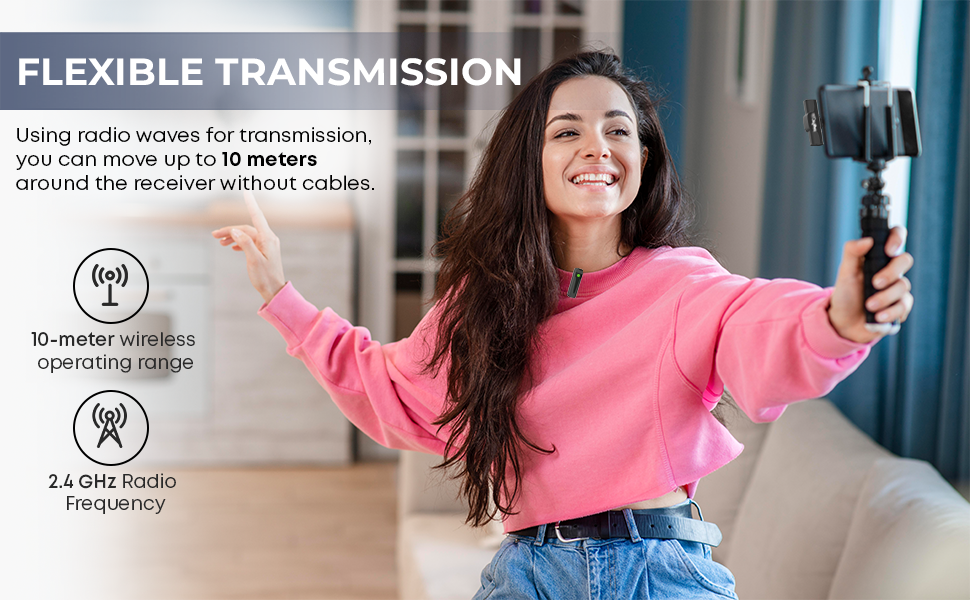
Image: User demonstrating the Digitek DWM-001 in a live streaming setup.
Compatibility & Troubleshooting
Android Device Compatibility
For some Android devices, the default camera application may not fully support external microphones. If you encounter issues with audio recording, please follow these steps:
- Enable OTG Power Supply: Ensure that the OTG (On-The-Go) power supply is manually enabled on your Android phone. This feature allows your phone to connect directly to external devices. OTG may automatically turn off after 5 minutes of inactivity on some models.
- Use a Third-Party Camera App: If the default camera app does not work, download and use a third-party video recording application. The Open Camera app is recommended.
- Configure Open Camera App:
- Install "Open Camera" from the Play Store.
- Go to Video settings.
- Select "Audio Source".
- Choose "External mic (if Present)".

Image: Instructions for Android users regarding OTG and the Open Camera app.
General Troubleshooting
- No Sound: Ensure the receiver is fully inserted into the device's Type-C port. Check that the microphone is powered on and paired (indicator lights stable). Verify microphone settings in your recording app.
- Poor Audio Quality: Ensure the microphone is close to the sound source. Check for obstructions between the microphone and receiver. Reduce environmental noise where possible, as noise cancellation works best for consistent background sounds.
- Interference: Avoid using the microphone near strong electromagnetic fields or other wireless devices that might operate on similar frequencies.
Specifications
| Feature | Detail |
|---|---|
| Model | DWM-001 |
| Special Feature | Wireless |
| Compatible Devices | Camera, Smartphone |
| Color | Black |
| Item Weight | 200 Grams |
| Microphone Form Factor | Lavalier |
| Power Source | Battery Powered (1 Lithium Polymer battery included) |
| Material | Alloy Steel, Plastic |
| Frequency Response | 6 KHz |
| Item Dimensions (LxWxH) | 8 x 12 x 3 Centimeters |
| Connectivity Technology | USB |
| Connector Type | USB Type-C |
| Wireless Range | Up to 10 meters |
| Battery Capacity | 50mAh Li-poly (microphone) |
| Operating Frequency | 2402-2480 MHz |
Maintenance
- Cleaning: Use a soft, dry cloth to clean the microphone and receiver. Do not use liquid cleaners or solvents.
- Storage: Store the device in a cool, dry place away from direct sunlight and extreme temperatures.
- Battery Care: To prolong battery life, avoid fully discharging the microphone frequently. Charge it regularly, even if not in use for extended periods.
- Avoid Water: This device is not waterproof. Keep it away from water and high humidity.
Warranty and Support
The Digitek DWM-001 Wireless Microphone and Receiver comes with a standard brand warranty. For warranty claims, technical support, or further information, please refer to the contact details provided in the product packaging or visit the official Digitek website.
Manufacturer: IMS Mercantiles Limited, 011 4707 4444
Product Videos
Video: Overview of Digitek DWM-001 Wireless Microphone and Receiver features and connectivity.
Video: Sound test and unboxing of the Digitek DWM-001 Wireless Microphone and Receiver.


