
Introduction
This manual provides essential information for the safe and effective use of your UPBRIGHT 12V AC/DC Adapter. This power supply is designed to provide reliable power to compatible Wahoo KICKR Smart Trainers. Please read these instructions carefully before use and retain them for future reference.

Image: The UPBRIGHT 12V AC/DC Adapter, showing the main power brick, AC input cable, and DC output cable with barrel connector.
Important Safety Instructions
- Voltage Compatibility: Ensure the adapter's input voltage (100-240VAC) matches your local power supply. The output is 12V DC. Do not use with 24V or 48V systems.
- Proper Connection: Connect the adapter to the device before plugging it into a power outlet. Disconnect from the outlet before disconnecting from the device.
- Indoor Use Only: This adapter is designed for indoor use in dry conditions. Do not expose to water, moisture, or high humidity.
- Ventilation: Ensure adequate ventilation around the adapter. Do not cover it with cloth or paper, as this may cause overheating.
- Damage Inspection: Regularly inspect the adapter and cables for any signs of damage. Do not use if damaged.
- Children and Pets: Keep the adapter and cables out of reach of children and pets.
- Protection Features: The adapter includes Over Voltage Protection (OVP), Over Current Protection (OCP), and Short Circuit Protection (SCP) for safety.
Compatibility
This UPBRIGHT 12V AC/DC Adapter is compatible with the following Wahoo KICKR Smart Trainer models:
- Wahoo KICKR V5 (Model WF113, Part # WFBKTR120)
- Wahoo KICKR V4 (Model WFBKTR118)
- Wahoo KICKR V3 (Model WFBKTR117)
- Wahoo KICKR14/15 (Model WFBKTRNR)
- Wahoo KICKR16 V2 (Model WFBKTR116)
- Wahoo KICKR Axis Smart Trainer
Important: Verify your Wahoo KICKR model number to ensure compatibility. This adapter provides 12V output and is not suitable for 24V or 48V versions of Wahoo KICKR trainers.
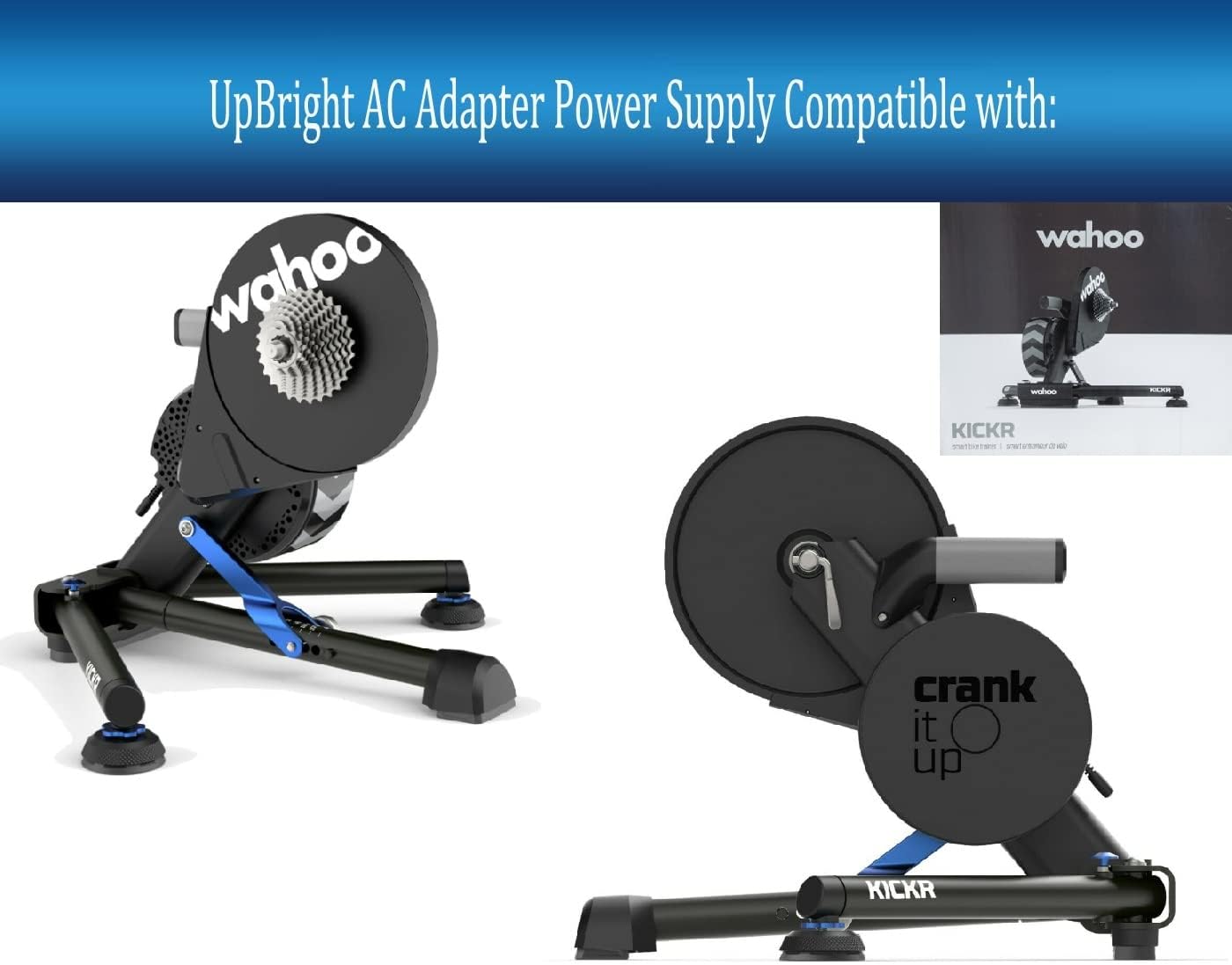
Image: A Wahoo KICKR Smart Trainer, illustrating the type of device this adapter powers.
Package Contents
Your package should contain the following items:
- 1 x UPBRIGHT 12V AC/DC Power Adapter
- 1 x AC Power Cord (suitable for your region)

Image: The UPBRIGHT AC/DC Adapter shown with different regional AC power cords (US, EU, UK, AU) to fit various country/area requirements.
Setup Instructions
- Unpack: Carefully remove the power adapter and AC power cord from the packaging.
- Connect AC Cord: Insert the appropriate end of the AC power cord into the AC input port on the power adapter.
- Connect to Device: Locate the power input port on your Wahoo KICKR Smart Trainer. Insert the DC output barrel connector from the adapter firmly into this port.
- Connect to Power Outlet: Plug the AC power cord into a standard wall power outlet (100-240VAC).
- Verify Power: Your Wahoo KICKR Smart Trainer should now receive power. Refer to your trainer's manual for specific power indicator lights.

Image: The UPBRIGHT AC/DC Adapter with its AC power cord plugged into a standard US wall outlet, demonstrating a typical connection.
Operating Instructions
Once properly connected, the UPBRIGHT 12V AC/DC Adapter will continuously supply power to your compatible Wahoo KICKR Smart Trainer. No further user interaction is required for the adapter itself during operation.
- Ensure the adapter is placed in a location with good airflow to prevent overheating.
- Avoid bending or crimping the cables excessively.
- To power off your Wahoo KICKR Smart Trainer, disconnect the AC power cord from the wall outlet.
Maintenance
- Cleaning: Disconnect the adapter from the power outlet and the device before cleaning. Use a soft, dry cloth to wipe the surface. Do not use liquid cleaners or solvents.
- Storage: When not in use for extended periods, store the adapter in a cool, dry place, away from direct sunlight and extreme temperatures. Coil the cables loosely to prevent damage.
- Inspection: Periodically check the adapter casing and cables for any signs of wear, cuts, or damage. If damage is found, discontinue use and replace the adapter.
Troubleshooting
| Problem | Possible Cause | Solution |
|---|---|---|
| Device not powering on. |
|
|
| Adapter feels hot. |
|
|
| Intermittent power. |
|
|
Specifications
| Input Voltage | 100-240VAC, 50/60Hz |
| Output Voltage | 12V DC |
| Output Amperage | 5A (5000mA) - 6.2A (6200mA) |
| Wattage | 60W |
| Connector Type | Proprietary Barrel Connector |
| Protection Features | OVP (Over Voltage Protection), OCP (Over Current Protection), SCP (Short Circuit Protection) |
| Certifications | UL Listed, CE, CCC, ROHS |
| Dimensions | Approximately 6 x 4 x 2 inches (Adapter unit) |
| Weight | Approximately 10 ounces |

Image: A close-up of the adapter's label, displaying detailed electrical specifications and certifications.
Warranty and Support
UPBRIGHT provides the following warranty and support for this product:
- Refund Policy: 30 days refund period from the date of purchase.
- Exchange Policy: 24 months exchange period for defective units.
For warranty claims or technical support, please contact UPBRIGHT customer service through the retailer where the product was purchased or visit the official UPBRIGHT store page.
Manufacturer: UpBright
