
ELECAENTA LSFC120W+EM200
ELECAENTA 120W Portable Solar Charger & 200Wh Portable Power Station
Model: LSFC120W+EM200
Brand: ELECAENTA
1. Introduction
This manual provides detailed instructions for the safe and efficient use of your ELECAENTA 120W Portable Solar Charger and 200Wh Portable Power Station. This combined system is designed to provide reliable power for outdoor activities, camping, travel, and emergency backup at home. Please read this manual thoroughly before operating the device and keep it for future reference.
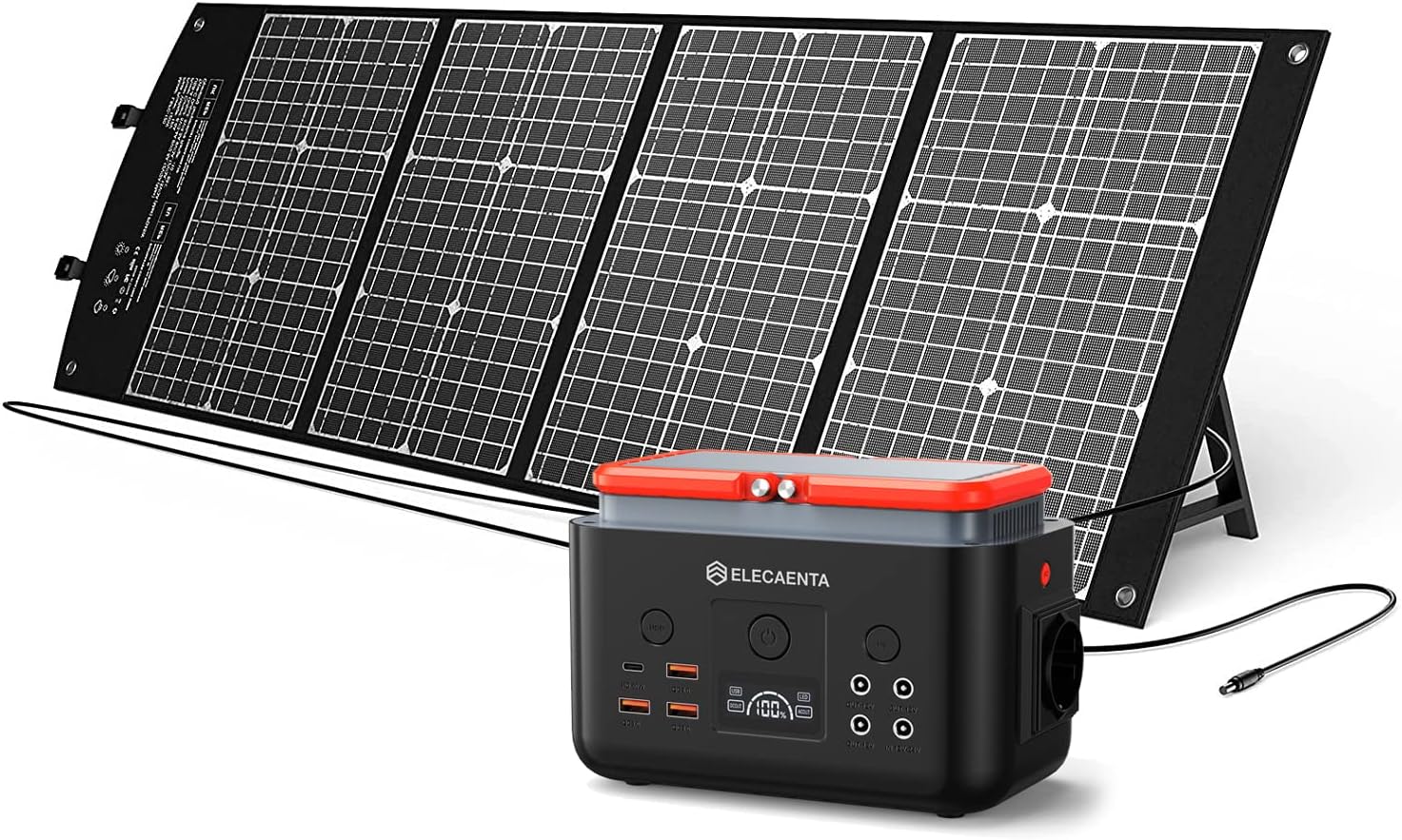
Figure 1.1: The ELECAENTA 120W Portable Solar Charger and 200Wh Portable Power Station system.
2. Safety Information
Always observe the following safety precautions to prevent injury or damage to the product:
- Do not expose the power station or solar panel to extreme temperatures, direct sunlight for prolonged periods when not in use, or high humidity.
- Keep away from flammable materials and liquids.
- Do not disassemble, repair, or modify the unit yourself. Contact qualified service personnel for assistance.
- Ensure proper ventilation during use to prevent overheating.
- Keep out of reach of children and pets.
- Use only original or certified accessories and cables.
- Avoid dropping or subjecting the unit to strong impacts.

Figure 2.1: The system incorporates multiple safety protections including overload, overcurrent, and short circuit protection, along with a backflow prevention diode in the solar panel.
3. Package Contents
Upon unpacking, please verify that all items listed below are included and in good condition:
- 1 x ELECAENTA Mars EM200 Portable Power Station
- 1 x ELECAENTA LSFC-120 120W Foldable Solar Panel
- Connection Cables (DC to DC, DC to MC4, various DC adapters)
- User Manual (this document)

Figure 3.1: Various cables and adapters are included for versatile charging and connection options.
4. Product Overview
4.1. ELECAENTA Mars EM200 Portable Power Station
The EM200 Power Station features a 200Wh (62500mAh) LiFePO4 battery, known for its long cycle life and safety. It provides multiple output ports to power various devices.

Figure 4.1: The power station features 9 output ports: 1x USB-C PD60W (input/output), 1x AC Pure Sine Wave 220V-240V (rated 200W, peak 400W), 3x USB QC3.0 (max. 24W), and 3x DC5521 (12V/5A, max. 6A).

Figure 4.2: The power station is lightweight and portable, weighing approximately 2kg, with dimensions of 186mm x 108mm x 127mm.
4.2. ELECAENTA LSFC-120 120W Foldable Solar Panel
The LSFC-120 is a compact and durable 120W foldable solar panel made of monocrystalline silicon, designed for efficient solar energy conversion.

Figure 4.3: The solar panel has a compact and durable design, ready to carry like a briefcase. Unfolded dimensions are 166cm x 52cm, and folded dimensions are 52cm x 36cm. It weighs 4.6kg.
5. Setup Instructions
5.1. Initial Charging of the Power Station
Before first use, it is recommended to fully charge the power station. You can charge it via:
- Solar Panel: Connect the LSFC-120 solar panel to the DC input port of the EM200 power station using the provided cables. Place the solar panel in direct sunlight for optimal charging.
- AC Wall Outlet: Use a compatible AC adapter (not included, but common for similar devices) to charge the power station from a wall outlet.
- Car Charger: Use a compatible car charger (not included) to charge the power station from your vehicle's 12V outlet.
5.2. Connecting the Solar Panel
- Unfold the LSFC-120 solar panel completely.
- Locate the output cables from the solar panel.
- Connect the solar panel's output cable to the DC input port on the ELECAENTA Mars EM200 Power Station. Ensure the connection is secure.
- Position the solar panel directly facing the sun for maximum efficiency. Adjust the angle throughout the day as the sun moves.

Figure 5.1: The solar panel and power station are designed for easy setup in outdoor environments, providing power for various devices.
6. Operating Instructions
6.1. Powering On/Off
Press and hold the main power button on the EM200 Power Station to turn the unit on or off. The display will illuminate when the unit is active.
6.2. Using the Output Ports
The EM200 Power Station offers various output options:
- AC Output: Press the AC button to activate the AC outlet. Plug in your AC-powered devices (e.g., laptops, small appliances) up to 200W continuous power.
- DC Output: Press the DC button to activate the DC 5521 ports. Connect your 12V DC devices.
- USB Output: The USB-A (QC3.0) and USB-C (PD60W) ports are typically active when the unit is on. Simply plug in your USB-powered devices (e.g., smartphones, tablets). The USB-C port supports both input and output.

Figure 6.1: The 200Wh/62500mAh capacity can provide multiple charges for various devices, such as 3 laptop charges, 16 smartphone charges, 6 tablet charges, 11 camera charges, or power an LED light for 8+ hours.
7. Maintenance
7.1. Cleaning
Wipe the surfaces of the power station and solar panel with a soft, dry cloth. Do not use abrasive cleaners or solvents. Ensure all ports are free of dust and debris.
7.2. Storage
When storing the unit for extended periods, ensure the power station is charged to approximately 50-80%. Store in a cool, dry place away from direct sunlight and extreme temperatures. Recharge the power station every 3-6 months to maintain battery health.
7.3. Battery Care
The LiFePO4 battery is designed for longevity. To maximize its lifespan, avoid fully discharging the battery frequently and try to keep it within the 20-90% charge range during regular use.
8. Troubleshooting
| Problem | Possible Cause | Solution |
|---|---|---|
| Power Station not turning on. | Battery is completely discharged. | Charge the power station using an AC adapter or solar panel. |
| Devices not charging from Power Station. | Output port not activated; device power draw too high; cable issue. | Ensure relevant output button (AC/DC) is pressed; check device's power requirements; try a different cable. |
| Solar Panel not charging Power Station. | Insufficient sunlight; panel not properly connected; panel dirty. | Relocate panel to direct sunlight; ensure secure connection; clean panel surface. |
| Overload warning on display. | Connected device exceeds power station's output limit. | Disconnect the high-power device; use devices within the specified wattage. |
9. Specifications
| Feature | Specification |
|---|---|
| Model Number | LSFC120W+EM200 |
| Power Station Capacity | 200Wh (62500mAh) |
| Battery Type | LiFePO4 (Lithium Iron Phosphate) |
| AC Output | 220-240V Pure Sine Wave, 200W (Rated), 400W (Peak) |
| USB-C Output/Input | PD 60W |
| USB-A Output | 3x QC3.0 (Max 24W per port) |
| DC Output | 3x DC5521 (12V/5A, Max 6A total) |
| Solar Panel Power | 120W |
| Solar Panel Material | Monocrystalline Silicon |
| Product Weight | Power Station: Approx. 2 kg; Solar Panel: Approx. 4.6 kg |
| Product Dimensions (Power Station) | 186mm x 108mm x 127mm |
| Product Dimensions (Solar Panel Unfolded) | 166cm x 52cm |
| Product Dimensions (Solar Panel Folded) | 52cm x 36cm |
10. Warranty and Support
ELECAENTA products come with a standard warranty. Please refer to the product manual included in your package or visit the official ELECAENTA website for detailed warranty information and terms. For technical support, troubleshooting assistance, or warranty claims, please contact ELECAENTA customer service through the contact information provided on their official website or the retailer where you purchased the product.
Manufacturer: ELECAENTA
Related documentsLSFC120W+EM200


Ask a question about this manual
Ask about setup, troubleshooting, compatibility, parts, safety, or missing instructions. Manuals+ will review the question and use this page’s manual context to help answer it.