
Introduction
This manual provides comprehensive instructions for the PTHTECHUS Children's Smartwatch Phone, model X16GMP-Watch. It covers setup, operation, maintenance, and troubleshooting to ensure optimal use of the device's various features, including two-way calling, music playback, and educational games.
Safety Information
WARNING:
- Do not disassemble, strike, or throw the device into fire.
- Must be connected to a power source in 5V/1A while charging.
- The battery is not replaceable.
- CHOKING HAZARD: Small parts. Not for children under 3 years.

Product Features
The PTHTECHUS Children's Smartwatch Phone is designed with a variety of functions to keep children entertained and connected:
- Two-Way Call: Supports Nano SIM card for direct communication with pre-set contacts.
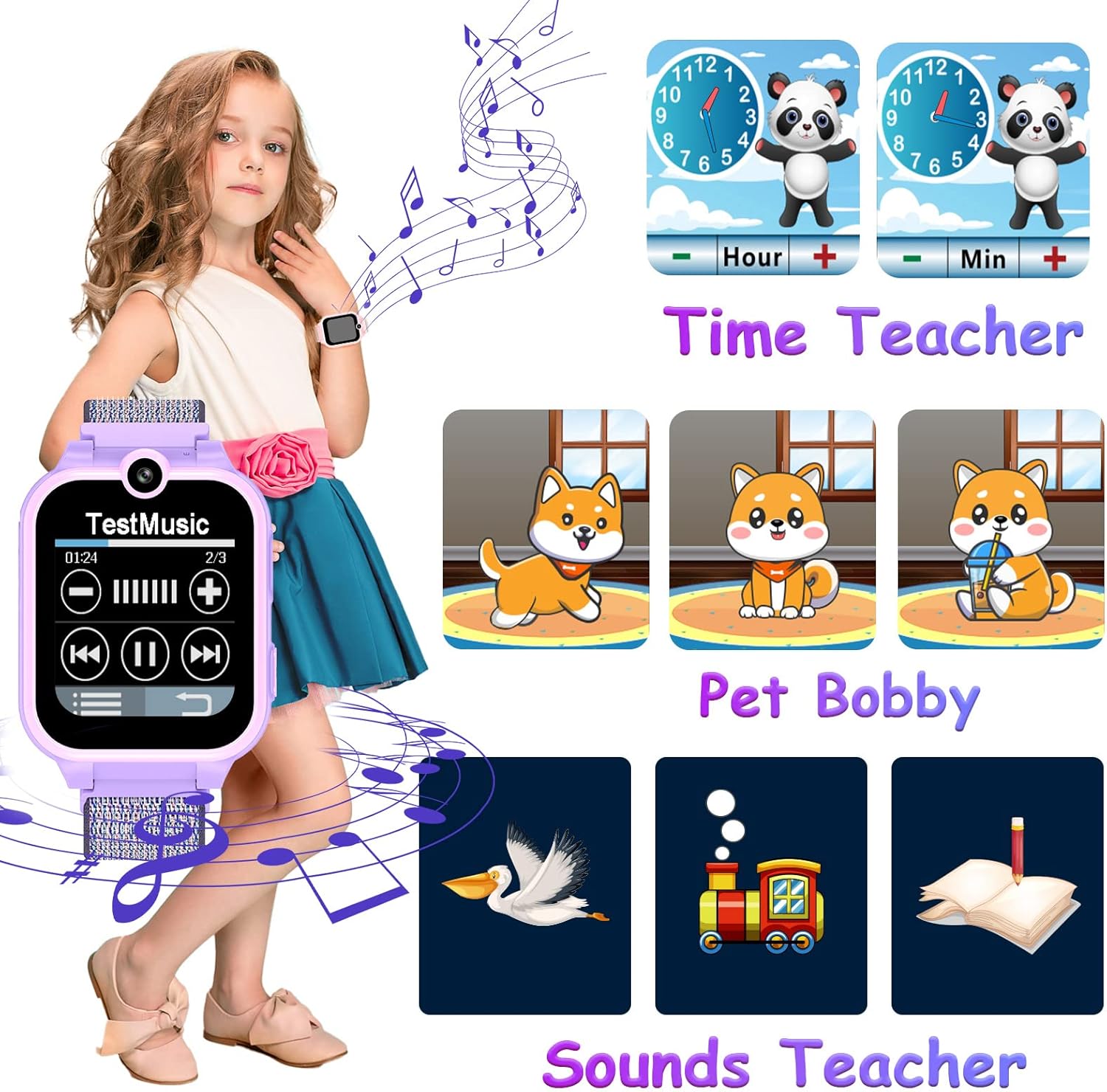
- MP3 Music Player: Built-in player for audio entertainment.
- Dual Camera: High-definition cameras for capturing photos and selfies.
- Calculator: Basic arithmetic functions for learning.
- Recorder: Voice recording capability.
- SOS Function: Emergency call feature for quick assistance by pressing the power button for 3 seconds.
- Audio Books: Pre-loaded stories for listening enjoyment.
- Puzzle Games: 14 educational games to train logical thinking.
- Flashlight: Built-in torch for illumination.
- Alarm Clock: Three customizable alarm settings to cultivate a sense of time.
- Time Teacher & Pet Bobby: Interactive features for learning time and virtual pet care.
- Customizable Watch Faces: 11 digital, 11 analog, and 8 replaceable wallpapers for personalization.




Setup Guide
Initial Charging
Upon receiving the watch, turn it off and charge it for at least 2 hours before first use. Use the provided USB cable.
SIM Card Installation
The smartwatch requires a Nano SIM card for call functionality. Follow these steps for proper installation:
- Ensure the watch is powered off before inserting the SIM card.
- Insert the Nano SIM card correctly into the designated slot. Refer to the operation diagram for proper orientation.
- Move the button on the back of the watch to the outside.
- Long press the power button to start the watch.
Recommended SIM Cards: Vodafone / T-Mobile / E-Plus SIM-card (for Germany). For Austria: 3-Austria / T-Mobile SIM-card.
Note: This smartwatch does not have GPS functionality and does not require an application download.

Operating Instructions
Two-Way Call
After inserting a Nano SIM card, your child can make and receive calls. You can set up contacts via the phone book function on the smartwatch for easy dialing.
Music Playback
The watch has a built-in MP3 player. To add music:
- Connect the watch to your PC using the provided USB cable.
- Download music files in MP3 format.
- Transfer the MP3 files to the Micro SD card within the watch, specifically into the folder named "My Music". If the 1GB SD card was formatted, ensure this folder is created.
Camera Function
The smartwatch features dual high-definition cameras. Children can access the camera app to take photos and selfies anytime.
SOS Emergency Call
In an emergency, your child can press and hold the power button for 3 seconds to activate the SOS function. The watch will automatically dial three pre-set emergency phone numbers repeatedly until one is answered.
Games
The watch includes 14 different puzzle games. Navigate to the games section to select and play them, helping to train the child's brain.
Flashlight
Activate the flashlight function from the watch's menu to provide illumination in dark environments.
Recorder
Use the recording function to capture voice notes or short audio clips.
Alarm Clock
Set up to three alarm times through the alarm clock application to help cultivate your child's sense of time and routine.
Maintenance
- Keep the watch clean by wiping it with a soft, dry cloth.
- Avoid exposing the watch to extreme temperatures or direct sunlight for prolonged periods.
- Do not immerse the watch in water. It is not waterproof.
- Charge the watch regularly to maintain battery health.
Troubleshooting
| Problem | Possible Cause | Solution |
|---|---|---|
| Watch does not turn on | Low battery | Charge the watch for at least 2 hours. |
| Cannot make/receive calls | SIM card not inserted correctly or not activated; No 2G network coverage. | Ensure SIM card is correctly inserted and activated with a voice plan. Check for 2G network availability in your area. |
| Music not playing | Music files not in "My Music" folder or incorrect format. | Ensure MP3 files are in the "My Music" folder on the Micro SD card. |
| SOS function not working | Emergency numbers not set or SIM card issues. | Set up emergency contact numbers in the watch settings. Check SIM card functionality. |
If issues persist, please contact customer support.
Specifications
| Feature | Detail |
|---|---|
| Brand | PTHTECHUS |
| Model | X16GMP-Watch |
| Display | 1.65 inch HD Touch Screen (240 x 240px) |
| Screen Size (Standing) | 1.69 Inches |
| Battery | 480 mAh Polymer Battery |
| Battery Life (Average) | 2 days |
| Charging Time | 2 Hours |
| Connectivity | GSM (2G), Bluetooth, USB |
| Human Interface Input | Touchscreen |
| Product Dimensions | 3 x 1 x 6 cm; 50 g |
| Included Accessories | 1 x charging cable, 1 x user manual, 1 x smartwatch |
| Supported SIM Type | Nano GSM SIM Card |
| Operating System | Customized |
| Special Features | Children's camera, Children's watch, Kids MP4, kids mp3, kids smart watch phone |

Warranty and Support
For any questions, technical support, or warranty claims, please contact PTHTECHUS customer service. Please retain your purchase receipt as proof of purchase for warranty purposes.
Email: info@apex-ce.com