
Rapoo XR200
RAPOO XR200 Wireless Presenter User Manual
Model: XR200
Introduction
The RAPOO XR200 is a versatile wireless presenter designed for professional presentations. It features a touchable head for capacitive screens, a 3R red laser, and reliable 2.4G wireless connectivity. Its ergonomic design and rechargeable battery make it an ideal tool for seamless control during presentations.
Package Contents

This image displays the RAPOO XR200 Wireless Presenter alongside its accessories: a USB receiver and a USB-C charging cable. The presenter is a sleek, dark grey pen-like device with control buttons. The small USB receiver is shown next to the charging cable, which has a USB-A connector on one end and a USB-C connector on the other.
- RAPOO XR200 Wireless Presenter
- USB Nano Receiver
- USB-C Charging Cable
- User Manual (this document)
Product Overview

This image shows a direct front view of the RAPOO XR200 Wireless Presenter. Visible features include the laser pointer button (top), page up/down buttons (middle), and the hyperlink button (bottom). The capacitive touch head is at the very bottom of the device.

This image provides a side view of the RAPOO XR200 Wireless Presenter, highlighting the USB-C charging port located on its side. This port is used for recharging the internal lithium battery.
Key Functions:
- Laser Key: Activates the 3R red laser pointer.
- Page-Up Key: Navigates to the previous slide or page.
- Page-Down Key: Navigates to the next slide or page.
- Hyperlink Key: Activates hyperlinks within presentations.
- Touchable Head: Functions as a stylus for capacitive touch screens, enabling drawing, note-taking, swiping, and navigation on compatible devices.
Setup
- Charge the Presenter: Before first use, fully charge the XR200 using the provided USB-C cable. Connect the USB-C end to the presenter and the USB-A end to a computer USB port or a compatible USB wall adapter.
- Insert USB Nano Receiver: Locate the USB Nano Receiver. Plug the receiver into an available USB port on your computer. The system will automatically detect and install the necessary drivers.
- Power On: The presenter typically powers on automatically when the receiver is connected. If not, ensure it is charged.
- Pairing (if necessary): The presenter and receiver are usually pre-paired. If connection issues occur, refer to the Troubleshooting section.
Operating Instructions
Using the Presenter Functions:
- Laser Pointer: Press and hold the Laser Key to activate the red laser pointer. Release the button to turn off the laser.
- Page Navigation: Press the Page-Up Key to move to the previous slide or page. Press the Page-Down Key to move to the next slide or page.
- Hyperlink Activation: Press the Hyperlink Key to activate embedded hyperlinks within your presentation software.
- Full Screen/Black Screen: Depending on the presentation software, the Hyperlink key may also toggle full screen mode or black screen mode.
- Switch Windows: Some operating systems and software configurations may allow the Hyperlink key to switch between open windows.
Using the Touchable Head (Stylus):

This image shows a person using the RAPOO XR200 Wireless Presenter's touchable head as a stylus on a tablet device. The presenter is held like a pen, demonstrating its capability for direct interaction with capacitive touch screens for tasks such as drawing or navigation.
The capacitive touch head allows the XR200 to function as a stylus for compatible touch screens, including iPads and other tablets/smartphones. Use it for:
- Drawing and sketching
- Handwritten notes
- Swiping and scrolling
- Precise navigation on touch interfaces
Charging
The RAPOO XR200 is equipped with a rechargeable lithium battery. When the battery is low, the indicator light on the presenter may flash or change color. To charge:
- Connect the small end of the provided USB-C charging cable to the charging port on the side of the presenter.
- Connect the standard USB-A end of the cable to a powered USB port on your computer or a USB wall adapter.
- The indicator light will typically show charging status (e.g., solid light while charging, off when fully charged).
- A full charge provides extended usage time.
Compatibility
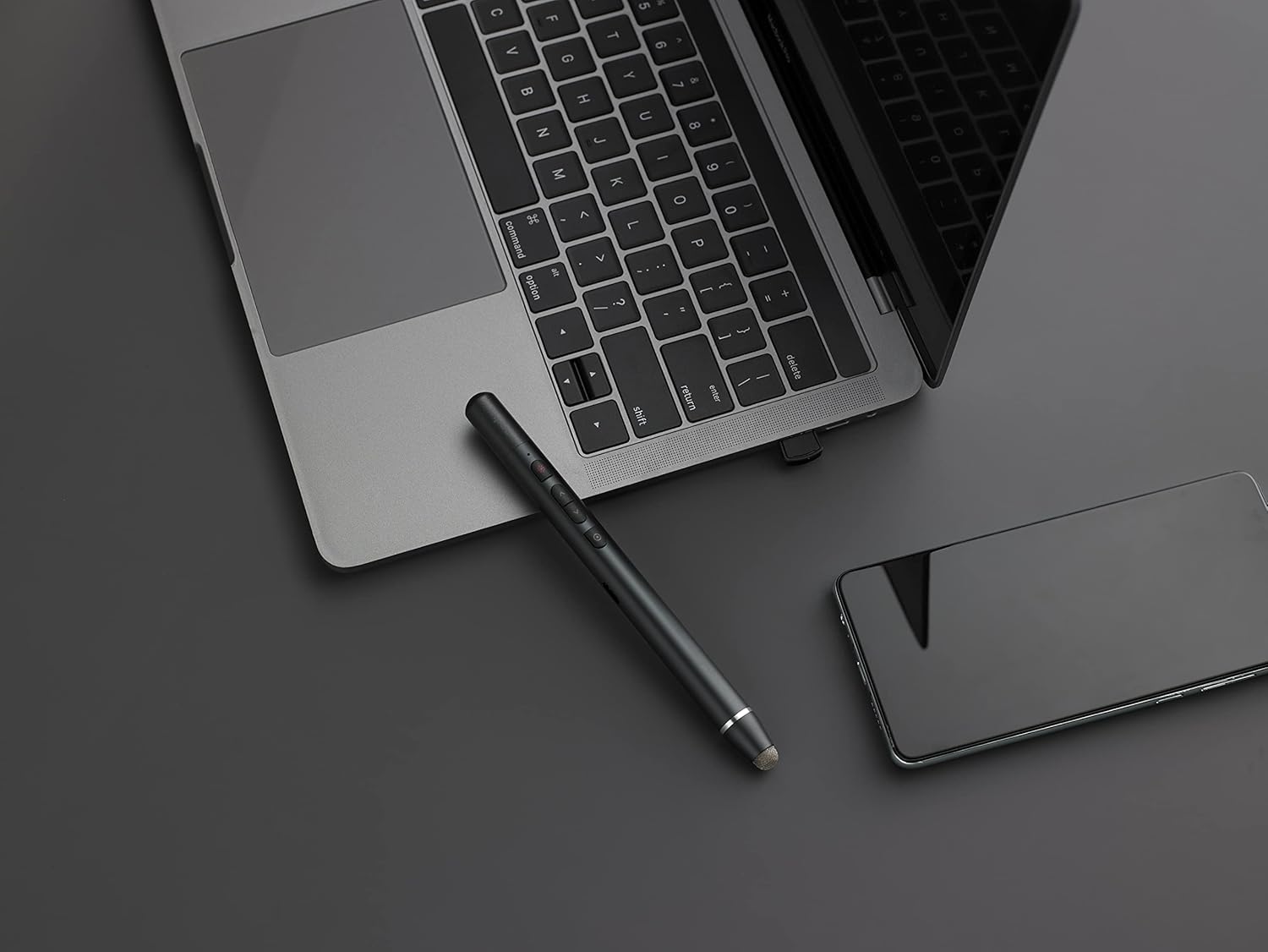
This image shows the RAPOO XR200 Wireless Presenter resting on a dark surface next to a laptop keyboard. This illustrates its use with traditional computer setups for presentations.
The XR200 is designed for broad compatibility with various operating systems and presentation software:
- Operating Systems: Windows, macOS, iOS, Android.
- Presentation Software: PowerPoint, Keynote, PDF, Google Slides, Prezi.
- Note for Mac Users: Some Mac systems may require a simple one-time setup for full functionality. Refer to your macOS settings for external input devices if needed.
Maintenance
- Cleaning: Use a soft, dry cloth to clean the surface of the presenter. Do not use abrasive cleaners or solvents.
- Storage: Store the presenter and receiver in a cool, dry place when not in use.
- Battery Care: To prolong battery life, avoid fully discharging the battery frequently. Charge it regularly.
- Avoid Extreme Conditions: Do not expose the device to extreme temperatures, direct sunlight, or high humidity.
Troubleshooting
| Problem | Possible Cause | Solution |
|---|---|---|
| Presenter not responding. | Low battery. Receiver not properly connected. Out of range. | Charge the presenter. Ensure the USB Nano Receiver is securely plugged into a working USB port. Move closer to the computer (within 30 meters). |
| Laser pointer not working. | Low battery. Laser key not pressed correctly. | Charge the presenter. Press and hold the Laser Key firmly. |
| Page navigation not working. | Software not in presentation mode. Compatibility issue. | Ensure your presentation software (e.g., PowerPoint) is in slideshow mode. Verify compatibility with your specific software version. |
| Touchable head not working on screen. | Screen is not capacitive. Screen protector interference. | Ensure your device has a capacitive touch screen. Check if a thick screen protector is affecting sensitivity. |
Specifications
- Model: XR200 (TSADJ8K25)
- Wireless Technology: 2.4 GHz
- Operating Range: Up to 30 meters (may vary based on environment)
- Laser Type: 3R Red Laser
- Battery: Rechargeable Lithium Battery
- Connectivity: USB Nano Receiver
- Dimensions: Approximately 17.9 x 7.5 x 3.2 cm
- Weight: Approximately 110 g
- Material: Metal
- Compatible Devices: Windows PCs, macOS computers, iOS devices (iPad, iPhone), Android devices with capacitive touch screens.
Warranty and Support
For warranty information and technical support, please refer to the official Rapoo website or contact your local dealer. Keep your purchase receipt for warranty claims.
Rapoo Official Website: www.rapoo.com
Related documentsXR200


Ask a question about this manual
Ask about setup, troubleshooting, compatibility, parts, safety, or missing instructions. Manuals+ will review the question and use this page’s manual context to help answer it.