
Introduction
Thank you for choosing the ODK 40 Inch Small L-Shaped Computer Desk. This manual provides essential information for the safe assembly, operation, and maintenance of your new desk. Please read these instructions carefully before beginning assembly and retain them for future reference.

Figure 1: ODK 40 Inch Small L-Shaped Computer Desk.
Safety Information
To ensure safe use of your ODK L-Shaped Computer Desk, please observe the following guidelines:
- Assemble the desk properly, ensuring all connections are secure before use.
- Ensure stability by placing the desk on a flat, level surface.
- Do not exceed the recommended maximum weight limit of 45 pounds on the desktop or shelves.
- Keep small parts and assembly tools away from children.
Product Features
The ODK 40 Inch Small L-Shaped Computer Desk is designed for functionality and adaptability in various spaces. Key features include:
- Compact L-Shape Design: Optimized for small spaces, providing a spacious work area for home offices, bedrooms, living rooms, or gaming setups.
- Ample Storage: Features under-desk shelves for books and files, plus an integrated PC stand to keep your computer tower off the floor without occupying additional storage space.
- Reversible Configuration: The storage shelves can be installed on either the left or right side of the L-shaped desk to suit your room layout.
- Comfortable Legroom: Designed to provide sufficient legroom, preventing knees from hitting the storage area.
- Durable Construction: Made from engineered wood with a powder-coated finish for longevity and easy cleaning.
- Headphone Hook: Includes a convenient hook for hanging headphones.
- Adjustable Feet: Equipped with adjustable feet to ensure stability on uneven floors.

Figure 2: Integrated headphone hook.

Figure 3: Adjustable feet for stability.

Figure 4: Storage shelves and PC stand.
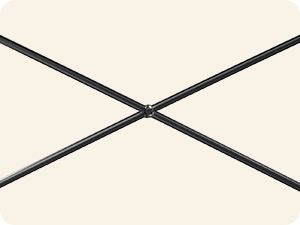
Figure 5: X-brace for structural support.
Package Contents
Please verify that all components are present before beginning assembly:
- Desk panels (various sizes for desktop, shelves, and PC stand)
- Metal frame components
- 2 storage shelves
- Headphones hook
- Assembly tools (Allen wrench, screws, etc.)
- Instruction manual
Setup Instructions
Assembly typically takes around 30 minutes. While one person can assemble the desk, two people are recommended for easier and more stable construction, especially when attaching larger sections. All necessary assembly tools are included.
- Unpack and Identify Parts: Carefully unpack all components and lay them out. Refer to the parts list in the included manual to identify each piece.
- Assemble the Frame: Begin by connecting the metal frame components according to the diagrams in your manual. Ensure all screws are finger-tightened initially.
- Attach Desktop Panels: Secure the desktop panels to the assembled frame. Pay attention to the orientation for the L-shape.
- Install Storage Shelves and PC Stand: Decide on the desired orientation for the reversible shelves (left or right side). Attach the shelves and the PC stand to the frame.
- Secure Headphone Hook: Attach the headphone hook to the designated area on the desk frame.
- Final Tightening: Once all components are in place and aligned, fully tighten all screws. Ensure the desk is stable and level. Adjust the feet if necessary.

Figure 6: Desk dimensions and reversible configuration options.
Video 1: Overview of the ODK L-Shaped Desk with Monitor Stand, demonstrating its features and potential configurations. This video is provided by the seller, Casaottima Store.
Video 2: Detailed look at the ODK L-Shaped Computer Desk, highlighting its removable monitor stand and storage options. This video is provided by the seller, Casaottima Store.
Operating Instructions
Your ODK L-Shaped Computer Desk is designed for versatile use:
- Desktop Usage: The spacious desktop accommodates monitors, laptops, keyboards, and other work or gaming essentials.
- Reversible Shelves: Utilize the two integrated shelves for organizing books, documents, or decorative items. Their reversible nature allows you to customize the desk's layout to fit your space and preference.
- PC Stand: The dedicated PC stand keeps your computer tower elevated and protected, freeing up desktop space.
- Headphone Hook: Use the side hook to conveniently store your headphones, keeping them within reach and off the desk surface.
- Multi-Desk Configuration: For larger workspaces, two ODK L-Shaped desks can be placed together to form an extended workstation for multiple users or extensive setups.

Figure 7: Example of two desks combined for an extended workspace.
Maintenance
To maintain the appearance and longevity of your ODK L-Shaped Computer Desk:
- Cleaning: Wipe the desk surfaces with a dry cloth to remove dust and spills. Avoid abrasive cleaners or harsh chemicals that may damage the finish.
- Inspection: Periodically check all screws and connections to ensure they remain tight. Retighten if necessary.
- Avoid Excessive Weight: Do not place items heavier than 45 pounds on the desk to prevent structural damage.
Specifications
| Attribute | Detail |
|---|---|
| Brand | ODK |
| Model Number | B010115SPD01USDF |
| Product Dimensions (D x W x H) | 39.3" x 29.1" x 30" |
| Color | Black |
| Style | Modern |
| Material | Engineered Wood (Top & Base) |
| Finish Type | Powder Coated |
| Special Feature | Reversible shelves, PC stand, Headphone hook |
| Maximum Weight Recommendation | 45 Pounds |
| Required Assembly | Yes |
| Recommended Number of People for Assembly | 1 (2 recommended) |
| Item Weight | 24.97 Pounds |
| Number Of Shelves | 2 |
Warranty and Customer Support
ODK is committed to providing quality products and customer satisfaction.
- Warranty: This product comes with a Full Limited Warranty.
- Returns: A 1-year no-reason return policy is offered.
- Customer Service: Lifetime customer service is available for any product-related issues or inquiries. Please refer to your purchase documentation for contact details.


