
ODK B01XS011254AU
ODK 40 Inch Small L Shaped Computer Desk User Manual
Model: B01XS011254AU | Brand: ODK
Introduction
Thank you for choosing the ODK 40 Inch Small L Shaped Computer Desk. This manual provides essential information for the assembly, use, and maintenance of your new desk. Designed for small spaces, this versatile L-shaped desk features reversible storage shelves and a removable monitor stand, making it ideal for home offices, bedrooms, living rooms, or gaming setups. Please read this manual thoroughly before assembly and use to ensure proper setup and longevity of your product.
Important Safety Information
For your safety and to prevent damage to the product, please adhere to the following guidelines:
- Always follow the assembly instructions carefully.
- Ensure the desk is properly anchored to the wall or floor to prevent tipping, especially if children are present.
- Be cautious when handling the desk components, as they may be heavy and could cause injury if not handled properly.
- Keep the workspace clear of obstacles to prevent accidents during assembly and use.
- Do not exceed the maximum weight recommendation of 35.7 pounds on the desk surface or shelves.
Package Contents
Please verify that all components are present before beginning assembly. If any parts are missing or damaged, please contact ODK Customer Service.
- Desk Panels (Engineered Wood)
- Metal Frame Components
- 2 x Storage Shelves
- Removable Monitor Stand
- Headphones Hook
- Assembly Tools (Hex Key, Screws, etc.)
- Instruction Manual
Setup and Assembly
The ODK L-Shaped Computer Desk is designed for easy assembly. It is recommended that two people assemble this product to ensure stability and ease of handling. Assembly typically takes approximately 30 minutes.
- Unpack and Identify Parts: Carefully unpack all components and lay them out on a clean, soft surface (e.g., a blanket or carpet) to prevent scratches. All parts are labeled alphabetically for easy identification.
- Assemble the Frame: Follow the detailed diagrams in the included instruction booklet to connect the metal frame components using the provided screws and tools. Ensure all connections are secure but do not overtighten until the desk is fully assembled.
- Attach Desk Panels: Secure the engineered wood desk panels to the assembled frame. Pay attention to the orientation for the L-shape configuration.
- Install Storage Shelves: The storage shelves are reversible and can be installed on either the left or right side of the L-shaped desk. Choose your preferred orientation and secure the shelves.
- Attach Monitor Stand and Accessories: Place the removable monitor stand in your desired position on the desktop. Attach the headphones hook to the side of the desk.
- Final Tightening: Once all components are in place, carefully tighten all screws to ensure the desk is stable and secure.
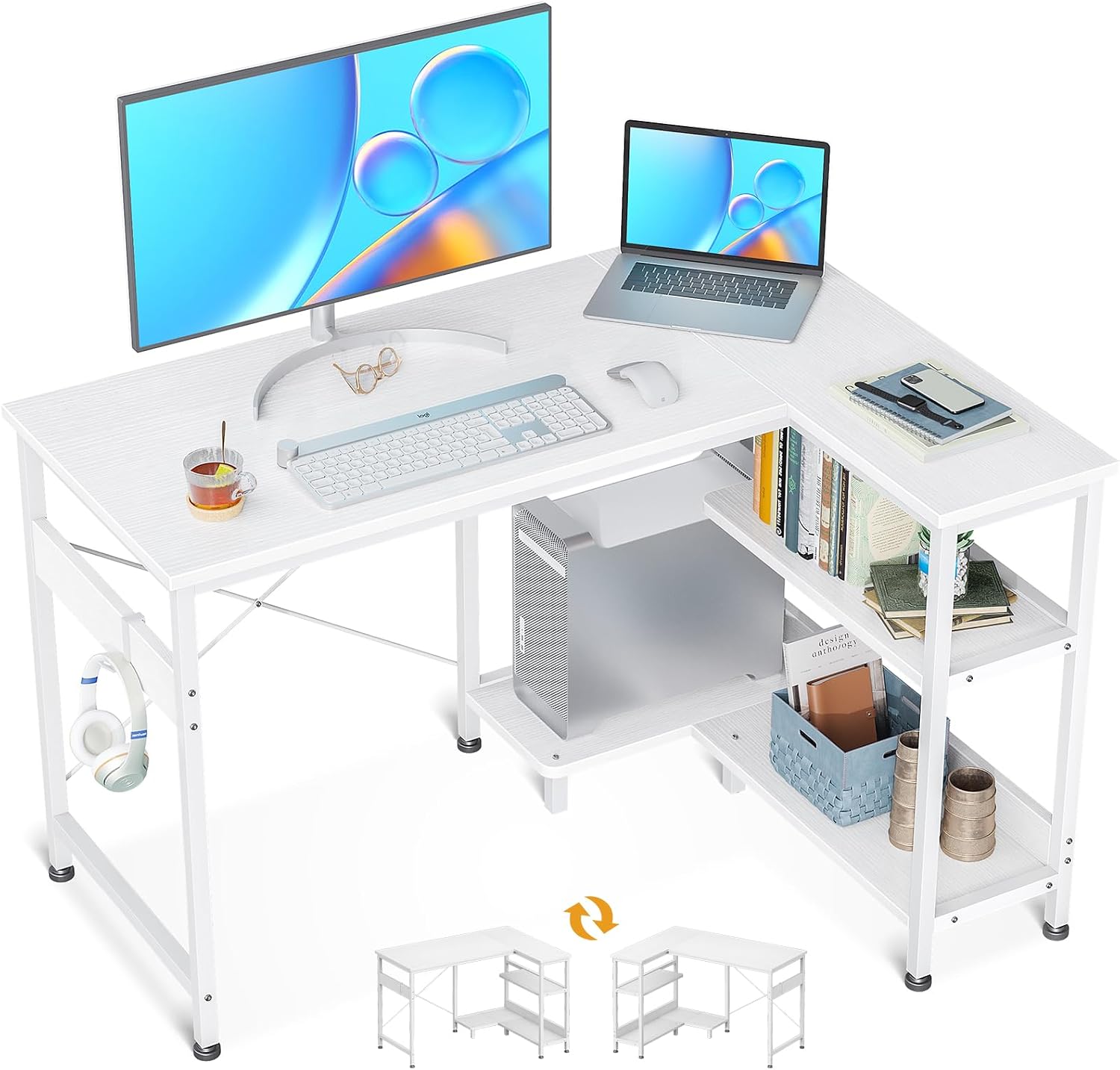
Figure 1: Fully assembled ODK L-Shaped Computer Desk, showcasing the monitor stand, storage shelves, and headphones hook.

Figure 2: Detailed dimensions of the ODK L-Shaped Computer Desk, including measurements for the desktop, shelves, and overall height.
Features and Usage
The ODK L-Shaped Computer Desk offers several features designed to enhance your workspace:
- Removable Monitor Stand: This stand allows you to position your monitor at an ergonomic height, reducing neck and eye strain. It can be placed anywhere on the desk for optimal viewing.
- Ample Desktop & Large Storage Space: The L-shaped design provides a spacious surface for various activities. The under-desk shelves offer convenient storage for books, files, and an extra PC stand, keeping your main desktop clear.
- Reversible Configuration: The storage shelves can be installed on either the left or right side, allowing you to customize the desk layout to fit your room's specific needs.
- Compact Design: At 40 inches, this desk is perfectly suited for small spaces, apartments, bedrooms, or living rooms, providing a functional workstation without occupying excessive area.
- Headphones Hook: A convenient hook is included for hanging headphones or managing cables, helping to keep your workspace tidy.
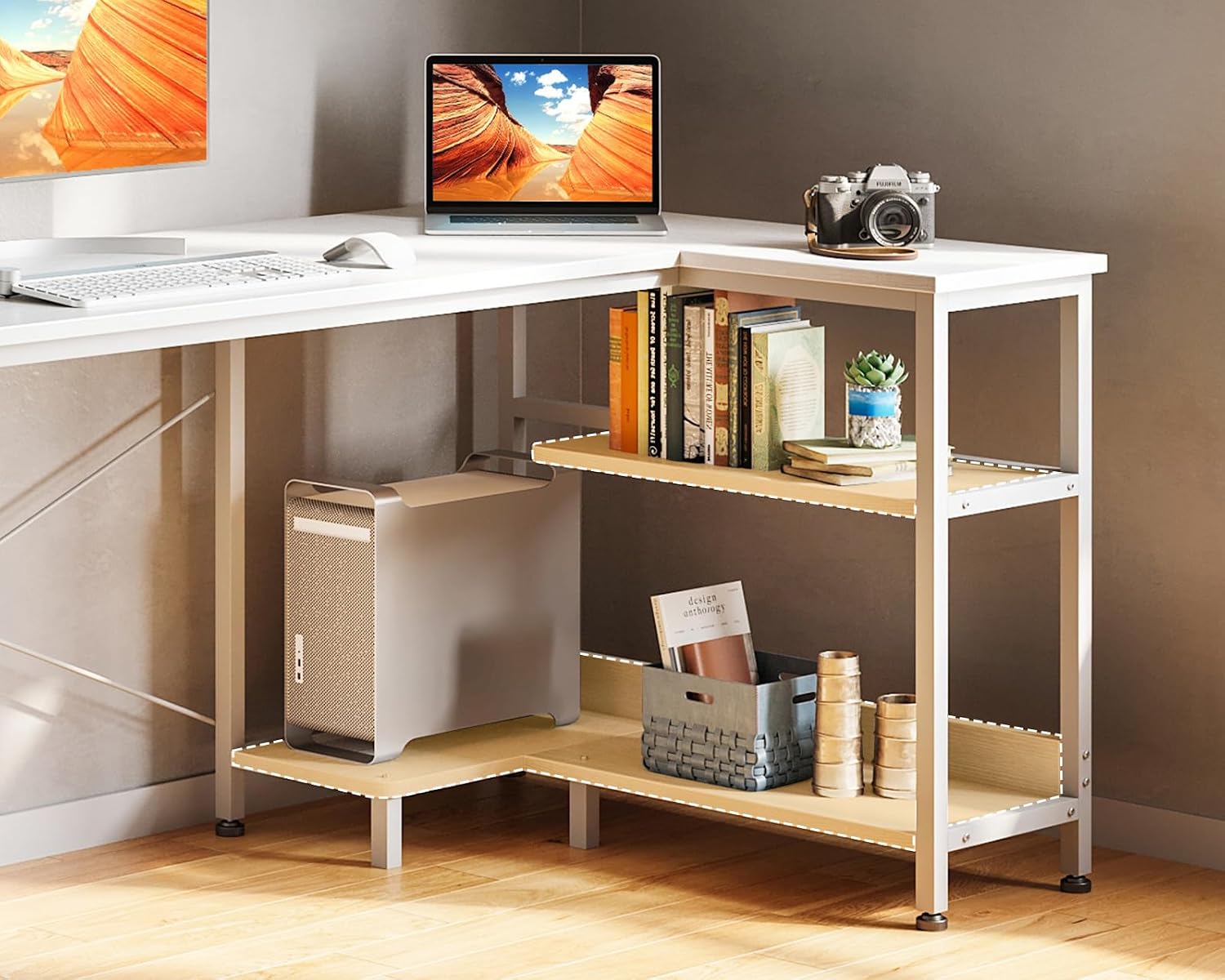
Figure 3: Close-up view of the integrated storage shelves and dedicated PC stand, designed for efficient organization.

Figure 4: Illustration of two ODK L-Shaped Desks configured together to create an extended modern writing table suitable for two users.
Maintenance
To ensure the longevity and appearance of your ODK Computer Desk, follow these simple maintenance tips:
- Cleaning: The desk surface is wipe-clean. Use a soft, damp cloth with mild soap and water to clean the surfaces. Avoid harsh chemicals or abrasive cleaners, as they may damage the finish.
- Spills: Wipe up spills immediately to prevent staining or damage to the engineered wood.
- Tighten Fasteners: Periodically check and tighten all screws and fasteners to maintain the desk's stability.
- Avoid Direct Sunlight: Prolonged exposure to direct sunlight can cause fading or discoloration of the desk's finish.
- Protect Surfaces: Use coasters for drinks and desk pads for writing or heavy objects to prevent scratches and marks.
Troubleshooting
If you encounter any issues with your ODK Computer Desk, please refer to the following common solutions:
| Problem | Possible Cause | Solution |
|---|---|---|
| Desk is wobbly or unstable. | Screws are not fully tightened; uneven floor. | Ensure all assembly screws are securely tightened. Adjust the leveling feet at the bottom of the desk legs to compensate for uneven surfaces. |
| Parts do not align during assembly. | Incorrect orientation of parts; manufacturing defect. | Double-check the instruction manual diagrams for correct part orientation. If parts still do not align, contact customer service. |
| Missing or damaged parts. | Packaging error; transit damage. | Do not attempt to force assembly. Contact ODK Customer Service immediately for replacement parts. |
Specifications
| Attribute | Detail |
|---|---|
| Brand | ODK |
| Model Number | B01XS011254AU |
| Model Name | Computer desk |
| UPC | 850043238775 |
| Product Dimensions (D x W x H) | 39.3"D x 29.1"W x 30"H |
| Item Weight | 12.32 Kilograms (27.16 lbs) |
| Maximum Weight Recommendation | 35.7 Pounds |
| Color | White |
| Top Material Type | Engineered Wood |
| Base Material | Metal |
| Finish Type | Powder Coated |
| Special Feature | Reversible, Removable Monitor Stand, Built-in Storage |
| Room Type | Office, Bedroom, Living Room |
| Recommended Uses | Working, Writing, Gaming |
| Number Of Shelves | 2 |
| Required Assembly | Yes |
| Recommended Number of People for Assembly | 2 |
Warranty and Support
ODK provides a Limited Warranty for this product. For detailed warranty terms and conditions, please refer to the documentation included with your purchase or contact ODK Customer Service.
ODK Customer Service is available 24 hours online to provide professional pre-sale and after-sale support. If you have any questions, require assistance with assembly, or experience any quality problems, please do not hesitate to contact us for fast refund or replacement.
For support, please visit the official ODK Store or contact us through the platform where you purchased the product.
Note: Each item has a unique code that ODK verifies before shipping, ensuring product authenticity.
Related documentsB01XS011254AU


Ask a question about this manual
Ask about setup, troubleshooting, compatibility, parts, safety, or missing instructions. Manuals+ will review the question and use this page’s manual context to help answer it.