
Introduction
Thank you for choosing the Brigii M1 3-in-1 Handheld Mini Vacuum. This versatile device combines the functions of a portable vacuum cleaner, an air duster, and a hand pump, designed for convenient cleaning and inflation tasks. Please read this manual thoroughly before use to ensure proper operation, maintenance, and safety.
Product Overview
Key Features
- Compact Design & Powerful Suction: Weighing just 1.07 lbs, this small vacuum cleaner features unique air-duct technology for strong suction.
- Innovative 3-in-1 Multifunctionality: Functions as a portable vacuum, a dust buster, and a hand pump.
- Multiple Accessories: Includes various attachments for diverse cleaning needs, such as keyboard cleaning, floor and window cleaning, and car interior detailing. Effective for hard-to-reach areas and delicate surfaces like camera lenses.
- Long Battery Life & Type-C Charging: Provides up to 20 minutes of continuous cleaning power on a full charge. Supports Type-C charging from 500mAh to 3A, compatible with various USB charging scenarios.
- Washable Dual-Filtration: Equipped with a stainless steel filter and a HEPA filter, both washable and reusable for sustained performance.
Package Contents
The Brigii M1 package includes:
- Brigii M1 Main Unit
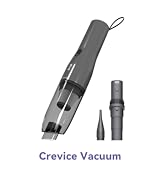
- Crevice Tool with Brush Attachment
- Flexible Hose
- Flat Nozzle (for vacuuming)
- Narrow Nozzle (for air dusting/inflation)
- Wide Nozzle (for air dusting/inflation)
- USB Type-C Charging Cable
- Storage Bag
- User Manual

Safety Instructions
- Do not use the vacuum while charging. Disconnect the charging cable before use.
- Keep the device away from water and moisture.
- Do not vacuum liquids, hot ashes, or sharp objects.
- Ensure the filter is properly installed before operation.
- Keep out of reach of children.
- Do not block the air inlets or outlets during operation.
- Use only the provided charging cable.
Setup
Charging the Device
- Connect the USB Type-C charging cable to the charging port on the device.
- Connect the other end of the cable to a compatible USB power source (e.g., wall adapter, car charger, computer USB port).
- The indicator light will flash red during charging and turn solid white when fully charged.
- A full charge takes approximately 4 hours and provides up to 20 minutes of continuous use.
Attaching Accessories
The Brigii M1 is designed for easy attachment and detachment of accessories for its various functions.
- For Vacuuming: Attach the desired nozzle (e.g., flat nozzle, crevice tool) to the suction end of the main unit. For extended reach, use the flexible hose between the main unit and the nozzle.
- For Air Dusting/Hand Pump: Attach the appropriate nozzle (narrow or wide) to the air outlet end of the main unit.

Operating Instructions
Vacuum Mode
- Ensure the appropriate vacuuming attachment is securely connected to the suction inlet.
- Press and hold the power button to turn on the vacuum. The device has one power level.
- Direct the nozzle towards the area to be cleaned.
- After use, press and hold the power button to turn off the device.
Air Duster Mode
- Ensure the appropriate air dusting nozzle is securely connected to the air outlet.
- Press and hold the power button to turn on the device.
- Direct the nozzle to blow away dust from surfaces like keyboards, camera lenses, or delicate electronics.
- After use, press and hold the power button to turn off the device.

Hand Pump Mode
- Attach the wide or narrow nozzle to the air outlet, depending on the item to be inflated/deflated (e.g., vacuum storage bags).
- Press and hold the power button to activate the pump.
- Use the appropriate nozzle to inflate or deflate items as needed.
- After use, press and hold the power button to turn off the device.

Maintenance
Emptying the Dust Cup
- Ensure the device is turned off.
- Twist the dust cup counter-clockwise to detach it from the main unit.
- Carefully empty the collected debris into a trash receptacle.

Cleaning the Filters
- After emptying the dust cup, separate the stainless steel filter and the HEPA filter.
- Rinse both filters under running water until clean.
- Allow the filters to air dry completely before reassembling. Ensure they are thoroughly dry to prevent damage and maintain suction power.
- Reassemble the filters and reattach the dust cup to the main unit by twisting clockwise until secure.

Troubleshooting
| Problem | Possible Cause | Solution |
|---|---|---|
| Device does not turn on | Low battery; Device not charged | Charge the device fully. Ensure the charging cable is properly connected. |
| Weak suction/airflow | Dust cup full; Clogged filters; Blocked nozzle/hose | Empty the dust cup. Clean or replace the filters. Check and clear any blockages in the nozzle or hose. |
| Device stops during operation | Low battery; Overheating | Recharge the device. Allow the device to cool down before resuming use. |
Specifications
- Brand: Brigii
- Model Name: M1
- Special Feature: Bagless
- Filter Type: Cartridge (Stainless Steel & HEPA)
- Is Cordless?: Yes
- Capacity: 0.49 Kilograms (Dust Cup)
- Wattage: 65 watts
- Charging Time: 4 Hours
- Battery Life: Up to 20 minutes
- Connectivity Technology: USB Type-C
- Product Dimensions: 2.24"L x 2.24"W x 10.2"H
- Item Weight: 1.86 pounds
- Noise Level: 75 Decibels
Warranty and Support
Brigii offers a 1-year extended warranty for free upon product registration. For further assistance, please refer to the official Brigii website or contact customer support.
Official Website: Visit the Brigii Store on Amazon


