
BENKS iPhone 14 Pro Max
BENKS Designed for iPhone 14 Pro Max Screen Protector
User Manual
1. Product Overview
The BENKS Screen Protector for iPhone 14 Pro Max is a high-definition tempered glass designed to provide superior protection for your device's screen. It features a 0 Dust 2023 Upgraded Easy Install Tool for a bubble-free and dust-free application, along with eye protection technology. This 2-pack ensures you have a spare for future use.

Image: BENKS iPhone 14 Pro Max Screen Protector, showing the packaging and two screen protectors alongside an iPhone.
2. What's in the Box
- 2 x BENKS Tempered Glass Screen Protectors (one pre-installed in the tool)
- 1 x Easy Install Tool (0 Dust 2023 Upgraded)
- 2 x Cleaning Kits (wet wipe #1, cloth #2)
- 1 x Dust Removal Sticker #3
- 1 x User Manual (this document)
3. Installation Guide
Follow these steps carefully for a perfect, bubble-free installation using the included easy install tool.
3.1. Preparation
- Remove any existing protective case from your iPhone.
- Clean the iPhone screen thoroughly using the wet wipe #1 from the cleaning kit.
- Dry the screen completely with cloth #2, ensuring no smudges or moisture remain.
- Use the dust removal sticker #3 to gently lift any remaining dust particles from the screen. Ensure the screen is completely dust-free.

Image: Hands cleaning an iPhone screen with a wet wipe and then a cloth, preparing for screen protector installation.
3.2. Using the Easy Install Tool
- Place your iPhone into the easy install tool. Ensure the "UP" logo on the tool matches the top of your iPhone for correct orientation.
- Lightly press and hold the top of the installation tool to secure it.
- Slowly pull out the bottom strap of the tool. This action removes the release film from the screen protector and simultaneously takes out any remaining dust.
- Press the "PRESS" position on the bottom of the tool. The screen protector will automatically begin to align and adhere to the screen. The automatic alignment may stop in the middle due to external pressure from the tool.
- Remove the installation tool from the bottom of the iPhone. The screen protector should now be well-aligned.
- If there are any excess bubbles, gently wipe them out towards the edges with the provided cloth.
Video: Official BENKS guide demonstrating the step-by-step process of installing the screen protector using the 0 dust easy install tool, including cleaning, dust removal, and alignment.
4. Product Features & Benefits
- Full Screen Coverage: Specifically designed for iPhone 14 Pro Max (6.7-inch), providing comprehensive protection with rounded edges that precisely fit your phone.
- 0 Dust Easy Install Tool: Patented application tool effectively eliminates dust and white dots, ensuring a perfect, bubble-free installation.
- Optical Grade High-Transmittance Glass: Utilizes microscope-grade glass for 99.99% light transmittance, offering a 0.3mm ultra-thin experience and preserving original screen clarity.
- 9H Hardness & Shatterproof: Provides robust protection against daily scratches, impacts, and damage. The edge is super shock resistant.
- Eye Protection: Features effective anti-blue light technology to reduce eye strain.
- Smooth & Anti-Fingerprint: Nano hydrophobic and oleo-phobic coating prevents fingerprints and smudges, ensuring a smooth touch and flawless sensitivity.

Image: Illustration of the screen protector's 9H hardness, protecting against keys, pens, and cables.

Image: Close-up showing the edge-to-edge coverage and ear speaker dustproof design of the screen protector.

Image: Visual representation of the screen protector's ultra HD clarity and high light transmittance.
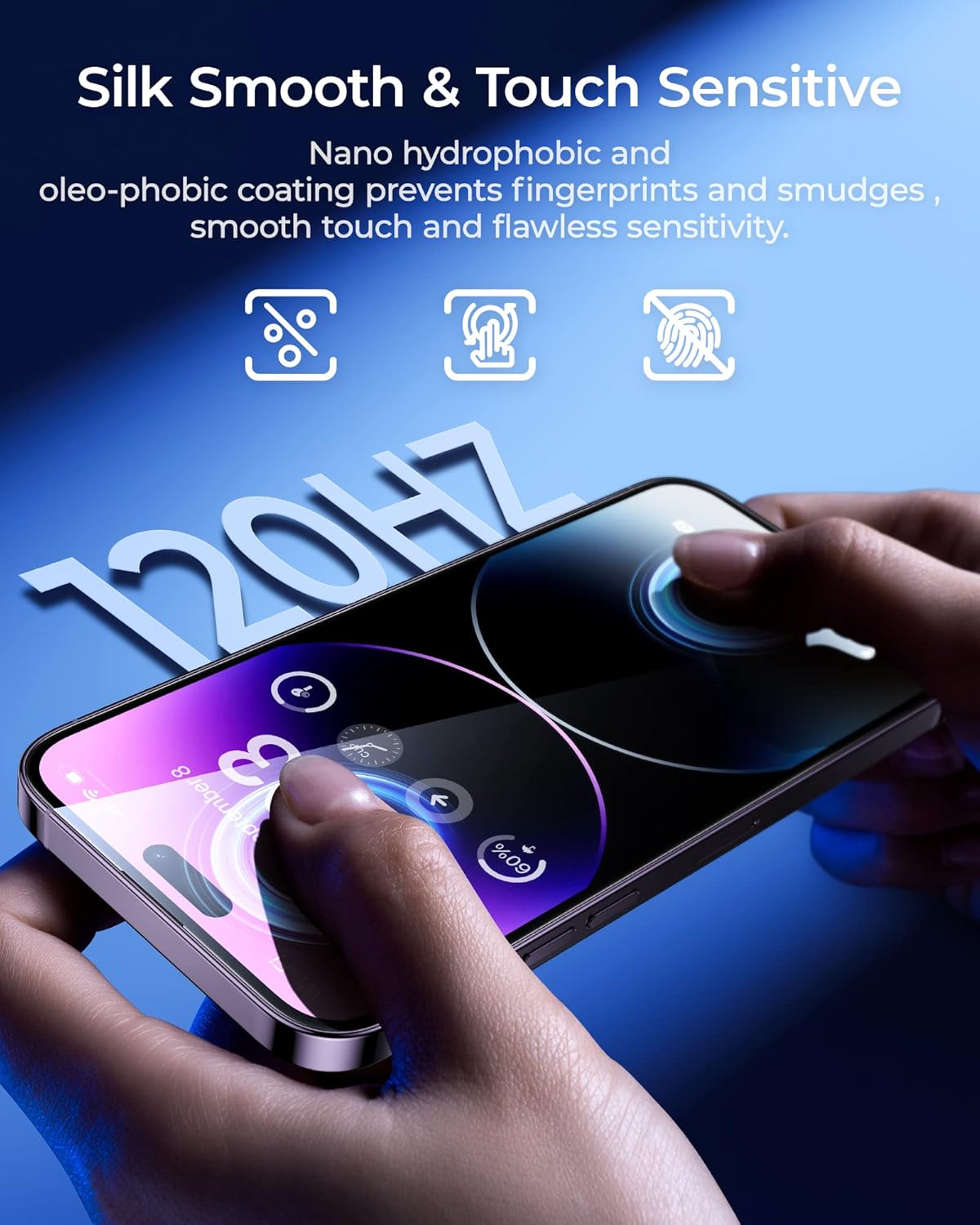
Image: Hands interacting with an iPhone screen, highlighting the silk smooth and touch sensitive surface of the protector.
5. Maintenance
To ensure the longevity and clarity of your BENKS screen protector, follow these maintenance tips:
- Regular Cleaning: Use a soft, lint-free cloth (like the one provided in the cleaning kit) to gently wipe the screen. For stubborn smudges, slightly dampen the cloth with water or a screen-safe cleaner.
- Avoid Harsh Chemicals: Do not use abrasive cleaners, alcohol, or ammonia-based solutions, as these can damage the oleophobic coating.
- Protect from Sharp Objects: While the screen protector is highly durable, avoid direct contact with extremely sharp objects to prevent unnecessary scratches.
- Proper Storage: If removing the screen protector for any reason, store it carefully to prevent dust accumulation or damage to the adhesive side.
6. Troubleshooting
Here are solutions to common issues you might encounter:
| Issue | Possible Cause | Solution |
|---|---|---|
| Bubbles after installation | Dust particles or uneven pressure during application. | Gently push bubbles towards the nearest edge using the provided cloth. For persistent bubbles, lift a corner of the protector slightly to release air, then re-apply pressure. Ensure the screen is completely clean before re-application. Refer to the installation video. |
| Dust under the protector | Insufficient dust removal before installation. | Carefully lift a corner of the screen protector and use a dust removal sticker or tape to dab the dust particle. Re-align and press down. Ensure you are in a dust-free environment during installation. |
| Misalignment | Incorrect placement of the iPhone in the installation tool or improper handling. | The easy install tool is designed for precise alignment. If misalignment occurs, it's often due to not fully seating the phone or not pulling the strap smoothly. If the protector has not fully adhered, you may be able to gently lift and re-apply using the tool. If fully adhered, consider using the second screen protector. |
| Reduced touch sensitivity | Rare, but could be due to improper adhesion or a faulty protector. | Ensure the screen protector is fully adhered without air gaps. If the issue persists, contact customer support. |
7. Specifications
- Brand: BENKS
- Compatible Devices: iPhone 14 Pro Max (6.7 Inches)
- Material: Tempered Glass
- Item Hardness: 9H
- Special Features: 0 Bubbles, 0 Dust Easy Install, Crystal Clear, Smooth & Anti-Fingerprints, Eye Protection
- Finish Type: Glossy
- Water Resistance Level: Not Water Resistant
- Unit Count: 2.0 Count
- Package Dimensions: 7.8 x 3.94 x 0.87 inches
- Item Weight: 4.8 ounces

Image: Compatibility chart showing the BENKS screen protector is designed specifically for iPhone 14 Pro Max (6.7 Inch).
8. Warranty & Support
BENKS is committed to providing high-quality products and excellent customer service.
- 1-Year Warranty: If the screen protector shatters within the first year of purchase, you are eligible to receive a replacement. Quality is guaranteed.
- 30-Day Hassle-Free Return: Enjoy peace of mind with a 30-day return policy.
- 24/7 Support: For any inquiries or assistance, please contact BENKS customer service at vip-service@benks.com.
Ask a question about this manual
Ask about setup, troubleshooting, compatibility, parts, safety, or missing instructions. Manuals+ will review the question and use this page’s manual context to help answer it.