
1. Introduction
This manual provides comprehensive instructions for the setup, operation, maintenance, and troubleshooting of your TRANYA S2 Smart Watch. Please read this manual carefully before using the device to ensure proper functionality and to maximize your user experience. Keep this manual for future reference.
2. Safety Information
Adhere to the following safety guidelines to prevent damage to the device or personal injury:
- The TRANYA S2 Smart Watch is not a medical device. Data provided by the watch, including heart rate and blood oxygen, is for reference only and should not be used for medical diagnosis or treatment.
- Do not attempt to disassemble, repair, or modify the device. Unauthorized modifications may void the warranty and pose safety risks.
- Avoid exposing the watch to extreme temperatures, direct sunlight for prolonged periods, or corrosive substances.
- Ensure the charging contacts are clean and dry before charging to prevent corrosion or short circuits.
- While the watch is 3ATM waterproof, it is not suitable for hot showers, saunas, or deep-sea diving. Avoid direct exposure to high-pressure water streams.
- Keep the device out of reach of children and pets.
3. Package Contents
Verify that all items are present in your TRANYA S2 Smart Watch package:
- TRANYA S2 Smart Watch (with strap)
- Magnetic Charging Cable
- User Manual
4. Product Overview
The TRANYA S2 Smart Watch features a 1.3-inch color display and a durable design, offering a comprehensive set of health and fitness tracking capabilities. Below is an illustration of the watch and its key components.

Figure 4.1: Front view of the TRANYA S2 Smart Watch, showing its circular display with various health metrics and time.
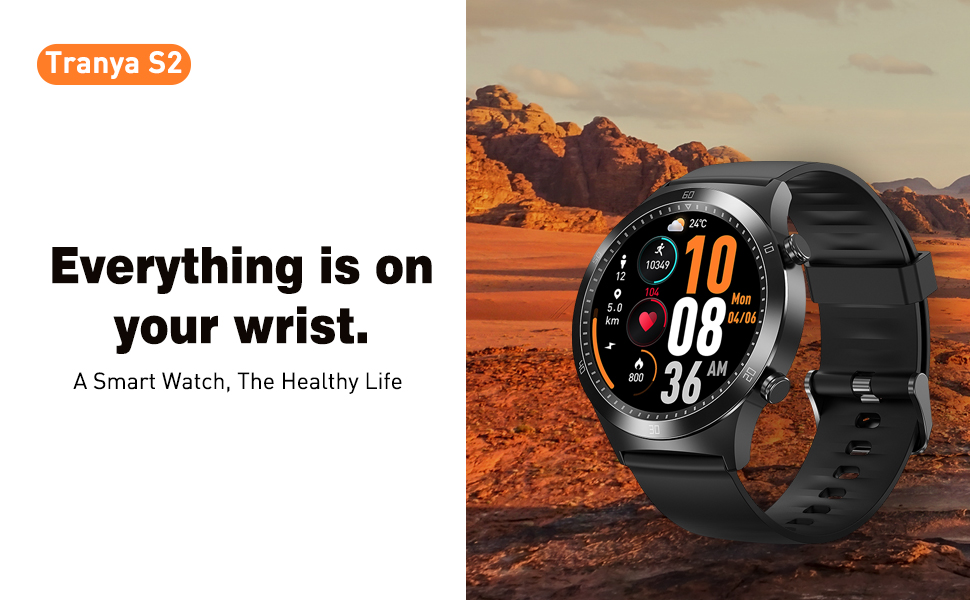
Figure 4.2: The TRANYA S2 Smart Watch worn on a wrist, highlighting its convenience for accessing information.
5. Setup
5.1 Charging the Device
Before first use, fully charge your TRANYA S2 Smart Watch. A full charge takes approximately 1.5 hours.
- Connect the magnetic charging cable to a USB power adapter (5V/1A recommended) or a computer's USB port.
- Align the magnetic end of the charging cable with the charging contacts on the back of the watch. The magnets will automatically snap into place.
- The watch screen will display a charging indicator. Once fully charged, the indicator will show a full battery icon.
5.2 App Installation and Pairing
To unlock the full features of your TRANYA S2 Smart Watch, you need to pair it with your smartphone via the companion app, GloryFit. The watch is compatible with Android and iOS devices.
- Download the App: Search for "GloryFit" in the Apple App Store (for iOS) or Google Play Store (for Android) and install it on your smartphone.
- Enable Bluetooth: Ensure Bluetooth is enabled on your smartphone.
- Open GloryFit App: Launch the GloryFit app and follow the on-screen instructions to create an account or log in.
- Add Device: In the app, navigate to the "Device" or "My Device" section and select "Add Device" or a similar option. The app will scan for available devices.
- Select Your Watch: From the list of found devices, select "TRANYA S2" or the device with the corresponding Bluetooth name.
- Confirm Pairing: A pairing request may appear on both your phone and the watch. Confirm the pairing on both devices.
- Synchronization: Once paired, the watch will synchronize data with the app. Ensure the watch is close to your phone during this process.
5.3 Initial Configuration
After successful pairing, you can configure basic settings within the GloryFit app:
- Personal Information: Set your gender, age, height, and weight for more accurate health tracking.
- Unit Settings: Choose between metric or imperial units for distance and weight.
- Time Format: Select 12-hour or 24-hour time display.
6. Operating Instructions
6.1 Basic Navigation
The TRANYA S2 Smart Watch features a responsive touchscreen and physical buttons for navigation:
- Swipe Up/Down: Scroll through menus and notifications.
- Swipe Left/Right: Access quick functions or different data screens.
- Tap: Select an item or confirm an action.
- Press Side Button: Typically used to return to the home screen or wake the device.
6.2 Health Tracking
The TRANYA S2 provides comprehensive health monitoring features:
- Heart Rate Monitoring: The watch continuously tracks your heart rate throughout the day. View real-time data on the watch or detailed graphs in the GloryFit app.
- Blood Oxygen (SpO2) Monitoring: Measure your blood oxygen saturation levels. Ensure the watch is worn snugly on your wrist for accurate readings.
- Sleep Monitoring: The watch automatically tracks your sleep patterns, including deep sleep, light sleep, and awake times. Review your sleep quality analysis in the app.

Figure 6.1: Visual representation of the TRANYA S2's blood oxygen, heart rate, and sleep monitoring capabilities.
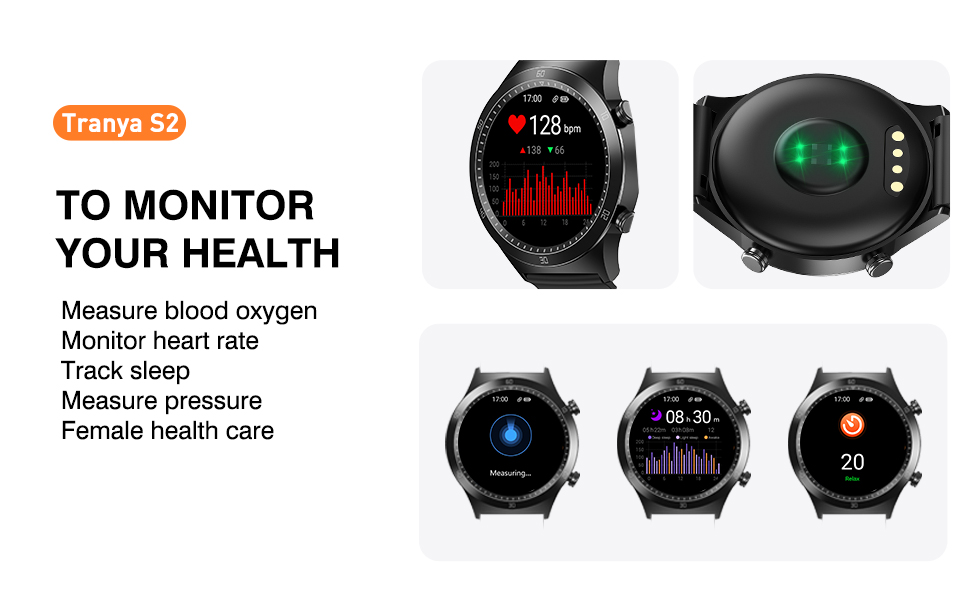
Figure 6.2: The watch's interface for monitoring various health metrics.
6.3 Sports Modes
The TRANYA S2 supports 25 different sports modes to accurately track your workouts. Select the appropriate mode before starting an activity for precise data recording.

Figure 6.3: Icons representing the 25 available sport modes on the TRANYA S2 Smart Watch.
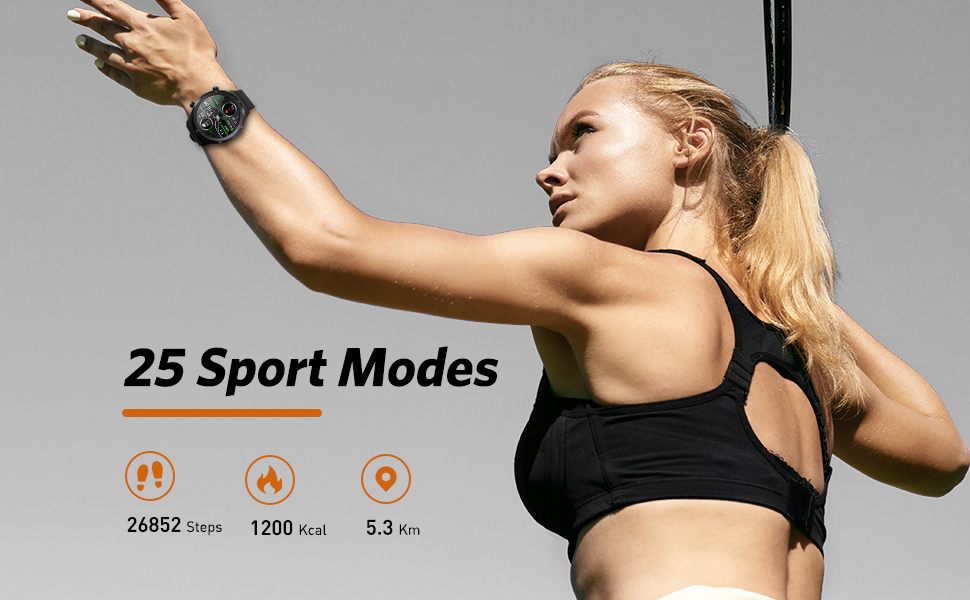
Figure 6.4: The watch tracking steps, calories, and distance during physical activity.
6.4 Notifications
Receive call, SMS, and app notifications directly on your watch. Configure which app notifications you wish to receive through the GloryFit app settings.

Figure 6.5: The watch's ability to display notifications from connected smartphone applications.
6.5 Music Control
Control music playback on your smartphone directly from your watch. This includes play, pause, skip forward, and skip backward functions.

Figure 6.6: The watch's interface for controlling music playback on a paired smartphone.
6.6 Watch Face Customization
Personalize your watch by choosing from over 100 optional watch faces available through the GloryFit app. You can also customize watch faces with your own photos.
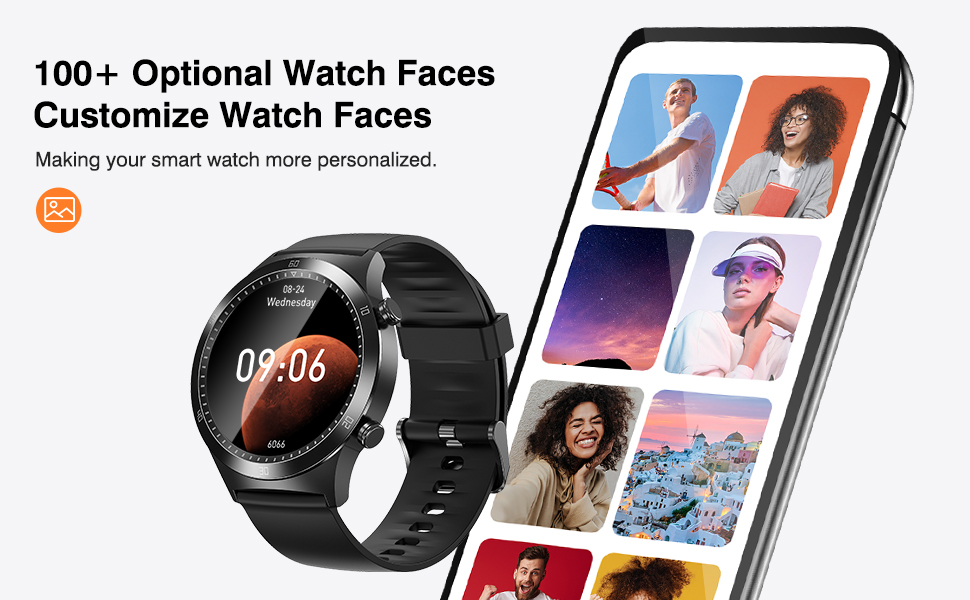
Figure 6.7: Examples of customizable watch faces and the app interface for selection.
7. Maintenance
7.1 Cleaning
Regular cleaning helps maintain the watch's appearance and functionality:
- Wipe the watch screen and strap with a soft, lint-free cloth.
- For stubborn dirt, slightly dampen the cloth with water. Avoid using harsh chemicals or abrasive materials.
- Ensure the watch is completely dry before charging.
7.2 Water Resistance
The TRANYA S2 Smart Watch is 3ATM waterproof, meaning it can withstand splashes, rain, and brief immersion in water up to 30 meters. It is suitable for swimming but not for diving or high-pressure water activities.

Figure 7.1: The watch's water resistance feature, suitable for hand washing and light water exposure.
7.3 Battery Care
To prolong the battery life of your TRANYA S2 Smart Watch:
- Avoid fully discharging the battery frequently.
- Charge the watch regularly, even if not in daily use.
- Store the watch in a cool, dry place when not in use for extended periods.

Figure 7.2: Information on the TRANYA S2's extended battery life.
8. Troubleshooting
If you encounter issues with your TRANYA S2 Smart Watch, refer to the table below for common problems and solutions:
| Problem | Possible Cause | Solution |
|---|---|---|
| Watch not turning on | Low battery; Device frozen | Charge the watch for at least 30 minutes; Press and hold the side button for 10-15 seconds to force restart. |
| Unable to pair with phone | Bluetooth off; App not running; Watch not discoverable; Interference | Ensure phone's Bluetooth is on; Restart GloryFit app; Restart watch and phone; Ensure watch is close to phone; Disable other Bluetooth devices. |
| Notifications not received | App permissions; Notification settings; Bluetooth disconnected | Check app permissions in phone settings; Verify notification settings in GloryFit app; Ensure watch is connected via Bluetooth. |
| Inaccurate health data | Improper fit; Sensor obstruction | Ensure watch is worn snugly on the wrist, not too tight or too loose; Clean the sensor on the back of the watch. |
| Short battery life | Frequent use of power-intensive features; Continuous monitoring | Reduce screen brightness; Limit continuous heart rate/SpO2 monitoring; Turn off unnecessary notifications. |
9. Specifications
Detailed technical specifications for the TRANYA S2 Smart Watch:
| Feature | Specification |
|---|---|
| Brand | TRANYA |
| Model | S2 |
| Operating System | Android, iOS |
| Display Size | 1.3 Inches |
| Display Technology | LCD |
| Battery Capacity | 200 mAh |
| Battery Life (Average) | 7-10 days (usage), 30 days (standby) |
| Charging Time | 1.5 Hours |
| Water Resistance | 3ATM (30.0 meters) |
| Connectivity | Bluetooth |
| Special Features | Heart Rate Monitor, Blood Oxygen Monitor, Sleep Monitor, 25 Sports Modes, Call & Message Notifications, Music Control, Camera Control, Weather Display, Alarm Clock, Find Phone |
| Clasp Type | Sliding Clasp |
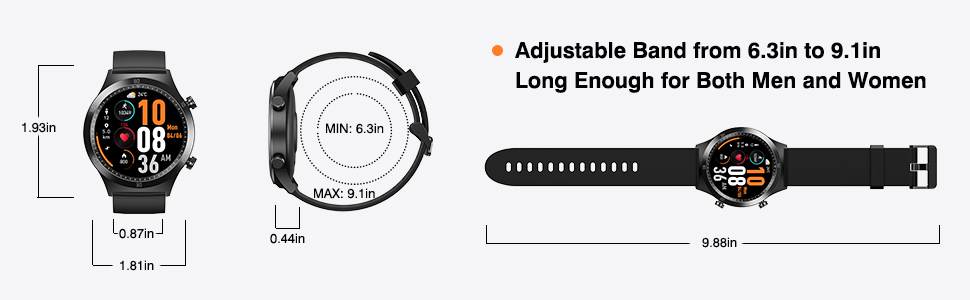
Figure 9.1: Dimensions of the TRANYA S2 Smart Watch.
10. Warranty and Support
TRANYA provides a 12-month warranty for the S2 Smart Watch from the date of purchase. This warranty covers manufacturing defects and workmanship.
For technical support, warranty claims, or any questions regarding your TRANYA S2 Smart Watch, please contact TRANYA customer service. Refer to the contact information provided on the product packaging or the official TRANYA website for the most up-to-date support channels.
Please have your purchase receipt and product model number (S2) ready when contacting support.
