
Klipsch Groove McLaren Edition
Klipsch Groove Portable Bluetooth Speaker McLaren Edition User Manual
Model: Groove McLaren Edition | Brand: Klipsch
1. Introduction
The Klipsch Groove Portable Bluetooth Speaker McLaren Edition delivers surprisingly powerful sound in a compact design, perfect for taking your music anywhere. This manual provides comprehensive instructions to help you get the most out of your speaker.
What's in the Box
- Klipsch Groove Portable Bluetooth Speaker McLaren Edition
- Charging Cable (USB-C)
- User Manual (this document)

Figure 1.1: Front view of the Klipsch Groove Portable Bluetooth Speaker McLaren Edition, showcasing its compact size and orange finish with the McLaren logo.

Figure 1.2: Angled view of the Klipsch Groove speaker, highlighting its design and portability.
2. Important Safety Instructions
Please read all instructions carefully before using your Klipsch Groove speaker. Keep these instructions for future reference.
- Do not expose the speaker to extreme temperatures or humidity.
- Do not disassemble the speaker. Refer all servicing to qualified service personnel.
- Clean only with a dry cloth.
- Ensure proper ventilation and do not block any ventilation openings.
- Use only attachments/accessories specified by the manufacturer.
- This product is water resistant, but not designed for submersion. Avoid prolonged exposure to water.
3. Setup and Initial Use
3.1 Charging the Speaker
Before first use, fully charge your Klipsch Groove speaker. Connect the provided charging cable to the speaker's charging port and a suitable USB power source. The LED indicator will show charging status. A full charge provides approximately 8 hours of playback time.
3.2 Powering On/Off
Press and hold the Power button (usually indicated by a power symbol) located on the top panel to turn the speaker on or off.

Figure 3.1: Top view of the Klipsch Groove speaker, highlighting the control panel with buttons for power, volume, and Bluetooth pairing.
3.3 Bluetooth Pairing
- Ensure the speaker is powered on.
- Press and hold the Bluetooth button (usually indicated by a Bluetooth symbol) on the speaker's top panel until the LED indicator flashes, indicating pairing mode.
- On your device (smartphone, tablet, laptop), go to Bluetooth settings and select "Klipsch Groove McLaren" from the list of available devices.
- Once connected, the LED indicator will turn solid. The speaker has a Bluetooth range of approximately 10 meters (33 feet).
3.4 Auxiliary Input
For devices without Bluetooth, you can connect them using a 3.5mm audio cable (not included) to the AUX input port on the speaker. This port is typically located on the side, often under a protective cover.
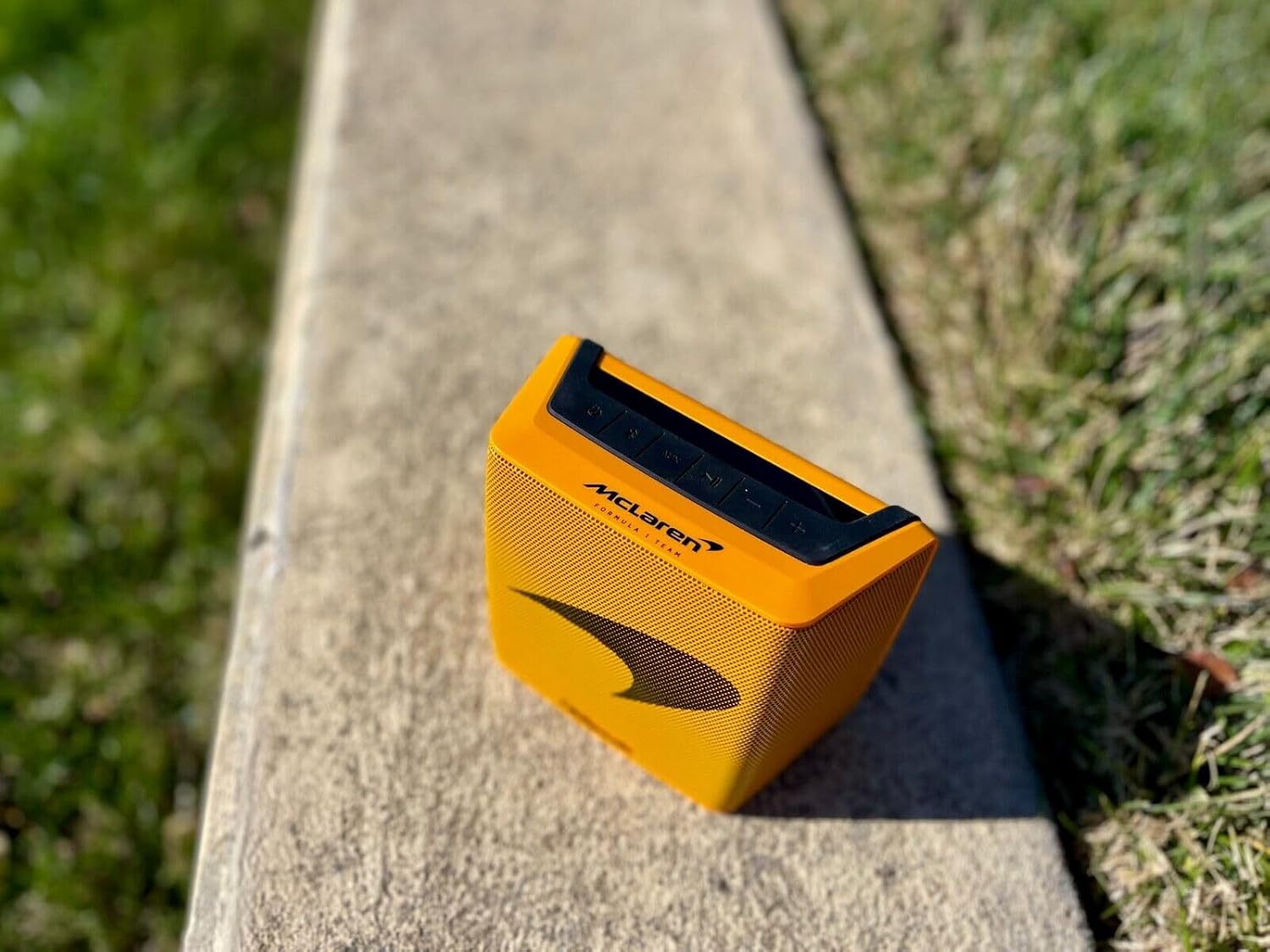
Figure 3.2: Side view of the Klipsch Groove speaker, indicating the general location of the charging and AUX ports (often under a protective cover for water resistance).
4. Operating Your Speaker
4.1 Controls
The Klipsch Groove speaker features intuitive button controls on its top panel for easy operation.
| Button/Control | Function |
|---|---|
| Power Button | Press and hold to turn on/off. |
| Bluetooth Button | Press and hold to enter pairing mode. |
| Volume Up (+) | Increase volume. |
| Volume Down (-) | Decrease volume. |
| Play/Pause Button | Press to play or pause audio. |
| Track Skip (Forward/Backward) | Double-press Play/Pause for next track, triple-press for previous track (functionality may vary by device). |
4.2 Water Resistance
The Klipsch Groove McLaren Edition speaker is water resistant, making it suitable for outdoor activities and use near water. However, it is not designed to be submerged. Ensure the charging port cover is securely closed to maintain water resistance.

Figure 4.1: The Klipsch Groove speaker resting on a bed of small rocks, illustrating its durable and portable design for outdoor use.
5. Maintenance and Care
5.1 Cleaning
To clean your speaker, use a soft, dry, lint-free cloth. Do not use abrasive cleaners, solvents, or strong chemicals, as these may damage the finish or internal components. For stubborn dirt, a slightly damp cloth can be used, ensuring the speaker is completely dry before use or charging.
5.2 Storage
When not in use for extended periods, store the speaker in a cool, dry place away from direct sunlight and extreme temperatures. It is recommended to charge the battery to about 50% before long-term storage to preserve battery health.
6. Troubleshooting
If you encounter issues with your Klipsch Groove speaker, refer to the following common problems and solutions:
| Problem | Possible Solution |
|---|---|
| No power | Ensure the speaker is charged. Connect to a power source and check the charging indicator. |
| Cannot pair via Bluetooth |
|
| No sound or low volume |
|
| Sound distortion |
|
7. Specifications
| Feature | Detail |
|---|---|
| Model Name | Groove McLaren Edition |
| Speaker Type | Bluetooth |
| Connectivity Technology | Bluetooth |
| Wireless Communication Technology | Bluetooth |
| Bluetooth Range | 10 Meters (33 Feet) |
| Audio Output Mode | Stereo |
| Battery Life | 8 Hours |
| Power Source | Battery Powered (1 Lithium Ion battery required) |
| Control Method | Button, Touch |
| Product Dimensions | 2.65"D x 5.51"W x 4.56"H |
| Item Weight | 2.68 pounds |
| Color | Black |
| Water Resistance Level | Water Resistant (Is Waterproof: True) |
| UPC | 743878047820 |
| ASIN | B0B7SJ1PC1 |
| Manufacturer | Klipsch |
8. Warranty Information
The Klipsch Groove Portable Bluetooth Speaker McLaren Edition comes with a Limited Warranty. Please refer to the warranty card included with your product or visit the official Klipsch website for detailed terms and conditions regarding warranty coverage, duration, and claims procedures.
9. Customer Support
For technical assistance, troubleshooting beyond this manual, or warranty inquiries, please contact Klipsch customer support:
- Website: Visit the official Klipsch website for support resources, FAQs, and contact information.
- Phone: Refer to the Klipsch website or product packaging for regional support phone numbers.
When contacting support, please have your product model name (Groove McLaren Edition) and serial number (if applicable) ready.
Related documentsGroove McLaren Edition


Ask a question about this manual
Ask about setup, troubleshooting, compatibility, parts, safety, or missing instructions. Manuals+ will review the question and use this page’s manual context to help answer it.