
Ingco HPWR12008
INGCO HPWR12008 High Pressure Car Washer User Manual
Model: HPWR12008
Introduction
Thank you for choosing the INGCO HPWR12008 High Pressure Car Washer. This manual provides essential information for the safe and efficient operation, maintenance, and troubleshooting of your new pressure washer. Please read this manual thoroughly before first use and keep it for future reference.
Important Safety Information
Always follow basic safety precautions when using this product to reduce the risk of injury, electric shock, or fire.
- Read all instructions before using the appliance.
- Do not direct the water jet at people, animals, electrical devices, or the appliance itself.
- Ensure the power source matches the voltage specified on the product label (220-240V~50/60Hz).
- Always wear appropriate personal protective equipment, such as safety glasses, when operating the pressure washer.
- Keep children and pets away from the operating area.
- Disconnect from the power supply before performing any maintenance or cleaning.
- Do not operate the machine if the power cord or other important parts are damaged.
Package Contents
Verify that all items are present and undamaged upon opening the package:
- INGCO HPWR12008 High Pressure Washer Unit
- High-pressure spray gun
- High-pressure hose
- Water inlet connector
- Nozzle cleaning pin
- User Manual

Image: The INGCO HPWR12008 High Pressure Washer unit, along with its high-pressure spray gun and hose, as typically included in the package.
Setup
- Connect Water Supply:
Attach the water inlet connector to the pressure washer's water inlet. Connect a garden hose (not supplied) to the water inlet connector. Ensure the water supply is clean and free of debris. The unit requires a minimum flow rate to operate efficiently.
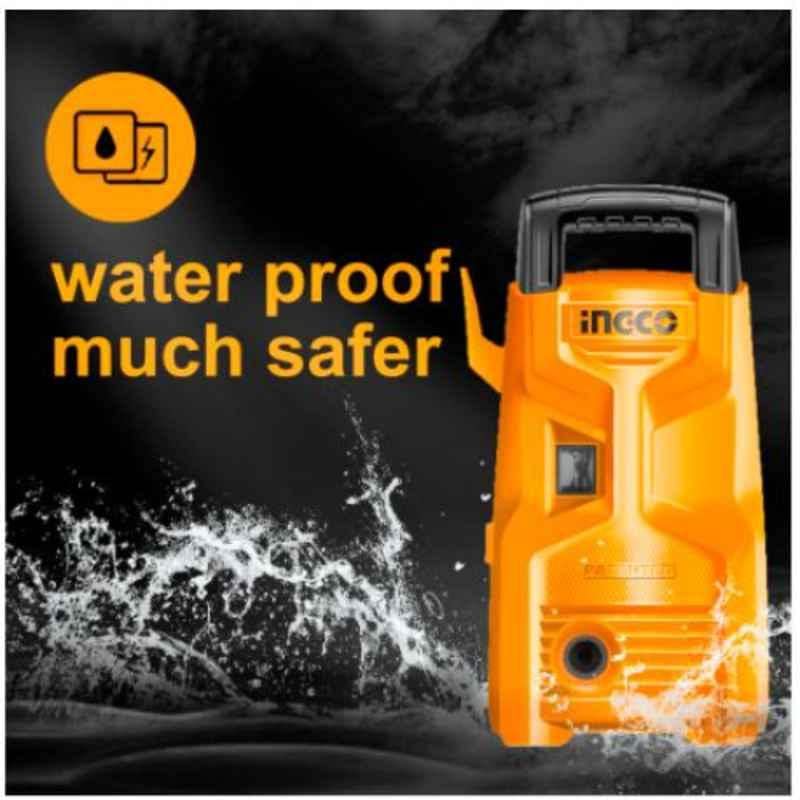
Image: Front view of the pressure washer, highlighting the water inlet connection point.
- Connect High-Pressure Hose:
Connect one end of the high-pressure hose to the high-pressure outlet on the washer unit and the other end to the high-pressure spray gun. Ensure all connections are secure to prevent leaks.

Image: Side view of the pressure washer, illustrating the connection points for the high-pressure hose and spray gun.
- Purge Air from System:
Before connecting to power, turn on the water supply fully. Squeeze the trigger on the spray gun to allow water to flow through the system and purge any air. Continue until a steady stream of water emerges from the nozzle.
- Connect Power:
Plug the power cord into a grounded electrical outlet. Ensure the outlet meets the specified voltage requirements.
Operating Instructions
- Start the Washer:
Turn the ON/OFF switch to the "ON" position. The motor will start. The unit features an auto-stop system, meaning the motor will only run when the trigger is squeezed.
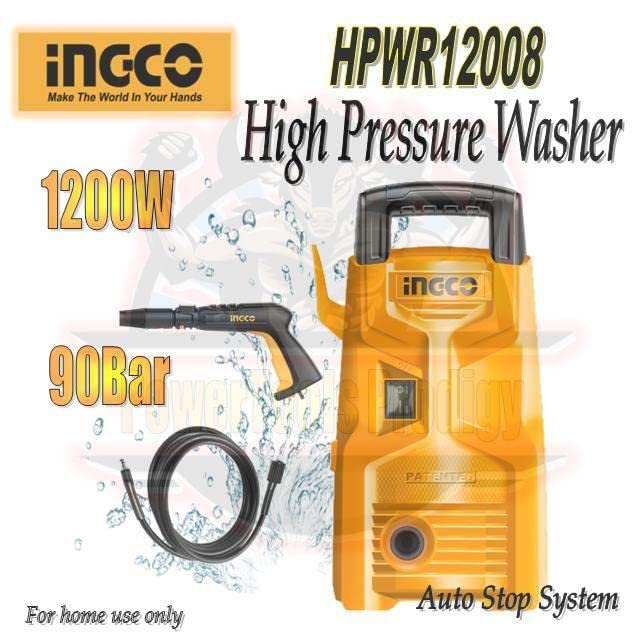
Image: Rear view of the pressure washer, indicating the location of the power switch and the auto-stop system feature.
- Begin Cleaning:
Aim the spray gun at the surface to be cleaned, keeping a safe distance. Squeeze the trigger to start the high-pressure water flow. Adjust the distance and angle of the spray to achieve the desired cleaning effect without damaging the surface.
- Stopping Operation:
To temporarily stop, release the trigger. The auto-stop system will turn off the motor. To completely stop, turn the ON/OFF switch to the "OFF" position and disconnect the power plug.
- Depressurize System:
After turning off the unit and disconnecting power, squeeze the spray gun trigger to release any remaining pressure in the hose and gun before disconnecting the water supply or hose.
Maintenance
Regular maintenance ensures optimal performance and extends the life of your pressure washer.
- Nozzle Cleaning: If the nozzle becomes clogged, use the provided nozzle cleaning pin to clear any debris.
- Water Inlet Filter: Regularly check and clean the water inlet filter to prevent debris from entering the pump.
- Storage: Store the pressure washer in a dry, frost-free environment. If storing for an extended period, ensure all water is drained from the pump and hoses to prevent freezing damage.
- General Cleaning: Wipe down the exterior of the unit with a damp cloth. Do not use harsh chemicals or abrasive cleaners.
Troubleshooting
| Problem | Possible Cause | Solution |
|---|---|---|
| Motor does not start | No power supply; ON/OFF switch is off; Thermal overload activated. | Check power connection; Turn switch to ON; Allow motor to cool down. |
| Low pressure | Insufficient water supply; Clogged nozzle; Air in pump. | Ensure full water flow; Clean nozzle; Purge air from system. |
| Water leaks | Loose connections; Damaged O-rings. | Tighten all connections; Replace damaged O-rings. |
Specifications
| Feature | Detail |
|---|---|
| Model | HPWR12008 |
| Voltage | 220-240V~50/60Hz |
| Power Source | Electric (Hand Powered refers to the trigger operation, but the unit is electric) |
| Maximum Pressure | 1300 PSI (approx. 90 Bar) |
| Maximum Flow Rate | 5.5 Liters Per Minute |
| Item Weight | 0.35 Kilograms (Note: This seems very low for a pressure washer, likely refers to a component or is an error in source data.) |
| Product Dimensions | 28 x 18 x 8 cm |
| Motor Type | Carbon Brush Motor |
| Features | Auto Stop System |

Image: The pressure washer unit with key specifications like 1200W power, 90 Bar pressure, 5.5 L/min flow rate, and Carbon Brush Motor highlighted.
Warranty and Support
For warranty information and technical support, please refer to the warranty card included with your product or contact INGCO customer service. Keep your purchase receipt as proof of purchase.
Visit the official Ingco Store for more information: Ingco Official Store
Related documentsHPWR12008


Ask a question about this manual
Ask about setup, troubleshooting, compatibility, parts, safety, or missing instructions. Manuals+ will review the question and use this page’s manual context to help answer it.