
1. Introduction
This manual provides detailed instructions for the installation, operation, and maintenance of your JOINLGO JL-C680-D21 1080P AHD Car Camera. Designed for robust performance in various vehicles such as trucks, vans, and buses, this camera offers high-definition video, waterproof construction, and enhanced night vision capabilities. Please read this manual thoroughly before installation and use to ensure proper functionality and longevity of the product.

Image 1.1: Angled view of the JOINLGO JL-C680-D21 camera, showing the lens and SMD night vision lights.
2. Package Contents
Verify that all items are present in the package:
- 1 x JOINLGO JL-C680-D21 1080P AHD Car Camera with integrated 4-pin aviation connector cable
- Fixed lens (integrated)
- Mounting bracket (pre-attached)

Image 2.1: Rear view of the camera, highlighting the attached 4-pin aviation connector cable.
3. Features
- 1080P HD Resolution: Provides real 2.0MP, 1080P NTSC mode video output for clear imaging.
- Robust Waterproof Design: The camera chip is fully covered by glue, ensuring absolute waterproofing. Features a full metal case for enhanced durability, shakeproof performance, and reliable operation in outdoor conditions. Rated IP68.
- Enhanced Night Vision: Equipped with SMD lights for excellent image quality in low-light and nighttime conditions. The design separates the light board from the lens to prevent night vision reflection issues.
- Wide Viewing Angle: Features a 2.8mm lens, providing an approximate 120° viewing angle for comprehensive coverage.
- Compatibility: Designed to work seamlessly with all JOINLGO 1080P Mobile Digital Video Recorders (MDVRs). Utilizes a 4-pin aviation port for secure and reliable connection.
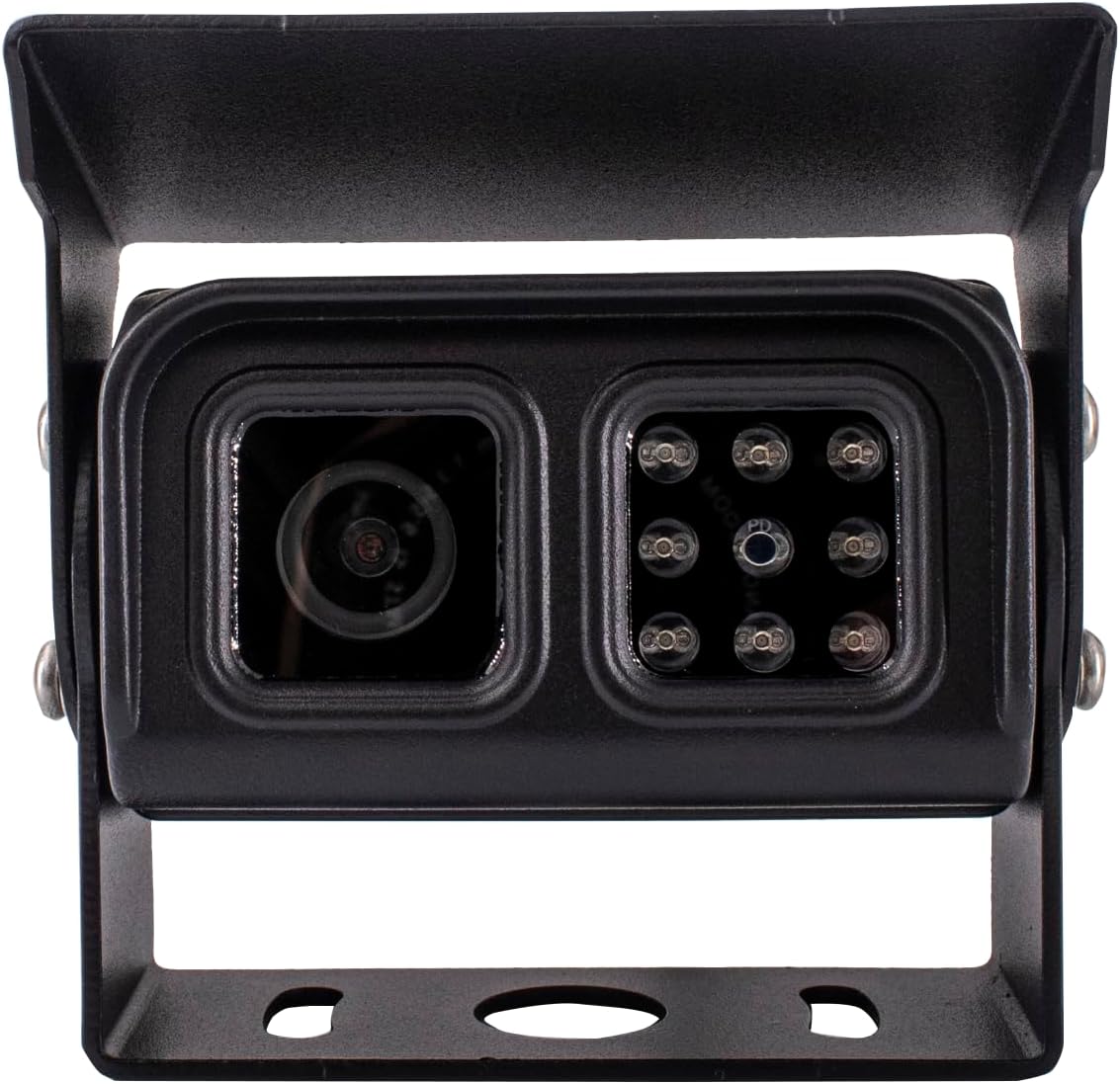
Image 3.1: Front view of the camera, detailing the lens and the array of SMD night vision LEDs.
4. Specifications
| Model Number | JL-C680-D21 |
| Resolution | 1080P (2.0MP) |
| Video System | NTSC |
| Viewing Angle | 120 Degrees (2.8mm lens) |
| Waterproof Rating | IP68 |
| Night Vision | SMD Light |
| Housing Material | Full Metal |
| Connector Type | 4-pin Aviation |
| Voltage | 12 Volts |
| Installation Type | Surface Mount |
| Optical Sensor Technology | CMOS |
| Optical Sensor Size | 1/3 inch |
| Product Dimensions | 5.91 x 4.72 x 4.72 inches |
| Item Weight | 10.6 ounces |
5. Setup and Installation
The JL-C680-D21 camera is designed for surface mounting and requires a 12-volt power supply. It connects via a 4-pin aviation connector, compatible with JOINLGO 1080P MDVR systems.
5.1 Mounting Location
- Choose a location that provides the desired viewing angle (rear, front, or side) and is free from obstructions.
- Ensure the mounting surface is flat and sturdy enough to support the camera.
- Consider the cable routing to protect it from damage and environmental exposure.
5.2 Mounting Steps
- Position the camera's mounting bracket on the chosen surface.
- Mark the drilling points through the holes in the bracket.
- Drill pilot holes if necessary, suitable for the mounting screws.
- Secure the camera bracket firmly to the vehicle using appropriate fasteners.
- Adjust the camera angle as needed using the adjustable bracket.
5.3 Wiring Connection
- Connect the camera's 4-pin aviation connector cable to a compatible JOINLGO 1080P MDVR input port.
- Ensure the connection is secure and the cable is routed away from moving parts, heat sources, and sharp edges.
- Verify that the MDVR provides a stable 12-volt power supply to the camera.

Image 5.1: Angled view of the camera, showing the robust mounting bracket for surface installation.
6. Operation
The JOINLGO JL-C680-D21 is an AHD camera that functions as a video input device for a compatible MDVR system. Once properly installed and connected, its operation is largely automatic.
6.1 Video Output
- The camera provides a continuous 1080P NTSC video signal to the connected MDVR.
- View the camera feed through your MDVR's display or recording interface.
6.2 Night Vision Activation
- The integrated SMD lights automatically activate in low-light conditions to provide clear night vision.
- The camera is designed to minimize reflection issues during night vision operation.
7. Maintenance
Regular maintenance ensures optimal performance and extends the lifespan of your camera.
- Cleaning the Lens: Gently wipe the camera lens with a soft, clean, damp cloth to remove dirt or debris. Avoid abrasive materials or harsh chemicals.
- Checking Connections: Periodically inspect the 4-pin aviation connector and cable for any signs of wear, corrosion, or loose connections. Ensure the cable is securely fastened and protected.
- Housing Inspection: Examine the metal housing for any physical damage that could compromise its waterproof integrity.
- Mounting Security: Verify that the mounting bracket and screws remain tight and secure.
8. Troubleshooting
If you encounter issues with your camera, refer to the following troubleshooting guide:
| Problem | Possible Cause | Solution |
|---|---|---|
| No image on MDVR display |
|
|
| Image is blurry or unclear |
|
|
| Night vision flickering or inconsistent |
|
|
9. Warranty and Support
The JOINLGO JL-C680-D21 camera comes with a 2-year warranty from the date of purchase.
For technical support, warranty claims, or any questions regarding your product, please contact JOINLGO customer service. Refer to your purchase documentation or the official JOINLGO website for contact details.
When contacting support, please have your model number (JL-C680-D21) and purchase information readily available.


