
BONANO BONANO 2.0 Cub
BONANO 2.2 Cub Safe Box User Manual
Model: BONANO 2.0 Cub
Introduction
Thank you for choosing the BONANO 2.2 Cub Safe Box. This manual provides detailed instructions for the safe and proper use, installation, and maintenance of your new safe. Please read this manual thoroughly before operating the safe and keep it for future reference.
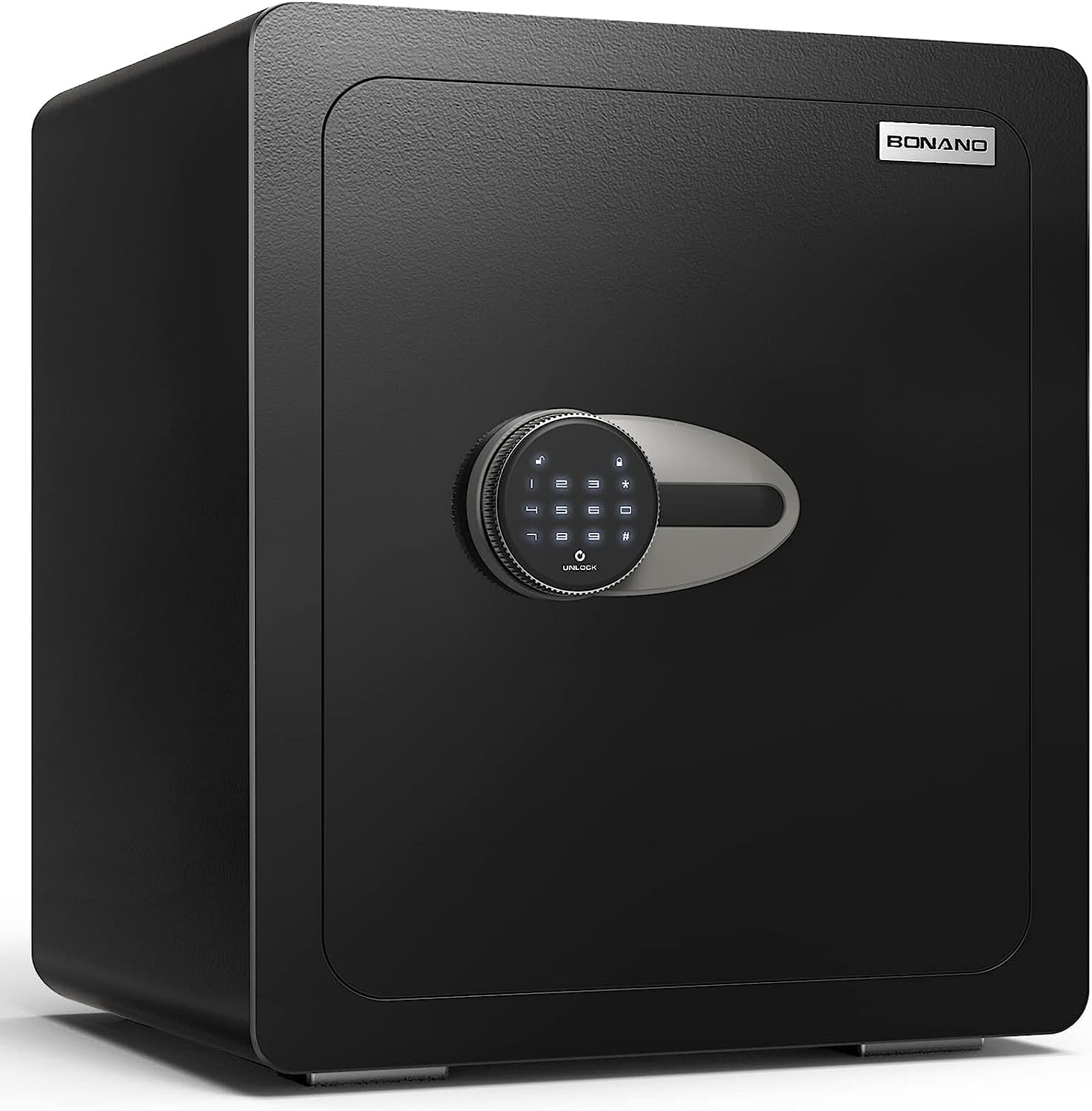
Front view of the BONANO 2.2 Cub Safe Box, showcasing its sleek black design and electronic keypad.
Safety Information
To ensure safe operation and prevent injury or damage, please observe the following safety precautions:
- Always keep emergency keys and the emergency battery box outside the safe, in a secure location known only to trusted individuals.
- Do not store the instruction manual inside the safe.
- Ensure the safe is securely mounted to a wall or floor to prevent tipping or unauthorized removal.
- Keep the keypad clean and dry. Avoid using abrasive cleaners.
- Do not expose the safe to extreme temperatures or humidity.
- Regularly check battery levels and replace them as needed to avoid lockout.
Package Contents
Verify that all components are present in the package:
- 1 x BONANO Safe Box
- 2 x Emergency Keys
- 4 x Foot Mats
- 6 x Expansion Screws (for mounting)
- 1 x Emergency Battery Box
- 1 x Instruction Manual (this document)

Illustration of the safe's dimensions and included accessories: emergency keys, foot mats, expansion screws, and emergency battery box.
Setup
Initial Opening and Battery Installation
Upon receiving your safe, it will be locked. To open it for the first time and install batteries:
- Locate the emergency keyhole, usually hidden behind the keypad or a removable cover.
- Insert one of the emergency keys and turn it clockwise while simultaneously turning the knob to open the safe door.
- Inside the safe, locate the battery compartment, typically on the back of the door or inside the main compartment.
- Insert 4 AA batteries (not included) into the compartment, ensuring correct polarity.
- Close the battery compartment cover.
Mounting the Safe
For enhanced security, it is highly recommended to mount the safe to a wall or floor using the provided expansion screws.
- Choose a suitable location, such as inside a closet or cabinet, ensuring a solid surface for mounting.
- Mark the drilling points through the pre-drilled holes at the back or bottom of the safe.
- Drill pilot holes into the wall or floor using an appropriate drill bit.
- Align the safe with the drilled holes and insert the expansion screws.
- Tighten the screws firmly to secure the safe in place.
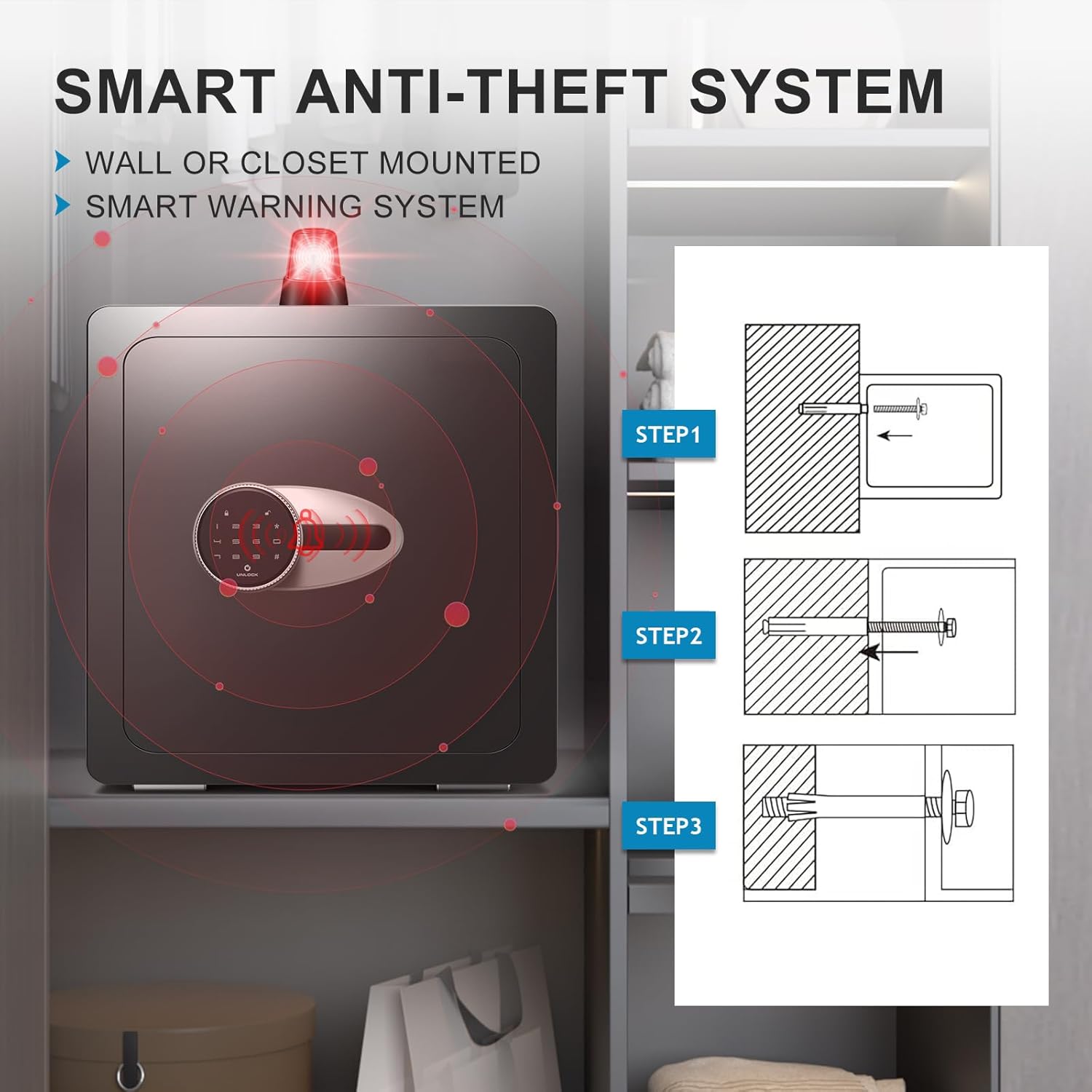
Visual guide for wall or floor mounting, illustrating the drilling and securing process.
Operating Instructions
Setting Your Passcode
With the safe door open:
- Press the internal "SET" or "RESET" button (usually a small red button located on the inside of the door near the hinge).
- The keypad will illuminate, and you will hear a beep.
- Enter your desired 3-8 digit passcode.
- Press the "#" button to confirm.
- The safe will beep twice, indicating successful programming.
- Test the new passcode with the door open to ensure it works correctly before closing the safe.
Note: Some models may require pressing "#" before and after the code, or pressing "*" before the code to unlock. If the standard method does not work, try:
- To set: Press "SET" button, then "#" + [your code] + "#".
- To unlock: Press "*" + [your code] + "#".
Unlocking the Safe
There are two primary methods to unlock your BONANO safe:
- Digital Keypad + Knob: Enter your programmed passcode on the keypad, then turn the knob clockwise within 5 seconds to open the door.
- Emergency Key + Knob: In case of forgotten passcode or low battery, insert the emergency key into the keyhole, turn it clockwise, and simultaneously turn the knob to open the door.

Visual representation of the two unlocking methods: using the digital keypad and the emergency key.
Mute Function
To enable or disable the keypad sound (mute function):
- Press the "#" button, then hold the "1" button for 3 seconds. The safe will indicate whether the mute function is activated or deactivated.

Instructions for activating the mute function, useful for silent operation.
Anti-Tampering Alarm System
Your safe is equipped with a dual alarm system for enhanced security:
- Wrong Password Alarm: If an incorrect password is entered 5 consecutive times, the system will trigger an alarm and lock the keypad for 60 seconds.
- Vibration Alarm: If the safe is violently moved or hit, a vibration alarm will be triggered.
To cancel an active alarm, enter the correct passcode.
Internal LED Light and Removable Shelf
The safe features an internal LED light for visibility in dark environments and a removable steel shelf to customize storage space.

The safe's interior, demonstrating the adjustable shelf, built-in hooks, soft carpet, and LED light for organized storage.
Maintenance
To ensure the longevity and proper functioning of your safe:
- Clean the exterior of the safe with a soft, damp cloth. Avoid harsh chemicals or abrasive materials.
- Regularly check the battery level and replace batteries annually or when the low battery indicator appears.
- Do not lubricate the lock mechanism.
- Ensure the safe door closes completely and the bolts engage properly.
Troubleshooting
| Problem | Possible Cause | Solution |
|---|---|---|
| Keypad not responding or lighting up. | Low or dead batteries; incorrect battery installation. | Replace batteries with new ones, ensuring correct polarity. Use the emergency battery box if needed. |
| Cannot set or change passcode. | Incorrect programming sequence; door not fully open during programming. | Ensure the door is fully open. Follow the passcode setting steps precisely, including alternative methods if the standard one fails (e.g., "#" before/after code). |
| Safe does not open with correct passcode. | Batteries low; knob not turned within 5 seconds; incorrect passcode entry. | Replace batteries. Ensure you turn the knob immediately after entering the correct code. Re-enter passcode carefully. Use emergency key if necessary. |
| Alarm triggers unexpectedly. | Vibration or movement; multiple incorrect passcode attempts. | Enter the correct passcode to silence the alarm. Ensure the safe is securely mounted to minimize accidental vibration alarms. |
Specifications
| Feature | Detail |
|---|---|
| Brand | BONANO |
| Model Number | BONANO 2.0 Cub |
| Product Dimensions | 12.59"D x 14.96"W x 17.71"H |
| Capacity | 2.2 Cubic Feet |
| Lock Type | Combination, Electronic, Key |
| Material | Alloy Steel |
| Special Feature | Alarm System, Mute Function, Internal LED Light, Removable Shelf |
| Mounting Type | Floor Mount, Wall Mount |
| Item Weight | 33 Pounds |
| Water Resistance Level | Not Water Resistant |
Warranty and Support
BONANO is committed to providing high-quality products and excellent customer service.
- Lifetime Warranty: Your BONANO safe box comes with a lifetime warranty.
- Customer Service: We offer 24-hour online customer service to assist with any issues or questions you may have.
- Key Matching Service: A lifetime key matching service is available.
- Returns: Enjoy 90-day unconditional returns.
If you encounter any problems with your safe box, please do not hesitate to contact us.
Related documentsBONANO 2.0 Cub

Ask a question about this manual
Ask about setup, troubleshooting, compatibility, parts, safety, or missing instructions. Manuals+ will review the question and use this page’s manual context to help answer it.