
1. Introduction
The ISDT C4 Air is a versatile 6-bay smart battery charger designed for a wide range of rechargeable batteries, including AA, AAA, and various Li-ion types like 18650. It features independent charging slots, Type-C input with QC/PD fast charging support, and intelligent application control for optimal performance and safety.
2. Product Overview
- 6-Bay Independent Charging: Features two vertical slots (up to 4A) and four horizontal slots (up to 2A), all operating independently for efficient charging.
- Wide Compatibility: Supports a broad range of battery types including NiMH, NiZn, Li-ion, LiFe, LiHv, and sizes from AAA to 26700.
- Smart APP Control & OTA Updates: Connects wirelessly to a mobile application for a larger view, smoother touch control, and over-the-air firmware upgrades.
- USB Type-C Input: Universal Type-C port supports QC/PD fast charging protocols with a max input of 40W, allowing use with various adapters, computers, and power banks.
- Sound & Light Indication: Provides clear status updates through indicator lights (standby, charging, completion) and prompt sounds (battery detection, completion, fault alarm).
- Integrated Cooling Fan: A micro fan ensures optimal temperature regulation for faster and more stable charging, especially at 4A speeds.
- Multiple Safety Protections: Equipped with five protection mechanisms: overcharge, short circuit, reverse connection, over-temperature, and overtime.
3. Package Contents
The ISDT C4 Air Smart Battery Charger package typically includes:
- ISDT C4 Air 6-Bay Smart Battery Charger Unit
- Type-C to USB Cable (Power adapter is not included)
- User Manual (This document)
4. Setup
- Connect Power: Plug the provided Type-C to USB cable into the charger's Type-C input port. Connect the other end of the cable to a compatible QC/PD fast charging power adapter (not included), computer, or power bank. The charger supports a maximum input of 40W.
- Power On: The charger will power on automatically once connected to a power source.
- Initial Check: Observe the display for initial boot-up and system information.

Figure 1: Side view of the ISDT C4 Air charger showing the cooling fan and Type-C input port.
5. Operating Instructions
5.1. Battery Compatibility
The ISDT C4 Air charger is compatible with a wide range of rechargeable battery types and sizes:
- Supported Battery Types: NiMH, NiZn, Li-ion, LiFe, LiHv
- Supported Battery Sizes: AAA, AA, Eneloop, 10440, 10500, 12500, 13500, 14500, 14650, 16650, 17650, 17670, 18650, 18700, 20650, 20700, 21700, 22650, 26650, 26700.
The longest horizontal battery slot placement is 51mm, and the longest vertical battery slot placement is 72mm.
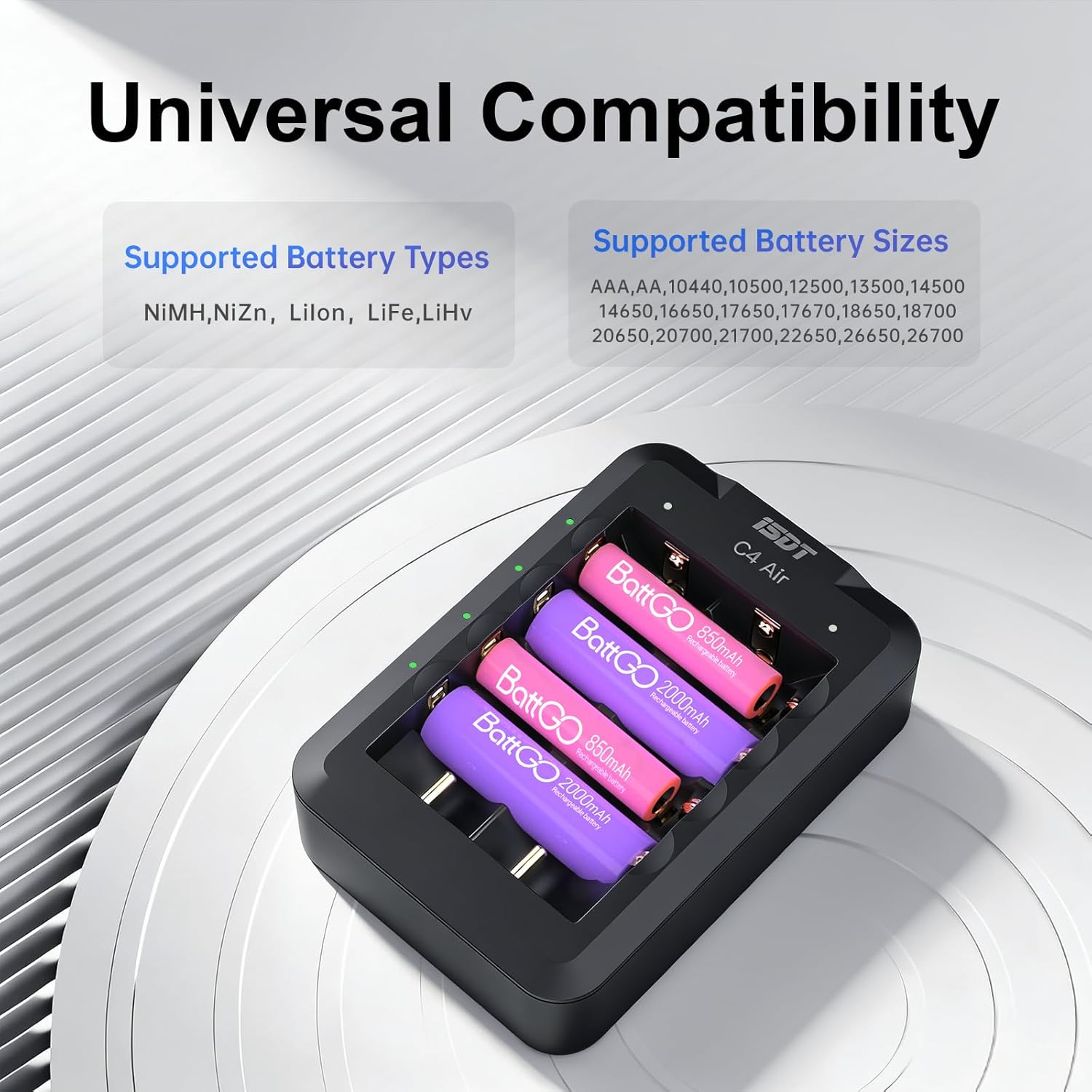
Figure 2: Universal compatibility chart for various battery types and sizes supported by the ISDT C4 Air charger.
5.2. Inserting Batteries
The charger features 6 independent slots: two vertical and four horizontal. Insert batteries according to their polarity (+/-) and ensure they are securely seated.
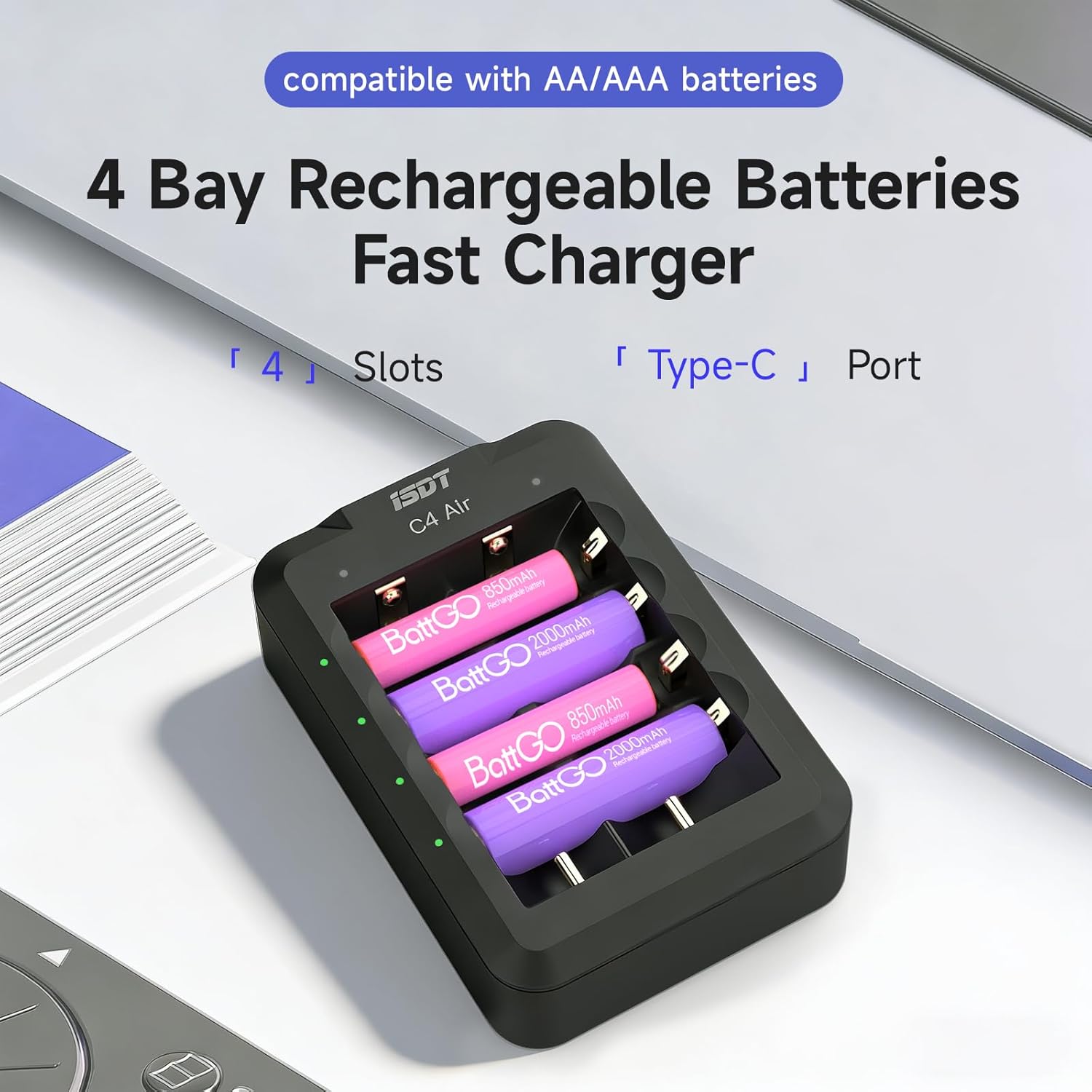
Figure 3: The ISDT C4 Air charger with four AA/AAA batteries inserted in the horizontal slots.
5.3. Charging Modes and Settings
The ISDT C4 Air (also referred to as C4 EVO in some guides) offers multiple working modes for each channel. You can set the battery chemistry, task (Charge, Discharge, Storage, Cycle, Analyze, Activate, Destroy), current, and condition (cutoff voltage).
Video 1: A use guide for the ISDT C4 EVO charger, demonstrating various settings and charging modes. Note: While the product is C4 Air, this video provides relevant operational guidance for similar ISDT C4 models.
To adjust settings:
- Use the navigation buttons on the charger to select the desired slot and parameter.
- Select the appropriate battery chemistry (e.g., Li-ion, NiMH).
- Choose a task: Charge (standard charging), Discharge (to deplete battery), Storage (for long-term storage voltage), Cycle (charge/discharge cycles for battery conditioning), Analyze (to determine actual capacity), Activate (for deeply discharged batteries), or Destroy (for safe disposal of damaged batteries).
- Adjust the charging/discharging current as needed.
- Set the cutoff voltage or condition for specific battery types.
- Initiate the task by selecting 'Start'.
5.4. Intelligent Application Control
The ISDT C4 Air can be connected to a mobile application for enhanced control and monitoring. This allows for a larger display of charging parameters and easier navigation through settings.
- Wireless Connection: Connect the charger to the APP wirelessly (e.g., via Bluetooth).
- Real-time Monitoring: View detailed information for each battery slot, including voltage, current, charged/discharged capacity, operation time, resistance, and temperature.
- OTA Wireless Upgrade: Keep your charger's firmware up-to-date with over-the-air updates via the APP to maintain optimal performance.

Figure 4: The intelligent application control interface on a smartphone, showing various battery parameters and settings.
5.5. Sound and Light Indication
The charger provides auditory and visual cues for different operational states:
- Indicator Lights: Green for charging complete, Red for charging in progress, No light for standby.
- Prompt Sounds: Alerts for battery detection, charging completion, and fault alarms.
6. Maintenance
- Cleaning: Regularly wipe the charger with a dry, soft cloth. Avoid using harsh chemicals or abrasive materials.
- Storage: Store the charger in a cool, dry place away from direct sunlight and extreme temperatures when not in use.
- Firmware Updates: Periodically check for and install OTA firmware updates via the mobile application to ensure optimal performance and access to new features.
7. Troubleshooting
- Charger Not Powering On: Ensure the Type-C cable is securely connected to both the charger and a compatible power source. Verify the power source is active.
- Battery Not Charging: Check that the battery is inserted with correct polarity. Ensure the battery type selected in the settings (or auto-detected) matches the inserted battery. Clean battery contacts if necessary.
- Slow Charging: Verify that your power adapter supports QC/PD fast charging and provides sufficient wattage (up to 40W). Check the set charging current in the charger's settings.
- Error Alarm: If an alarm sounds, check the display or APP for specific error messages. Common errors include reverse polarity, short circuit, or over-temperature. Remove the battery and re-insert it correctly or allow the charger to cool down.
- APP Connection Issues: Ensure Bluetooth is enabled on your mobile device and the charger is within range. Restart both the APP and the charger if connection fails.
8. Specifications
| Feature | Specification |
|---|---|
| Model | C4 EVO (Marketed as C4 Air) |
| Maximum Input Power | 40W |
| Number of Supported Batteries | 1-6 rechargeable batteries |
| Supported Battery Types | NiMH, NiZn, Li-ion, LiFe, LiHv |
| Supported Battery Sizes | AAA, AA, 10440, 10500, 12500, 13500, 14500, 14650, 16650, 17650, 17670, 18650, 18700, 20650, 20700, 21700, 22650, 26650, 26700 |
| Working Voltage Range | 5-12V (compatible with QC and PD protocols) |
| Charging Current Range | 0.1-2.0A (horizontal), 0.1-4.0A (vertical) |
| Operating Temperature | 0-40°C |
| Product Dimensions | 1.14"D x 2.87"W x 4.17"H (106x73x29mm) |
| Item Weight | 4.1 ounces (115 Grams) |

Figure 5: Detailed specifications including dimensions, weight, and supported battery types/sizes.
9. Warranty and Support
For warranty information and customer support, please refer to the official ISDT website or contact your retailer. Keep your purchase receipt as proof of purchase for any warranty claims.


