
1. Introduction and Overview
The Vive Mobility Rollator Model S is designed to provide stable and comfortable support for individuals seeking enhanced mobility both indoors and outdoors. This user-friendly rollator combines robust construction with thoughtful features to ensure safety, convenience, and independence.

Image: The Vive Mobility Rollator Walker in Electric Blue, demonstrating its use and highlighting its 300lb weight capacity.
Key features include 8-inch sport wheels for smooth navigation, dual hand brakes for secure stopping and parking, and an adjustable padded seat and backrest for comfortable resting. Its lightweight, foldable aluminum frame makes it ideal for travel and compact storage.
2. Key Features
- Stable Mobility Support: Equipped with 8-inch sport wheels for smooth maneuverability over various surfaces and dual hand brakes for secure stopping and parking.
- Adjustable Comfort: Handles adjust from 33 to 38 inches to accommodate users from 4'11" to 6'2". The padded backrest height is also adjustable for optimal comfort while seated.
- Portable Design: Exceptionally lightweight at 18 pounds, featuring a strong aluminum frame that supports up to 300 pounds. Easily folds for compact storage and transport.
- Convenient Storage: Includes a cane holder and a tote bag for personal items, ensuring essentials are always within reach.

Image: Overview of key features including foldable design, comfortable seating, pre-assembled frame, and 300 lbs support capacity.

Image: Details on height-adjustable handles and backrest, along with the double-locking brake system.
Official Product Videos:
Video: "Meet the Vive Series S Rollator Walker with Seat" - This video provides a concise overview of the rollator's main features and benefits.
Video: "About the Vive Rollator Model S" - This video offers a more detailed look at the design, functionality, and advantages of the Vive Rollator Model S.
3. Setup
The Vive Mobility Rollator Walker with Seat arrives largely pre-assembled for your convenience. Follow these steps to prepare it for use:
- Unfold the Frame: Carefully remove the rollator from its packaging. Gently pull the sides of the frame apart until it fully extends and locks into place.
- Attach Wheels (if necessary): While the frame is pre-assembled, ensure all wheels are securely attached. Simply attach the wheels and roll away.
- Adjust Handle Height: Locate the adjustment pins or buttons on the handle tubes. Press them in and slide the handles up or down to your desired height. Ensure both handles are at the same height and the pins snap securely into place. The ideal height allows your elbows to be slightly bent when holding the handles.
- Adjust Backrest Height: The padded backrest height can also be adjusted for greater comfort when resting on the seat. Adjust it to a position that provides adequate lumbar support.
- Attach Accessories: Secure the included tote bag to the designated area under the seat. Attach the cane holder to the side of the rollator if you plan to carry a cane.
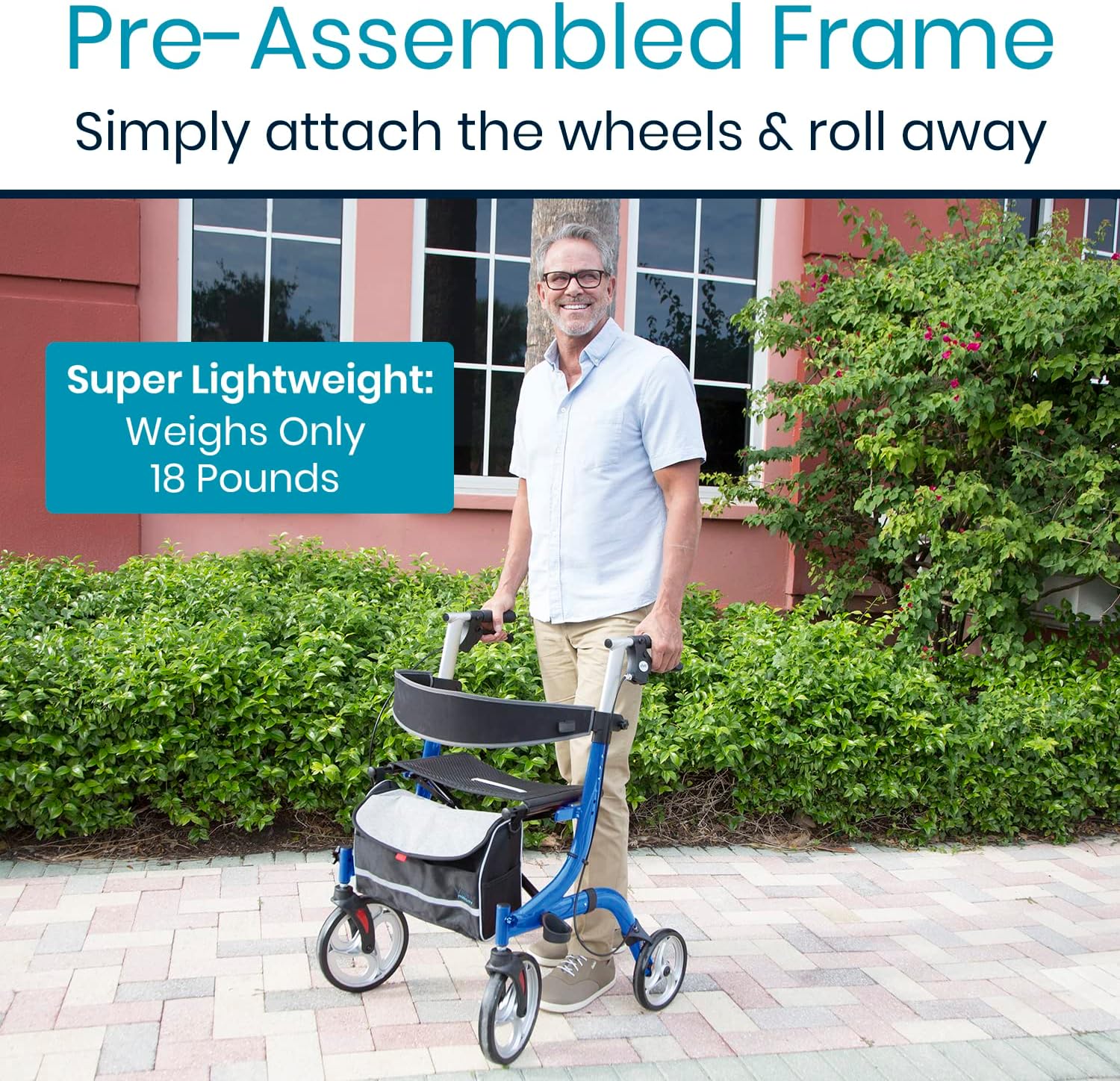
Image: The rollator's pre-assembled frame, highlighting its lightweight design for easy setup.
4. Operating Instructions
Using the Rollator for Walking:
- Stand upright with the rollator in front of you, ensuring your weight is evenly distributed.
- Push the rollator forward a short distance, then step forward with one foot, followed by the other. Maintain a comfortable pace.
- Keep your eyes focused forward, not down at your feet, to maintain balance and awareness of your surroundings.
Using the Brakes:
- To Slow Down or Stop: Gently squeeze the hand brake levers located on the handles. Apply even pressure to both levers for controlled braking.
- To Lock the Wheels (Parking Brake): Push the hand brake levers down until they click into the locked position. This will prevent the rollator from moving, providing stability when sitting or standing. Always engage the parking brake before sitting on the seat.
- To Release the Parking Brake: Pull the hand brake levers up until they release from the locked position.

Image: Illustration of the rollator's sturdy design with 10-inch front wheels and 8-inch rear wheels for enhanced stability.
Using the Seat:
- Ensure the rollator is on a flat, stable surface.
- Engage both parking brakes by pushing the levers down until they lock.
- Turn around and slowly lower yourself onto the seat. Use the handles for support as needed.
- To stand up, lean forward slightly, push off the handles, and slowly rise. Ensure the brakes are still locked until you are fully upright and stable.
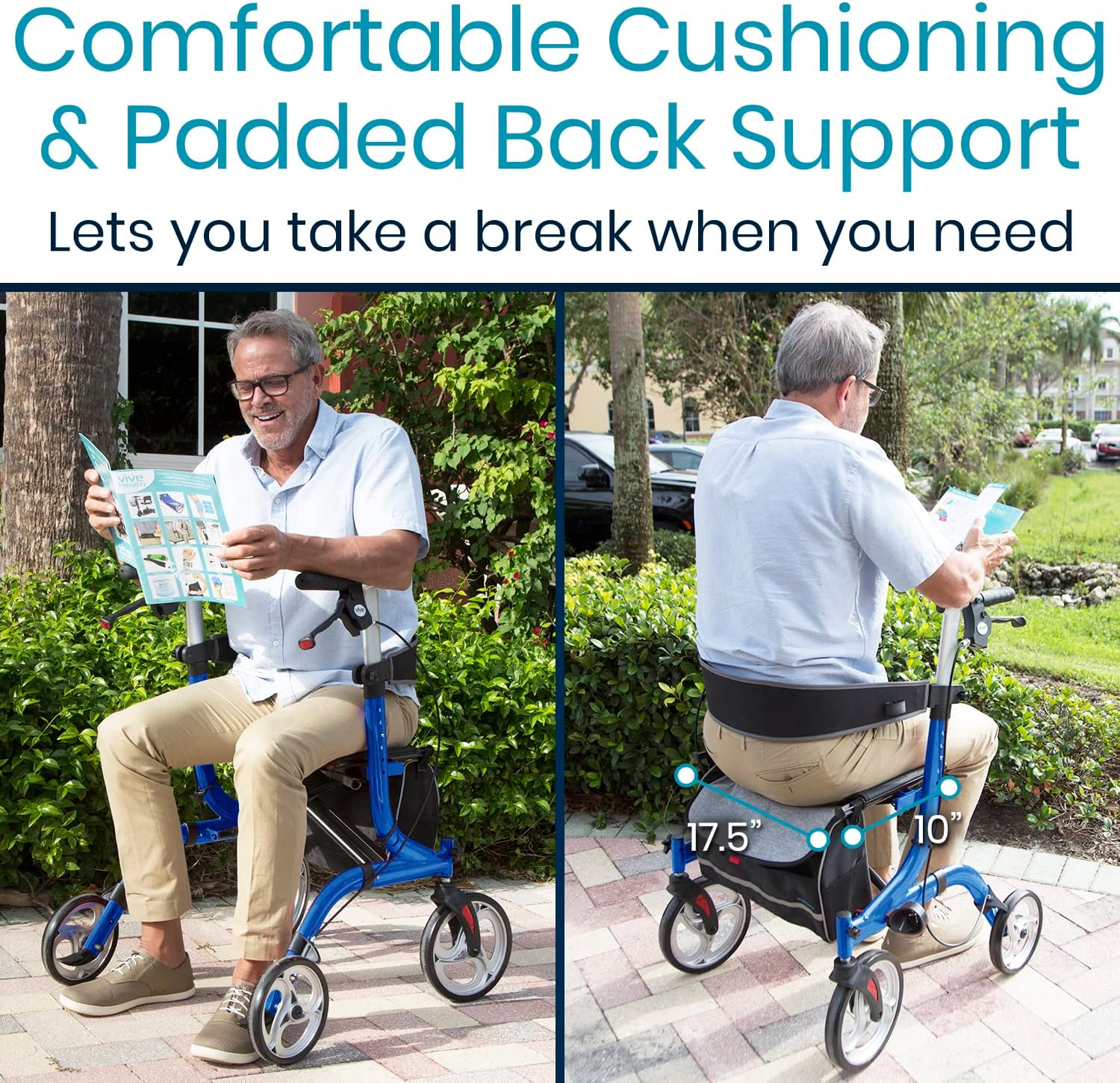
Image: A user comfortably seated on the rollator, highlighting the padded seat and backrest for resting.
Folding for Storage/Transport:
- Ensure the tote bag is empty and removed if desired.
- Pull the strap on the seat upwards to initiate the folding mechanism. The rollator will fold inward.
- Once folded, it can be easily stored in tight spaces or transported in a vehicle.

Image: The rollator in both its open and folded states, demonstrating its quick and easy folding mechanism for compact storage.
5. Maintenance
- Cleaning: Wipe down the frame and seat regularly with a damp cloth and mild soap. Avoid abrasive cleaners.
- Brakes: Periodically check the brake cables for wear and tear. Ensure the brakes engage smoothly and hold the wheels securely when locked. If adjustment is needed, consult a qualified technician.
- Wheels: Inspect the wheels for debris and ensure they spin freely. Clean any hair or lint that may accumulate around the axles.
- Fasteners: Regularly check all screws, bolts, and fasteners to ensure they are tight. Do not overtighten.
- Storage: Store the rollator in a dry place away from extreme temperatures.
6. Troubleshooting
- Rollator pulls to one side: Check if the wheels are clean and free of debris. Ensure tires are not worn unevenly. If issues persist, inspect the frame for any bending or damage.
- Brakes are not engaging or too loose: The brake cables may need adjustment. Consult the brake adjustment section in a more detailed technical manual or seek professional assistance.
- Difficulty folding: Ensure the seat strap is pulled firmly upwards. Check for any obstructions preventing the frame from collapsing fully.
- Unstable feeling: Verify that all adjustment pins (for handles and backrest) are fully engaged and locked. Ensure the frame is completely unfolded and locked into its open position.
7. Specifications
| Feature | Detail |
|---|---|
| Product Dimensions | 27"D x 25"W x 38"H |
| Item Weight | 18 Pounds |
| Material | Aluminum |
| Color | Electric Blue |
| Weight Capacity | Up to 300 Pounds |
| Handle Height Adjustment | 33" to 38" |
| Front Wheel Size | 10 inches |
| Rear Wheel Size | 8 inches |
| Manufacturer | Vive Health |
| Model Number | Model S |
8. Warranty and Support
The Vive Mobility Rollator Walker with Seat is backed by a Vive 1-Year Guarantee, ensuring quality and customer satisfaction. For any questions, concerns, or support needs, please contact Vive Health Direct customer service.

Image: Vive Health 1-Year Guarantee for the product.
This product is also eligible for purchase with Health Savings Account (HSA) or Flexible Spending Account (FSA) funds.
Legal Disclaimer:
Statements regarding dietary supplements have not been evaluated by the FDA and are not intended to diagnose, treat, cure, or prevent any disease or health condition.


