
DXQ S6900070
DXQ Siluet Fitness S6900070 Elliptical Trainer User Manual
Model: S6900070 | Brand: DXQ Siluet Fitness
Important Safety Information
Before using the DXQ Siluet Fitness S6900070 Elliptical Trainer, please read and understand all safety instructions. Failure to follow these instructions may result in injury or damage to the equipment.
- Consult a physician before beginning any exercise program.
- Keep children and pets away from the equipment during operation.
- Place the elliptical trainer on a stable, level surface. Ensure adequate space around the equipment.
- Wear appropriate exercise clothing and athletic footwear. Avoid loose clothing that could get caught in moving parts.
- The maximum user weight for this elliptical trainer is 100 kg (220 lbs).
- The maximum recommended usage frequency is 6 hours per week.
- Stop exercising immediately if you feel faint, dizzy, or experience pain.
- Inspect the equipment for loose parts or wear before each use. Do not use if damaged.
Product Overview
The DXQ Siluet Fitness S6900070 is a compact elliptical trainer designed for regular home use. It features a magnetic resistance system, a 5 kg flywheel, and an LCD monitor to track your workout progress.
Key Features:
- Magnetic Resistance: Provides smooth and quiet operation with 8 manual resistance levels.
- 5 kg Flywheel: Located at the rear for consistent momentum.
- LCD Monitor: Displays 7 functions including Speed, Time, Distance, Calories, Scan, Pulse, and Odometer.
- Hand Pulse Sensors: Integrated into the handlebars for heart rate monitoring.
- Device Holder: Conveniently holds your mobile device or book.
- Transport Wheels: Two wheels for easy relocation of the equipment.
- Anti-slip Pedals: Ensure secure footing during your workout.
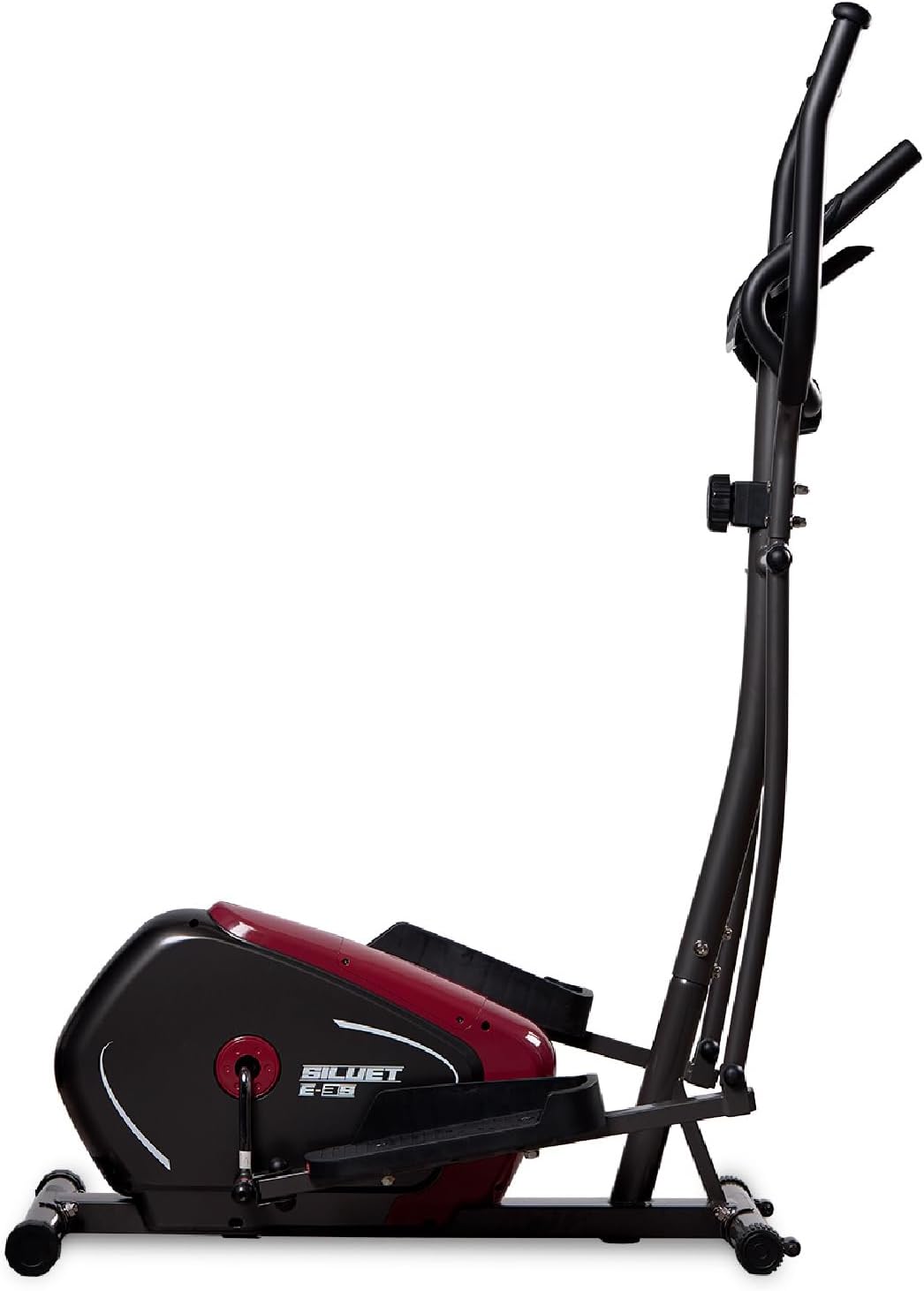
Figure 1: Side view of the DXQ Siluet Fitness S6900070 Elliptical Trainer, showcasing its compact design and main structure.
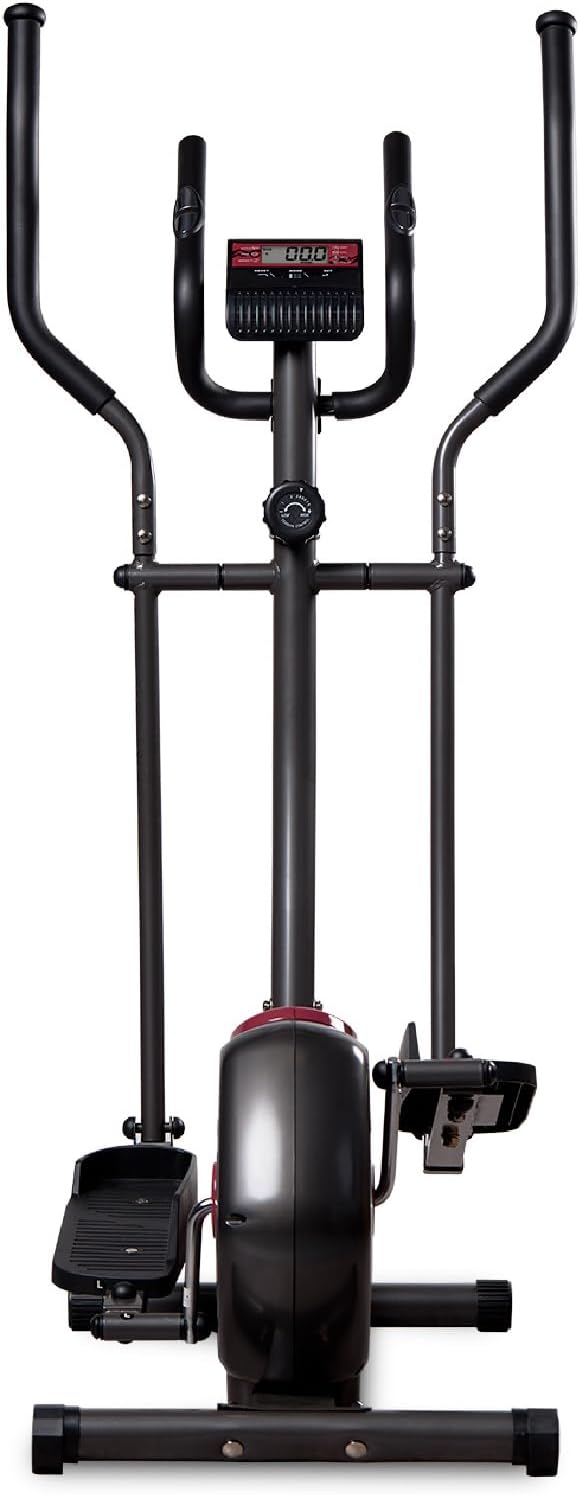
Figure 2: Front view of the elliptical trainer, highlighting the console and handlebars.
Setup and Assembly
The DXQ Siluet Fitness S6900070 Elliptical Trainer features a Plug&Run pre-assembly system, simplifying the setup process. Most major components are pre-assembled, requiring minimal final assembly.
Assembly Steps:
- Unpack Components: Carefully remove all parts from the packaging. Place them on a clean, flat surface.
- Attach Stabilizers: Secure the front and rear stabilizer bars to the main frame using the provided bolts and tools.
- Install Handlebars: Connect the moving handlebars and fixed handlebars to the main upright post. Ensure all connections are tight.
- Mount Pedals: Attach the left and right pedals to their respective crank arms. Note that pedals are often marked 'L' and 'R'.
- Connect Console Cables: Carefully connect the sensor and pulse cables from the main frame to the back of the console. Mount the console onto its bracket.
- Check Stability: Once assembled, ensure all bolts are securely tightened. Use the adjustable levelers on the base to ensure the elliptical is stable and does not wobble on uneven floors.

Figure 3: Diagram illustrating the assembled elliptical trainer with its approximate dimensions: 115.5 cm (length) x 75 cm (width) x 158 cm (height).
Operating Instructions
Starting a Workout:
- Step onto the anti-slip pedals, one foot at a time, ensuring you have a firm grip on the fixed handlebars for balance.
- Begin pedaling in a smooth, elliptical motion. You can hold either the fixed or moving handlebars.
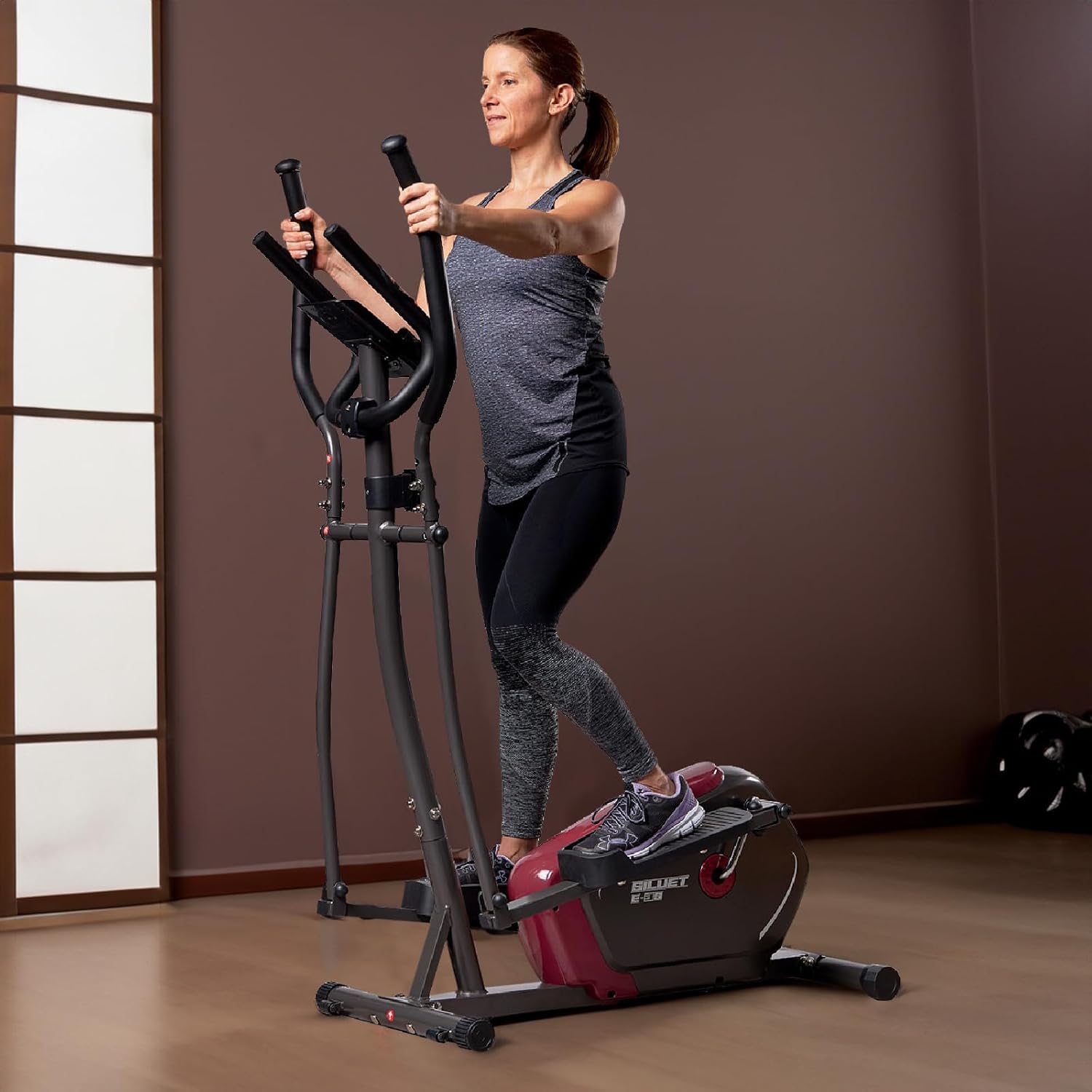
Figure 4: A user demonstrating proper form while exercising on the elliptical trainer, utilizing the moving handlebars.
Adjusting Resistance:
The elliptical trainer features 8 levels of manual magnetic resistance. To adjust the intensity of your workout:
- Locate the resistance knob on the main upright post, below the console.
- Turn the knob clockwise to increase resistance (higher number for more intensity).
- Turn the knob counter-clockwise to decrease resistance (lower number for less intensity).
Console Functions:
The LCD monitor tracks your workout data. It typically activates automatically when you start pedaling or press any button.

Figure 5: Detailed view of the LCD console, showing the display and control buttons (RESET, MODE, SET).
- MODE Button: Press to cycle through the display functions:
- SCAN: Automatically cycles through all functions every few seconds.
- TIME: Displays the duration of your current workout.
- SPEED: Shows your current workout speed.
- DISTANCE: Displays the distance covered during your current workout.
- CALORIES: Estimates the calories burned during your workout.
- PULSE: Shows your heart rate when holding the hand pulse sensors.
- ODOMETER: Displays the total accumulated distance.
- RESET Button: Press and hold to clear all current workout data (Time, Distance, Calories).
- SET Button: Used for setting target values for Time, Distance, or Calories (refer to console specific instructions for detailed setting procedures).
Pulse Measurement:
To measure your heart rate, firmly grasp the hand pulse sensors located on the fixed handlebars. Your pulse will be displayed on the console after a few seconds.
Using the Device Holder:
Place your mobile device or book securely in the integrated holder located above the console for entertainment or reading during your workout.
Maintenance
Regular maintenance ensures the longevity and safe operation of your elliptical trainer.
- Cleaning: Wipe down the equipment with a damp cloth after each use to remove sweat and dust. Avoid abrasive cleaners or solvents.
- Inspection: Periodically check all bolts, nuts, and moving parts for tightness and wear. Tighten any loose fasteners.
- Lubrication: Moving joints may require occasional lubrication. Refer to specific product guidelines if unusual squeaking or friction occurs.
- Storage: Store the elliptical trainer in a dry, cool place away from direct sunlight and moisture. Use the transport wheels to move the unit carefully.

Figure 6: A user tilting the elliptical trainer to engage the transport wheels, facilitating easy movement and storage.
Troubleshooting
If you encounter issues with your elliptical trainer, refer to the following common problems and solutions:
| Problem | Possible Cause | Solution |
|---|---|---|
| Console not displaying | Loose cable connection, dead batteries | Check all cable connections to the console. Replace console batteries (if applicable). |
| No resistance change | Resistance cable disconnected or damaged, mechanism fault | Inspect the resistance cable connection to the knob and flywheel. Contact support if issue persists. |
| Squeaking or grinding noise | Loose bolts, lack of lubrication, worn parts | Tighten all visible bolts and nuts. Apply lubricant to moving joints if necessary. |
| Inaccurate pulse reading | Hands not firmly on sensors, dry hands | Ensure firm contact with both hand pulse sensors. Slightly moisten hands if they are too dry. |
Specifications
Detailed technical specifications for the DXQ Siluet Fitness S6900070 Elliptical Trainer:
| Feature | Detail |
|---|---|
| Model | S6900070 |
| Brand | DXQ Siluet Fitness |
| Product Dimensions (L x W x H) | 115.5 cm x 75 cm x 158 cm |
| Product Weight | 30.5 kg |
| Maximum User Weight | 100 kg |
| Flywheel Weight | 5 kg |
| Resistance System | Magnetic, Manual Control |
| Resistance Levels | 8 graduated levels |
| Transmission System | Poly-V Belt |
| Console Functions | Speed, Time, Distance, Calories, Scan, Pulse, Odometer |
| Pulse Measurement | Integrated Hand Pulse Sensors |
| Device Holder | Yes |
| Transport Wheels | Yes (2) |
| Recommended Usage | Regular, up to 6 hours/week |
| Main Material (as per specification) | Acrylic (Note: Typically refers to specific components, main frame is usually steel) |
Warranty and Support
Specific warranty details for the DXQ Siluet Fitness S6900070 Elliptical Trainer may vary by region and retailer. Please retain your proof of purchase for any warranty claims.
For technical assistance, spare parts, or warranty inquiries, please contact your retailer or the manufacturer directly. Refer to the contact information provided with your purchase documentation.
Ask a question about this manual
Ask about setup, troubleshooting, compatibility, parts, safety, or missing instructions. Manuals+ will review the question and use this page’s manual context to help answer it.