
Introduction
Thank you for choosing the SOBO SB-3000 Mini AC/DC Air Pump. This manual provides essential information for the safe and efficient operation, installation, and maintenance of your air pump. Please read these instructions carefully before use and retain them for future reference.
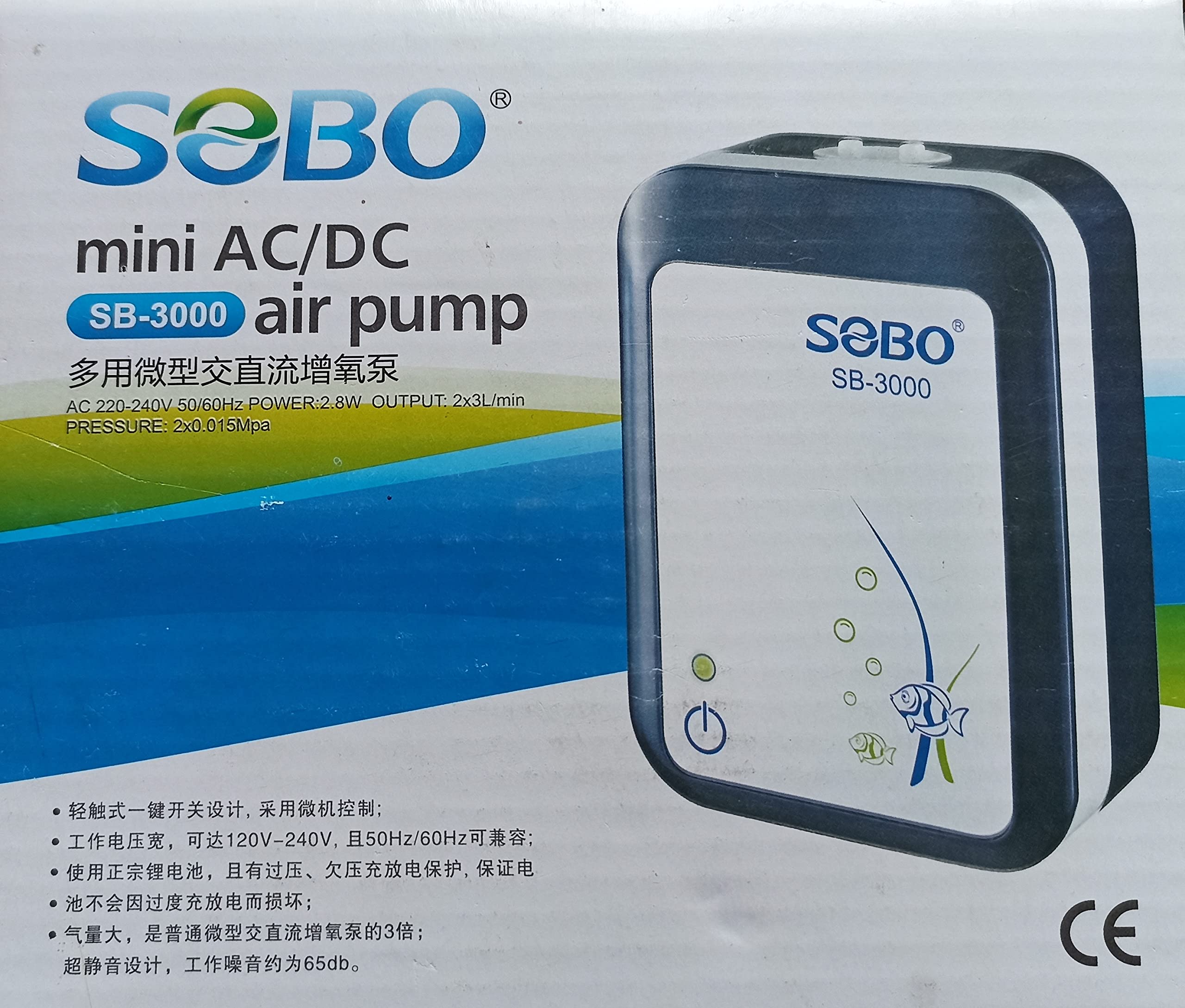
Image: The SOBO SB-3000 Mini AC/DC Air Pump, a compact device designed for aquarium aeration.
Package Contents
Verify that all items are present in the package:
- 1 x SOBO SB-3000 Mini AC/DC Air Pump
- 1 x Charging Cable
- 2 x Air Tube
- 2 x Air Stone

Image: An illustration showing the various components included in the SOBO SB-3000 package, including the pump, tubes, and air stones.
Important Safety Instructions
- Ensure the power supply matches the pump's requirements (AC 220-240V, 50/60Hz).
- Always place the air pump above the water level to prevent water backflow. Use a check valve if placing below water level.
- Do not operate the pump if the power cord or plug is damaged.
- Keep out of reach of children.
- Do not immerse the pump in water.
- Unplug the pump before performing any maintenance or cleaning.
Setup and Installation
- Connect Air Tubes and Air Stones: Attach one end of each air tube to the pump's air outlets. Connect an air stone to the other end of each air tube.
- Positioning: Place the air pump in a dry, well-ventilated area, ensuring it is positioned above the aquarium's water level. This prevents water from siphoning back into the pump during a power outage. If placing below water level, install a check valve on each air line.
- Place Air Stones: Submerge the air stones in your aquarium.
- Power Connection: Plug the pump into a suitable AC power outlet.

Image: A visual guide demonstrating how to correctly set up the air pump with air tubes and air stones in an aquarium, emphasizing placement above water level.
Operation
The SOBO SB-3000 features AC/DC operation and two output modes. Refer to the instruction sheet for detailed button functions.

Image: A close-up of the instruction sheet, detailing the setting up and operation modes of the air pump, including charging and output options.
1. Setting Up and Charging
Plug the pump into a power supply and charge the battery. Note that if the pump is switched off whilst charging, the charge time will be faster, up to 4 hours.
2. Choose Your Setting (Operating Modes)
- Option 1 (Continuous Operation): Pushing the button once activates a light which produces strong air output for up to 12 hours.
- Option 2 (Intermittent Operation): Pushing the button a second time activates a light which produces a slower air flow which automatically shuts on and off every 30 seconds, making the battery last even longer, over 25 hours, for those critical moments.
3. Indicator Lights
The green light indicates normal operation. The red light indicates that the pump is plugged into AC supply and charging.
4. Smart Battery Protection Unit
The battery will never entirely discharge all of its energy. This unique feature ensures that the battery unit is always at an optimum condition, prolonging its lifespan and preventing damage from over-discharge.
5. Automatic Recharging System
The pump will automatically recharge itself once it is low on power, ensuring continuous readiness.
Maintenance
- Air Stone Replacement: Air stones can become clogged over time, reducing air output. Replace air stones regularly (e.g., every 3-6 months) or when you notice reduced bubble production.
- Cleaning: Wipe the exterior of the pump with a dry cloth. Do not use harsh chemicals or immerse the pump in water.
- Air Filter (if applicable): Some air pumps have an air filter. Check your pump for a filter and clean or replace it as per manufacturer recommendations to ensure optimal performance. (Note: This model's specifications do not explicitly mention a replaceable air filter, but general advice for air pumps is included.)
- Battery Care: The built-in Smart Battery Protection Unit and Automatic Recharging System help maintain battery health. For optimal battery life, avoid storing the pump completely discharged for extended periods.
Troubleshooting
| Problem | Possible Cause | Solution |
|---|---|---|
| No air output or weak air flow |
|
|
| Pump is noisy |
|
|
| Water backflow into pump |
|
|
Specifications
| Model | SB-3000 |
| Brand | SOBO (Generic listed on Amazon) |
| Power Input | AC 220-240V, 50/60Hz |
| Power Consumption | 2.8W |
| Output | 2 x 3 L/MIN |
| Pressure | 2 x 0.15 Mpa |
| Operation Mode | Automatic (AC/DC, Continuous/Intermittent) |
| Included Components | 1 Air Pump, 1 Charging Cable, 2 Air Tubes, 2 Air Stones |
| Material Type | Stone (for air stones) |
| UPC/EAN | 6925394820352 |
Warranty and Support
Specific warranty information is not provided in the product details. For warranty claims, technical support, or replacement parts, please contact your retailer or the manufacturer directly.
Manufacturer details from packaging image:
- Company: Zhongshan City Songbao Electrical Appliance Co., Ltd.
- Address: No. 1, Shagang Road, Xiaolan Town, Zhongshan City, GD, China
- Email: sobo@sobo.cn
- Website: http://www.sobo.cn