
Introduction
This manual provides essential information for setting up, operating, maintaining, and troubleshooting your MSI GF63 Thin Gaming Laptop. Please read this manual thoroughly to ensure proper use and to maximize the performance and longevity of your device.
Package Contents
Upon opening the package, verify that all items are present and in good condition:
- MSI GF63 Thin Gaming Laptop
- Battery pack
- AC Adapter and Power Cord
- Quick Start Guide (this document)
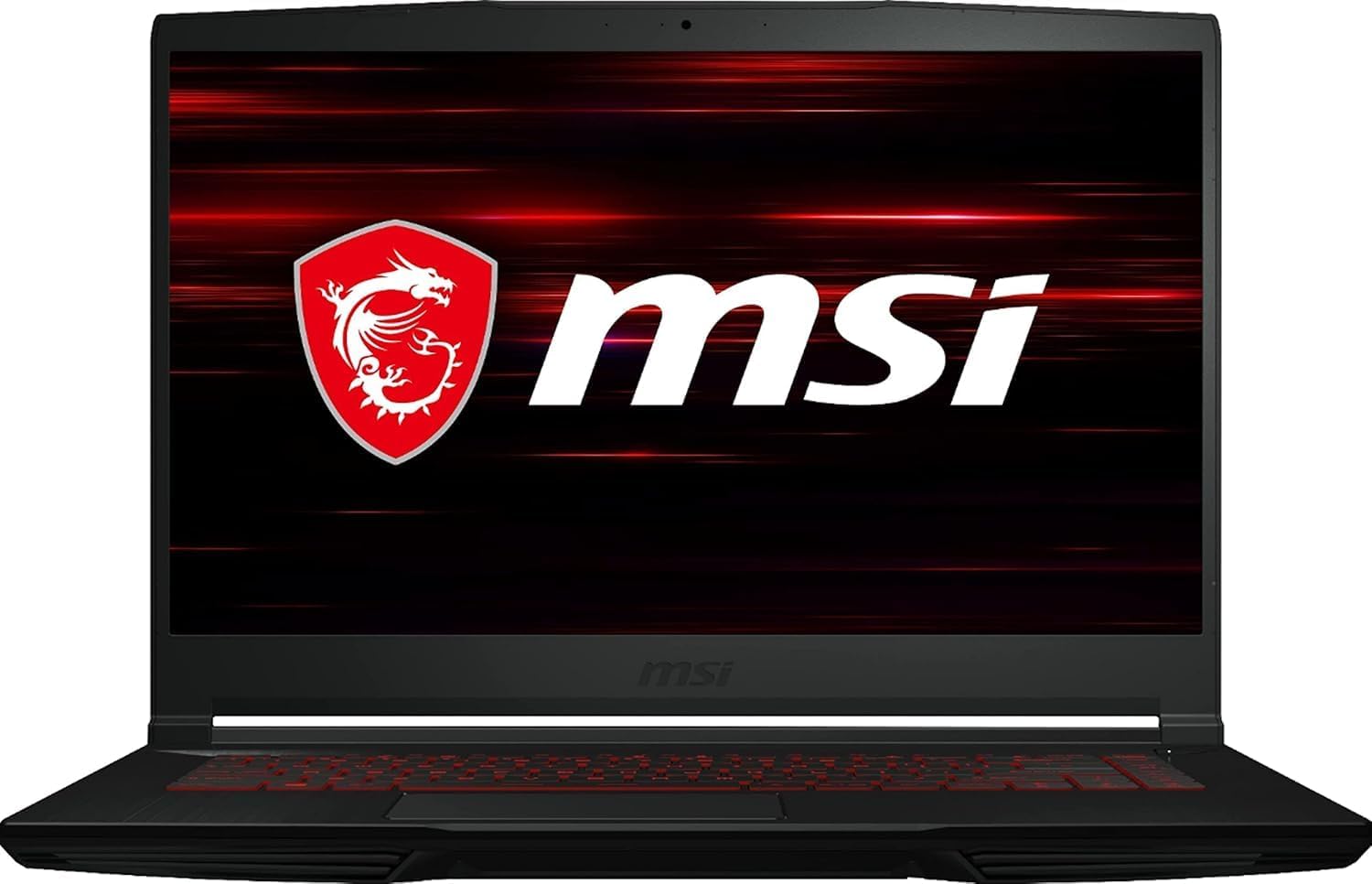
Image: Front view of the MSI GF63 Thin Gaming Laptop with the MSI logo on the screen.
Setup
1. Initial Power On
- Connect the AC adapter to the laptop's power input port and then to a power outlet.
- Open the laptop lid.
- Press the power button to turn on the laptop.
- Follow the on-screen instructions to complete the initial Windows 11 setup.
2. Connecting Peripherals
The MSI GF63 Thin is equipped with various ports for connecting external devices:
- USB 3.0 Ports (x4): For connecting USB devices such as mice, keyboards, and external storage.
- Audio Jacks: Separate ports for headphones and microphones.
- HDMI Port: For connecting to external displays or TVs.
- Ethernet Port: For wired network connections.

Image: Side view of the MSI GF63 Thin Gaming Laptop, highlighting the USB, audio, and other connectivity ports.
Operating Your Laptop
1. Display Features
Your laptop features a 15.6-inch Full HD (1920 x 1080) display with a 144Hz refresh rate, providing smooth visuals for gaming and multimedia. The thin bezel design enhances the immersive viewing experience.
2. Keyboard and Touchpad
The MSI GF63 Thin is equipped with a backlit keyboard, featuring red illumination for enhanced visibility in low-light conditions. The integrated touchpad provides precise cursor control.

Image: Top-down view of the MSI GF63 Thin Gaming Laptop's keyboard, showcasing the red backlighting.
3. Performance and Gaming
The laptop is powered by an Intel Core i5-11400H processor and an NVIDIA GeForce RTX 3050 graphics card with 4GB GDDR6 dedicated memory, ensuring robust performance for gaming and demanding applications. With 16GB of DDR4 RAM and a 512GB NVMe SSD, the system offers fast loading times and smooth multitasking.
4. Wireless Connectivity
Integrated 802.11ax (Wi-Fi 6) provides high-speed wireless internet access.
5. Battery Life
Battery life varies based on usage. For general productivity and creative tasks, enabling battery saver mode can provide approximately 4 hours of usage. Intensive tasks like gaming will significantly reduce battery duration.
Maintenance
1. Cleaning and Care
- Use a soft, lint-free cloth to clean the screen and exterior surfaces.
- Avoid using harsh chemicals or abrasive cleaners.
- Keep ventilation openings clear of dust and debris to ensure proper airflow.
2. Software Updates
Regularly update your Windows 11 operating system and device drivers to ensure optimal performance, security, and compatibility. Updates can be managed through Windows Settings and MSI's official support website.
3. Cooling System
The laptop's cooling system is designed to manage heat during operation. For demanding tasks, ensure the laptop is placed on a hard, flat surface to allow for unrestricted airflow. MSI Dragon Center software can be used to monitor temperatures and adjust fan curves for customized cooling performance.
Troubleshooting
If you encounter issues with your MSI GF63 Thin, refer to the following common solutions:
- No Power: Ensure the AC adapter is securely connected to both the laptop and a working power outlet. Check the power button for any damage.
- Display Issues: If the screen is blank, try connecting an external monitor to verify if the issue is with the laptop's display. Ensure graphics drivers are up to date.
- Performance Lag: Close unnecessary applications, check for background processes, and ensure the laptop is adequately cooled. Update drivers and Windows.
- Battery Draining Quickly: Adjust power settings to a more conservative mode (e.g., "Battery Saver"). Reduce screen brightness and close power-intensive applications.
- Connectivity Problems: For Wi-Fi, restart your router and the laptop. For wired connections, check the Ethernet cable and router settings.
For further assistance, consult the MSI support website or contact customer service.
Specifications
| Feature | Detail |
|---|---|
| Brand | MSI |
| Model Name | MSI GF63 Thin |
| Screen Size | 15.6 Inches |
| Screen Resolution | 1920 x 1080 pixels (Full HD) |
| Refresh Rate | 144Hz |
| Processor | Intel Core i5-11400H (2.7 GHz) |
| RAM | 16 GB DDR4 |
| Hard Drive | 512 GB NVMe SSD |
| Graphics Coprocessor | NVIDIA GeForce RTX 3050 |
| Graphics Card Ram Size | 4 GB GDDR6 (Dedicated) |
| Operating System | Windows 11 |
| Wireless Type | 802.11ax (Wi-Fi 6) |
| Number of USB 3.0 Ports | 4 |
| Item Weight | 7.37 pounds |
| Product Dimensions | 14.13 x 9.99 x 0.86 inches |
| Color | Aluminum Black |
| Special Feature | Backlit Keyboard |
Warranty and Support
Your MSI GF63 Thin Gaming Laptop comes with a standard manufacturer's warranty. For detailed warranty terms and conditions, please refer to the documentation included with your product or visit the official MSI website.
Optional protection plans are available for extended coverage:
- 2-Year Protection Plan: $79.99
- 4-Year Protection Plan: $139.99
- Complete Protect: $16.99/month (covers all eligible past and future purchases)
For technical support, driver downloads, and service inquiries, please visit the official MSI support website: www.msi.com/support


