
1. Introduction
This manual provides instructions for the Slime 20341 Pro-Series Digital Tire Pressure Gauge. This device is designed for accurate and easy measurement of tire pressure, ensuring optimal vehicle performance and safety.
Key features include a user-friendly design, compact form factor, high accuracy, and an easy-to-read backlit digital display. It measures pressure in the range of 5-100 psi and incorporates an integrated bleeder pin for pressure adjustment. The gauge features durable construction, a dual head with an illuminated tip for low-light conditions, a user-replaceable battery, automatic shut-off to conserve power, and a convenient metal pocket clip.
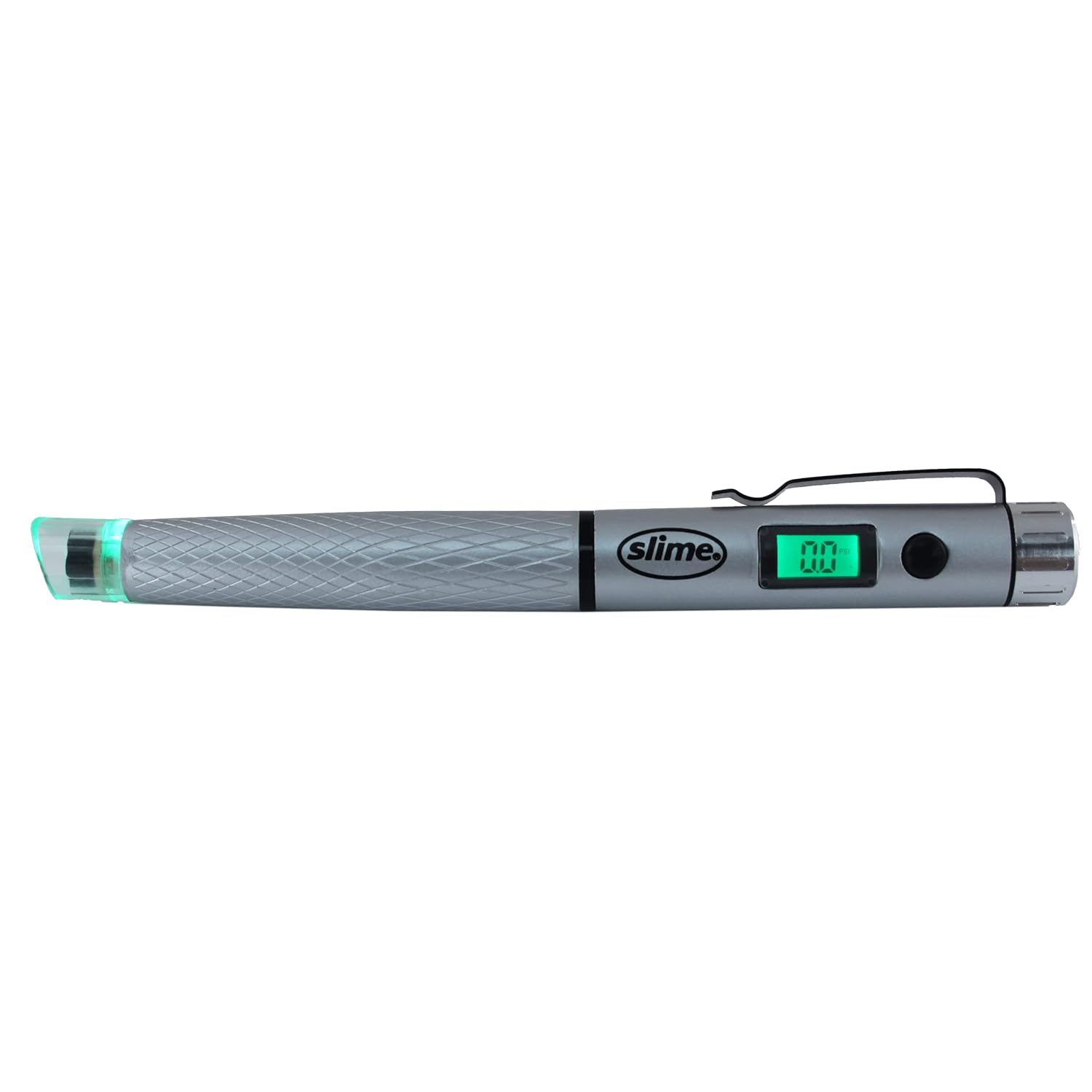
The gauge is crafted for reliability and ease of use, making tire pressure checks a simple task for any vehicle owner.

2. Setup
The Slime 20341 Digital Tire Pressure Gauge comes with a user-replaceable battery already installed.
- To activate the gauge, press the power button located on the side of the unit.
- The LCD will display "0.0" when it is ready for use. If the display does not show "0.0" or is dim, refer to the Troubleshooting section for battery replacement instructions.

3. Operating Instructions
- Preparation: Ensure the tire valve stem is clean and free of dirt or debris before taking a reading.
- Taking a Reading: Firmly press the gauge straight onto the tire valve stem. Maintain a tight seal to prevent air leakage during measurement.
- Reading the Display: The digital display will show the tire pressure reading in psi. The display is backlit for clear visibility in various lighting conditions.
- Adjusting Pressure (Bleeder Pin): To release excess air pressure, press the integrated bleeder pin into the valve core. This allows for precise pressure adjustments to reach the desired level.
- Automatic Shut-off: The gauge features an automatic shut-off function to conserve battery life after a period of inactivity.

4. Maintenance
- Cleaning: Keep the gauge clean and free of dirt, especially the tip and bleeder pin, to ensure accurate readings and proper function. Use a soft, dry cloth for cleaning.
- Battery Replacement: If the display becomes dim or the gauge fails to power on, replace the battery. The battery compartment is located on the back of the unit (refer to Figure 3). Ensure correct polarity when inserting the new battery.
- Storage: Store the gauge in a dry, cool place when not in use to prolong its lifespan. Avoid exposing it to extreme temperatures or direct sunlight for extended periods.
5. Troubleshooting
- Gauge does not power on:
- Check if the battery is correctly installed. Ensure proper polarity.
- Replace the battery with a new one if the existing battery is depleted.
- Inaccurate readings:
- Ensure the gauge is pressed firmly and straight onto the tire valve stem to create a tight seal.
- Verify that the tire valve is clean and free of debris that might obstruct the seal.
- Compare readings with another known accurate gauge if available to confirm accuracy.
- Display issues (e.g., dim, flickering):
- Replace the battery.
- Ensure the gauge is not exposed to extreme temperatures, which can affect LCD performance.
6. Specifications
| Feature | Detail |
|---|---|
| Brand | Slime |
| Model Number | 20341 |
| Measurement Range | 5-100 psi |
| Display Type | Backlit Digital LCD |
| Power Source | User-replaceable battery (included) |
| Product Dimensions (LxWxH) | 26.04 x 6.99 x 1.96 cm (10.25 x 2.75 x 0.77 inches) |
| Item Weight | 75 g |
| Material | Metal, Plastic |
| Special Features | Dual head, illuminated tip, bleeder pin, automatic shut-off, metal pocket clip |
| UPC | 716281508523 |
7. Warranty
Warranty information for the Slime 20341 Pro-Series Digital Tire Pressure Gauge is not included in this manual. Please refer to the product packaging or contact Slime customer service for details regarding warranty coverage and terms.
8. Support
For further assistance, product inquiries, or technical support, please visit the official Slime website or contact ITW Global Tire Repair:
- Website: www.slime.com
- Manufacturer: ITW Global Tire Repair
- Address: 125 Venture, Suite 200, San Luis Obispo, CA 93401 USA


