
Introduction
This instruction manual provides detailed guidance for the installation, operation, and maintenance of your SKYLINK Wall Side Mount Garage Door Opener, Model G2S. Designed for residential sectional garage doors up to 12 feet high, this opener offers a quiet operation, integrated WiFi, and LED lighting. Its wall-mounted design eliminates the need for traditional overhead rails, maximizing ceiling space in your garage.
What's in the Box
Your SKYLINK G2S package includes the following components:
- SKYLINK G2S Wall Side Mount Garage Door Opener Unit: The main operating unit for your garage door.
- Remote Control: For convenient wireless operation of your garage door.
- Wall Console: A wired control panel for inside your garage.
- Safety Sensors: Essential for detecting obstructions and ensuring safe operation.
- Automatic Door Lock: Provides enhanced security by physically locking the garage door.
- Mounting Hardware: All necessary screws, brackets, and fasteners for installation.
- Instruction Manual: This document for detailed guidance.
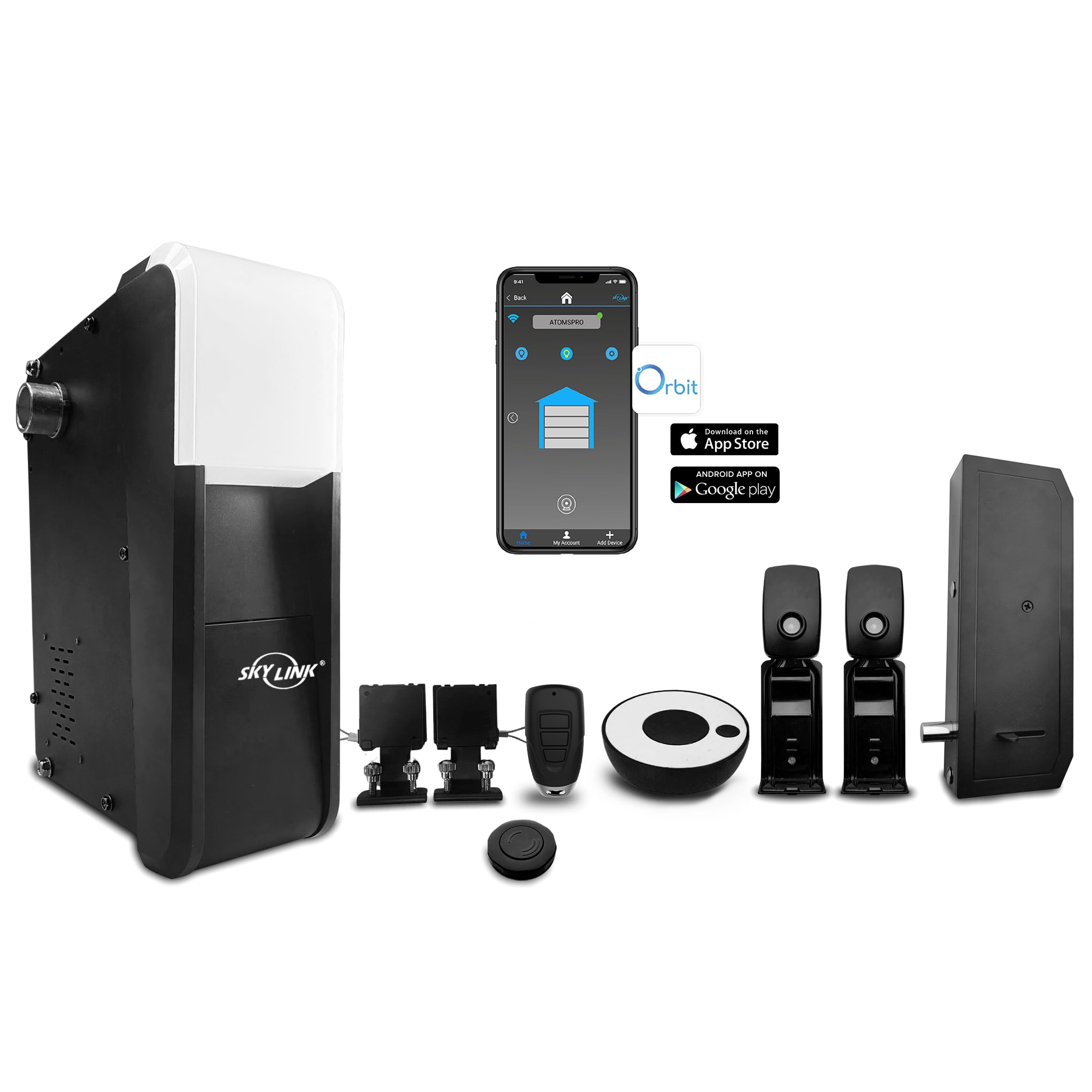
Image: The main SKYLINK G2S Wall Side Mount Garage Door Opener unit.

Image: A black remote control with three buttons for operating the garage door.

Image: A round, black and white wall console with a central button.

Image: Two black safety sensors designed to be mounted on either side of the garage door opening.
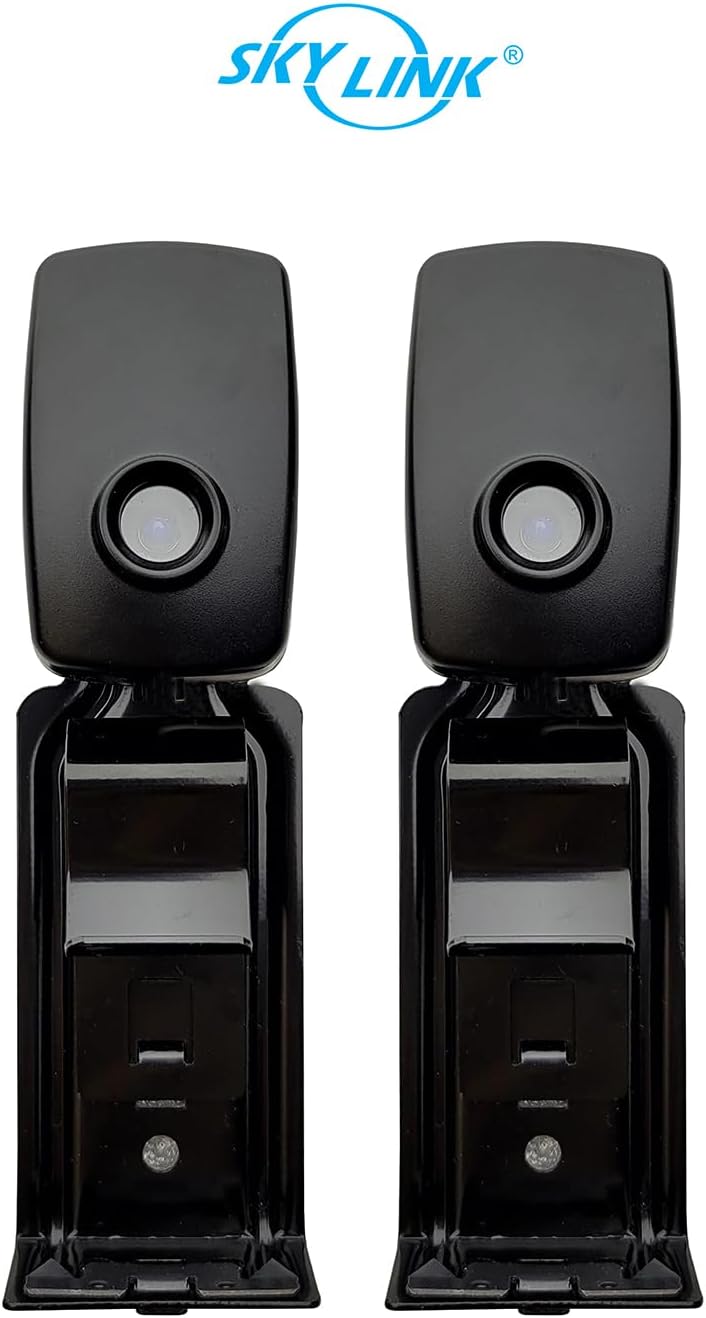
Image: A black automatic door lock mechanism with a metal bolt extending from its side.

Image: An overview of all components included in the SKYLINK G2S Wall Side Mount Garage Door Opener kit, including the main unit, remote, wall console, safety sensors, and automatic door lock.
Setup and Installation
The SKYLINK G2S Wall Side Mount Garage Door Opener is designed for easy installation, eliminating the need for traditional overhead rails and hangers. This design is suitable for all sectional residential garage doors up to 12 feet high.
Key Installation Steps:
- Prepare the Installation Area: Ensure the area around your garage door's torsion bar and side walls is clear and accessible.
- Mount the Opener Unit: Securely attach the main opener unit to the wall next to the garage door's torsion bar. The unit connects directly to the torsion bar, providing a clean, space-saving installation.
- Install Safety Sensors: Mount the safety sensors at the bottom of the garage door tracks, ensuring they are aligned and unobstructed.
- Connect Automatic Door Lock: Install the automatic door lock mechanism to the side of the garage door track. This feature will engage automatically when the door closes, providing additional security.
- Wire the Wall Console: Connect the wall console to the main opener unit using the provided wiring.
- Power Connection: Plug the opener into a grounded electrical outlet.
- Program Limits and Remotes: Follow the detailed instructions in the included manual to program the door's open and close limits, and to pair your remote controls.
Installation Video Guide:
Video: Official SKYLINK guide demonstrating the installation process for the Wall Mount Garage Door Opener. This video provides visual instructions for mounting the unit, connecting components, and initial setup.
Operating Instructions
Your SKYLINK G2S opener offers multiple convenient ways to operate your garage door:
- Remote Control: Press the designated button on your remote control to open or close the garage door.
- Wall Console: Use the buttons on the wall-mounted console inside your garage for direct control.
- Smartphone App (Orbit Smarthome): Download the Orbit Smarthome app to control your garage door from anywhere using your smartphone.
The G2S model is designed for quiet operation, minimizing noise during opening and closing cycles. The automatic door lock engages upon closing, providing an extra layer of security by physically securing the door.
Smart Home Integration
The SKYLINK G2S is integrable with Orbit Smarthome control, offering seamless connectivity with popular smart home platforms:
- Alexa Compatible: Control your garage door using voice commands through Amazon Alexa-enabled devices.
- Google Assistant Compatible: Integrate with Google Assistant for convenient voice control and smart home routines.
Utilize the Orbit Smarthome app to monitor your garage door's status, receive notifications, and operate it remotely, enhancing both convenience and security.
Maintenance
Regular maintenance ensures the longevity and optimal performance of your garage door opener:
- Monthly Inspection: Check the garage door's balance, springs, cables, rollers, and tracks for any signs of wear or damage.
- Lubrication: Lubricate moving parts such as rollers, hinges, and springs annually with a garage door lubricant.
- Safety Sensor Test: Periodically test the safety sensors by placing an object in the door's path to ensure it reverses upon detection.
- Remote Battery Replacement: Replace remote control batteries as needed (1 AAA battery required, included).
- Keep Tracks Clear: Ensure garage door tracks are free from debris and obstructions.
Troubleshooting
If you encounter issues with your SKYLINK G2S opener, refer to the following common troubleshooting tips:
- Door Not Opening/Closing: Check power supply, ensure safety sensors are aligned and clear, and verify remote control battery.
- Door Reverses Unexpectedly: Inspect safety sensors for obstructions or misalignment. The door may also reverse if it encounters too much resistance.
- Remote Not Working: Replace remote battery, ensure it's programmed correctly, and check for signal interference.
- Automatic Lock Malfunction: Ensure the lock mechanism is clear of debris and properly aligned with the track.
- WiFi Connectivity Issues: Verify your home WiFi network is active and the opener is within range. Re-pair the opener with the Orbit Smarthome app if necessary.
For more detailed troubleshooting, consult the full instruction manual or contact customer support.
Specifications
| Feature | Specification |
|---|---|
| Model Number | G2S |
| Brand | SKYLINK |
| Compatible Door Type | Residential Sectional Garage Doors |
| Max Door Height | Up to 12 feet |
| Connectivity | WiFi (Orbit Smarthome, Alexa, Google Assistant compatible) |
| Special Feature | Quiet Operation, LED Light, Automatic Door Lock |
| Item Weight | 20.9 pounds |
| Package Dimensions | 21.26 x 13.39 x 7.09 inches |
| Batteries | 1 AAA batteries required (included) |
Warranty and Support
For technical assistance or warranty inquiries, please contact SKYLINK customer support. Optional protection plans are available for extended coverage.
- Customer Support: For installation help or other inquiries, please call 800-304-1187.
- Protection Plans: 2-Year and 3-Year protection plans are available for purchase separately.

Image: A graphic displaying the customer support phone number for installation assistance: 800-304-1187.


