
1. Introduction
Thank you for choosing the FelixKing Ergonomic Office Chair FK9070-F. This chair is designed to provide comfort and support for extended periods in both home and office environments. It features a breathable mesh high back, 3D adjustable armrests, adjustable lumbar support, and smooth-gliding blade wheels. Please read this manual carefully before assembly and use to ensure proper function and longevity of your chair.
2. Safety Information
- Assembly is required. Follow all instructions carefully.
- Exercise caution when adjusting armrests and headrest to avoid pinching.
- Always use the chair on a stable, level surface to prevent tipping.
- Do not stand on the chair.
- Do not use the chair if any parts are damaged, missing, or appear to be malfunctioning. Contact customer support immediately.
- Keep children and pets away from moving parts during assembly and adjustment.
- The chair is designed for indoor use only.
3. Package Contents
Please verify that all components are present before beginning assembly. If any parts are missing or damaged, please contact FelixKing customer service.
- Backrest Assembly
- Seat Cushion Assembly
- Armrests (2)
- Gas Lift Cylinder
- Chair Base
- Casters (5)
- Headrest
- Hardware Pack (screws, washers, Allen wrench)
4. Assembly Instructions
Some assembly is required. Please follow the instructions provided in the included assembly guide. A typical assembly process involves:
- Insert casters into the chair base.
- Insert the gas lift cylinder into the center hole of the chair base.
- Attach the armrests to the seat cushion using the provided screws.
- Attach the backrest to the seat cushion and armrests.
- Place the assembled seat and backrest onto the gas lift cylinder.
- Attach the headrest to the top of the backrest.
For detailed visual instructions, please refer to the assembly diagram included in your product packaging.
5. Operating Instructions (Adjustments)
The FelixKing Ergonomic Office Chair FK9070-F offers multiple adjustment features to customize your seating experience.
5.1 Seat Height Adjustment
To adjust the seat height, pull the lever located under the right side of the seat upwards. While pulling the lever, either stand up to raise the seat or remain seated to lower it. Release the lever to lock the seat at the desired height. The seat height ranges from approximately 18.1 to 21.9 inches off the floor.

Image: Seat Height Adjustment Lever
5.2 Tilt Adjustment and Locking
The chair features a 3-level tilt mechanism, allowing the backrest to recline up to 135 degrees for stretching or resting. To adjust the tilt, pull out the lever located under the left side of the seat. Recline to your desired angle, then push the lever back in to lock the position. Pull the lever out again to unlock and return to an upright position.

Image: 3-Level Tilt Mechanism
5.3 Armrest Adjustment
The 3D PU armrests can be adjusted for height, angle, and front-to-rear position to relieve pressure on your arms and shoulders. Locate the buttons or levers on the armrests to make these adjustments. Press the button to raise or lower the armrest. Rotate the armrest pad for angle adjustment. Slide the armrest pad forward or backward for depth adjustment.

Image: 3D PU Armrest Adjustments
5.4 Headrest Adjustment
The 2D contoured headrest can be adjusted up and down by 2.0 inches and tilted by 30 degrees to support your neck and head. Gently push or pull the headrest to adjust its height and angle for optimal comfort.
Image: 2D Headrest Adjustments
5.5 Lumbar Support
The chair features ergonomic butterfly lumbar support, designed to support your spine and help maintain a natural S-curve. This segmented lumbar brace provides comfort and can be adjusted for position.

Image: Ergonomic Butterfly Lumbar Support
5.6 General Adjustments Overview
This video demonstrates the various adjustments available on the FelixKing Ergonomic Office Chair, including seat height, tilt, armrest, and headrest adjustments.
Video: FelixKing Ergonomic Office Chair Adjustments (FK9070 & FK9070-S)
6. Maintenance
Proper maintenance will extend the life and performance of your FelixKing office chair.
- Cleaning: Wipe clean with a damp cloth. Avoid using harsh chemicals or abrasive cleaners, as these can damage the mesh, fabric, or plastic components.
- Casters: The blade wheels are designed for smooth glide on various floor types including wood, hardwood, laminate, vinyl, tile, and carpet. Periodically check casters for hair or debris and clean as needed to ensure smooth movement.
- Hardware: Regularly check all screws and bolts to ensure they are tight. Re-tighten if necessary to prevent wobbling or instability.
- Gas Lift: Do not attempt to disassemble or repair the gas lift cylinder yourself. If it malfunctions, contact customer support.
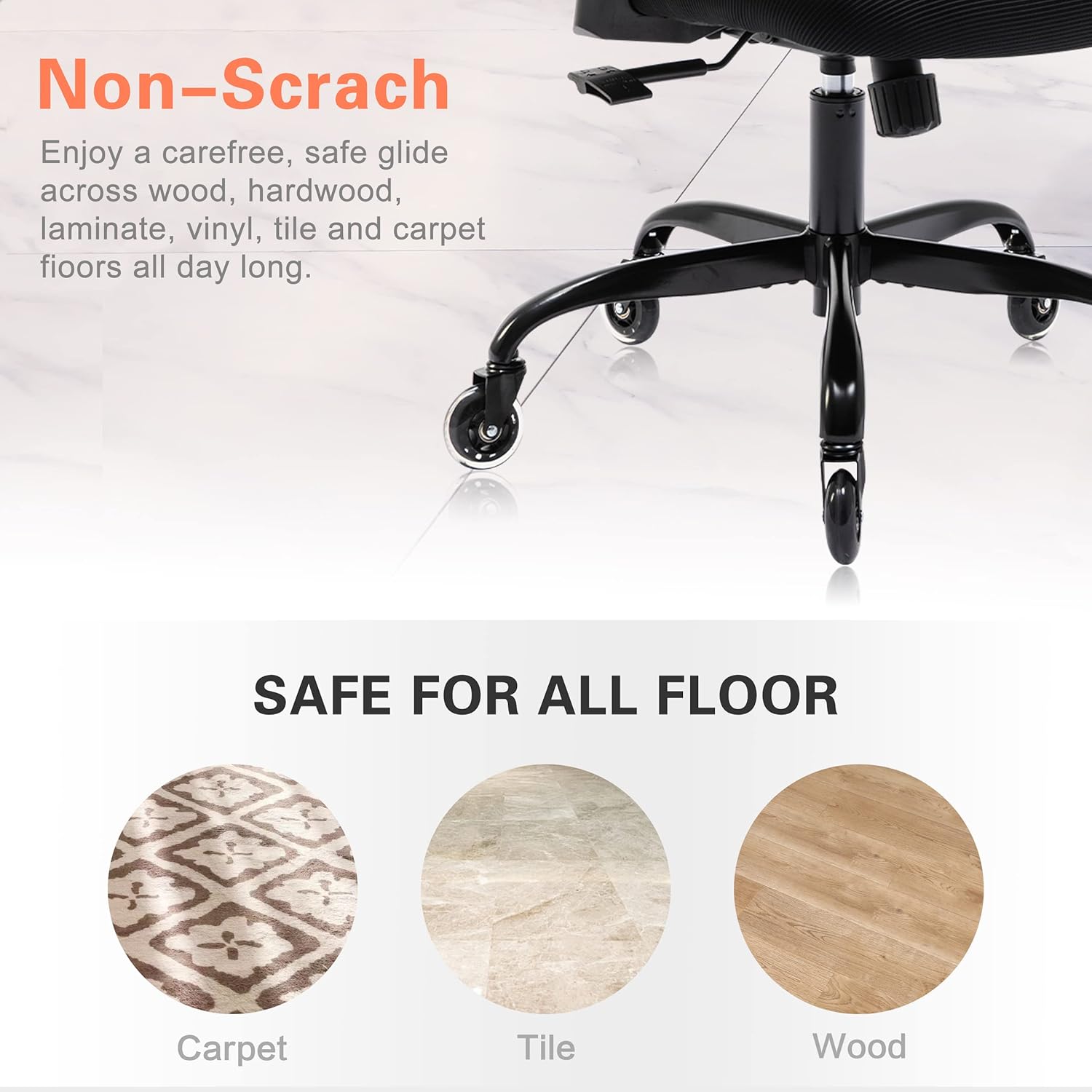
Image: Blade Wheels for All Floor Types
7. Troubleshooting
If you encounter any issues with your FelixKing office chair, refer to the common problems and solutions below:
| Problem | Possible Cause | Solution |
|---|---|---|
| Chair is wobbly or unstable. | Loose screws or bolts. | Check and tighten all assembly screws and bolts. |
| Chair does not roll smoothly. | Debris in casters; casters damaged. | Clean casters of any hair or debris. If damaged, contact support for replacements. |
| Seat height does not adjust or sinks. | Gas lift cylinder malfunction. | Contact FelixKing customer support for assistance. Do not attempt to repair the gas lift yourself. |
| Squeaking noises. | Loose connections; friction between parts. | Tighten all screws. Apply a small amount of silicone lubricant to moving parts if necessary. |
8. Specifications
- Brand: FelixKing
- Model: FK9070-F
- Color: Black
- Product Dimensions: 21 x 10 x 21 inches (L x W x H)
- Item Weight: 40.1 pounds
- Frame Material: Alloy Steel
- Fill Material: Foam
- Back Style: Mesh Back
- Special Feature: Adjustable (Armrests, Headrest, Lumbar Support, Seat Height, Tilt)
- Surface Recommendation: Hard Floor (suitable for various floor types)
- UPC: 781017617688
- GTIN: 781017617688

Image: Chair Dimensions and Adjustable Features
9. Warranty and Support
For specific warranty details and terms, please refer to the documentation included with your purchase or visit the official FelixKing website. If you require technical support, have questions about assembly, or need replacement parts, please contact FelixKing customer service through your retailer or the manufacturer's contact information.


