
1. Introduction
This manual provides detailed instructions for the safe and efficient operation, installation, and maintenance of your NEWTRY RS06 12V 6-Button Wireless Crane Remote Control. Designed for industrial use, this remote control system offers reliable wireless operation for various lifting and material handling equipment. Please read this manual thoroughly before using the product to ensure proper function and safety.
2. Safety Information
Always prioritize safety when operating industrial equipment. Failure to follow safety guidelines can result in serious injury or equipment damage.
- Ensure all personnel are clear of the operating area before activating any machinery.
- Regularly inspect the remote control and receiver for any signs of damage or wear.
- Do not operate the remote control if you are under the influence of drugs, alcohol, or medication that may impair your judgment.
- Always use the emergency stop button in critical situations.
- Keep the remote control dry and clean. Despite its IP65 rating, prolonged exposure to harsh conditions should be minimized.
- Only authorized and trained personnel should operate this equipment.
3. Product Overview
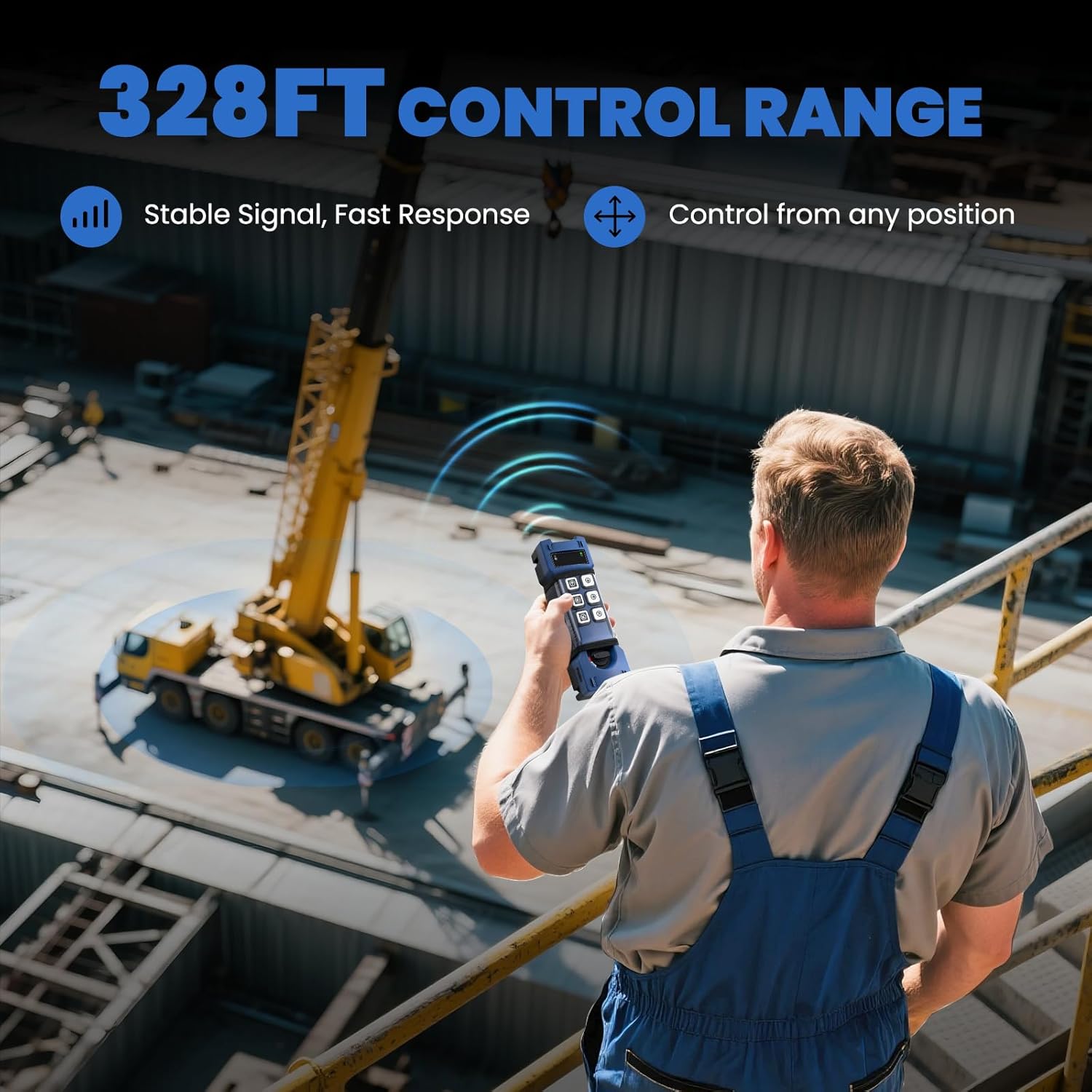
The NEWTRY RS06 is a robust 12V 6-button wireless remote control system designed for industrial applications. It features a durable PA66 housing and sealed internal components, providing IP65 protection against dust and water. The system offers a stable operating range of up to 328 feet (100 meters) in open-field conditions.
Key Features:
- Durable Industrial Design: Constructed from robust PA66 with sealed internal components for resilience in harsh environments.
- LED Indicators: Integrated LED lights provide real-time visual status updates on power and signal.
- 328 FT Wireless Control Distance: Ensures a stable operating range for safe and efficient control.
- Customizable Function: Supports Momentary (press-to-run), Latching (press-on/press-off), and Interlock (paired-button mutual exclusion) control logic. A dedicated programming cable (sold separately) is required to change modes.
- Dual Safety Protection: Features an emergency stop button and a rotary switch to prevent accidental operation.
Components:
The system includes a handheld transmitter (remote control) and a receiver unit.

The remote control features an emergency stop button, LED indicator, function button area, rotary start switch, and data line interface. The receiver includes a receiving antenna, power indicator light, mounting holes, status indicator light, and a wiring diagram.


4. Setup
4.1 Battery Installation
The remote control requires two 12V batteries (included). To install the batteries, rotate the button at the bottom of the remote control to open the battery compartment. Insert the batteries according to the polarity markings, then close the compartment by rotating the button back into place.
4.2 Receiver Mounting
The receiver unit is equipped with universal mounting holes for flexible installation on walls, equipment, or trucks. Choose a location that provides clear line-of-sight to the remote control and is protected from excessive vibration or impact.

4.3 Wiring the Receiver
Connect the receiver to your equipment's control system according to the provided wiring diagram. Ensure all connections are secure and properly insulated. The system typically requires a positive 12V power wire, a ground wire, and trigger wires for each function (e.g., Up, Down, East, West, North, South, Alarm). The orange wire often serves as a trigger wire, activating the circuit board for all buttons to function. For specific wiring configurations, consult a qualified electrician or refer to the detailed wiring video.

5. Operating Instructions
Before operating, ensure the receiver is properly installed and wired, and the remote control has fresh batteries.
5.1 Powering On/Off
- To activate the remote, turn the rotary switch at the bottom of the remote to the 'ON' position.
- To power off, turn the rotary switch to the 'OFF' position.
5.2 Emergency Stop
In case of an emergency, press the large red emergency stop button located at the top of the remote control. This will immediately halt all operations.

5.3 Basic Control Functions
The remote control features 6 buttons for various directional and operational controls. Press and hold the corresponding button to activate the desired function (e.g., Up, Down, East, West, North, South). Release the button to stop the action.
6. Maintenance
6.1 General Care
Keep the remote control and receiver clean by wiping them with a soft, dry cloth. Avoid using abrasive cleaners or solvents. Regularly check for any loose connections, frayed wires, or physical damage. Ensure the battery compartment is sealed to prevent moisture ingress.
6.2 Battery Replacement
The remote control uses two 12V Alkaline or Nickel-Metal Hydride batteries. Replace batteries when the low battery indicator on the remote illuminates or when performance degrades. Always dispose of old batteries responsibly.
7. Troubleshooting
If you encounter issues with your NEWTRY RS06 remote control, refer to the following basic troubleshooting steps:
- No Power/No Response: Check the batteries in the remote control. Ensure the rotary switch is in the 'ON' position. Verify the receiver is receiving power and its power indicator LED is lit.
- Intermittent Signal: Ensure there are no obstructions between the remote and the receiver. Check the operating distance; the maximum range is 328 feet in open conditions. Verify the signal transmitting and receiving LEDs on both units.
- Incorrect Function: Confirm that the wiring connections to the equipment are correct according to the wiring diagram. If customizable functions were set, ensure the correct mode is selected (Momentary, Latching, Interlock).
- Emergency Stop Engaged: If the emergency stop button is pressed, operations will cease. Twist or pull the button to reset it before resuming normal operation.
For persistent issues, contact NEWTRY customer support.
8. Specifications
| Feature | Detail |
|---|---|
| Manufacturer | NEWTRY |
| Part Number | RS06 |
| Item Weight | 3.83 pounds |
| Product Dimensions | 10 x 10 x 10 inches |
| Item Model Number | RS06 |
| Batteries | 2 x 12V batteries required (included) |
| Battery Cell Type | Alkaline |
| Description Pile | 12V Alkaline or Nickel-Metal Hydride |
| Color | Dark Blue |
| Item Package Quantity | 1 |
| Included Components | Crane Remote |
| Connectivity Technology | Radio Frequency |
| Number of Buttons | 6 |
| Controller Type | Button Control |
| Wireless Control Distance | Up to 328 feet (100 meters) |
| Protection Rating | IP65 |
9. Warranty and Support
For warranty information, technical support, or service inquiries, please visit the official NEWTRY website or contact their customer service department. Keep your purchase receipt for any warranty claims.
Visit the NEWTRY Store on Amazon for more products and information.