
1. Introduction
This manual provides comprehensive instructions for the installation, operation, and maintenance of your EMOS LED Emergency Light, model ZN1210. This device is designed to provide reliable emergency illumination for escape routes during power outages.
The EMOS LED Emergency Light delivers continuous cold white light and features a high-quality integrated battery that ensures 3 hours of emergency operation. Its robust design, with an IP20 protection rating, makes it suitable for indoor wall or ceiling mounting in public buildings and facilities.
2. Product Features
- Light Source: Cold white LED (5,000 Kelvin) with 30 lumens brightness.
- Emergency Operation: Integrated 900 mAh Ni-Cd battery provides 3 hours of emergency lighting during power failures.
- Mounting Options: Designed for indoor wall or ceiling mounting.
- Durability: Robust construction with IP20 protection rating.
- Included Pictograms: Comes with 4 green emergency exit panels (2 for bottom, 1 for left, 1 for right) for versatile escape route marking.
- Application: Ideal for public establishments and buildings such as hotel corridors, bars, restaurants, halls, and schools.

Image: Diagram illustrating key features including brightness (30 lm), indoor use, 900 mAh Ni-Cd backup battery, and cool white light color.
3. Safety Information
Please read all safety instructions carefully before installation and operation. Failure to follow these instructions may result in electric shock, fire, or other hazards.
- Installation must be performed by a qualified electrician in accordance with local electrical codes and regulations.
- Ensure the power supply is disconnected before any installation, maintenance, or troubleshooting.
- Do not expose the device to moisture or extreme temperatures outside its operating range (0°C to +40°C).
- This product is designed for indoor use only (IP20 rating).
- Do not attempt to open or modify the device, as this will void the warranty and may pose a safety risk.
- Keep out of reach of children.
4. Package Contents
Verify that all components are present and undamaged before proceeding with installation.
- 1 x EMOS LED Emergency Light unit
- 4 x Green Emergency Exit Pictograms (2 for bottom, 1 for left, 1 for right)
- Mounting hardware (screws and anchors)
- Instruction Manual (this document)

Image: The EMOS LED Emergency Light unit shown with the primary "running man and down arrow" pictogram installed, and two additional pictograms (running man and right arrow, running man and left arrow) provided separately.
5. Setup and Installation
The EMOS LED Emergency Light can be mounted on a wall or ceiling. Follow these steps for proper installation:
- Choose Location: Select a suitable indoor location for mounting, ensuring it is visible and accessible for emergency exit marking. Consider the required pictogram direction (left, right, or down).
- Disconnect Power: Before starting any electrical work, ensure the main power supply to the installation area is turned off at the circuit breaker.
- Mark Drilling Points: Use the mounting bracket of the emergency light as a template to mark the drilling points on the wall or ceiling.
- Drill Holes: Drill holes at the marked points using an appropriate drill bit for your wall/ceiling material. Insert the provided wall anchors if necessary.
- Wire Connection: Open the wiring compartment of the emergency light. Connect the AC power supply wires (Live, Neutral, Earth) to the corresponding terminals. Ensure all connections are secure. The connection points are designed for easy pressure contact.
- Mount the Unit: Secure the emergency light unit to the wall or ceiling using the provided screws.
- Install Pictogram: Select the appropriate green emergency exit pictogram (running man with arrow pointing left, right, or down) and slide it into the designated slots on the light unit. The pictograms are easy to replace.
- Restore Power: Once installation is complete and all connections are secure, restore power to the circuit. The light will begin charging its internal battery.
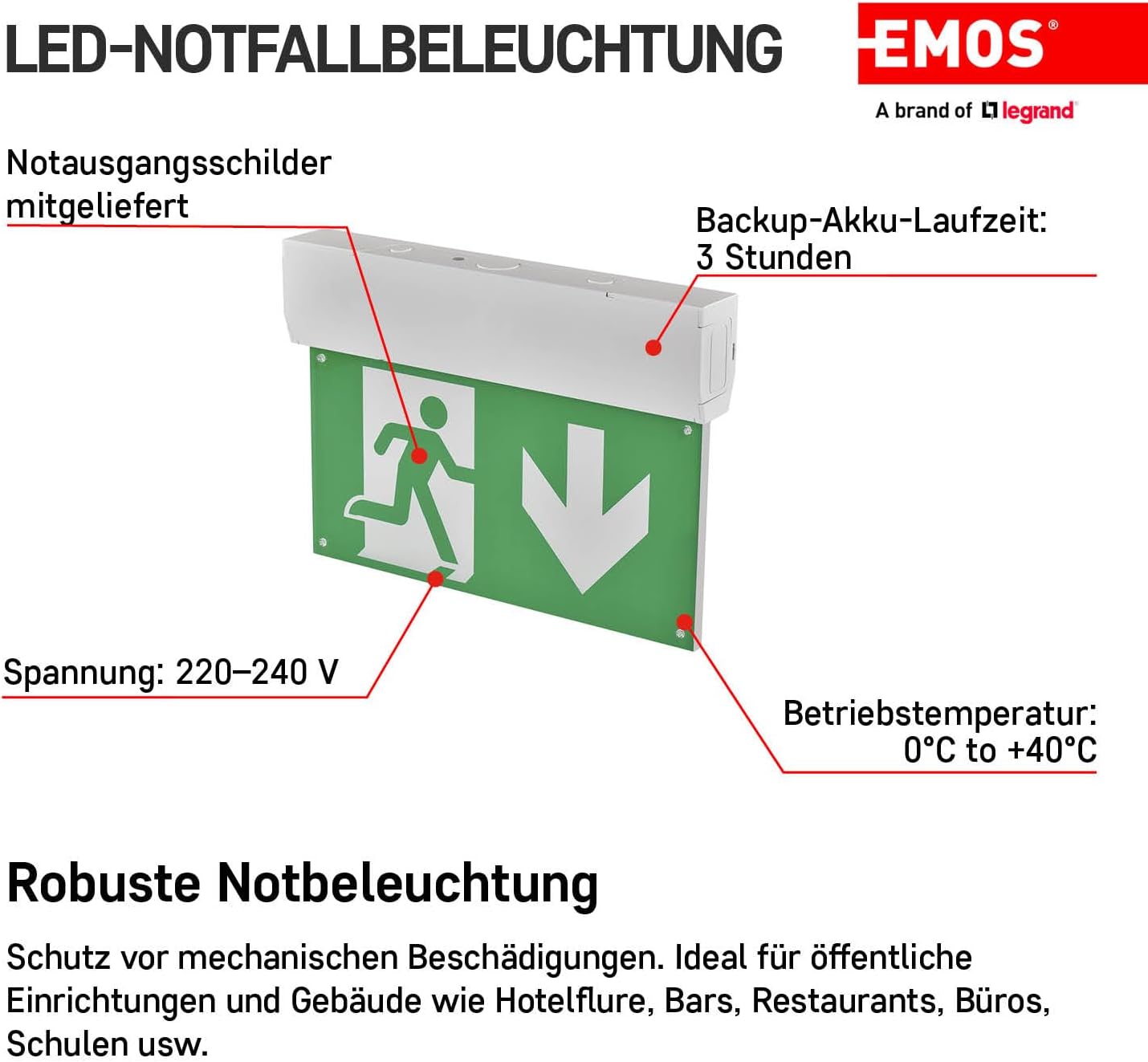
Image: Close-up view of the EMOS LED Emergency Light showing the wiring compartment, voltage input (220-240 V), operating temperature (0°C to +40°C), and the included emergency exit signs.
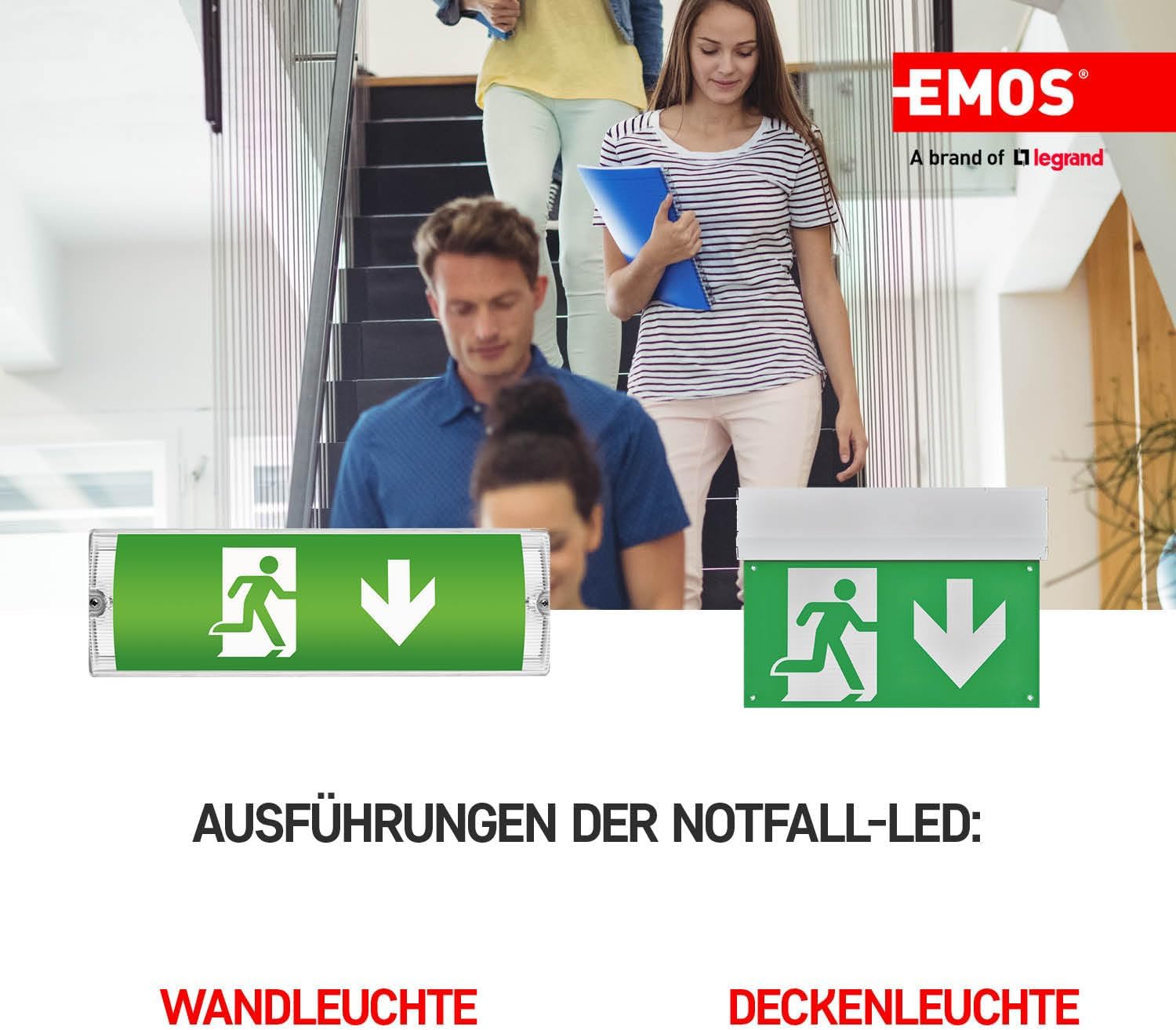
Image: Examples of the EMOS LED Emergency Light installed in both wall-mounted and ceiling-mounted configurations within a building setting.
6. Operating Instructions
The EMOS LED Emergency Light operates automatically once installed and connected to power.
- Normal Operation: When connected to the main power supply, the internal Ni-Cd battery will continuously charge. The LED indicator on the unit will show the charging status.
- Emergency Mode: In the event of a power outage, the emergency light will automatically switch to battery power and illuminate the escape route for up to 3 hours.
- Manual Test Button: The unit includes a manual test button. Pressing this button simulates a power outage, allowing you to verify the emergency lighting function and battery status. Release the button to return to normal operation.
- Battery Discharge Protection: The unit is designed to prevent over-discharge of the battery, extending its lifespan.
7. Maintenance
Regular maintenance ensures the longevity and reliable operation of your emergency light.
- Cleaning: Clean the exterior of the light and pictograms periodically with a soft, dry cloth. Do not use abrasive cleaners or solvents.
- Battery Test: It is recommended to perform a manual test of the emergency function at least once a month by pressing the test button. Ensure the light illuminates for the specified duration.
- Annual Full Discharge Test: Annually, disconnect the main power supply to the unit for a full 3-hour discharge test to ensure the battery holds its charge capacity. Reconnect power after the test.
- Battery Replacement: The Ni-Cd battery has a lifespan and may require replacement after several years. If the light does not maintain its 3-hour emergency operation, consult a qualified technician for battery replacement.
For information on recycling light bulbs and cleaning them, please refer to the following resources:
8. Troubleshooting
If you encounter issues with your EMOS LED Emergency Light, refer to the following table:
| Problem | Possible Cause | Solution |
|---|---|---|
| Light does not illuminate during power outage. | Battery not charged or faulty; wiring issue. | Ensure unit is connected to continuous power for at least 24 hours to charge. Check wiring connections. If problem persists, battery may need replacement. |
| Light does not turn off when power is restored. | Unit stuck in emergency mode; internal fault. | Press the manual test button. If it remains on, disconnect power for a few minutes and reconnect. If issue persists, contact support. |
| Light is dim in emergency mode. | Battery not fully charged or nearing end of life. | Allow unit to charge for 24 hours. Perform a full discharge test. If dimness persists or emergency duration is short, battery may need replacement. |
| LED indicator not lit. | No power supply; faulty LED indicator. | Check power supply to the unit. If power is present, the indicator LED may be faulty, but the unit might still function. Test emergency mode. |
If the problem cannot be resolved using the troubleshooting steps above, please contact EMOS customer support.
9. Specifications
| Attribute | Value |
|---|---|
| Model Number | ZN1210 |
| Brand | EMOS |
| Product Dimensions (L x W x H) | 31.5 x 4.5 x 22.3 cm |
| Weight | 929 grams |
| Color | White |
| Material | Plastic |
| Power Source | AC (Alternating Current) |
| Light Color | Cold White (5,000 Kelvin) |
| Luminosity | 30 lumens |
| Emergency Mode Duration | 3 hours |
| Battery Type | Ni-Cd 900 mAh (integrated) |
| Ingress Protection (IP) Rating | IP20 (Indoor Use Only) |
| Operating Temperature | 0°C to +40°C |
| Assembly Required | Yes |
| Included Parts | 1 emergency light with pictograms |

Image: Technical drawing showing the precise dimensions of the EMOS LED Emergency Light unit in millimeters.
10. Warranty and Support
The EMOS LED Emergency Light (Model ZN1210) comes with a 4-year warranty on the light unit itself. The integrated Ni-Cd battery is covered by a separate 2-year warranty.
For technical support, warranty claims, or further inquiries, please contact EMOS customer service through your point of purchase or visit the official EMOS website.
EMOS, a brand of Legrand, is committed to providing high-quality electrical products. All products undergo rigorous testing for quality and performance.