
1. Introduction
Thank you for choosing the Linsoul 7Hz Salnotes Zero HiFi In-Ear Earphone (IEM). This revolutionary earphone features a 10mm dynamic driver with a metallic composite diaphragm, designed to deliver exceptional acoustic performance. Its ergonomic shape and durable construction ensure comfort and longevity. This manual provides detailed instructions for setup, operation, maintenance, and troubleshooting to help you get the most out of your Salnotes Zero IEMs.
2. Package Contents
- 7Hz Salnotes Zero In-Ear Earphones (1 pair)
- Detachable 0.78mm 2Pin OFC Cable (1)
- Silicone Eartips (S/M/L sizes, various types)
- User Manual (this document)
3. Product Overview
The 7Hz Salnotes Zero IEMs are crafted with an environment-friendly plastic chassis and a stainless steel faceplate, ensuring both aesthetic appeal and robust durability. The design prioritizes comfort for extended listening sessions.

Figure 3.1: Linsoul 7Hz Salnotes Zero IEMs (Blue, Without Mic)

Figure 3.2: Angled view of the IEMs, showcasing the ergonomic shape.

Figure 3.3: Close-up of the stainless steel faceplate with 'SALNOTES ZERO' engraving.
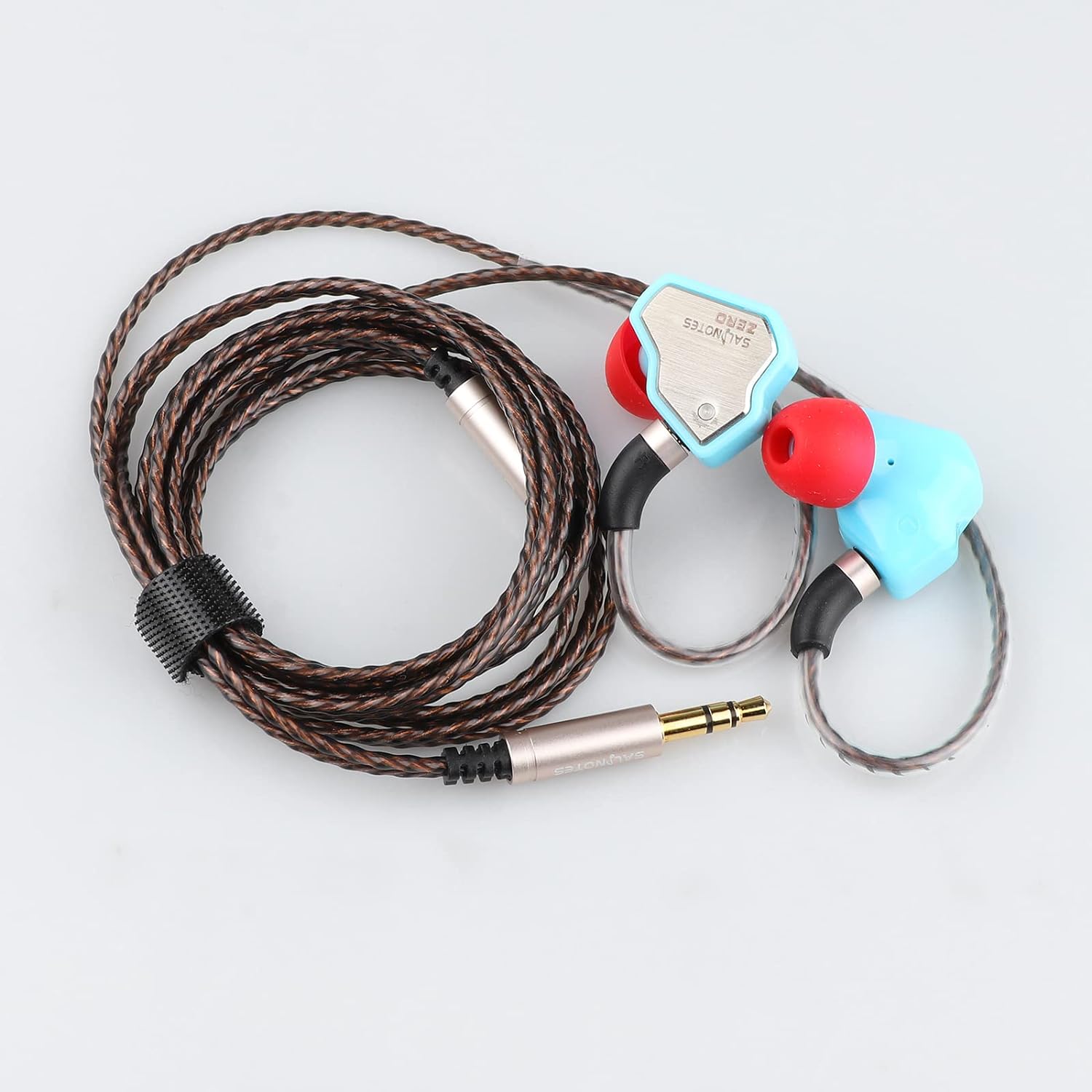
Figure 3.4: The IEMs and their detachable high-purity Oxygen Free Copper (OFC) cable.
4. Setup
4.1 Attaching the Cable
The 7Hz Salnotes Zero features a detachable cable with gold-plated 0.78mm 2Pin connectors. This design allows for easy replacement and upgrade of the cable.
- Identify the left (L) and right (R) earpieces and the corresponding connectors on the cable. The earpieces typically have an 'L' or 'R' marking.
- Align the 2Pin connector on the cable with the receptacle on the earpiece. Ensure the pins are correctly oriented.
- Gently push the connector into the earpiece until it is securely seated. Do not force the connection.
- Repeat for the other earpiece.

Figure 4.1: Proper connection of the detachable 2-pin cable to the earphone.
4.2 Selecting and Attaching Eartips
Proper eartip selection is crucial for optimal sound quality and comfort. The Salnotes Zero comes with multiple sizes and types of silicone eartips.
- Experiment with different eartip sizes (S, M, L) to find the best fit for your ears. A good seal is essential for bass response and noise isolation.
- Gently remove the pre-installed eartips by pulling them off the nozzle.
- Push the desired eartip onto the nozzle until it is firmly attached.

Figure 4.2: Various silicone eartips included for a customized fit.
4.3 Initial Connection to Audio Source
Connect the 3.5mm jack of the cable to your audio source (e.g., mobile device, laptop, desktop computer).

Figure 4.3: IEMs connected to a laptop for audio playback.
4.4 Setup Video Guide
Watch this official video for a visual guide on setting up your Linsoul 7Hz Salnotes Zero IEMs:
Video 4.1: Official Linsoul 7Hz Salnotes Zero HiFi In-Ear Earphone overview and setup guide.
5. Operating Instructions
5.1 Wearing the IEMs
The 7Hz Salnotes Zero IEMs are designed for comfortable and secure fit. They are intended to be worn with the cable routed over your ear.
- Insert the earpiece into your ear canal, ensuring a snug fit.
- Gently loop the cable over the top of your ear, allowing it to rest comfortably behind your ear.
- Adjust the earpiece and cable for the most comfortable and secure fit.
5.2 Audio Playback
Once connected to your audio source, you can begin playing music or other audio content. The 7Hz Salnotes Zero is engineered to provide a smooth and accurate sound experience without distortion, thanks to its fine-tuning technique and dynamic driver.
- Adjust the volume on your connected device to a comfortable listening level.
- Ensure the cable is fully inserted into both the IEMs and the audio source for optimal sound transmission.
6. Maintenance
6.1 Cleaning the Earpieces and Eartips
Regular cleaning helps maintain sound quality and hygiene.
- Gently wipe the earpieces with a soft, dry, lint-free cloth.
- Remove the eartips and clean them with mild soap and water. Rinse thoroughly and allow them to air dry completely before reattaching.
- Use a small, soft brush or cotton swab to carefully remove any earwax or debris from the earpiece nozzles. Be careful not to push debris further inside.
6.2 Cable Care
The detachable OFC cable is designed for durability, but proper care extends its lifespan.
- Avoid sharp bends or kinks in the cable.
- When disconnecting, always pull from the connector housing, not the cable itself.
- Store the cable neatly coiled when not in use.
6.3 Storage
Store your IEMs in a clean, dry place, away from extreme temperatures and direct sunlight. Consider using a small pouch or case to protect them from dust and physical damage.
7. Troubleshooting
If you encounter any issues with your 7Hz Salnotes Zero IEMs, please refer to the following common problems and solutions:
| Problem | Possible Cause | Solution |
|---|---|---|
| No sound or low volume | Cable not fully connected; incorrect audio source selection; device volume too low; dirty earpiece nozzle. | Ensure cable connectors are fully seated. Check audio output settings on your device. Increase device volume. Clean earpiece nozzles. |
| Distorted or poor sound quality | Loose cable connection; improper eartip seal; damaged cable; audio file quality. | Reconnect the cable firmly. Try different eartip sizes to ensure a proper seal. Test with another cable if available. Try a different audio file or source. |
| Uncomfortable fit or falling out | Incorrect eartip size; improper wearing technique. | Experiment with all included eartip sizes to find the most comfortable and secure fit. Ensure the cable is routed over your ear. |
| One side has no sound | Loose connection to one earpiece; damaged cable. | Check the 2Pin connection on both earpieces. Try swapping the earpieces (if possible) or using a different cable to isolate the issue. |
8. Specifications
| Feature | Detail |
|---|---|
| Model Name | 7Hz Salnotes Zero |
| Driver Type | 10mm Dynamic Driver with Metal Composite Diaphragm |
| Frequency Response | 10 Hz - 20 kHz |
| Impedance | 32 Ohm |
| Headphones Jack | 3.5 mm Jack |
| Connectivity Technology | Wired |
| Cable Feature | Detachable (0.78mm 2Pin) |
| Material | Plastic chassis, Stainless Steel faceplate, OFC Copper cable |
| Item Weight | 2.82 ounces (0.08 Kilograms) |
| Product Dimensions | 4.13 x 2.95 x 1.38 inches |
| Manufacturer | 7Hz |
| Color | Blue (for this variant) |
9. Warranty and Support
Linsoul Audio products are backed by a 1-Year Warranty. For any questions, technical support, or warranty claims, please contact Linsoul Audio customer service through their official channels or the retailer where you purchased the product. Please retain your proof of purchase for warranty validation.
For more information, visit the Linsoul Store on Amazon.
