1. Introduction
This manual provides essential information for the safe and efficient installation, operation, and maintenance of your Sygonix SY-4998010 LED Under-Cabinet Light. Please read these instructions carefully before use and retain them for future reference.
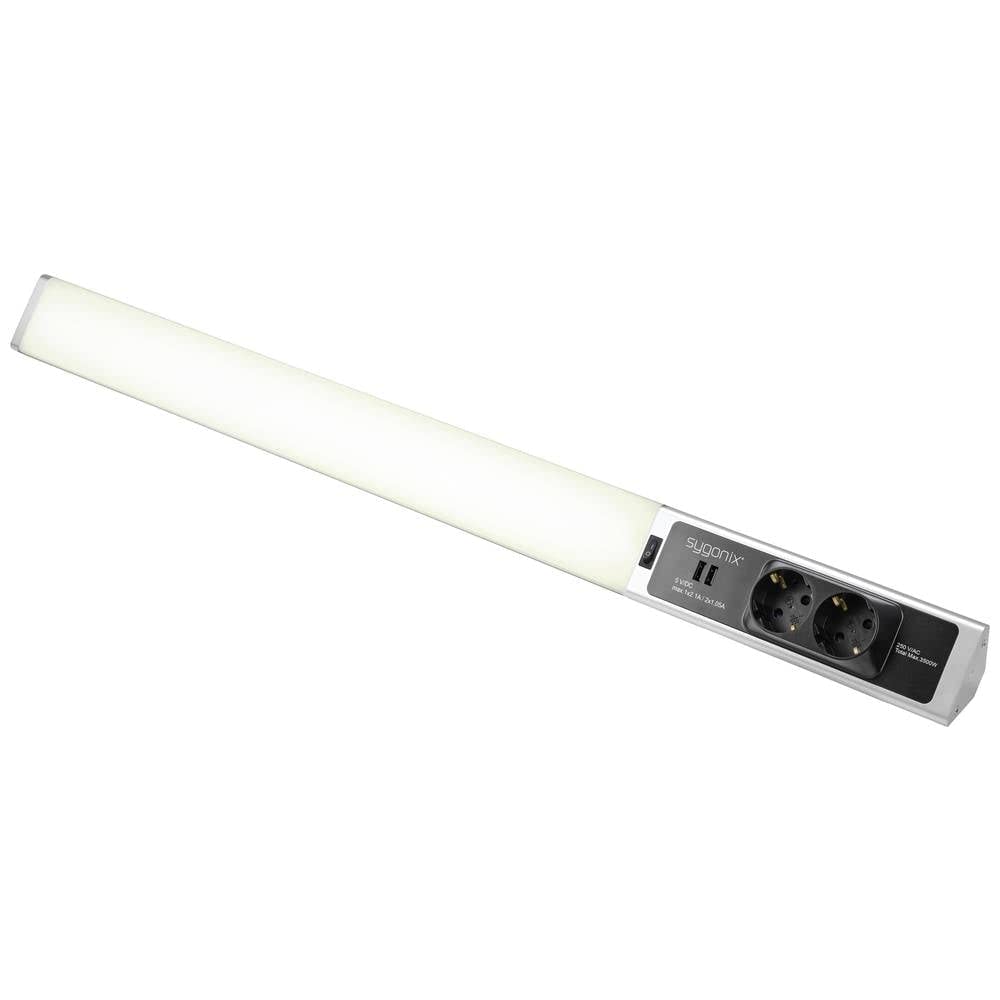
Figure 1: Top view of the Sygonix SY-4998010 LED Under-Cabinet Light, showing the integrated power outlets and USB ports on the right side.
2. Safety Instructions
Observe the following safety precautions to prevent injury or damage to the product:
- Ensure the power supply voltage matches the product's specifications (230V).
- Do not open the product casing. There are no user-serviceable parts inside.
- Avoid direct exposure to water or high humidity. This product is designed for indoor use only.
- Do not install near heat sources or in direct sunlight.
- Disconnect the power supply before cleaning or performing any maintenance.
- Keep out of reach of children.
- If the power cable is damaged, it must be replaced by the manufacturer, its service agent, or similarly qualified persons to avoid a hazard.
3. Package Contents
Verify that all items are present and in good condition:
- Sygonix SY-4998010 LED Under-Cabinet Light
- Mounting hardware (screws, anchors)
- Instruction Manual
4. Setup
4.1 Mounting the Light
Choose a suitable location under a cabinet or shelf. Ensure the surface is clean, dry, and capable of supporting the light's weight.
- Mark the desired mounting points using the light fixture as a template.
- Drill pilot holes at the marked locations.
- Insert wall anchors if mounting into drywall or similar material.
- Secure the light fixture to the surface using the provided screws. Ensure it is firmly attached.

Figure 2: Side view of the LED light bar, illustrating its slim profile and potential mounting points.
4.2 Electrical Connection
Connect the light to a standard 230V AC power outlet.
- Ensure the power outlet is easily accessible.
- Plug the power cable of the LED light into the wall outlet.
- The integrated power outlets and USB ports on the light fixture are now ready for use.

Figure 3: Close-up view of the integrated 230V AC power outlets and 5V DC USB ports on the Sygonix LED light.
5. Operating Instructions
The Sygonix LED Under-Cabinet Light is designed for simple operation.
- Turning On/Off: Locate the power switch on the light fixture. Toggle the switch to turn the LED light on or off.
- Using Integrated Outlets: The two integrated 230V AC outlets can be used to power other devices. Ensure the total power consumption does not exceed 3680W.
- Using USB Ports: The two 5V DC USB ports (Type A) provide power for charging compatible devices. The maximum output is 2.4A per port, with a total maximum of 2.4A for both ports combined.
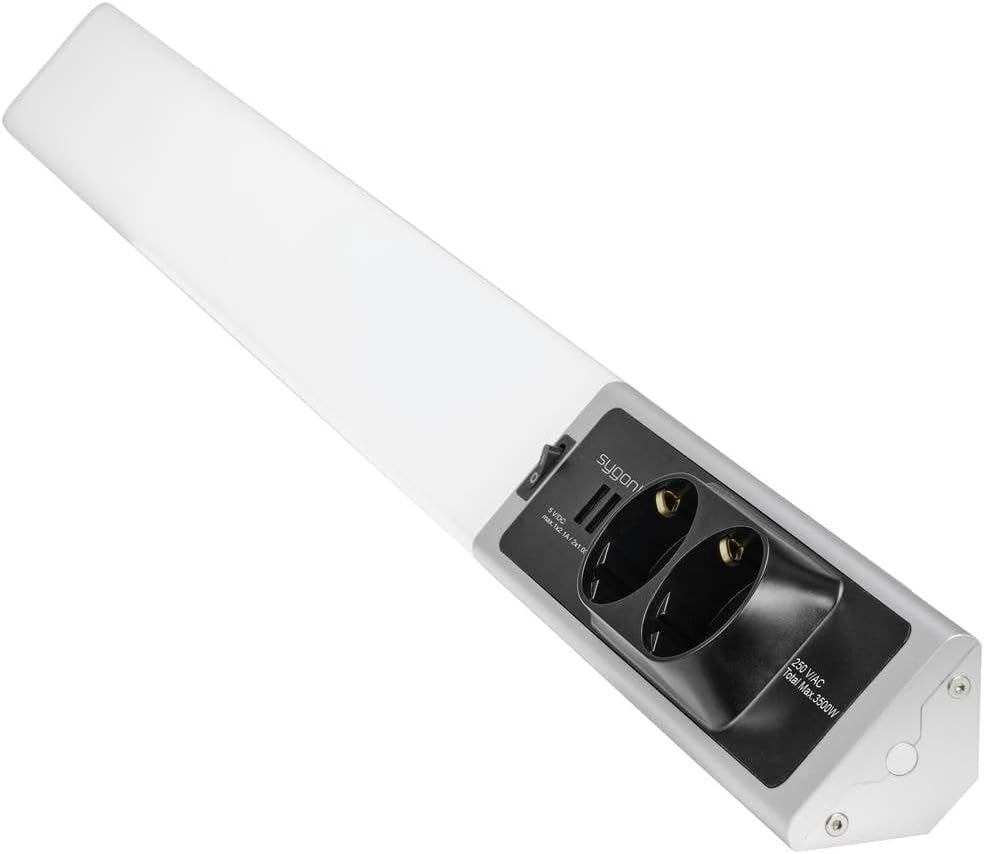
Figure 4: Angled view of the Sygonix LED light, highlighting the light bar, power switch, and integrated outlets/USB ports.
6. Maintenance
The Sygonix LED Under-Cabinet Light requires minimal maintenance.
- Cleaning: Disconnect the power before cleaning. Wipe the surface with a soft, dry cloth. Do not use abrasive cleaners or solvents.
- LEDs: The integrated LED lights are not user-replaceable. Do not attempt to open the light fixture.
7. Troubleshooting
If you encounter issues with your LED Under-Cabinet Light, refer to the following table:
| Problem | Possible Cause | Solution |
|---|---|---|
| Light does not turn on. | No power supply. Power switch is off. |
Check if the power cable is securely plugged in. Ensure the wall outlet has power. Toggle the power switch to the 'On' position. |
| Outlets/USB ports not working. | No power supply. Overload on outlets. |
Check power connection. Reduce the number of devices connected or their total power consumption. |
| Light flickers. | Unstable power supply. Loose connection. |
Ensure a stable power source. Check all connections. If flickering persists, discontinue use and contact support. |
If the problem persists after attempting these solutions, please contact customer support.
8. Specifications
| Brand: | Sygonix |
| Model Number: | SY-4998010 |
| Light Type: | SMD LED |
| Power: | 18 W |
| Voltage: | 230 V |
| Light Color: | Neutral White |
| Material: | Aluminum |
| Product Dimensions (L x W x H): | 15 x 11 x 23 cm |
| Item Weight: | 563 g |
| Integrated Outlets: | 2 x 230V AC (Max. 3680W total) |
| Integrated USB Ports: | 2 x 5V DC (Max. 2.4A total) |
9. Warranty and Support
Sygonix products are manufactured to high-quality standards. In the unlikely event of a defect, please refer to your purchase documentation for warranty details and contact the retailer or Sygonix customer support for assistance.
For further support or inquiries, please visit the official Sygonix website or contact their customer service department.


