
Superer ADP-100Z
Superer USB C Laptop Charger User Manual
Model: ADP-100Z
Introduction
Thank you for choosing the Superer USB C Laptop Charger. This manual provides essential information for the safe and efficient use of your new charger. Please read it thoroughly before use and retain it for future reference.
This charger is designed to provide reliable power for compatible Dell Inspiron and Vostro laptops, ensuring consistent and stable power delivery.
Safety Information
Your safety is paramount. This Superer USB C Laptop Charger is manufactured to nationally recognized standards for high-level electronic safety. Please observe the following precautions:
- Do not expose the charger to liquids, extreme temperatures, or direct sunlight.
- Do not disassemble, modify, or attempt to repair the charger.
- Ensure the power outlet is properly grounded and matches the charger's input voltage (110 Volts).
- Avoid placing heavy objects on the power cord.
- Unplug the charger during lightning storms or when unused for long periods.
- Keep out of reach of children.

Image: The charger incorporates multiple safety protections, including overheating, overvoltage, electrostatic, short circuit, overcurrent, and overcharge protection, ensuring safe operation.
Package Contents
Upon opening your package, please verify that all items are present and in good condition:
- 1 x Superer USB C Laptop Power Adapter
- 1 x Power Cord

Image: The Superer USB C Laptop Charger includes the main power adapter unit and a detachable power cord.
Product Overview
The Superer USB C Laptop Charger is a compact and efficient power solution. It features a USB Type C connector for compatibility with modern laptops.

Image: Dimensions of the charger unit: approximately 4.11 inches in length, 2.05 inches in width, and 0.75 inches in thickness, designed for portability.
Compatibility
This charger is specifically designed for Dell laptops with a USB Type C charging port. Please ensure your device's charging port matches the USB-C type before use.
- Compatible Devices: Dell Inspiron 14, Dell Inspiron 16 Plus, Dell Inspiron 7420, Dell Inspiron 7620, Dell Vostro 7620, Dell P157G003, Dell P117F003, Dell P117F004 Laptops.
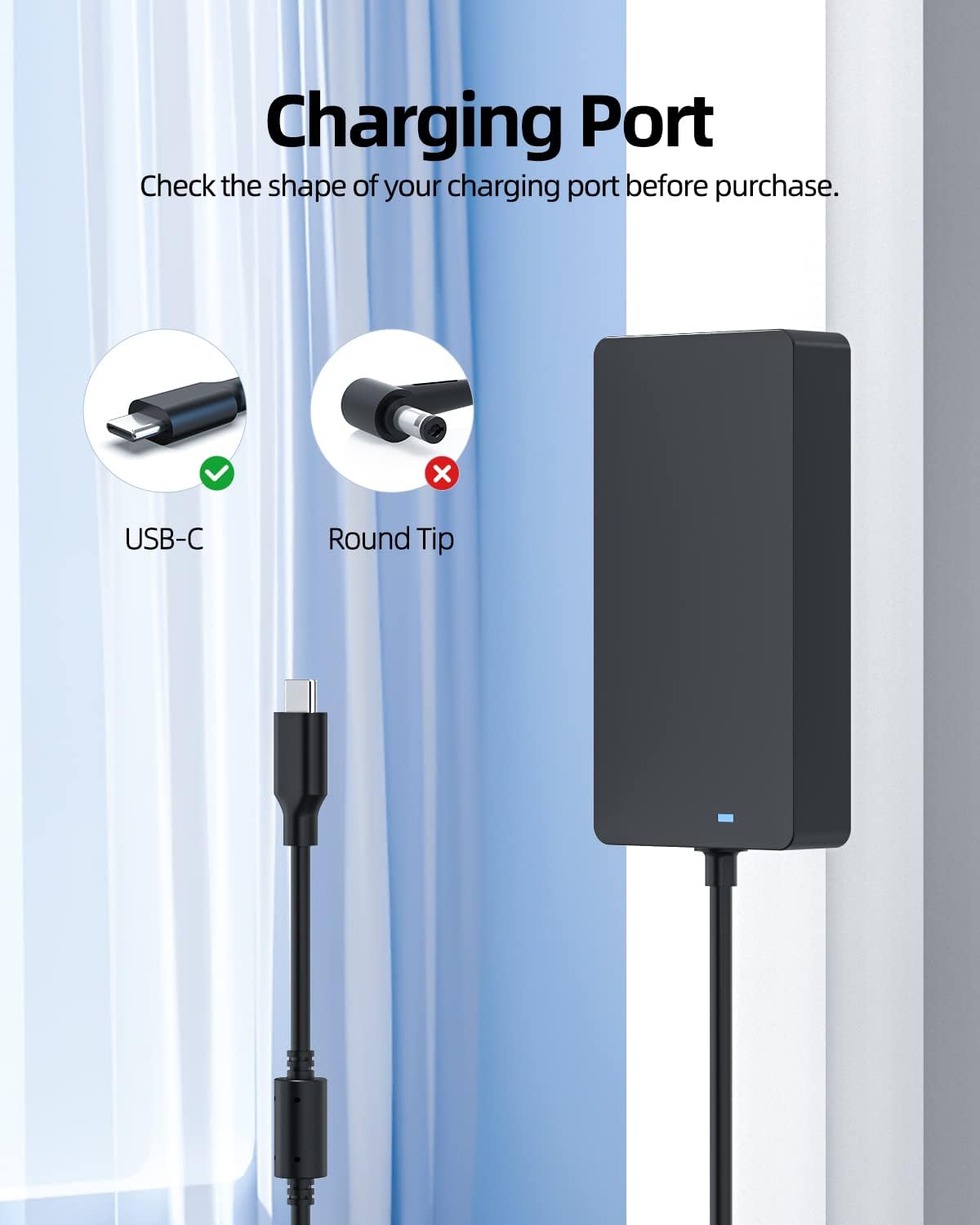
Image: Verify your laptop's charging port is USB-C. This charger is not compatible with round tip charging ports.

Image: The charger supports various power outputs including 45W (20V, 2.25A), 65W (20V, 3.25A), 90W (20V, 4.5A), and 100W (20V, 5A).
Setup Instructions
- Connect the Power Cord: Insert the detachable power cord into the AC input port on the Superer power adapter.
- Plug into Wall Outlet: Insert the other end of the power cord into a standard 110V AC wall outlet.
- Connect to Laptop: Plug the USB Type C connector from the power adapter into the USB-C charging port on your compatible Dell laptop.
- Verify Connection: Ensure the connection is secure. The charging indicator on your laptop should illuminate, indicating that it is receiving power.
Operating Instructions
Once connected, the Superer USB C Laptop Charger will automatically begin providing consistent and stable power to your laptop. It can be used to charge your laptop's battery or to power the laptop directly.
- For optimal performance, use the charger in a well-ventilated area.
- Avoid covering the charger during operation to prevent overheating.
- The charger is designed for portability, making it suitable for use at home, work, or while traveling.

Image: The charger provides consistent and stable power, suitable for charging your laptop or powering it during use.
Maintenance
To ensure the longevity and optimal performance of your Superer USB C Laptop Charger, follow these maintenance guidelines:
- Cleaning: Disconnect the charger from the power outlet and your laptop before cleaning. Use a soft, dry cloth to wipe the surface. Do not use liquid cleaners or aerosols.
- Storage: When not in use, store the charger in a cool, dry place, away from direct sunlight and moisture. Avoid tightly winding the cables to prevent damage.
- Inspection: Periodically inspect the power cord and adapter for any signs of damage, such as fraying, cuts, or bent pins. If damage is found, discontinue use immediately.
Troubleshooting
If you encounter issues with your Superer USB C Laptop Charger, please refer to the following common problems and solutions:
| Problem | Possible Cause | Solution |
|---|---|---|
| Laptop not charging. | Loose connection, incompatible port, power outlet issue, or charger malfunction. |
|
| Charger feels hot. | Normal operation, poor ventilation, or excessive load. |
|
| Intermittent charging. | Loose connection, damaged cable, or power fluctuations. |
|
If the problem persists after trying these solutions, please contact Superer customer support.
Specifications
| Feature | Detail |
|---|---|
| Brand | Superer |
| Model Number | ADP-100Z |
| Connectivity Technology | USB |
| Connector Type | USB Type C |
| Input Voltage | 110 Volts |
| Amperage | 5 Amps |
| Item Weight | 1.05 pounds |
| Package Dimensions | 7.2 x 4.7 x 1.9 inches |
| Compatible Devices | Dell Inspiron 14 16 Plus 7420 7620 Vostro 7620 P157G003 P117F003 P117F004 Laptop |
| Included Components | Power Adapter, Power Cord |
| Special Feature | Travel |
| Mounting Type | Wall Mount |
| Country of Origin | China |
Warranty and Support
Superer stands behind the quality of its products. This product is eligible for replacement or returns within 30 days of purchase. Additionally, the manufacturer provides an additional 12 Months Guarantee from the date of purchase.
For technical support, warranty claims, or any inquiries, please contact Superer customer service through the retailer where you purchased the product or visit the official Superer website for contact information.
For more information, you can visit the Superer Store on Amazon.
Ask a question about this manual
Ask about setup, troubleshooting, compatibility, parts, safety, or missing instructions. Manuals+ will review the question and use this page’s manual context to help answer it.