
Introduction
This manual provides comprehensive instructions for the proper use and maintenance of your Linsoul KZ AS16 Pro Wired Earbuds. Please read this manual thoroughly before using the product to ensure optimal performance and longevity.

Image: Linsoul KZ AS16 Pro Wired Earbuds in Cyan, showcasing the earbuds and the detachable cable with an in-line microphone.
Package Contents
Verify that all items are present in your package:
- Linsoul KZ AS16 Pro Wired Earbuds (Left and Right)
- Detachable 0.75mm 2-pin Cable (with or without microphone, depending on variant)
- Assorted Silicone Ear Tips
- User Manual (this document)
Product Overview
The Linsoul KZ AS16 Pro features an advanced acoustic design for high-fidelity audio reproduction.
Key Features:
- 16 Balanced Armature Drivers: Each earbud is equipped with 8 balanced armature drivers (total 16) for precise sound across the frequency spectrum. This includes 4 high-frequency, 2 medium-frequency, and 2 low-frequency drivers per side.
- Three-Channel Professional Conduit Structure: An optimized internal acoustic design ensures accurate sound delivery and smooth frequency connection.
- Detachable 0.75mm 2-pin Cable: Provides flexibility for cable replacement or upgrades.
- Ergonomic Design: Shaped for comfortable wear and effective passive noise isolation.
- Metal Inlay Resin Process: Combines durable resin with metal elements for a robust and aesthetically pleasing shell.

Image: Internal view of the KZ AS16 Pro earbud, illustrating the arrangement of the balanced armature drivers and the three-channel sound conduit structure.
Setup
1. Attaching the Cable:
- Identify the left (L) and right (R) earbuds and the corresponding connectors on the cable. The cable connectors are typically marked with 'L' and 'R'.
- Align the 2-pin connector on the cable with the receptacle on the earbud. Ensure the pins are correctly oriented.
- Gently push the connector into the earbud until it is securely seated. Do not force the connection.
- Repeat for the other earbud.
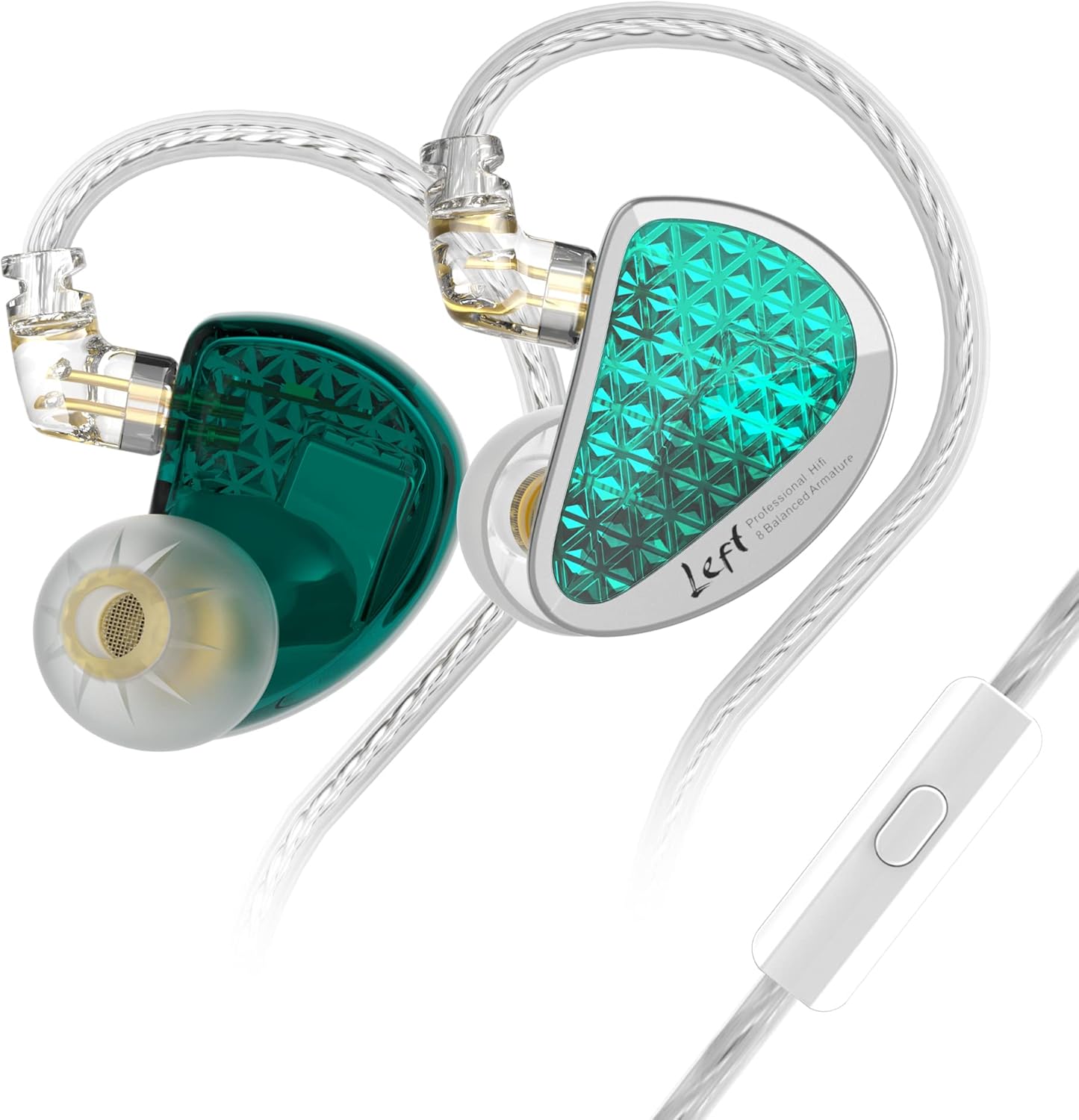
Image: A KZ AS16 Pro earbud with its detachable 2-pin cable separated, highlighting the connection interface for assembly.
2. Selecting and Installing Ear Tips:
Proper ear tip selection is crucial for sound quality and comfort. Experiment with the included ear tips to find the best fit for your ears. A good seal provides optimal bass response and noise isolation.
- Gently remove the pre-installed ear tips by twisting and pulling.
- Select a new pair of ear tips.
- Push the new ear tip onto the nozzle of the earbud until it is securely attached.
3. Wearing the Earbuds:
- Insert the earbud into your ear canal.
- Loop the cable over the top of your ear. This over-ear design helps secure the earbuds and reduces microphonics (cable noise).
- Adjust the earbud and cable for a comfortable and secure fit.

Image: Illustration demonstrating the correct way to wear the KZ AS16 Pro earbud, with the cable routed over the ear for stability.
Operating Instructions
1. Connecting to an Audio Source:
Plug the 3.5mm jack of the earbud cable into the headphone output of your audio device (e.g., smartphone, digital audio player, computer).
2. Using the In-line Microphone and Control (if applicable):
If your KZ AS16 Pro variant includes an in-line microphone and control button, you can perform the following functions:
- Single Press: Play/Pause music, Answer/End call.
- Double Press: Skip to next track.
- Triple Press: Go to previous track.
- Long Press: Activate voice assistant (if supported by your device).
Note: Functionality may vary slightly depending on your connected audio device and operating system.
Maintenance
1. Cleaning the Earbuds and Ear Tips:
- Regularly clean the ear tips with a soft, damp cloth. For silicone tips, you can remove them and wash them with mild soap and water, ensuring they are completely dry before reattaching.
- Use a dry, soft cloth to wipe the earbud shells. Avoid using harsh chemicals or abrasive materials.
- Gently remove any earwax buildup from the earbud nozzles using a small, soft brush or a specialized cleaning tool. Ensure no debris enters the nozzle.
2. Cable Care:
- Avoid sharp bends or excessive pulling on the cable.
- When storing, coil the cable loosely to prevent tangling and damage.
- Always grasp the plug, not the cable, when disconnecting from an audio source.
3. Storage:
When not in use, store your earbuds in a clean, dry place, preferably in a protective case, to prevent dust accumulation and physical damage.
Troubleshooting
| Problem | Possible Cause | Solution |
|---|---|---|
| No sound or intermittent sound |
|
|
| Unbalanced sound (one side louder/quieter) |
|
|
| Discomfort or poor fit |
|
|
Specifications
| Feature | Detail |
|---|---|
| Model Name | KZ AS16 Pro |
| Driver Type | Balanced Armature Driver (8 per side) |
| Frequency Range | 20 Hz - 40 kHz |
| Sensitivity | 111 dB |
| Impedance | 23.5 Ohm |
| Noise Control | Sound Isolation |
| Connectivity Technology | Wired |
| Headphones Jack | 3.5 mm Jack |
| Cable Feature | Detachable 0.75mm 2-pin |
| Material | Plastic (with metal inlay) |
| Product Dimensions | 5.91 x 2.76 x 1.18 inches |
| Item Weight | 2.82 ounces |
| Manufacturer | KZ |
Warranty and Support
For warranty information and customer support, please refer to the documentation provided with your purchase or visit the official Linsoul website.
You can also visit the Linsoul brand store on Amazon for more product information and support: Linsoul Amazon Store.